VOGONS


First post, by aries-mu

User metadata
Rank Oldbie
Rank
Oldbie

Hey guys,

anybody has any idea if the Promise Technology FastTrak66/Ultra66 Ultra 66 ATA/66 IDE PCI Raid Card is going to work under:
• MS-DOS 6.22
• Windows for Workgroup 3.11
• Boot old Pentium 60 (Compaq Deskpro XL60) and Pentium 90 (Compaq Prolinea 590) computers?

If Promise has no drivers for this under DOS and WFW3.11, would any "generic" ATA 66 bus master driver be available and work smoothly?

Thanks!

They said therefore to him: Who are you?
Jesus said to them: The beginning, who also speak unto you
--
"physical media trumps cloud-simp servitude" (Conrad Riker)
--
Computers should be fun inside not outside! 😉 (by Joakim, VOGONS)


Reply 1 of 32, by tpowell.ca

User metadata
Rank Member
Rank
Member

It'll work no problem under all those conditions.
No drivers needed for DOS, that's the Promise promise. 🤣

For the other OSs, just go to the promise website to download the latest drivers.
Not sure about windows 3.11, but it'll work without the drivers.

  • Merlin: MS-4144, AMD5x86-160 32MB, 16GB CF, ZIP100, Orpheus, GUS, S3 VirgeGX 2MB
    Tesla: GA-6BXC, VIA C3 Ezra-T, 256MB, 120GB SATA, YMF744, GUSpnp, Quadro2
    Newton: K6XV3+/66, AMD K6-III+500, 256MB, 32GB SSD, AWE32, Voodoo3

Reply 2 of 32, by aries-mu

User metadata
Rank Oldbie
Rank
Oldbie
tpowell.ca wrote:
It'll work no problem under all those conditions. No drivers needed for DOS, that's the Promise promise. :lol: […]
Show full quote

It'll work no problem under all those conditions.
No drivers needed for DOS, that's the Promise promise. 🤣

For the other OSs, just go to the promise website to download the latest drivers.
Not sure about windows 3.11, but it'll work without the drivers.

wow fantastic! That's a great promise 🤣!!!!! definitely

Thanks so much!!!

They said therefore to him: Who are you?
Jesus said to them: The beginning, who also speak unto you
--
"physical media trumps cloud-simp servitude" (Conrad Riker)
--
Computers should be fun inside not outside! 😉 (by Joakim, VOGONS)
Reply 3 of 32, by NJRoadfan

User metadata
Rank Oldbie
Rank
Oldbie

The cards are fast under DOS too. Unlike the BIOS code for onboard controllers, the Promise ROM enables UDMA transfer modes for all connected devices by default.

Reply 4 of 32, by aries-mu

User metadata
Rank Oldbie
Rank
Oldbie
NJRoadfan wrote:

The cards are fast under DOS too. Unlike the BIOS code for onboard controllers, the Promise ROM enables UDMA transfer modes for all connected devices by default.

Hello NJRoadfan,

Thanks SO MUCH for your comment! I'm so sorry, a heck of a weekend and I forgot to reply!!!

That's very good to know, as the goal is to use an IDE to CF adapter and use UDMA CF cards!

Great!!

They said therefore to him: Who are you?
Jesus said to them: The beginning, who also speak unto you
--
"physical media trumps cloud-simp servitude" (Conrad Riker)
--
Computers should be fun inside not outside! 😉 (by Joakim, VOGONS)
Reply 5 of 32, by Intel486dx33

User metadata
Rank l33t++
Rank
l33t++

I have some I tried to get to work with my Gateway 2000 486dx33 but could not get it to work with my cdrom.
So I had to use a sound card with cdrom controller.

Good luck.

There are some jumper settings on card and it might not work with your bios.
My gateway micronics mobo bios would not pick it up.

Reply 6 of 32, by aries-mu

User metadata
Rank Oldbie
Rank
Oldbie
Intel486dx33 wrote:

Good luck.

There are some jumper settings on card and it might not work with your bios.
My gateway micronics mobo bios would not pick it up.

Hi Intel486dx33 (a DX 33 was my very first "personal" personal computer! 😀 ).

Thanks!

Jumpers on the Promise card or sound card? Which one do you mean?

What wouldn't your mobo bios pick up?

Thanks again

They said therefore to him: Who are you?
Jesus said to them: The beginning, who also speak unto you
--
"physical media trumps cloud-simp servitude" (Conrad Riker)
--
Computers should be fun inside not outside! 😉 (by Joakim, VOGONS)
Reply 7 of 32, by tpowell.ca

User metadata
Rank Member
Rank
Member
Intel486dx33 wrote:
I have some I tried to get to work with my Gateway 2000 486dx33 but could not get it to work with my cdrom. So I had to use a s […]
Show full quote

I have some I tried to get to work with my Gateway 2000 486dx33 but could not get it to work with my cdrom.
So I had to use a sound card with cdrom controller.

Good luck.

There are some jumper settings on card and it might not work with your bios.
My gateway micronics mobo bios would not pick it up.

This is normal since it acts like an intelligent controller (imagine a RAID controller with RAID disabled) that standard DOS CD-ROM drivers cannot interface with, and nor can the BIOS. In the BIOS just set the drives as none, and disable the secondary integrated controller. Connect the CD-ROM to the Primary on-board controller and you're all set.
Some add-on controllers even come with their own CD-ROM drivers for DOS to resolve this exact issue such as some of the Silicon Image controllers.

  • Merlin: MS-4144, AMD5x86-160 32MB, 16GB CF, ZIP100, Orpheus, GUS, S3 VirgeGX 2MB
    Tesla: GA-6BXC, VIA C3 Ezra-T, 256MB, 120GB SATA, YMF744, GUSpnp, Quadro2
    Newton: K6XV3+/66, AMD K6-III+500, 256MB, 32GB SSD, AWE32, Voodoo3

Reply 8 of 32, by aries-mu

User metadata
Rank Oldbie
Rank
Oldbie

Man you know everything, thanks!

They said therefore to him: Who are you?
Jesus said to them: The beginning, who also speak unto you
--
"physical media trumps cloud-simp servitude" (Conrad Riker)
--
Computers should be fun inside not outside! 😉 (by Joakim, VOGONS)
Reply 9 of 32, by tpowell.ca

User metadata
Rank Member
Rank
Member
aries-mu wrote:

Man you know everything, thanks!

I thought I knew a lot.... until I found Vogons. 😊

Its funny how little people know about computers, how they actually work, and yet think they know everything.
Having worked in different computer stores in my younger years and hearing coworkers say anything to customers just to sell a piece of high-priced hardware. 😢

Unfortunately the same can be said about cars. In fact, its much much worse.

  • Merlin: MS-4144, AMD5x86-160 32MB, 16GB CF, ZIP100, Orpheus, GUS, S3 VirgeGX 2MB
    Tesla: GA-6BXC, VIA C3 Ezra-T, 256MB, 120GB SATA, YMF744, GUSpnp, Quadro2
    Newton: K6XV3+/66, AMD K6-III+500, 256MB, 32GB SSD, AWE32, Voodoo3

Reply 10 of 32, by aries-mu

User metadata
Rank Oldbie
Rank
Oldbie

Yeah, same feeling here 🤣!

Wow, about the coworkers thing, I never thought about that!!!

They said therefore to him: Who are you?
Jesus said to them: The beginning, who also speak unto you
--
"physical media trumps cloud-simp servitude" (Conrad Riker)
--
Computers should be fun inside not outside! 😉 (by Joakim, VOGONS)
Reply 11 of 32, by Intel486dx33

User metadata
Rank l33t++
Rank
l33t++
tpowell.ca wrote:
Intel486dx33 wrote:
I have some I tried to get to work with my Gateway 2000 486dx33 but could not get it to work with my cdrom. So I had to use a s […]
Show full quote

I have some I tried to get to work with my Gateway 2000 486dx33 but could not get it to work with my cdrom.
So I had to use a sound card with cdrom controller.

Good luck.

There are some jumper settings on card and it might not work with your bios.
My gateway micronics mobo bios would not pick it up.

This is normal since it acts like an intelligent controller (imagine a RAID controller with RAID disabled) that standard DOS CD-ROM drivers cannot interface with, and nor can the BIOS. In the BIOS just set the drives as none, and disable the secondary integrated controller. Connect the CD-ROM to the Primary on-board controller and you're all set.
Some add-on controllers even come with their own CD-ROM drivers for DOS to resolve this exact issue such as some of the Silicon Image controllers.

That makes cents. Thanks, I could not get the promise to work with dos cdrom drivers. So I settled for a cheap sound card with cdrom controller.

Reply 12 of 32, by Omarkoman

User metadata
Rank Member
Rank
Member

Reviving this thread instead of making new one.

Can someone help with my ultra66 promise controller:

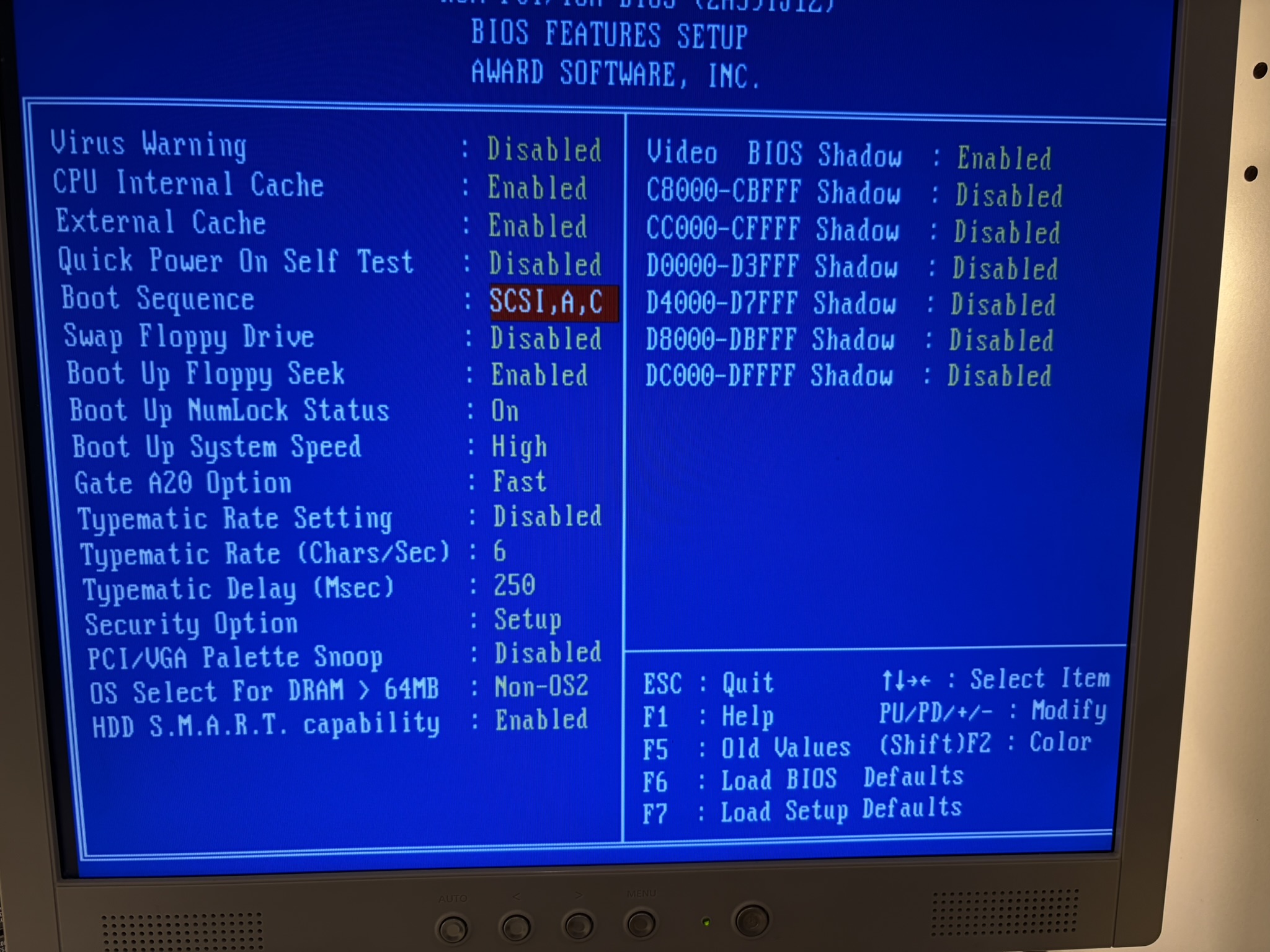
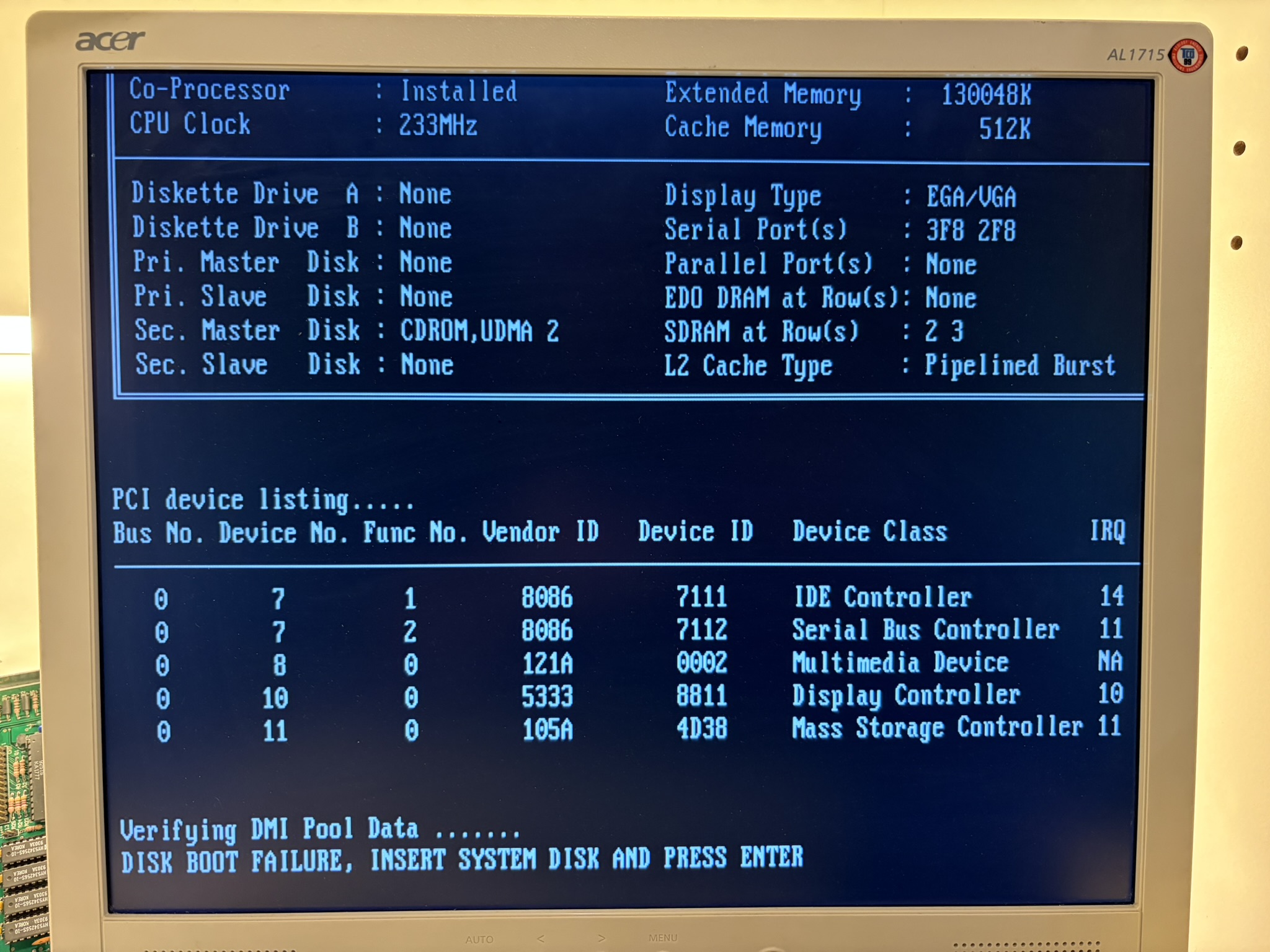
1. How do i boot from it? I set boot order to scsi in bios but it does not seem to work.

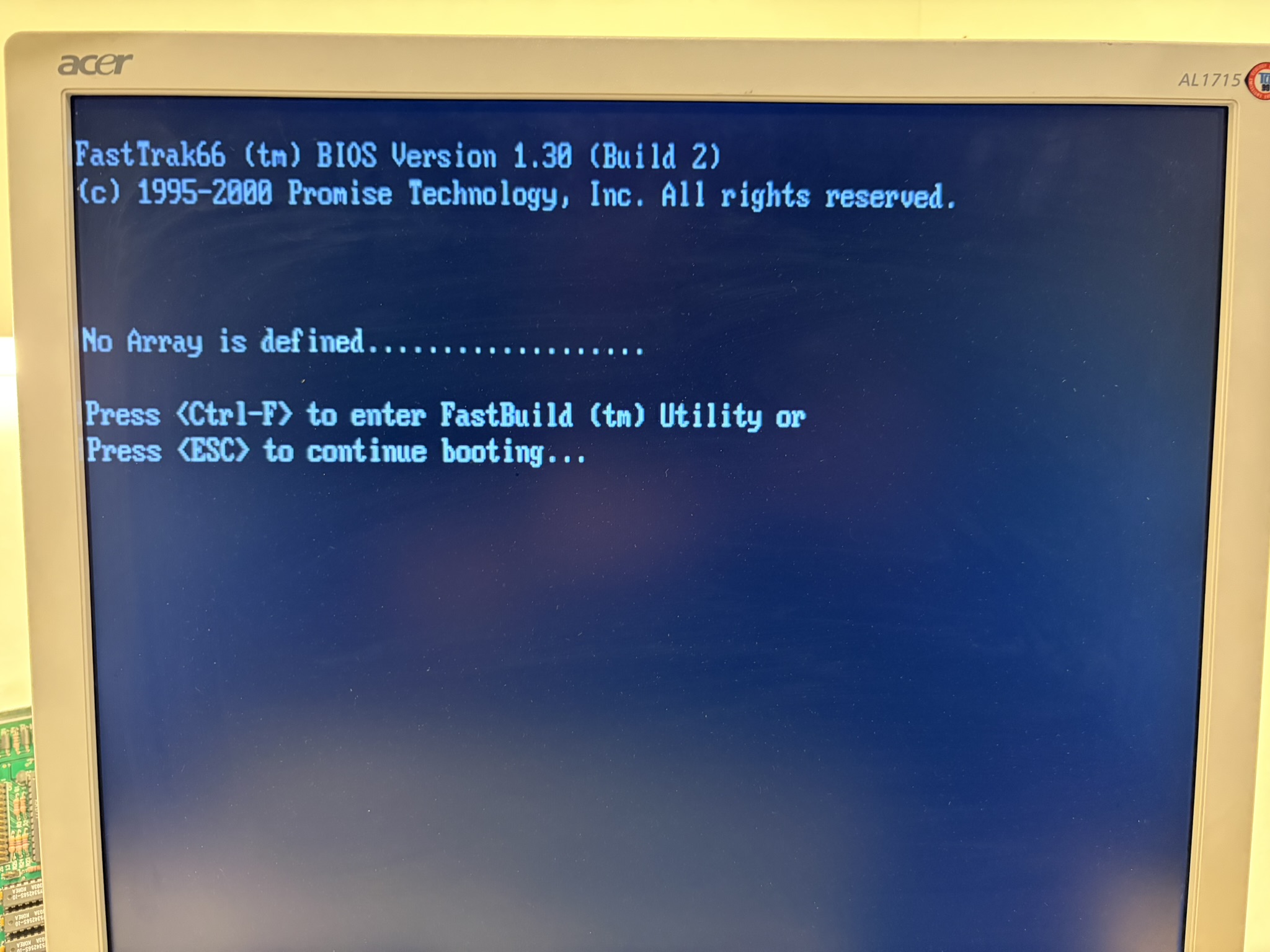
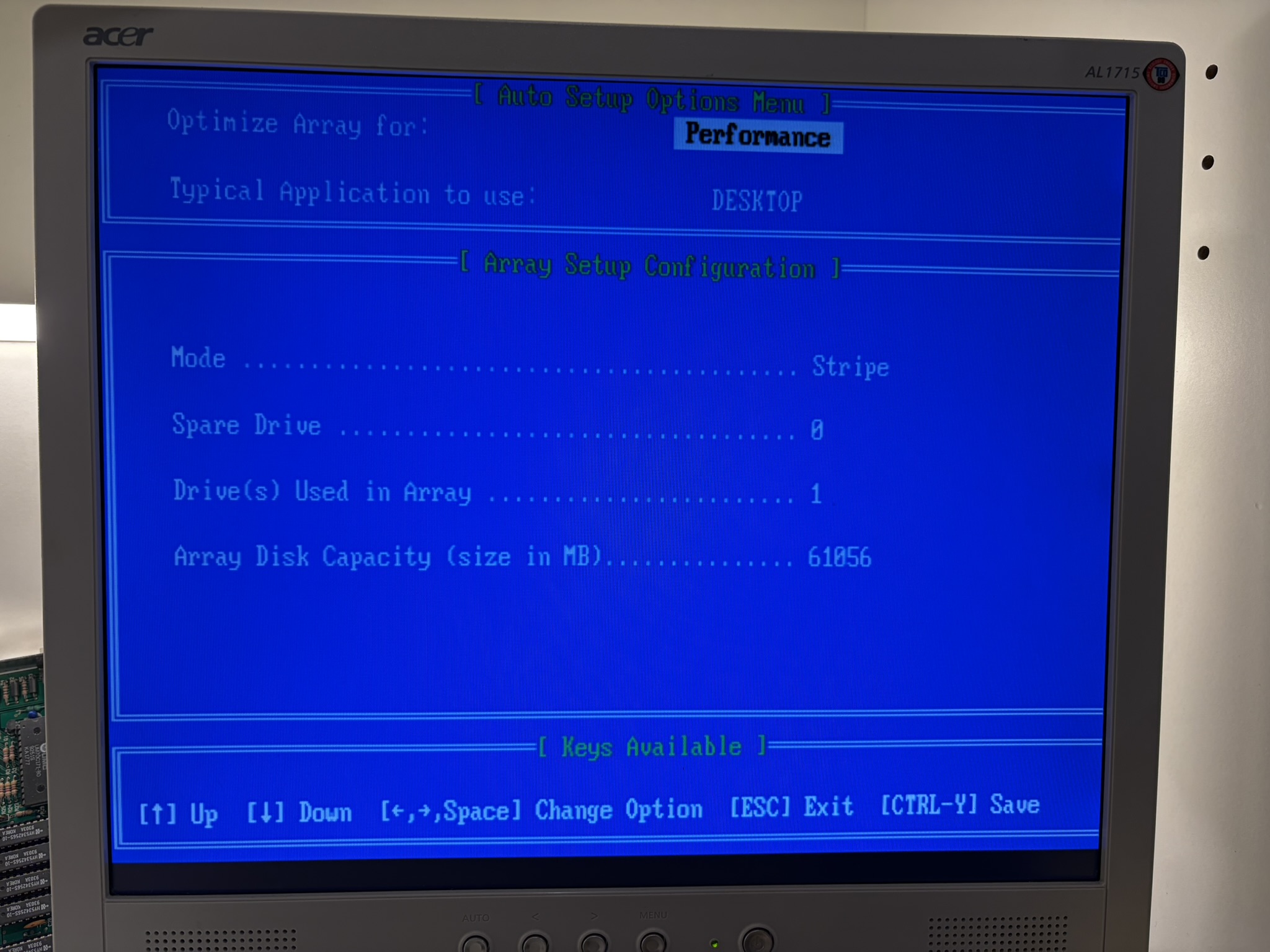
2. When using a single drive, how do i make it visible in dos fdisk (w98 version) ? The card detects the drive when i go ctrl+s in its bios but being a single drive i cant create a jbod or single drive array so having a single drive i cant do anything in bios. That also means it takes ages on each boot when controller is scanning for drives. Why cant i create a single drive array that appears during boot ?

3. Im using quick win 98 installer, booting from cd, it uses linux and it detects the hdd connected to the controller and installs windows 98 but system wont boot as i dont think it sees the hdd, i just no system disk error.

Keen to understand how to make this card work and be seen in dos and can be booted from.

few screenshots:

https://i.postimg.cc/4XhsWR50/IMG-2318.jpg
https://i.postimg.cc/LmZ2xFT7/IMG-2319.jpg
https://i.postimg.cc/s3ZsTCck/IMG-2320.jpg
https://i.postimg.cc/5fFbsW3T/IMG-2322.jpg

Thanks.

Reply 13 of 32, by NeoG_

User metadata
Rank Member
Rank
Member

It's a RAID controller, so all disks have to be wrapped in an array before they can be seen by the host system. According to the manual, it will let you create a stripe or span array with a single disk, and with a single disk it will essentially pass through the disk as-is. Also on the array list screen in the card bios, pressing spacebar will denote an array as bootable.

Last edited by NeoG_ on 2026-02-25, 11:57. Edited 1 time in total.

98/DOS Rig: BabyAT AladdinV, K6-2+/550, V3 2000, 128MB PC100, 20GB HDD, 128GB SD2IDE, SB Live!, SB16-SCSI, PicoGUS, WP32 McCake, iNFRA CD, ZIP100
XP Rig: Lian Li PC-10 ATX, Gigabyte X38-DQ6, Core2Duo E6850, ATi HD5870, 2GB DDR2, 2TB HDD, X-Fi XtremeGamer

Reply 14 of 32, by Omarkoman

User metadata
Rank Member
Rank
Member

thank you so much fo the reply, I did not know that.

later today I will :

1. update card to latest BIOS
2. create stripe array with single drive (I think I tried that but it gave an error creating an array and said to reboot but will check again, I thought it was because I had only one drive)
3. set the drive as bootable

I will then do a simple test, boot into DOS with W98 boot floppy disk and check if I can see the HDD in FDISK.

Will report back ...

Reply 15 of 32, by Omarkoman

User metadata
Rank Member
Rank
Member

I downloaded bios but when flashing it says wrong file?

I created the drive array and set to bootable but issue now is windows 98 wont boot from the disk as it has no drivers installed so how can i make it work? I cant plug the ssd into the onboard controller as it doesnt recognise large hdds.

Reply 16 of 32, by PC Hoarder Patrol

User metadata
Rank l33t
Rank
l33t
Omarkoman wrote on 2026-02-25, 09:05:

I downloaded bios but when flashing it says wrong file?

I created the drive array and set to bootable but issue now is windows 98 wont boot from the disk as it has no drivers installed so how can i make it work? I cant plug the ssd into the onboard controller as it doesnt recognise large hdds.

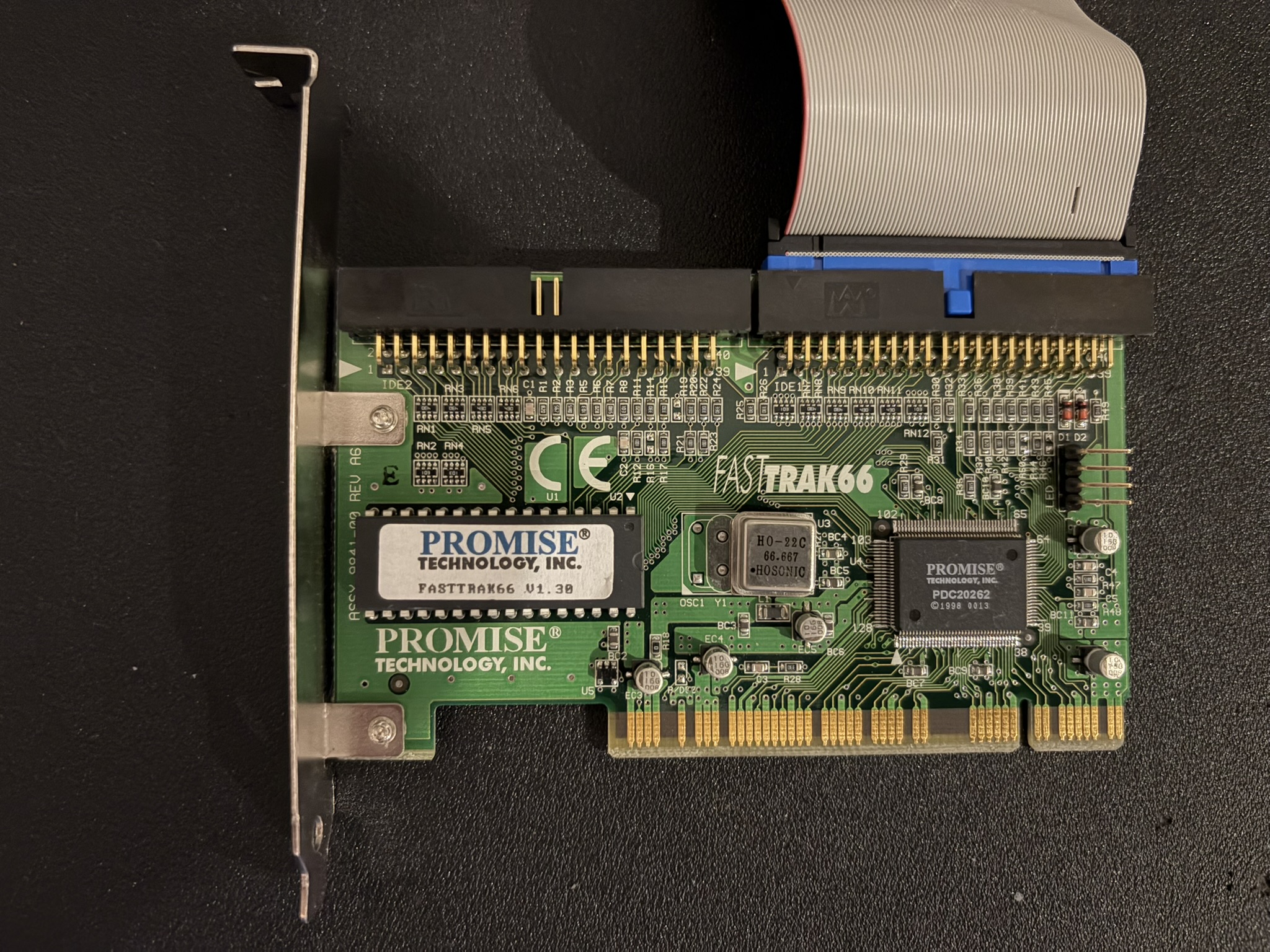
Is this the file you downloaded... FastTrak66 (tm) BIOS Version 1.30 (Build 12)

The attachment FT66B130b12.zip is no longer available

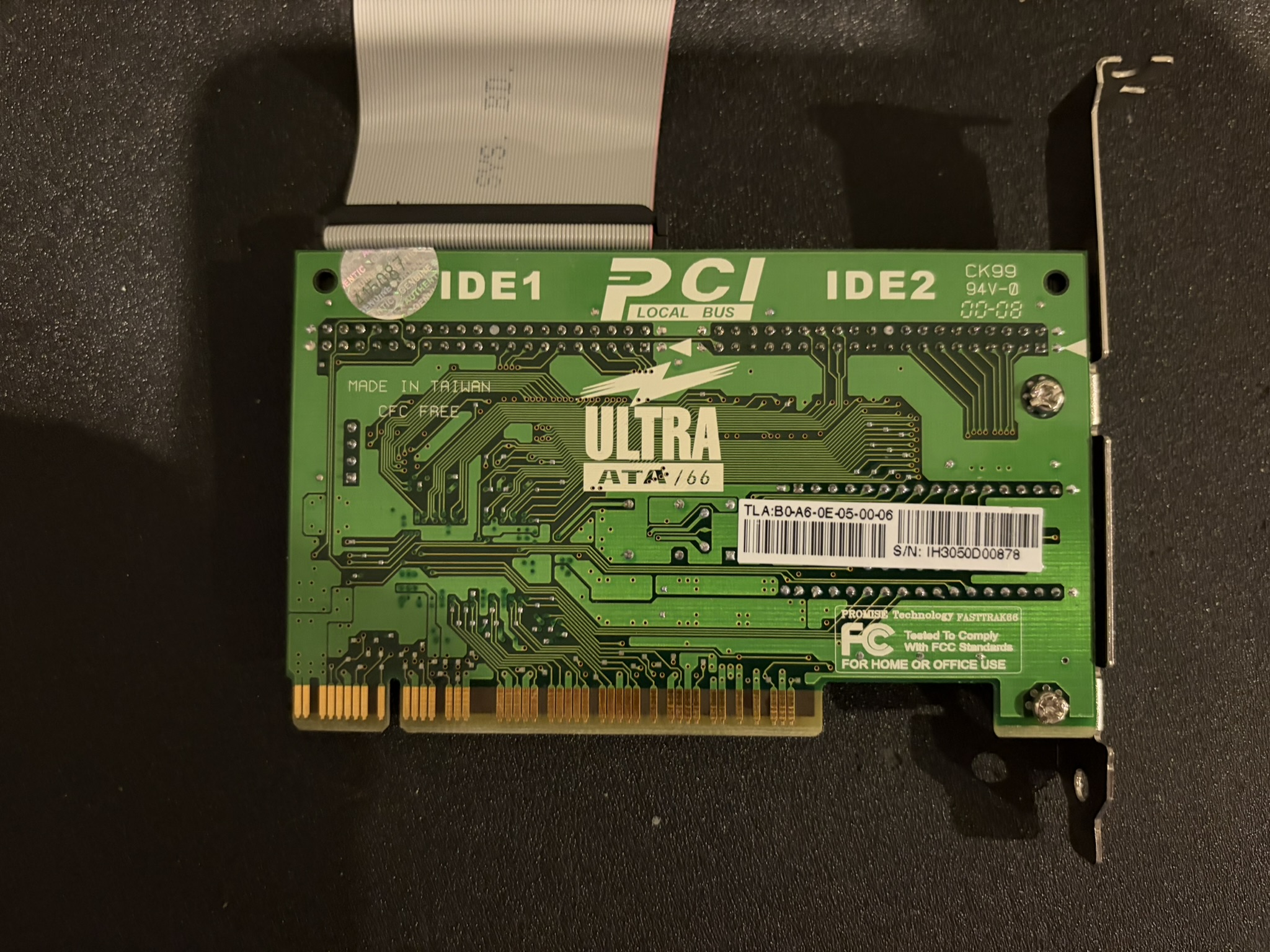
Can you post pics of your card (front & back)

Reply 17 of 32, by NeoG_

User metadata
Rank Member
Rank
Member
Omarkoman wrote on 2026-02-25, 09:05:

I created the drive array and set to bootable but issue now is windows 98 wont boot from the disk as it has no drivers installed so how can i make it work? I cant plug the ssd into the onboard controller as it doesnt recognise large hdds.

Are you still using the installation that happened while there was no bootable array? I think you will need to reformat and re-install win98 after the boot drive configuration has changed. If that still doesn't work you may need to use the traditional install method and then install drivers after first boot.

98/DOS Rig: BabyAT AladdinV, K6-2+/550, V3 2000, 128MB PC100, 20GB HDD, 128GB SD2IDE, SB Live!, SB16-SCSI, PicoGUS, WP32 McCake, iNFRA CD, ZIP100
XP Rig: Lian Li PC-10 ATX, Gigabyte X38-DQ6, Core2Duo E6850, ATi HD5870, 2GB DDR2, 2TB HDD, X-Fi XtremeGamer

Reply 18 of 32, by Omarkoman

User metadata
Rank Member
Rank
Member

here are the photos:

https://i.postimg.cc/3h1zFvVZ/IMG-2349.jpg
https://i.postimg.cc/749jn2d3/IMG-2350.jpg

I realised that my card is FASTTRAK66 not ULTRA66 so that would explain why the BIOS did not flash as I downloaded one from Phils website, I downloaded the one above which is same as RTW so will try that.

And yes, the installation of win98 was already loaded on the SSD so yes, I can try to install win98 but will it work if it doesnt have the card drivers ? I need to be able to see the drive first in DOS using fdisk win98 boot otherwise install wont see it.

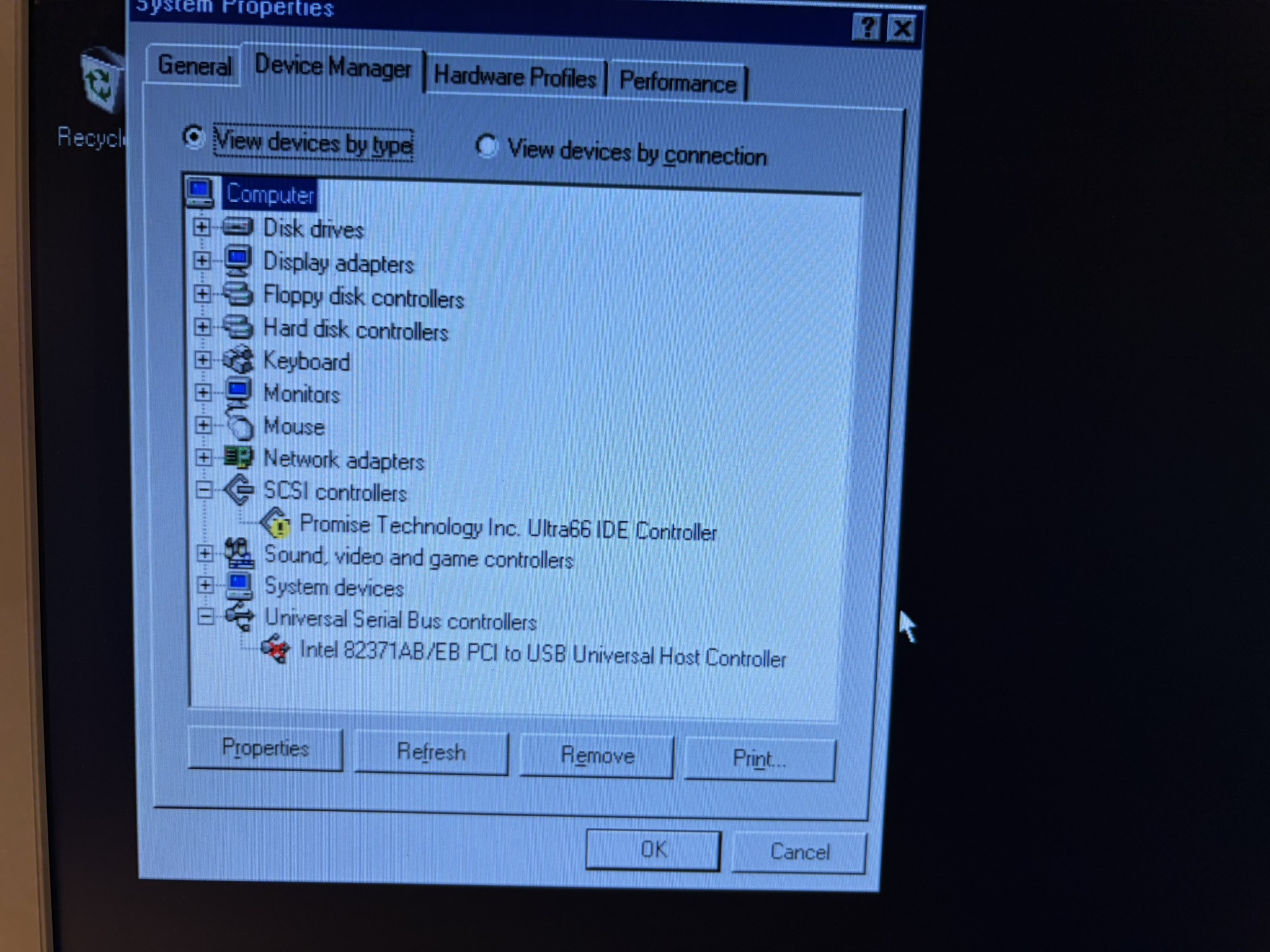
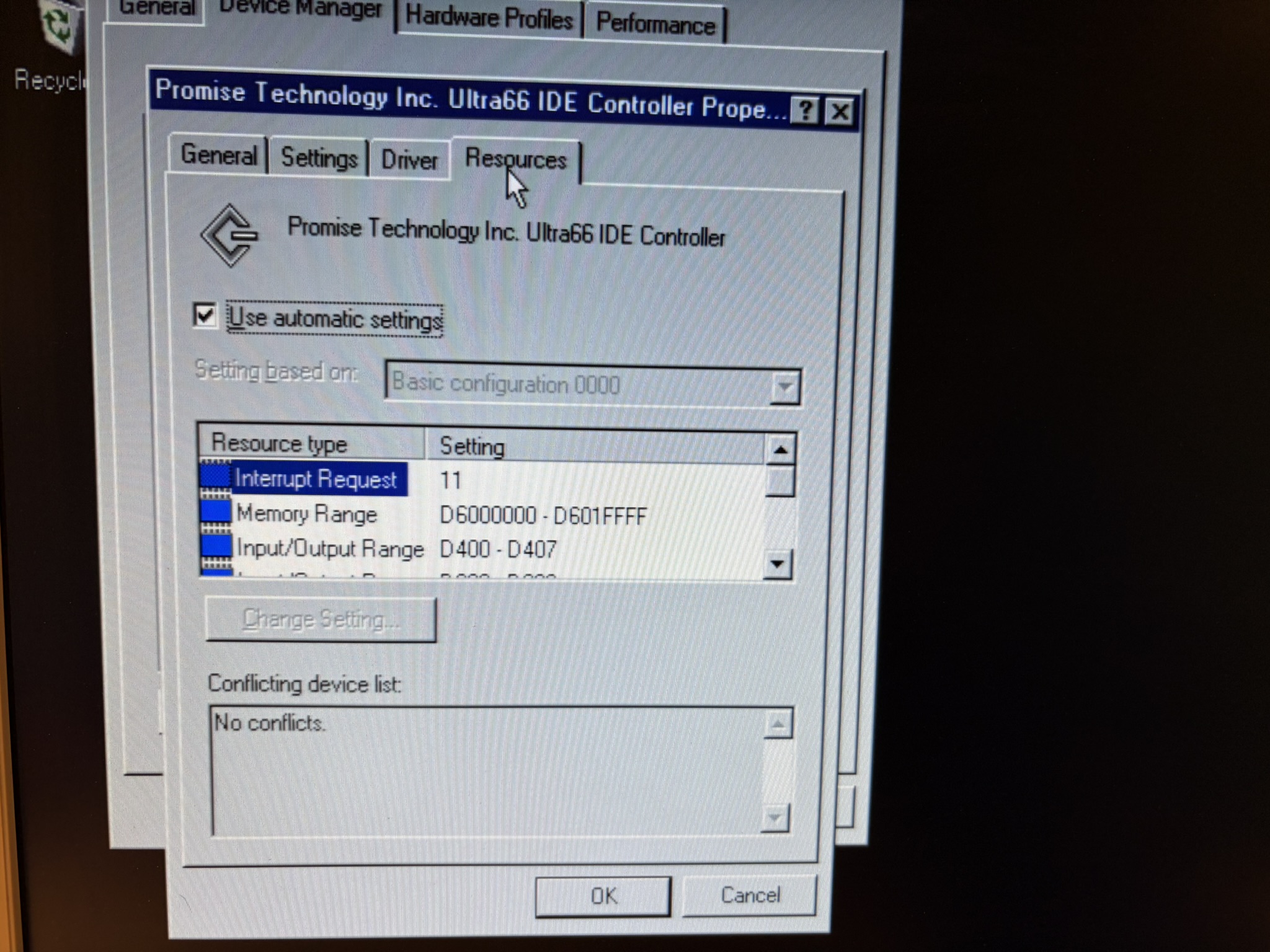
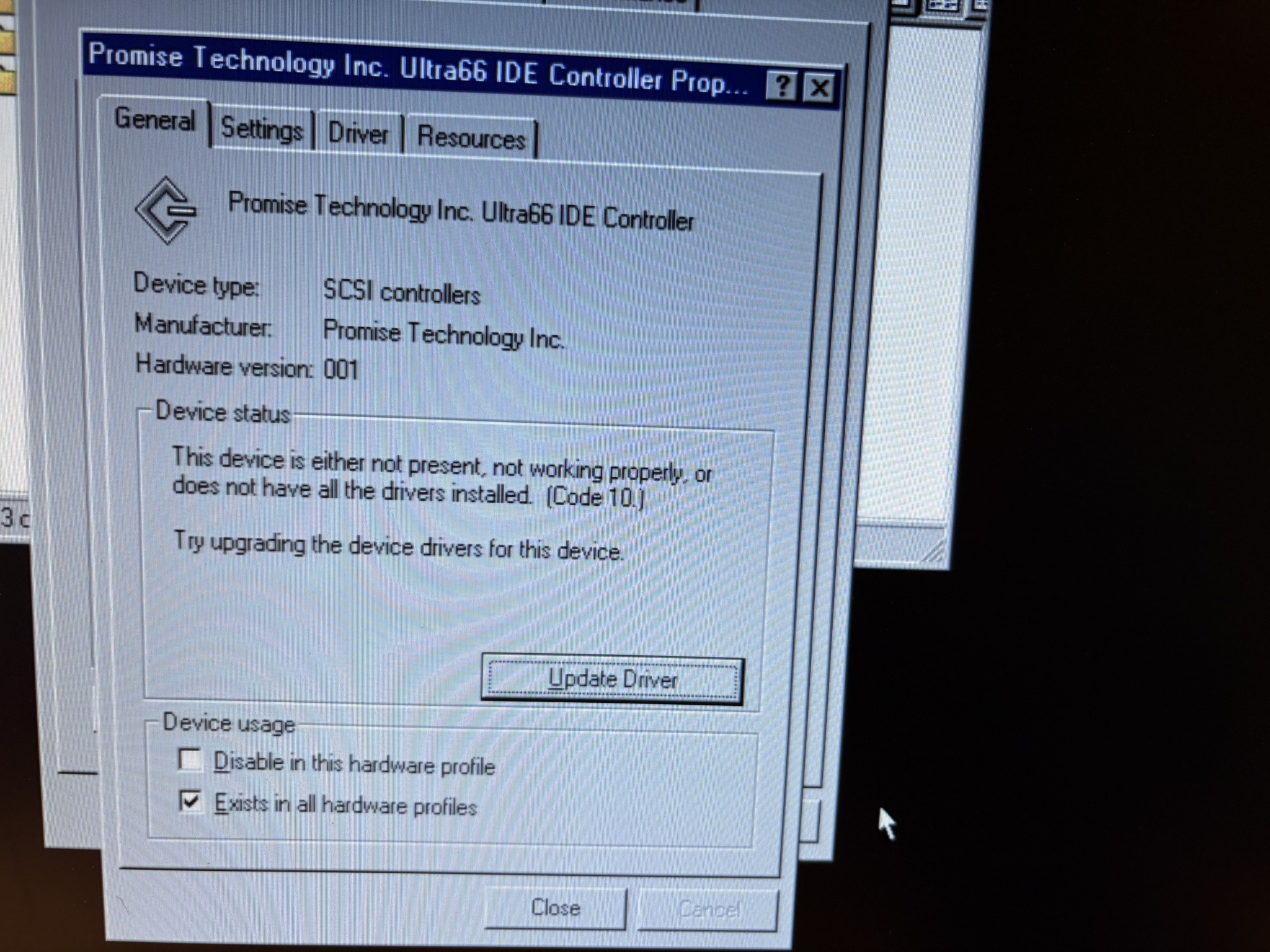
Another issue I am having is the driver, I had to force install it and it gives me errors:

https://i.postimg.cc/PhZYkWHw/IMG-2336.jpg
https://i.postimg.cc/rMkWyDy5/IMG-2337.jpg
https://i.postimg.cc/wgpJx1xk/IMG-2338.jpg

I tried multiple drivers (for fasttrak66 and ultra66) but get this error. There is no resource conflict so I dont know what the issue is.

Reply 19 of 32, by TheMLGladiator

User metadata
Rank Member
Rank
Member

The driver force installed in the screenshots is for the Ultra66, not the Fasttrak66. Are you saying you also force installed the Fasttrak66 drivers?
Luckily, Promise still hosts everything on their website for these old cards.