VOGONS


Reply 20 of 26, by superfury

User metadata
Rank l33t++
Rank
l33t++

The latest UniPCemu commit has some new overrides for the support of the COM0COM signed driver.
So far managed to use the emulated modem (within UniPCemu used from a serial port on Windows 10) to connect to the server within the same application.
I see it negotiating LCP at least, but somewhere after that it fails? Using the terminal window inside Windows 10 to make it wait for the opening message before it starts sending PPP automatically fixes the PPP starting properly at least (due to Windows 10 not receiving all data once it starts doing that, thus the server can't start PPP properly because it can't start waiting for input because it's still in the output-only startup phase (asking for the username)).

The emulated serial modem seems to run at least (at least the sending to the packet server).
Edit: It seems to properly authenticate on the PPP server. But it doesn't seem to negotiate any networking protocols (Error 720)?
Edit: It seemed some weird behaviour of a (corrupted) MiniPort driver. Fixed by removing all from device manager and detecting them again.
I now see it properly authenticate and connect to the server, reaching the final state of being connected with a proper IP address on the private network (did setup the server to perform a local network for simplicity atm, but internet access and other host access (w/o broadcast addressing) is possible as well if configured for the actual network adapter of the host that connects to the real network).

Although atm for said functionality you'll have to compile the latest commit yourself (as it isn't released yet, the last release was just a few days ago after all). The only thing that changed so far is the improved PSP-style face button inputs and direct serial bugfix (it was always detecting the control port as having a value instead of detecting if it is actually set to a valid value(non-empty)) as well as this improvement (allowing detecting COM0COM without having to build the driver yourself and run windows in unsafe(unsigned) driver mode. So you can use it with Visual Studio community and build it (and SDL2+SDL2_net) yourself. Or do the same with the MinGW+MSYS2 toolchain until it's released sometime in the future.
Edit: Downgrading the COM0COM serial driver to 2.2 last version signed seems to fix installation on newer Win10 hardware (because of TPM?). The issue with the 720 error re-emerges? Perhaps I'm forgetting something else?

Edit: A FTP server works without issues. If properly configured on the machine, I can pull/put files and directories on the emulated machine from Windows 10 and change basically all files through FTP.
So a basic FTP server should work properly at least.

Last edited by superfury on 2023-01-22, 05:43. Edited 1 time in total.

Author of the UniPCemu emulator.
UniPCemu Git repository
UniPCemu for Android, Windows, PSP, Vita and Switch on itch.io

Reply 21 of 26, by DaveDDS

User metadata
Rank Oldbie
Rank
Oldbie

This is active in another forum, but I'll mention that I wrote a tool back in the 80's which I do find to be the simplest/best (for me) way to move files
on/off and between older DOS systems (real hardware and emulations):

DDLINK (available free from my site) is a tiny (16k) .COM which can move files between DOS systems over COM (serial), LPT (parallel), or LAN
(ethernet) ports.

It does not have to be "installed", does not need a NOS (or any other special software) to use LAN (it does require a Crynwr "packet driver" which are available for MANY NICs,
and are simple TSR .EXEs which can be loaded/unloaded "on the fly". It can even "bootstrap" itself to a new system over serial, requiring only the built in DOS CTTY command.

Although mainly designed as an interactive tool, after reading this thread, I've just added a new command line option to help facilitate non-interactive transfers
(ie: from BATCH files).

And though it is a DOS program, it does work well within DOSBOX, which makes it well suited to moving files to/from many more modern system types.

If you don't want the bulk of newer DOSBOX, there is an older/much-smaller one which works well - also on my site.

Dave Dunfield ::: https://dunfield.themindfactory.com
or: "Daves Old Computers" -> Personal (near bottom)

Dave ::: https://dunfield.themindfactory.com ::: "Daves Old Computers"->Personal

Reply 22 of 26, by kcartlidge

User metadata
Rank Newbie
Rank
Newbie

I appreciate the topic subject is about injecting into a running 86Box machine but for those who end up here (as I did) and don't really mind having to do a virtual machine reboot the simplest option is to mount the hard drive.

  • On a Mac double-click the hard drive image in the Users/MacBox/disks folder within Finder to mount the drive.
  • Copy around what you need to on that drive (being sure to use DOS 8.3 filenames etc as required).
  • Once you've copied stuff around, eject the drive from the Mac finder and return to 86Box.
  • You'll be able to see the changed stuff straight away in your DOS command line but accessing it will probably give a severe-looking disk error.
  • Restart your virtual machine and all will be good.

I use this method for getting game files onto the hard disk without needing to worry about floppy/cd image files.

Reply 23 of 26, by superfury

User metadata
Rank l33t++
Rank
l33t++

There's also EtherDFS (EtherDFS - a network drive for DOS ).
Managed to get this working connected to UniPCemu (git latest) as a dial-up packet server, with the local linux (Ubuntu) network hosting a drive for it to access. I used my PPP EtherDFS driver to connect to the local network using an EDFSCP driver I adjusted from lsppp (PPP EtherDFS driver). Optionally, you can use SLEEP (Ethernet II inside SLIP, previously callee EtherSLIP protocol in current releases) as well for this setup for the same effect (tho I don't know any drivers that support it). I was able to perform directory listing using it, even connect two clients directly over dial-up (Hayes modem) to list both sides' shared drives (an addition I added to the packet driver). Although MS-DOS cannot host and client at the same time (a current limitation on then EtherDFS server itself). If the issues with it (EtherDFS for MS-DOS) are fixed, it could be a viable alternative.

Author of the UniPCemu emulator.
UniPCemu Git repository
UniPCemu for Android, Windows, PSP, Vita and Switch on itch.io

Reply 24 of 26, by digger

User metadata
Rank Oldbie
Rank
Oldbie

There is also the ETHFLOP tool, which emulates a floppy drive, with floppy images served up through "raw" ethernet. (So I guess it wouldn't need a TCP/IP stack to be loaded for it to work?)

Reply 25 of 26, by Norton Commander

User metadata
Rank Member
Rank
Member

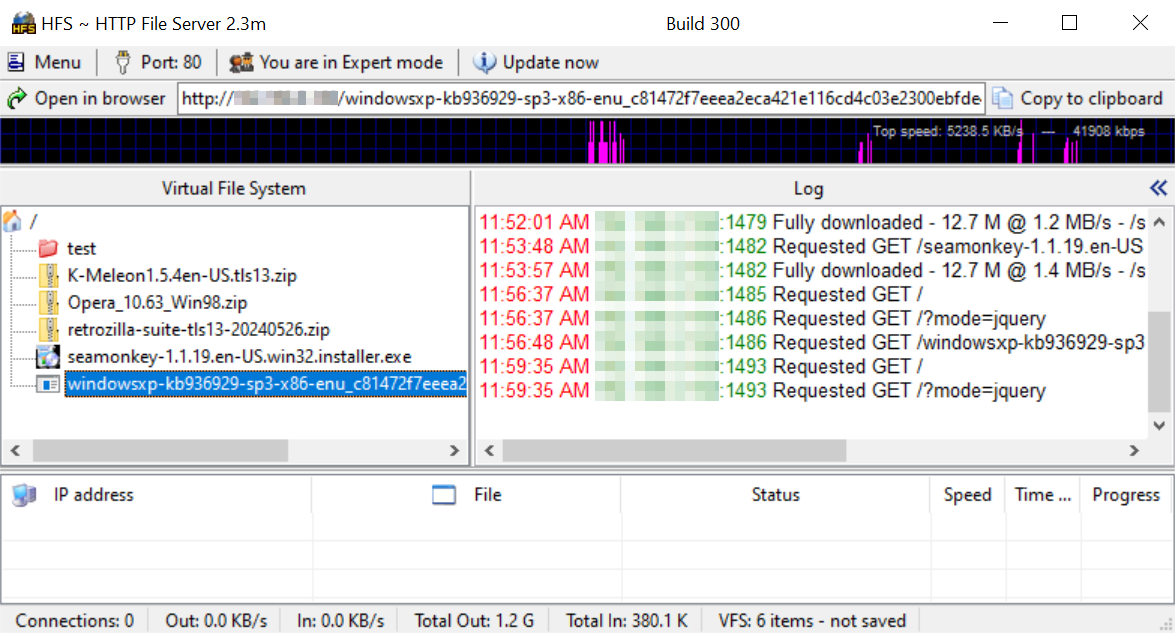
You gotta have networking enabled in your PCEM/86Box machine. It's the easiest way to transfer/inject files into a running guest. On the host I setup HFS then drag the files I want to transfer to HFS's main window.

image.png

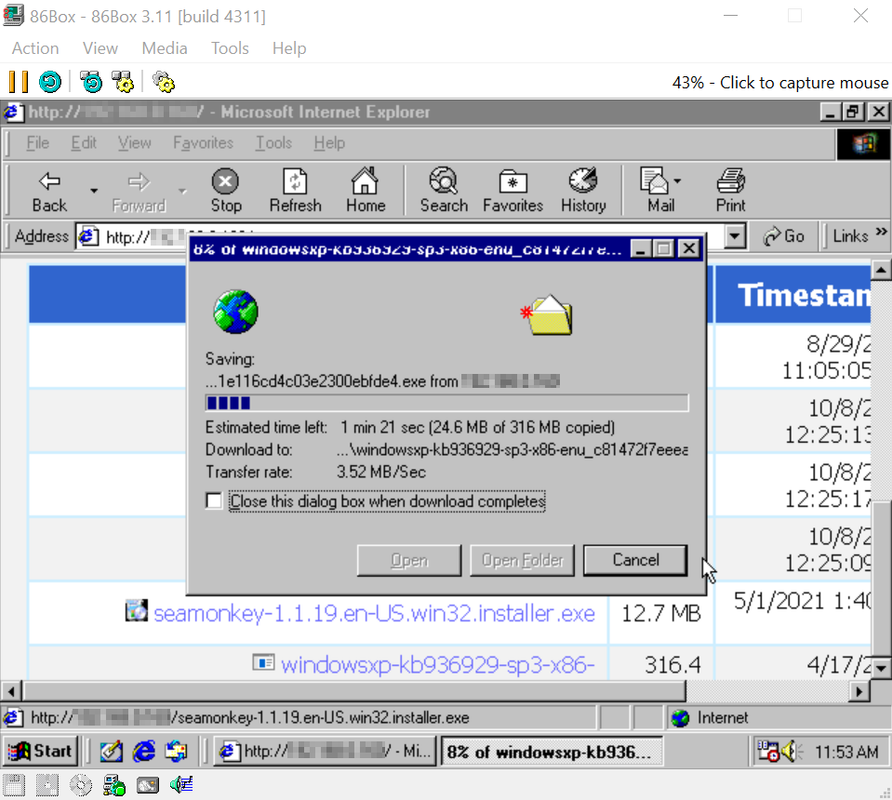
I then download on the guest using the web browser (Windows 98 SE). This is probably the fastest way to inject files into a running guest.

image.png

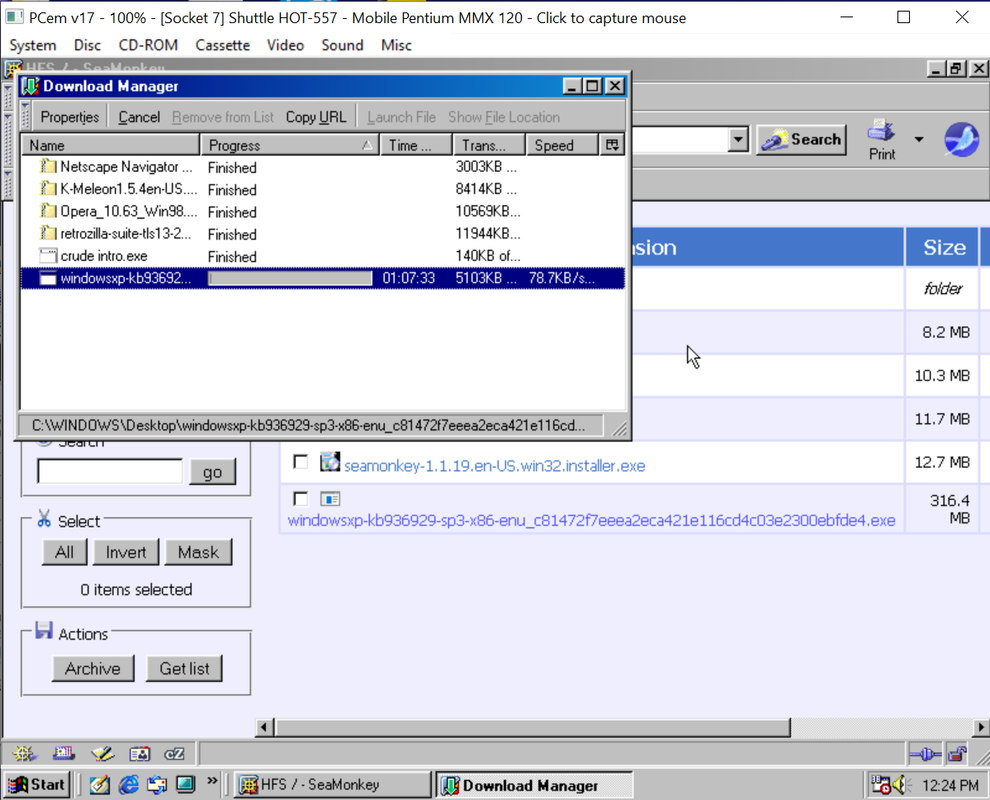
I recommend 86Box over PCEM because of support for 100Mb versus PCEM's 10Mb. Transfer speeds were dismal in PCEM using the same setup making this useful only for transferring small files.

image.png

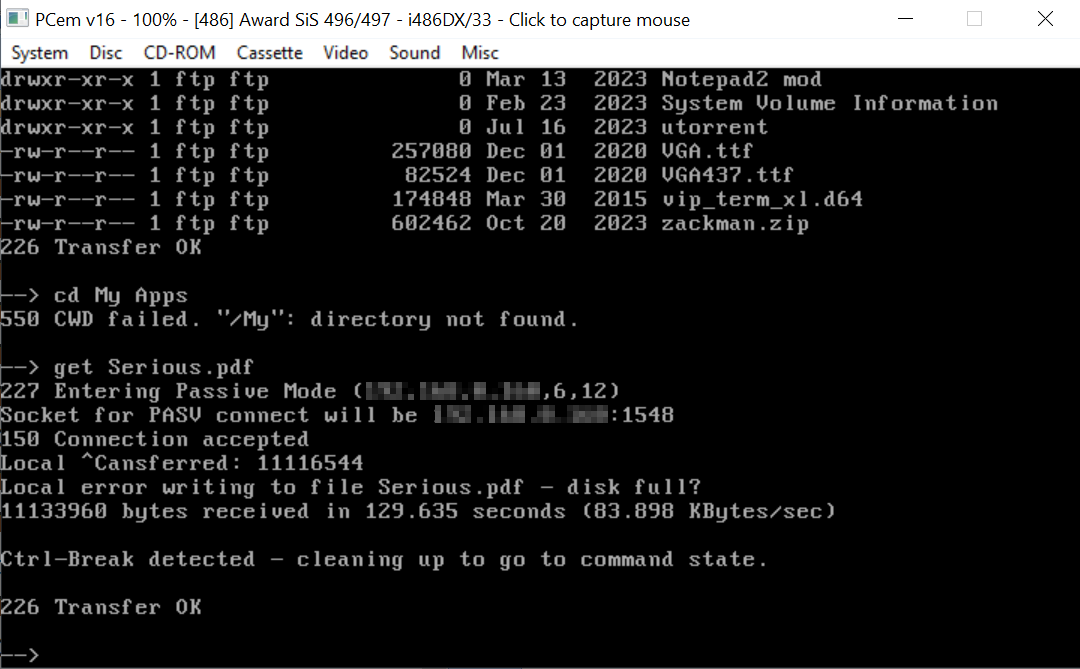
DOS 6.22/Mtcp FTP in PCEM.

image.png.

Otherwise you have to shut down the guest and use a tool such as WinImage to inject the files.

Reply 26 of 26, by bananaboy

User metadata
Rank Newbie
Rank
Newbie

The way I do this for my MS-DOS projects on real hardware (and this would work in PCem/86box) is to use networking and two small tools that I wrote to send and receive files at the command-line, rx and tx. I build my programs on my modern PC and transfer to the machine to test over the network.

For my first iteration, I ran a batch file on the machine that would:

- run rx.exe which sits there waiting for a connection
- when a file has been received, it launches it (exe name is hard-coded)
- when the program exits, the batch file just starts itself again

Then in Sublime Text I had a shortcut to build and transfer (using tx) the program to the machine. This was not bad, as it let me iterate quickly on real hardware. I had to manually quit the program. I also hooked up the serial port so I could get log messages back on my modern PC. At one stage I put in a monochrome video card and added a second (monochrome) monitor which was nice because I love CRTs but it took up too much room and having the logs over serial was more convenient. This was running programs that were mostly in protected mode and on a P100+VGA era so I wasn't super concerned about memory (i.e. packet drivers).

It was all a bit clunky though and I wanted more. I want to treat the hardware as a sort of devkit where I can transfer any exe, it'll launch automatically optionally with command-line args, I get stdout back on my modern PC, I can send commands to the program (like a remote Quake-style console), I can debug it remotely with a gdb stub, and any file access is automatic over the network. My day job is in console games and that's how devkits work so I want that heh. For a recent demo that targeted 386+CGA+Adlib I made some incremental changes to get me closer. It's still held together with duct tape and batch files because I did it very quickly while trying to build the demo at the same time.

I switched to vscode, and now in there I have a shortcut which:

- compiles the demo
- sends a signal over the serial connection to quit the demo if it's running
- uses tx.exe to send the exe over the network
- starts a serial logger program so all serial output appears in vscode

So the demo itself reads and writes to the serial port in non-final builds so it can respond to the quit message and also sends log messages back. The batch file on the hardware now does this:

- runs rx.exe, waits for the transfer
- uninstalls the packet driver (to free up some memory)
- launches the exe (still hard-coded exe name here)
- reinstalls the packet driver
- launches itself again

This let me iterate much more quickly since I rarely had to touch the keyboard on the hardware which was pretty nice.

My next step is to turn this all into a proper tool rather than batch files. My plan is to have a "monitor" program that runs on the machine that waits for commands telling it what to do, and a "target manager" program running on the host (modern) PC to control it. The monitor will launch whatever it's sent (with optional command-line args), and leave some small stub in memory so it can reload itself when the program quits. I think I'll also integrate the packet driver into it. The target manager will know what targets it can connect to and also provide a file IO transfer mechanism. I'll write a small library that programs can link against to automatically replace file IO to go over the serial connection (rather than network since I don't want to leave the packet driver in memory). So file IO would just automatically work as long as the program was written in C and linked against the lib. Another option for file IO would be to write and install a redirector so it's completely transparent like EtherDFS/NetDrive. The program would just have to request files from some specific drive letter which could be driven via command-line so by default you just read from the local drive.

All of this would also work with an emulator of course.