VOGONS


First post, by markpot4

User metadata
Rank Newbie
Rank
Newbie

I have issues with the s3 onboard graphics. It freezes randomly when building graphics (playing a game, swiching windows etc). It also sometimes already freeze in the vga bios when switching between bios windows. When the freeze happen the pc stop building graphics or text. The "-" still blinks during the freeze but but the text or garpahics doesnt progress further (see picture). So it feels like the gpu isnt completly frozen it just is waiting for a awnser from the graphic that it never gets.

When using a isa graphic card it works without issues but isa speed is a lot slower then the s3 onboard chip so it would be still nice to get the s3 onboard chip to work.

The cpu seems to be upgraded to an cpu 486dx 50mhz instead of a 486sx that came with the board. Dont know if this could make any issues. Deactivate l1 cache make the graphics more stable and less freezes happen. There are still freezes happening but not as much as with l1 cache on. I think thats bc the cpu is working much slower with l1 cache off.

Also I realized there are some kind of graphical noise. The noise gets worse the more you turning up color depth in win95. Especially when using true color mode in win95. I dont have the noise with the isa graphic card. Also at the point while the pc is testing himem there is a lot of graphical noise going on. However I have no color issues, text issues or anything else. When the freezes happen the noise itself is still going on and doesnt freeze. So seems like the graphics itself are still working during the freeze.

The bios dallas rtc chip battery is low btw. It has no corrosion bc its inside a chip. Dont know if this have to do something with the issue bc its connected with the vga bios chip that controls s3 graphics. There are 2 bios chips on the board btw. 1. Award Software inc bios chip 2. Quadtel bios software vga chip. Seems like one is for the bios itself and the other one for the graphical bios or something.

I also run checkit to test everything. It have almost no issues. Ram, cpu, hdd, chipset-test run fine. Only the vga test freezes when building graphics. First I thought its the vram maybe but the vram test on checkit run mostly without issues. Only one time it freezes and there was a black and white pattern while freezing. But im not sure if the problem was the vram itself or something else during the vram test that triggers the freeze.

Does someone maybe know what could cause these freezing issues and does those graphical have to do something with the freezes or is this a seperate problem (maybe vga cable problem or something).

I also uploaded a picture of the mainboard btw maybe that helps for diagnose the issue.

Reply 1 of 12, by MagefromAntares

User metadata
Rank Member
Rank
Member

Hi,

I'm not familiar with this exact motherboard and I cannot find a tech manual or datasheet on any reliable website I know of. However I think you can rule out the VGA cable problem if the graphics freezes the way like on the second picture. VGA cable faults don't cause issues like this, from that single picture it seems that the problem is with updating the video memory, the characters seem to be outputting correctly(No corrupt or weird characters), but the writing into text mode VRAM just stopped.

A low BIOS battery whether inside a Dallas chip or outside can cause weird issues, but it would be strange that it works 100% properly with an ISA card and fails with the onboard chip(Not unheard of though), but if the Battery voltage is low expect it to be needed to be replaced after a while anyway.

The CPU seems to have thermal paste covering it, did it come with a cooler or heatsink that was removed? IIRC the DX-50 doesn't really need a heatsink as it has somewhere around ~5W TDP, but if it originally had one why it was removed?

EDIT: Can you make a closer picture of the S3 chip or write down the exact type of it, I cannot make out from the first picture what is the exact type of that S3 chip, I would guess this one:https://theretroweb.com/chips/3945, which was used in 486 class motherboards, but I cannot be sure the picture detail is simply too low to make it out.

"A process cannot be understood by stopping it. Understanding must move with the flow of the process, must join it and flow with it." - Dune

Reply 2 of 12, by Law212

User metadata
Rank Oldbie
Rank
Oldbie

Maybe if the CPU is upgraded from an SX 25 or 33 then the jumpers arent correct for the new CPU causing timing issues?
possibly the onboard vram is bad since isa cards work you said?

clean the cpu off it hurts to see it covered in goop

Reply 3 of 12, by rasz_pl

User metadata
Rank l33t
Rank
l33t

> 486dx 50mhz

I was gonna say this is your problem, but then I found your posts at https://forum.classic-computing.de/forum/inde … ezing-probleme/
https://forum-classic--computing-de.translate … &_x_tr_pto=wapp

I would start by fixing original RTC module battery, and testing with second PSU (5V might be noisy)
theretroweb doesnt have Unisys 4253sx 🙁

https://github.com/raszpl/sigrok-disk FM/MFM/RLL decoder
https://github.com/raszpl/FIC-486-GAC-2-Cache-Module (AT&T Globalyst)
https://github.com/raszpl/386RC-16 ram board
https://github.com/raszpl/Zenith_ZBIOS Zenith Z-386 MFM-300 ZBIOS disassembly

Reply 4 of 12, by markpot4

User metadata
Rank Newbie
Rank
Newbie

I changed the dallas chip to a new chip with a working battery. Of course it solved all my checksum errors but the freezes still occur. The weird thing is that when i underclock my cpu from 50mhz to 33mhz the freezes appear even more often. So 50mhz is somehow more stable. When turning l1 cachr off it also make the graphics a bit more stable.

What I think could be the problem:
1. Maybe Broken vram? However vram tests with checkit working fine. So maybe there is a vram cell that sometimes work and sometimes fail?
2. Borken ramdac (the chip that convert digital to analog input)?
3. Broken Avmem chip (clk-generator for the s3 chip)
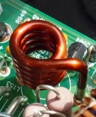
4. Broken tantal capacitor or broken filter coil.

Reply 5 of 12, by MagefromAntares

User metadata
Rank Member
Rank
Member
markpot4 wrote on 2026-06-10, 13:04:

I changed the dallas chip to a new chip with a working battery. Of course it solved all my checksum errors but the freezes still occur. The weird thing is that when i underclock my cpu from 50mhz to 33mhz the freezes appear even more often. So 50mhz is somehow more stable. When turning l1 cachr off it also make the graphics a bit more stable.

What I think could be the problem:
1. Maybe Broken vram? However vram tests with checkit working fine. So maybe there is a vram cell that sometimes work and sometimes fail?

If the VRAM is dual ported, it is possible that it has problem with the part that connects it to the S3 chip, but works properly with the CPU side, check the VRAM chips if they are dual ported or not, I cannot see them enough from the picture.

markpot4 wrote on 2026-06-10, 13:04:

2. Borken ramdac (the chip that convert digital to analog input)?

Unlikely as a broken RAMDAC would almost always cause colour issues.

markpot4 wrote on 2026-06-10, 13:04:

3. Broken Avmem chip (clk-generator for the s3 chip)

Possibly, if you have an oscilloscope you can check the output.

markpot4 wrote on 2026-06-10, 13:04:

4. Broken tantal capacitor or broken filter coil.

I would consider this to be less likely than the VRAM or CLK-Generator problem, but still possible.

"A process cannot be understood by stopping it. Understanding must move with the flow of the process, must join it and flow with it." - Dune

Reply 6 of 12, by rasz_pl

User metadata
Rank l33t
Rank
l33t
markpot4 wrote on 2026-06-10, 13:04:

I changed the dallas chip to a new chip with a working battery.

afaik there is no new, only very old shock, remarked chips, and clones/fakes. Thats why I suggest _fixing original RTC module battery_

>when i underclock my cpu from 50mhz to 33mhz the freezes appear even more often.

saw that in the German forum, weird

> Broken tantal capacitor or broken filter coil.

tantalums break spectacularly, you would know 😀
_test with second PSU_, 5V might be noisy in the old one. You can also whip out oscilloscope and start measuring around.

https://github.com/raszpl/sigrok-disk FM/MFM/RLL decoder
https://github.com/raszpl/FIC-486-GAC-2-Cache-Module (AT&T Globalyst)
https://github.com/raszpl/386RC-16 ram board
https://github.com/raszpl/Zenith_ZBIOS Zenith Z-386 MFM-300 ZBIOS disassembly

Reply 7 of 12, by markpot4

User metadata
Rank Newbie
Rank
Newbie

Ive spend the last months trying to find out whats wrong in the pc.

Ive doing a lot of tests and benchmarks, testing another power supply, resolder some solder joints, changed some tantql capacitors but nothing solved the propblem.

I think its also not the onboard graphic bc it also freezes with the isa vga card. But using the onboard graphic casues the freezes to appear more often than with a slower isa-vga card. The only thing thats better with the isa vga card: there are no graphical noise anymore.

I think there could be also somehting wrong with the cpu-clk generator. Because diffrent clock cause freezes to appear more or less often. And with some clk settings (25mhz) the pc dont even posts. Also sometimes before a freeze I get a devide error and the program crashes. Also sometimes I get some corrupt data or filenames.
So it feels like the pc is reading wrong bits or have signal-timing errors.

It feels like the more activity the pc does at the same time the more the pc crashes. For example if I plug in a sound card the pc and cursor stutters when playing the windows startup sound and after the sound stops the pc runs fine again. Also the floppy drive could cause the pc to suddenly crash.

I dont know what could cause all of this issues.

Reply 9 of 12, by rasz_pl

User metadata
Rank l33t
Rank
l33t
majestyk wrote on 2026-08-04, 04:53:
rasz_pl wrote on 2026-06-09, 18:31:

theretroweb doesnt have Unisys 4253sx 🙁

I think this is the one:
https://theretroweb.com/motherboards/s/fic-mpi-4xx32

Yes, evasive added it a week after this post 😀 https://theretroweb.com/audit/App-Entity-Motherboard/23729

markpot4 wrote on 2026-08-03, 21:55:

testing another power supply

good, so thats out of the way

markpot4 wrote on 2026-08-03, 21:55:

resolder some solder joints

some is not quantifiable. You should go over all
- SIMM socket pins
- U23 U24 VIA chipset chips
- cache sockets, test with no cache chips installed
- U40 video chip
- video ram chips
- U27 clock gen
- all the tht resistor networks

markpot4 wrote on 2026-08-03, 21:55:

changed some tantql capacitors

useless, tantalums either work of blow up

markpot4 wrote on 2026-08-03, 21:55:

The only thing thats better with the isa vga card: there are no graphical noise anymore.

You didnt post picture of 'noise' here and cant see big images on that german forum without registering.
Im guessing the noise you are seeing is due to using modern LCD screen + weak factory VGA output filtering on mobo. This is normal, not sign of any defect. Back in the day CRT monitors had naturally limited BW and that noise was invisible, modern LCD samples analog video with fixed high clock and all this garbage shows up as noise and aliasing.

markpot4 wrote on 2026-08-03, 21:55:

So it feels like the pc is reading wrong bits or have signal-timing errors.

You didnt mention "What puzzled me most was the connection on the back" nor posted image of back of the pcb here. What is that wire? you can try putting something in between to pull it away from pcb, or wrap it in foil and connect that foil to ground.

Also post picture of rams you are using. Have you tried with different ram chips? Those symptoms also fit an EDO in a chipset not supporting EDO situation.

https://forum-classic--computing-de.translate … wapp#post626706
>Especially heavy loads, like when the sound card or the floppy drive is running, cause the PC to freeze or lead to multi-errors, even with the ISA card.

Those arent heavy loads, in fact those are the lightest loads possible. But they have in common DMA activity = something with cache coherency.

btw apparently VIA Venus is a 386 chipset. Could you please run cachechk (https://www.dosdays.co.uk/topics/mem_utilities.php) on it? Wonder how it looks compared to other 386/486 hubrid boards (with two or more sockets) questions..

https://github.com/raszpl/sigrok-disk FM/MFM/RLL decoder
https://github.com/raszpl/FIC-486-GAC-2-Cache-Module (AT&T Globalyst)
https://github.com/raszpl/386RC-16 ram board
https://github.com/raszpl/Zenith_ZBIOS Zenith Z-386 MFM-300 ZBIOS disassembly

Reply 10 of 12, by markpot4

User metadata
Rank Newbie
Rank
Newbie

My guess is some kind of ground bounce is happening on the board. Because the more activity the board does at the same time the worse it gets. Especially at the memtests at the part when it tests "low adress lines" you can see the activity as "graphical-noise" in the vga signal especially when a20, a21, a22 lines are in use. And I realized when two lines are active at the same time (for example a20+a21 the noise gets even worse)
Also I think the reason why the freezes are better with isa vga is bc there is less acitivity going on the mainboard when the onboard vga is off.

I also tried to disable l1 cache (that makes the
Noise even more visible). It changes the behaviour of the noise + freezes but didnt solve the problem.
I also have no l2 cache installed so this cant be a problem.

It also seems like the ground bounce sometimes changes the lows so that sometimes the cpu sees a 0 as a 1 and I think that cause the cpu to freeze. Also sometimes weird things happens before a freeze. One time at the bios self test it writes the text "floppy drive passed" 2 times instead of 1 time. And another time I type the command "dir" into dos it writes "¿dir" instead and freezes exactly at this time.

If it is ground bounce what could cause it and how can you fix that?

Btw there is also one tantal capacitor seems like its connected to nothing. All others are connected to gnd and +5V Vcc. But this one is only connected with gnd. It also have 0v all the time when the mainboard is running. All other ones have 5v. Does this mean a trace or the via could be broken? Unfortunately
it seems like 5v traces are not visible on the board bc they are on anoher layer inside the mainboard, same for the gnd layer.

Reply 11 of 12, by markpot4

User metadata
Rank Newbie
Rank
Newbie

Here are the results from the cache-mem test. 33mhz vs 50mhz.

Another thing I realized: the behaviour of freezes and noise changes when the mainboard is outside of the pc-case. Outside the board 40mhz cpu speed works more stable and 33mhz already freezes in bios most of the time and inside the case when the gnd is connected to the matal-case, the board however run better with 33mhz and freezes with 40mhz cpu speed on bios. So seems something is wrong with the gnd path or traces idk. I realized that the ground connections from the mainboard for the screws have a lot of scratches could this cause gnd-bounce or interference?

Reply 12 of 12, by rasz_pl

User metadata
Rank l33t
Rank
l33t

How about those pictures of bodge wires you mentioned on German forum? Its unlikely board has broken ground plane, its a solid pour internal to pcb, but its possible those bodges are for critical signals and are just laying too close to pcb.

https://github.com/raszpl/sigrok-disk FM/MFM/RLL decoder
https://github.com/raszpl/FIC-486-GAC-2-Cache-Module (AT&T Globalyst)
https://github.com/raszpl/386RC-16 ram board
https://github.com/raszpl/Zenith_ZBIOS Zenith Z-386 MFM-300 ZBIOS disassembly