VOGONS


First post, by Omarkoman

User metadata
Rank Member
Rank
Member

hi all

I have acquired XT clone pc recently and decided to give it a full overhaul , the case was in terrible condition so I took it all apart , scrubbed the rust and gave it a fresh coat of paint, looks beautiful. The fascia is yellowed but not too bad and I gave it a good scrub and a clean so looking nice.

I was hoping to get some help :

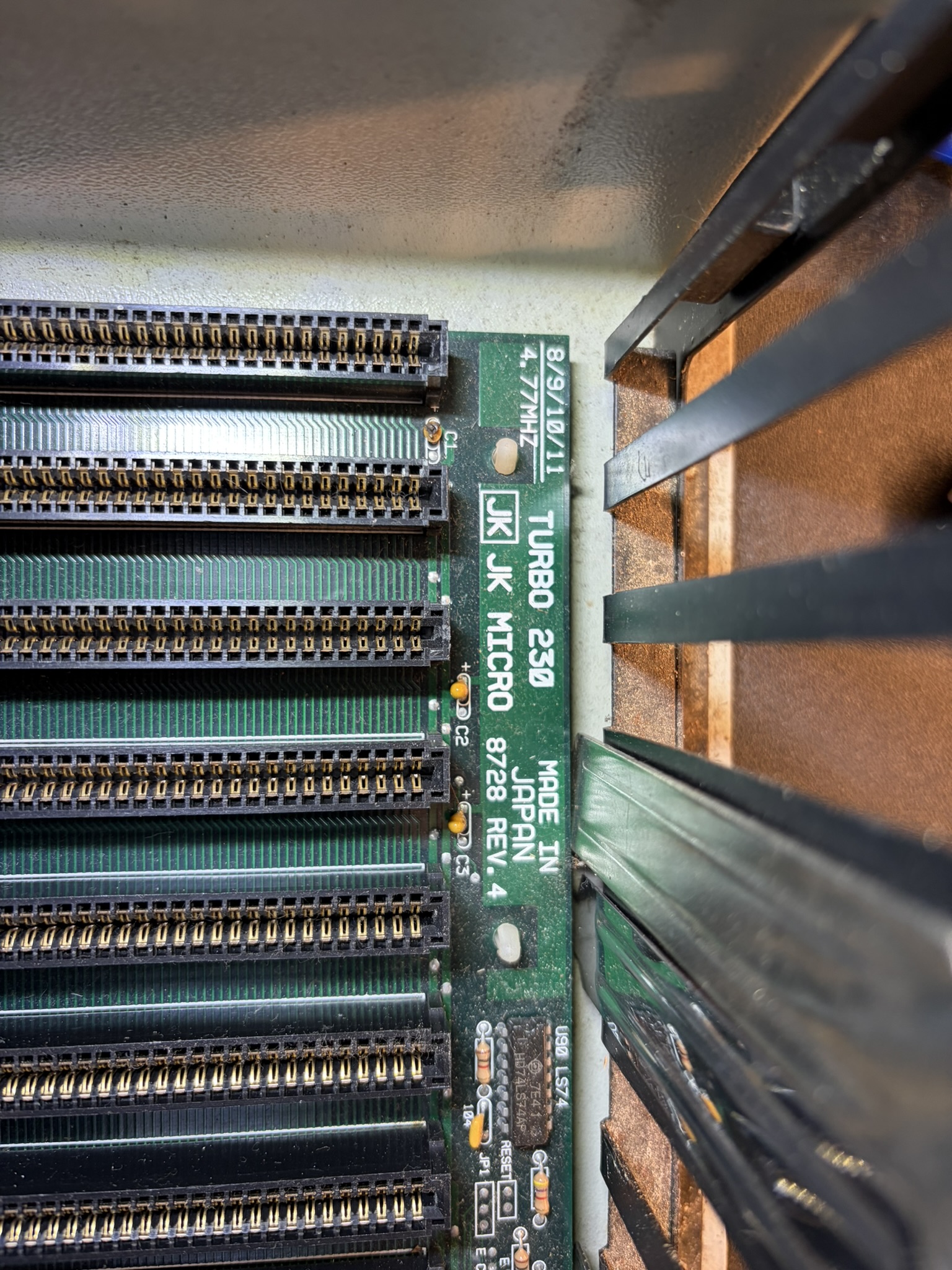
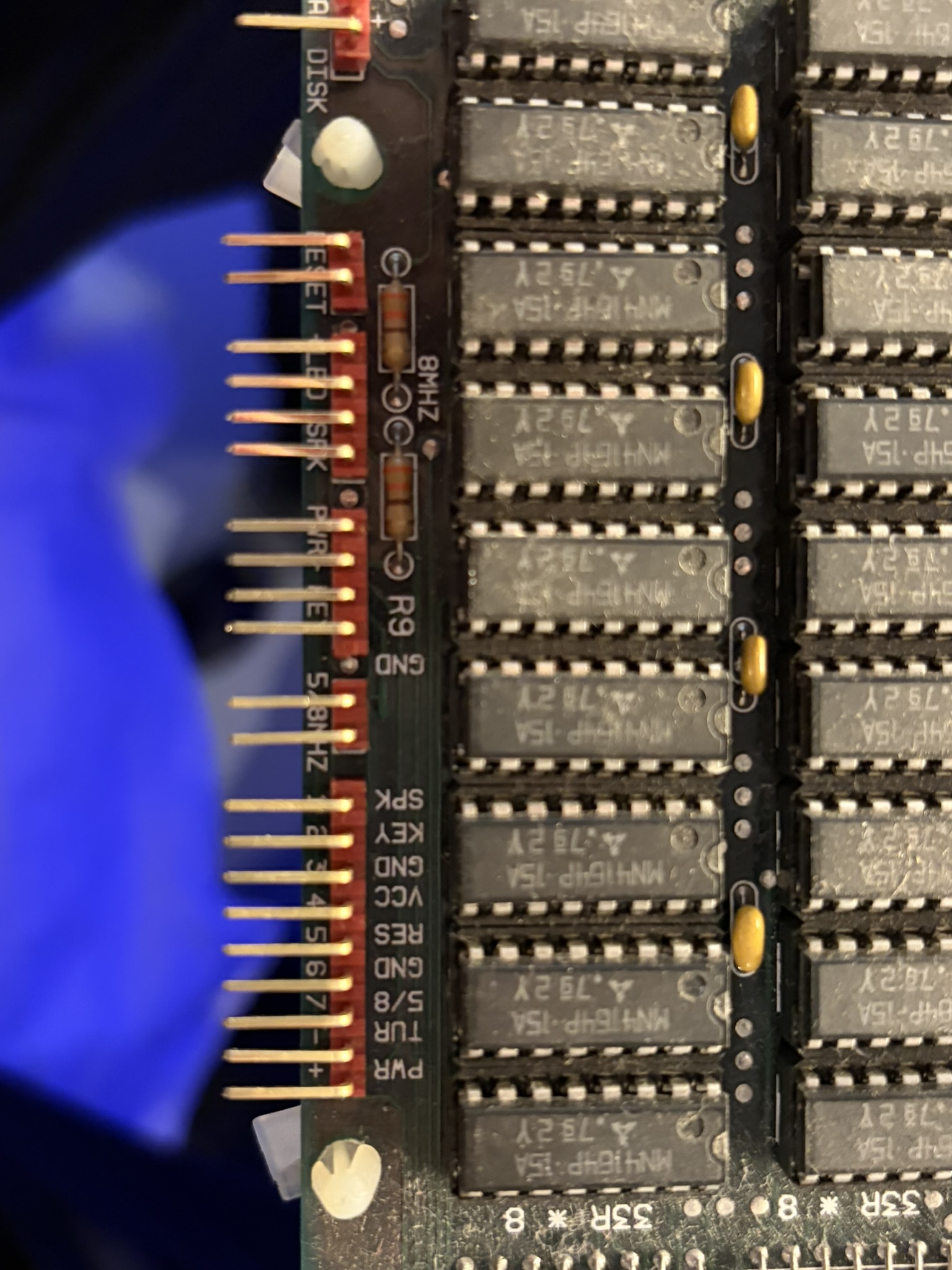
1. I cant find any information about this board see photo below. Its not really needed as it has the usual SW1 which most XT machines have and it works well with an 8bit Trident VGA card, posts ok etc. Would be still nice to find a manual though :

Board model TURBO 230 JK MICRO

https://i.postimg.cc/PhyQRhH9/IMG-5433.jpg

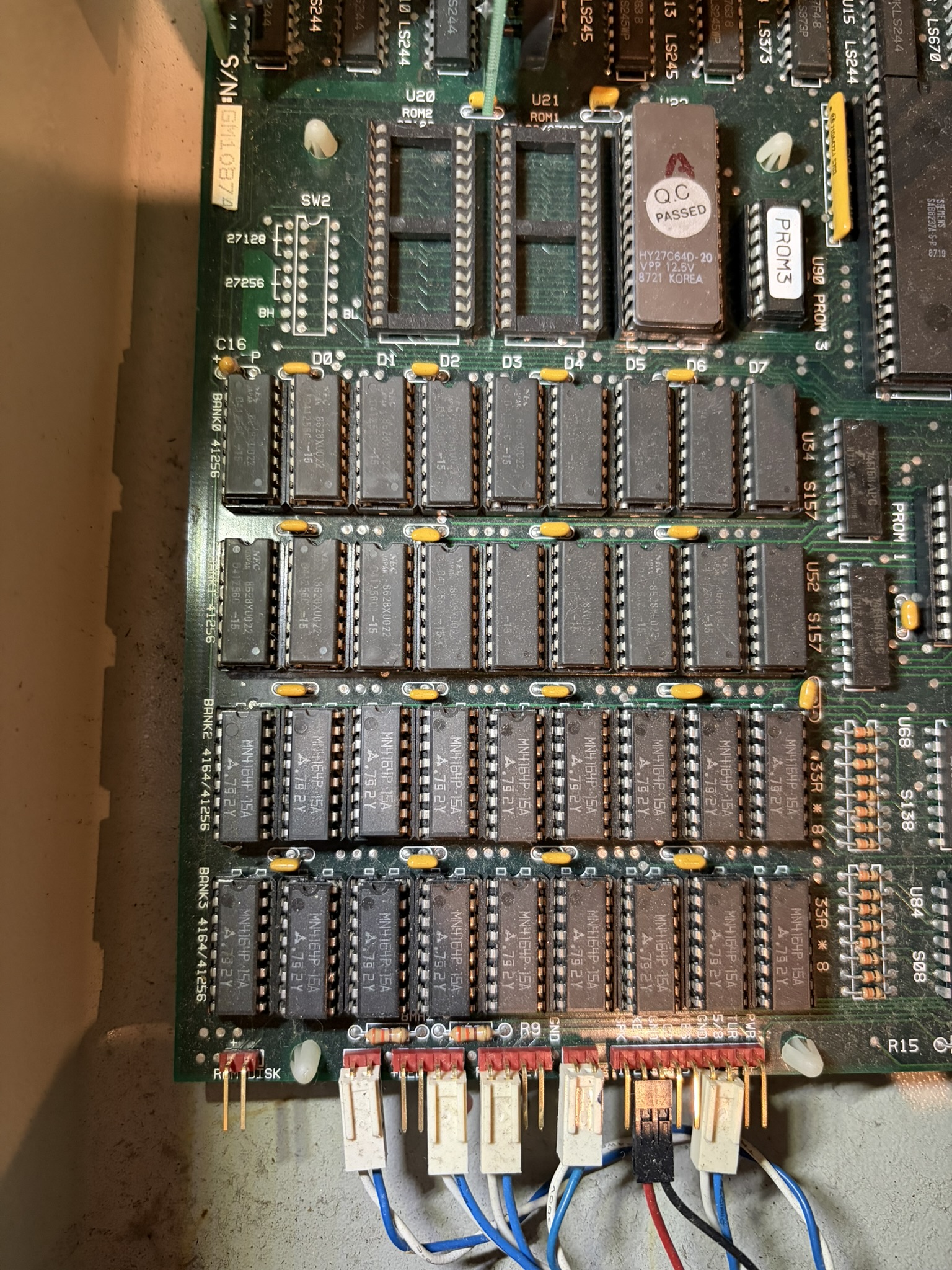
2. The board comes prepopulated with 4 memory banks, checking the chips it has 256kb of ram in bank 0 and 1 and 64kb in banks 3 and 4. However, when booting, it only counts to 256k and loops, if I change the dip switches to 256K then it stops at that and boots to DOS ok. If I change to 640K then it loops post the RAM up to 256kb test . Can I assume the bank 1 is failing the test during post and thus the reboot? I have ordered some fresh chips to replace the bank 1 chips. I didnt want to remove / reseat the chips as its an old machine and the less disturbance the sockets get the better I assume ? Is this the best course to diagnose this or something else I need to check?

https://i.postimg.cc/YrkQdDyD/IMG-5438.jpg

3. Is it worth adding a coprocessor ? Just to complete the system ?

4. the board says its 4.77Mhz (and testing using landmark it confirms its running at that) but it also shows 8/9/10/11 Mhz ... how do I get the board to run at any of those speeds?

5. One of the tantalum capacitors C1 (near the name of the board in first photo) has blown, whats the best way to treat this? should I look at replacing all or just this one , or just leave it for now? This PC will become part of my collection and wont be used heavily but I still would like it to be looked after as since one has gone off, I am sure others wont be too far behind.

I am going to use Picogus for SB/Adlib (not manu games , if any, supported SB, at best Adlib) and WP32 McCake on the wavetable header for MT-32 emulation along with XT-IDE card to run a 512MB drive with DOS and some XT era games. Its modern hardware mixed with old but personally I dont mind. I do have the original MFM controller and few MFM HDDs which will stay inside unplugged for the ocassional future nostalgia if needed.

Reply 1 of 13, by Grzyb

User metadata
Rank l33t
Rank
l33t
Omarkoman wrote on 2026-08-05, 03:14:

3. Is it worth adding a coprocessor ? Just to complete the system ?

It's up to you if you want it complete...
You're unlikely to encounter any software that runs on XT, and requires FPU.
But you can easily find XT-compatible software that benefits from FPU, eg. major spreadsheets from that era - Lotus 1-2-3, Borland Quattro Pro.

4. the board says its 4.77Mhz (and testing using landmark it confirms its running at that) but it also shows 8/9/10/11 Mhz ... how do I get the board to run at any of those speeds?

There are clearly TURBO SWITCH and TURBO LED connectors on the board, with nice markings.
You don't have TURBO button on the case?

In 2003, I voted in favour of joining the European Union. However, due to later developments - especially the restrictions on cash usage - I have withdrawn my support. DOWN WITH THE EU!

Reply 2 of 13, by dionb

User metadata
Rank l33t++
Rank
l33t++
Omarkoman wrote on 2026-08-05, 03:14:

[...]

1. I cant find any information about this board see photo below. Its not really needed as it has the usual SW1 which most XT machines have and it works well with an 8bit Trident VGA card, posts ok etc. Would be still nice to find a manual though :

Board model TURBO 230 JK MICRO

Pulling blanks here too I'm afraid.

3. Is it worth adding a coprocessor ? Just to complete the system ?

Only if you really like Lotus 1-2-3.

4. the board says its 4.77Mhz (and testing using landmark it confirms its running at that) but it also shows 8/9/10/11 Mhz ... how do I get the board to run at any of those speeds?

That's the "Turbo" bit. Can't see the relevant part of the board on your pics, but you should have two crystals on it, one at 14.318MHz for 4.77MHz CPU speed and a second one for three times the turbo speed, so if you have a 24MHz crystal, your turbo speed will be 8MHz (9 needs 27MHz, 10 needs 30MHz etc). Connect a switch to the turbo headers and switch between the two at will.

5. One of the tantalum capacitors C1 (near the name of the board in first photo) has blown, whats the best way to treat this? should I look at replacing all or just this one , or just leave it for now? This PC will become part of my collection and wont be used heavily but I still would like it to be looked after as since one has gone off, I am sure others wont be too far behind.

Tantalum caps fail short. That is a filter cap between one of the power lines and ground (probably +12V or +5V - most likely +12V or you'd not even be able to boot) which is bad news. If you don't want to replace it, at least remove it. But you're better off replacing it. It's probably a bog-standard 10uF 16V tantalum cap that you can still get today (EUR 0.23 for me locally) and will last you another couple of decades.

Chances are the rest are iffy too, so if you want long-term durability, you probably want to replace all of them, at least assuming you're confident with the soldering involved.

Reply 3 of 13, by Omarkoman

User metadata
Rank Member
Rank
Member

Thank you for all the replies ...

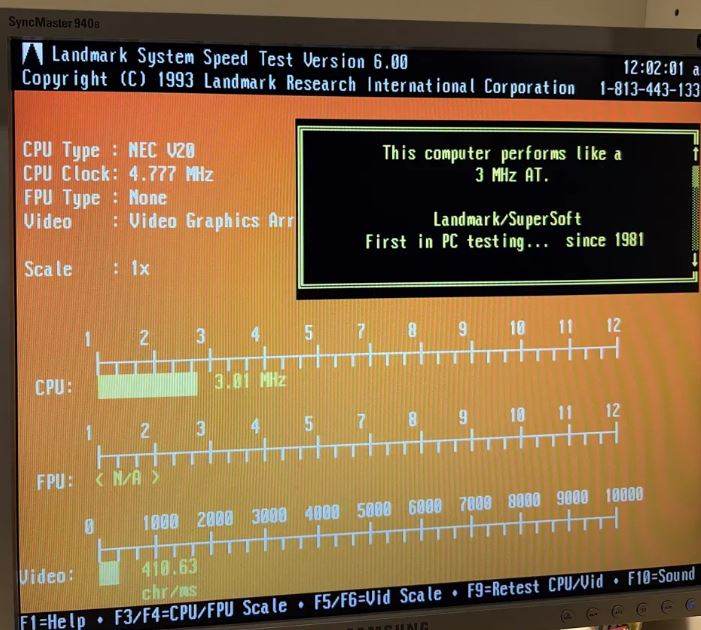
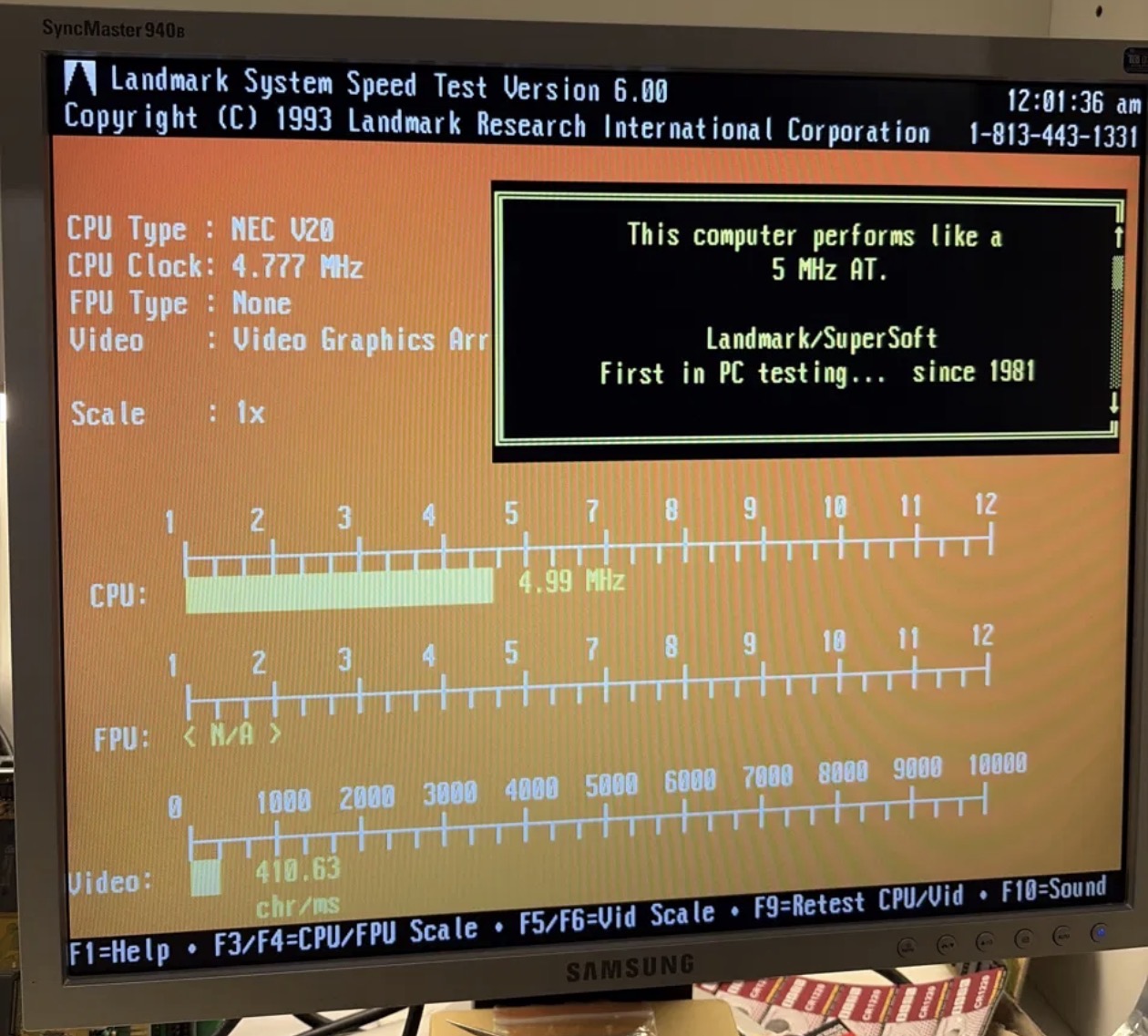
few updates, the turbo button had issues thats why it was not doing anything, I did a clean and the switch now works. Interestingly, despite the motherboard headers where the button is connected saying 5/8Hz the frequency actually drops to 3Hz when I push the button

https://i.postimg.cc/ChB5Cjd9/3mhz.jpg

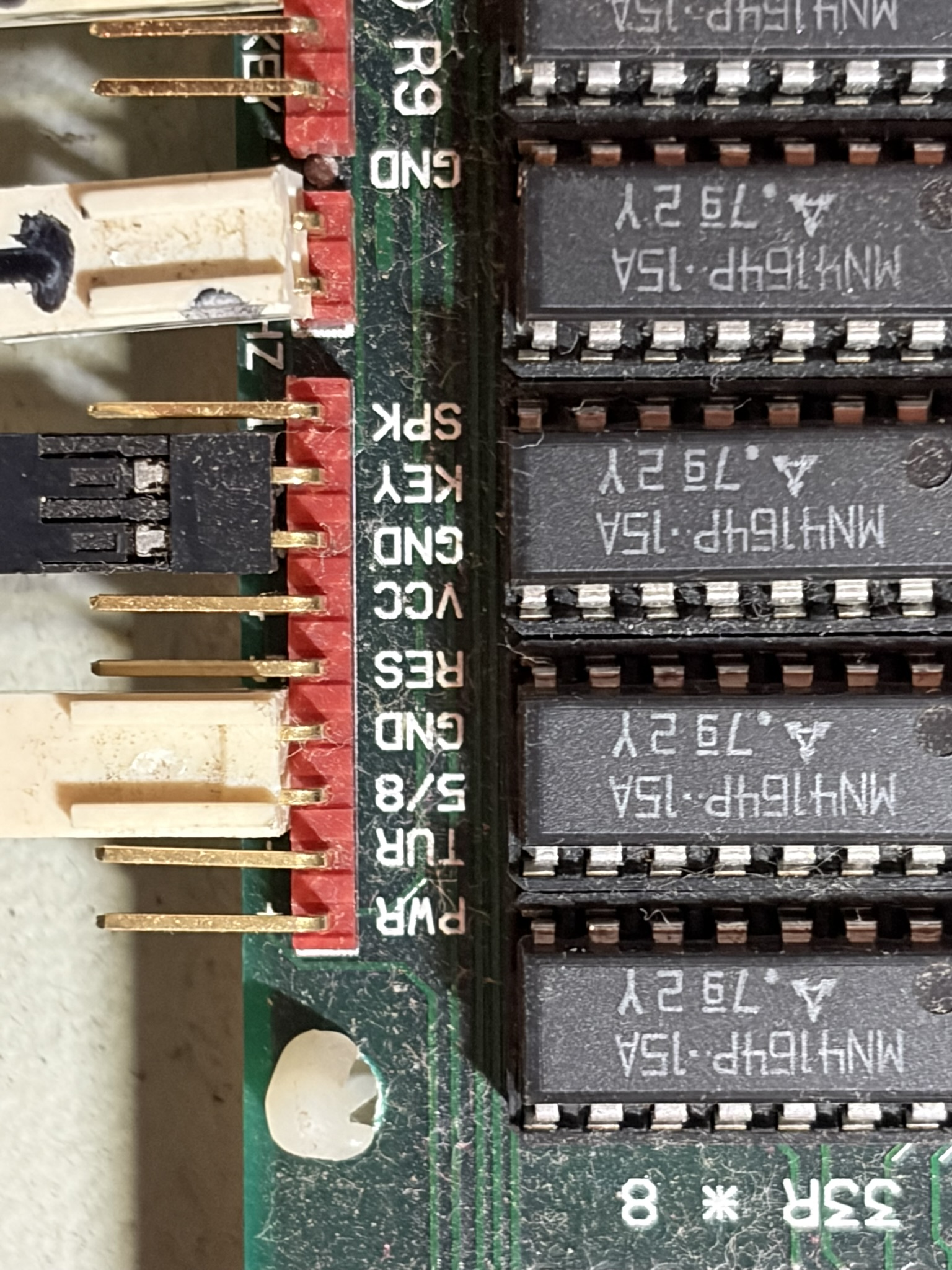
why would that be ? Also, I cant figure out how to make the turbo LED come on when its pressed, the LED is connected to a header but it does not light up when in turbo mode. here are few photos, sorry its hard to take a photo of whats written under the pins :

https://i.postimg.cc/Df3vqH9Q/IMG-5450.jpg
https://i.postimg.cc/SQbSW3B6/IMG-5472.jpg

As for the RAM, I got some chips from Ali express, ordered a whole stack from different sellers and so far only one batch arrived but not having luck.

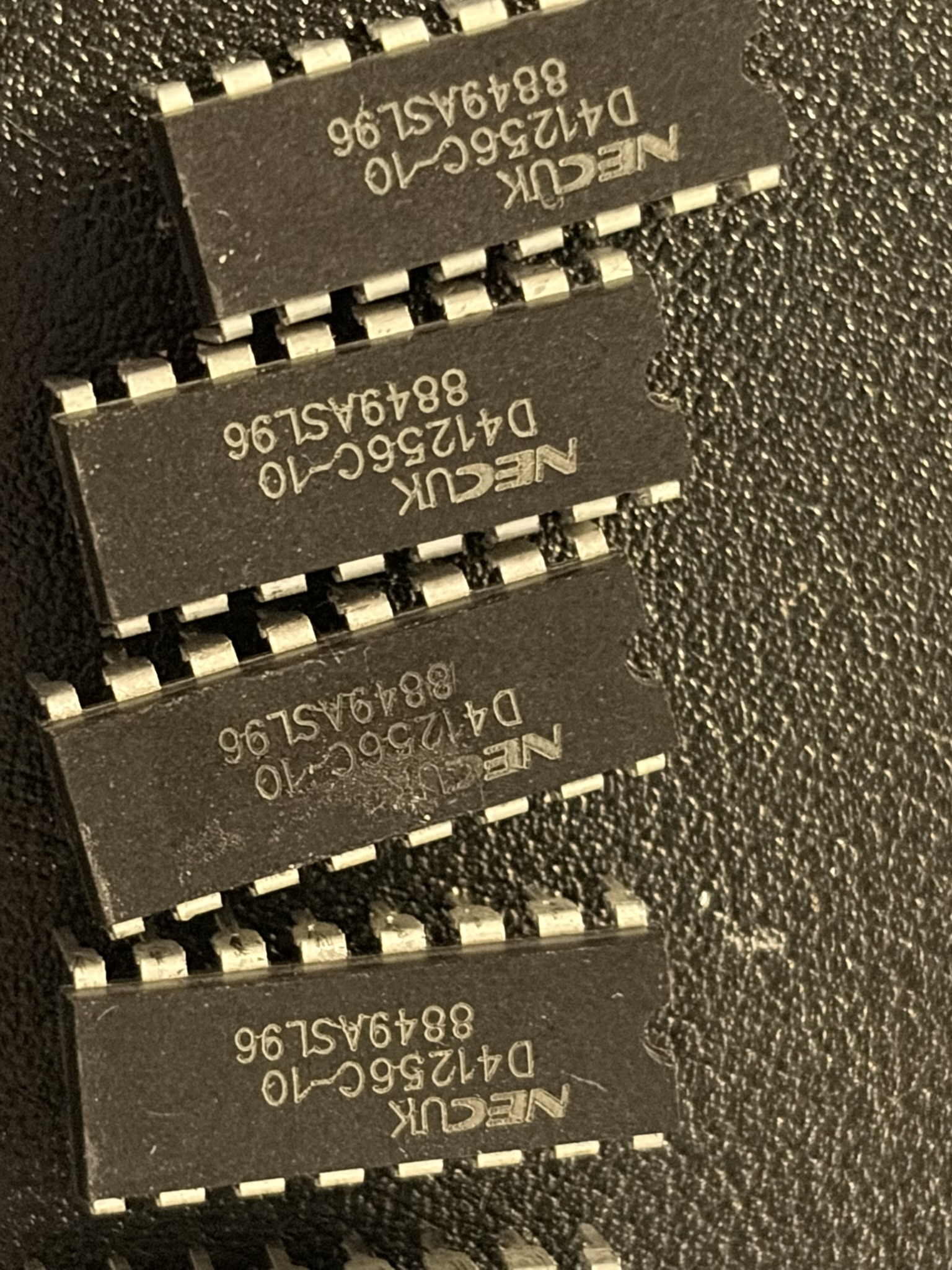
here are the chips I received : https://i.postimg.cc/LmWMtGPr/IMG-5495.jpg

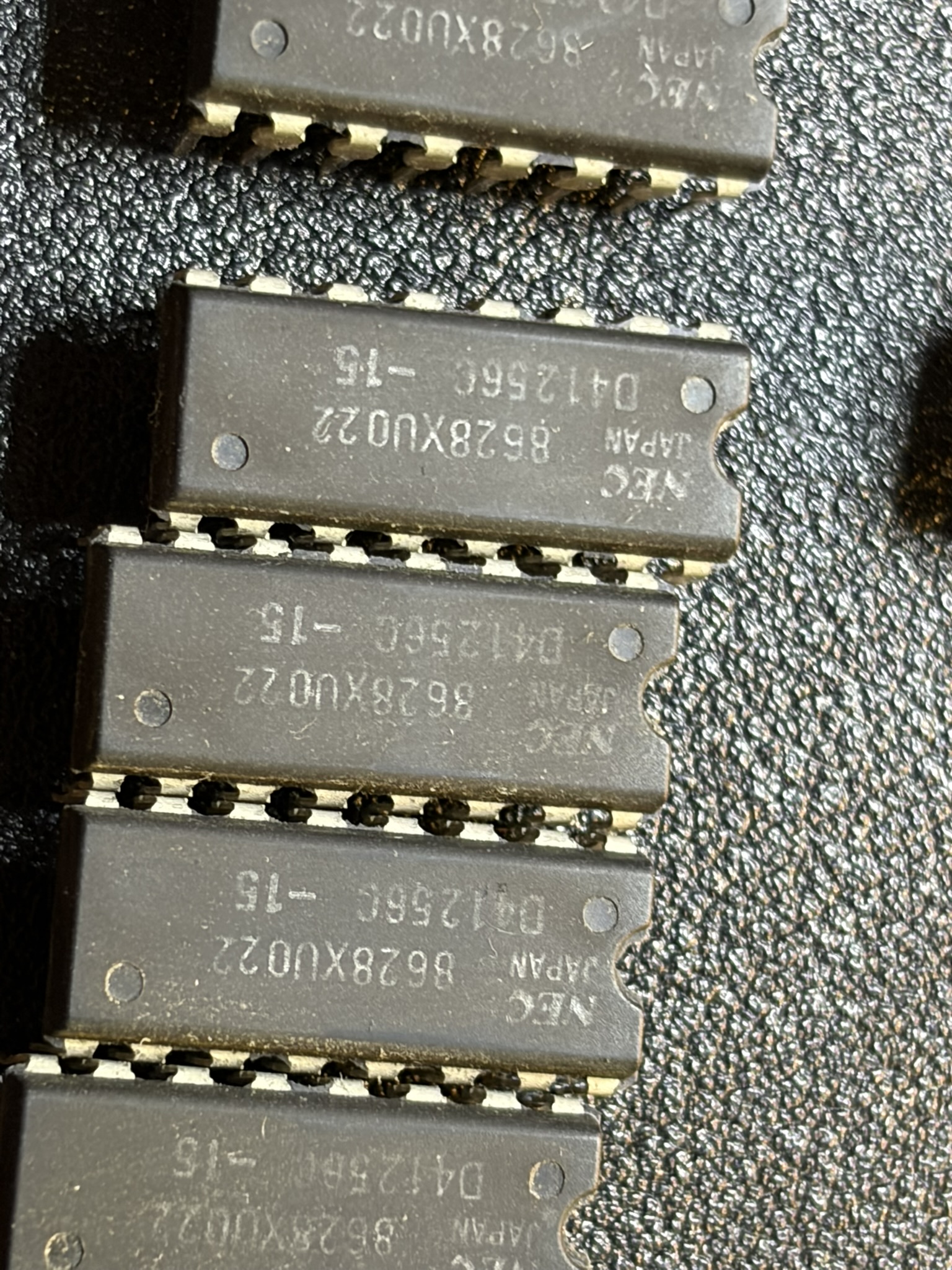
for reference, these are the stock ones in bank 0 - https://i.postimg.cc/ds2PK1fh/IMG-5496.jpg

I removed the chips from bank 1 and noticed one of them had a broken leg so that explains why the count stopped at 256KB on post.

When I put the new chips into bank 1 - the machine counts to 640kb however, is unstable and doesnt post, reboots or posts and gets stuck, also wont post with isa cards plugged in like xt-ide. removing the chips from bank 1 - everything works ok.

I thought mixing 15ns in bank 0 and 10ns in bank 1 is an issue so I replaced all chips in bank 0 with the new chips, it wont even post.

Does that suggest I have faulty chips in the batch I acquired ? How can I possibly diagnose which ones? I tried to put the original chips into bank 1 and then for the place of the one with broken leg I put one of the new ones but it did not even post.

when I keep only chips in bank 0 - the original ones, machine works perfectly.

I have more chips coming to test but keen to hear some ideas of what to do in case I am missing something. I really need 640kb of RAM.

Reply 4 of 13, by Grzyb

User metadata
Rank l33t
Rank
l33t
Omarkoman wrote on 2026-08-07, 05:23:

few updates, the turbo button had issues thats why it was not doing anything, I did a clean and the switch now works. Interestingly, despite the motherboard headers where the button is connected saying 5/8Hz the frequency actually drops to 3Hz when I push the button

https://i.postimg.cc/ChB5Cjd9/3mhz.jpg

why would that be ?

It doesn't drop to 3 MHz - it's only Landmark that shows it as 3 MHz AT equivalent.

Read it carefully:
CPU Clock: 4.777 MHz = This computer performs like a 3 MHz AT.

In TURBO mode, I expect it to display something like:
CPU Clock: 8 MHz = This computer performs like a 5 MHz AT.

Also, I cant figure out how to make the turbo LED come on when its pressed, the LED is connected to a header but it does not light up when in turbo mode.

TURBO button is connected to "5/8" and "GND" pins, and it works, right?
TURBO LED is connected to "5/8MHZ" pins, right?

Check the voltage between the "5/8MHZ" pins with a multimeter, in both TURBO and NON-TURBO modes...

In 2003, I voted in favour of joining the European Union. However, due to later developments - especially the restrictions on cash usage - I have withdrawn my support. DOWN WITH THE EU!

Reply 5 of 13, by Jo22

User metadata
Rank l33t++
Rank
l33t++
Omarkoman wrote on 2026-08-07, 05:23:

Thank you for all the replies ...

few updates, the turbo button had issues thats why it was not doing anything, I did a clean and the switch now works. Interestingly, despite the motherboard headers where the button is connected saying 5/8Hz the frequency actually drops to 3Hz when I push the button

https://i.postimg.cc/ChB5Cjd9/3mhz.jpg

Hi. The benchmark compares your PC/XT against an PC/AT.
These are different architectures. Landmark detects your V20 CPU at 4,777 MHz (correct).

The 5/8 switch probably means ~5 MHz / ~8 MHz operation (rounded numbers).
Which refers to 4,77 MHz and 9,54 MHz, both are common Turbo XT speeds.

The LED. Maybe polarity is wrong? 🤷‍♂️

"Time, it seems, doesn't flow. For some it's fast, for some it's slow.
In what to one race is no time at all, another race can rise and fall..." - The Minstrel

//My video channel//

Reply 7 of 13, by DaveDDS

User metadata
Rank Oldbie
Rank
Oldbie
Omarkoman wrote on 2026-08-05, 03:14:

2. The board comes prepopulated with 4 memory banks, checking the chips it has 256kb of ram in bank 0 and 1 and 64kb in banks 3 and 4. However, when booting, it only counts to 256k and loops, if I change the dip switches to 256K then it stops at that and boots to DOS ok. If I change to 640K then it loops post the RAM up to 256kb test . Can I assume the bank 1 is failing the test during post and thus the reboot? I have ordered some fresh chips to replace the bank 1 chips. I didnt want to remove / reseat the chips as its an old machine and the less disturbance the sockets get the better I assume ? Is this the best course to diagnose this or something else I need to check?

Did you make any more progress on this?

You can swap chips to figure out (for sure) which bank is failing, then which actual chip - and replace it.

Sometimes problems like this in old machines are caused by light surface corrosion on the pins, and the act of swapping them can "clean" them enough to start working - the problem might just "go away" while debugging it.

Btw - if one has a "broken leg" - I've has success soldering on a short bit of stiff wire to replace a pin and re-aligning it to position in the socket correctly - might be worth a shot!

https://dunfield.themindfactory.com ; "Daves Old Computers" ; SW dev addict best known:
ImageDisk: rd/wr ANY floppy PChw can ; Micro-C: compiler for DOS+ManySmallCPU ; DDLINK: simple/small filetransfer(w/o netSW)via Lan/Lpt/Com

Reply 8 of 13, by Grzyb

User metadata
Rank l33t
Rank
l33t
Omarkoman wrote on 2026-08-07, 10:16:

This is what landmark is when turbo is on:

https://i.postimg.cc/mb1Y47pz/IMG-5604.jpg

Quit that program, and run it again when in TURBO mode.

Looks like "This computer performs like a ... MHz AT." and the "CPU:" bar are updated in real-time, but the "CPU Clock:" is only calculated at the program start.

In 2003, I voted in favour of joining the European Union. However, due to later developments - especially the restrictions on cash usage - I have withdrawn my support. DOWN WITH THE EU!

Reply 9 of 13, by Omarkoman

User metadata
Rank Member
Rank
Member

It makes no difference.

Im saying when in turbo its runnign at 5mhz when not its at the lower frequency.

Reply 10 of 13, by Grzyb

User metadata
Rank l33t
Rank
l33t

Strange... perhaps Landmark 6.00 has broken CPU clock calculation for XT-class CPUs?

Try also Landmark 2.00 and Checkit 3.0.

In 2003, I voted in favour of joining the European Union. However, due to later developments - especially the restrictions on cash usage - I have withdrawn my support. DOWN WITH THE EU!

Reply 11 of 13, by BitWrangler

User metadata
Rank l33t++
Rank
l33t++

Where the broken leg was, check the back side of that socket, the impact that broke the leg may have popped the pin and pad off the board on the back, broken a trace.

Also, don't see where anyone else mentioned it yet, you need an extra zero on your RAM timings, you'll have 150ns and 100ns parts. Unless you actually bought 10ns in which case you might have totally different RAMs than the originals. Double check for compatible pinout and part equivalence.

Unicorn herding operations are proceeding, but all the totes of hens teeth and barrels of rocking horse poop give them plenty of hiding spots.

Reply 12 of 13, by Omarkoman

User metadata
Rank Member
Rank
Member
BitWrangler wrote on 2026-08-07, 13:33:

Also, don't see where anyone else mentioned it yet, you need an extra zero on your RAM timings, you'll have 150ns and 100ns parts. Unless you actually bought 10ns in which case you might have totally different RAMs than the originals. Double check for compatible pinout and part equivalence.

did you see the photos of the ram chips I purchased I posted ? I could be reading it wrong.

Reply 13 of 13, by wierd_w

User metadata
Rank Oldbie
Rank
Oldbie

Mixing 100ns with 150ns can cause problems.

Since you have lots of 100ns chips, getting another bank worth would just be an upgrade, abd would likely solve the instability problem.