VOGONS


First post, by mima85

User metadata
Rank Newbie
Rank
Newbie

Hello, this is my first post here. My name is Michel, I write from Switzerland, from the southern italian-speaking part, so excuse me for my engRish 😀.

I'm an IT guy who's also into retrocomputing, I have a quite sizable collection of old machines which I restored and maintain myself and I occasionally attend retrocomputing events with items from my collection. I have a strong connection with music, synthesizers and sound synthesis too. Music is a very important part of my life since tender age and, of course, you make me very happy if you talk to me about the various incarnations of OPL3 (Yamaha, ESS, Crystal, etc...) and the differences in their implementations, the waveshapes of the SID chip or the intrications of analog circuitry in vintage analog synthesizers. No surprise that I lurked this site for a long time on threads about these topics 😀. I have a collection of such staff too and I occasionally shamelessly put myself on Youtube while playing my synths: https://www.youtube.com/@mima85.

I also have a long-time fascination (read: obsession) with hard drives, matter of fact I'm collecting them since the late 90ies and right now I have something around 200-300 drives in my collection. I actually lost count of them 😁.

In the last years I'm "daring" to do some repairs on very old MFM, stepper-driven units. Matter of fact some time ago I was succesful at reviving a couple drives by swapping their ruined platters with other healthy ones and low-level format them with the controller's onboard utility (you know, debug -> g=800:5, the usual stuff).

Now I'm trying to revive one of my old PS/2-30 hard disks. Those WDI-325s are well known in the retrocomputing spaces to suffer from internal contamination. Most believe that it's the seal that gives up, but by opening a couple of ones I found that the actual source of the contamination was not the seal, which was still intact, but a piece of plastic that holds the head stack's flex PCB where the head amplifier chip is soldered, that is going thru a decomposition process.

Check these images:

1) wdi325_1.jpg - Platter contamination
2) wdi325_2.jpg - Details of plastic piece's decomposition

and you can clearly see that. That white dust is the material coming off the plastic piece, and I think that during this process some gases are being produced too, raising the internal pressure, blowing out from the breathing hole and carrying those plastic particles with them. And actually, if you take a look to photo #3 (wdi325_3.jpg - Dusty spot on platter matching the breathing hole/filter) you can clearly see that most of the dust accumulated in the exact same spot on the platter that for years was sitting still under the breathing hole.

Some days ago I picked out from my collection a 60MB WDI-387 hard disk (the voice coil-driven, MCA-attached unit that's used in PS/2-55sx, 70 and other models) which some years ago was already in the verge of dying most probably due to fading out magnetic signals. It had a lot of bad sectors, they were constantly raising and now it reached the point where track 0 became unreadable. So I decided to open it to assess for internal damage and I found two things:

1) There was no actual physical damage to the platters (that's why I'm thinking about fading-out magnetic signals)
2) Platters were the exact same thickness and iron-oxide coated like the WDI-325's ones.

So I decided to use it as a donor drive and I transplanted two of its three platters to one of my WDI-325 units, the right one in the last photo which is the one I'm trying to revive. I thorougly cleaned the chamber from the dust, cleaned the heads with isopropyl alchool, removed all the dust from the plastic support and covered it with insulating tape to prevent, or at least try to, further particles leaving it and I gave it a spin with my PS/2-30. The drive spun up nicely and, to my suprirse, with the heads pulled toward the platter's outer diameter they were actually able to do a full sweep-in-sweep-out seek, a thing that a WDI-325 drive in working condition would always do at power up (with the heads towards the inner my unit just tries to push them further in for 2-3 times, hitting the stop pin, then it gives up).

Of course the drive was still confused as the layout on those platters, or at least the remainings of it, is from another drive with a completely different geometry, not to mention that the relative alignment between the platters themselves is lost due to me moving them, so the machine unsurprisingly threw out a 1701 error at boot and the disk's LED was blinking a 4-[pause]-4-[pause][...] pattern. As said, all to be expected.

Now comes the part where I want to LLF the drive, and this is where I'm stuck. I tried the PS/2-30 diagnostic disk, I tried speedstor/hardprep, I tried diskmanager both in automatic and manual mode, none of them were succesful. And no, there's no debug -> g=800:5 format routine available as the drive's logic board is an integrated, proto-IDE proprietary IBM controller thatt connects directly to the machine's 8-bit ISA bus. The drive gives signs of life when those programs try to LLF it, it can be heard seeking its heads a handful of times trying to orient itself, but then it gives up and the LLF utility throws whatever error it feels at the moment (bad disk command, disk not ready, unrecognized error, etc...).

This is a stepper drive, so like with any normal MFM stepper drives there should be a manner to low-level format it without specific devices available only for the manufacturer, as no servo orientation signals are required here unlike what happens with voice-coil units. I just want the drive to slam the heads towards the outer stop pin, and step its actuator thru the platters to blast a new geometry onto them regardless of their actual content, like it can be done with normal MFM disks. There should be a manner to do this, perhaps with some obscure software tool or assembly routine that skips the controller's internal data integrity checks: after all when the drive was built in first instance the platters were empty and in some way it had to write down cylinders and sectors on them.

So, after this long post the question is: what I'm missing? There's someone here experienced with those units, who knows specific software tools or procedures to treat this drive like a freshly built unit which needs its initial LLF before leaving the factory?

Thanks to all who'll be eager to help 😀

P.S. The same thread was opened also on hddguru.com, I hope this is not a problem for the site's admins.


Reply 1 of 17, by rasz_pl

User metadata
Rank l33t++
Rank
l33t++

Hi and welcome.

mima85 wrote on 2026-10-17, 11:01:

I also have a long-time fascination (read: obsession) with hard drives, matter of fact I'm collecting them since the late 90ies and right now I have something around 200-300 drives in my collection. I actually lost count of them 😁.
In the last years I'm "daring" to do some repairs on very old MFM, stepper-driven units.

Do you know of https://www.youtube.com/@arnlol/videos ? This is how I learned about people crazy enough to actually go inside the drive and muck around with platters and heads successfully 😮

mima85 wrote on 2026-10-17, 11:01:

LLF

Since its voice coil it needs servo platter (newer disks use servo sectors), afaik written at the factory using big servo machine https://en.wikipedia.org/wiki/Servowriter where they put half assembled drives with platters already mounted. afaik much never drives have servo markers written by drive firmware at the factory bypassing the need for special machine.

IBM patent US7079347B2 “Method and apparatus for providing a marker for adaptive formatting via a self-servowrite process” from 2002:
"Traditional servo writing has been performed in a clean room environment with external sensors invading the head disk
assembly to provide the precise angular and radial position information to write the servo patterns. For example, an external
clock head was typically disposed on the disk outer diameter.
Currently, determining the number of available tracks from the self servowrite process requires a trial and error process or
requires that the track count be sent ahead from the servowriter to the function test station."

TLDR: might be impossible
If you have another working drive of same model you could try something crazy like https://github.com/raszpl/sigrok-disk except you wont find standard structures on the platter so it wont decode, but that repo will give you idea how to capture data 😀
You would have to:
1 tap into signal from heads, hopefully drive is old enough it has external amps/conditioning circuity so one can grab cleaned amplified signal
2 optionally send such platter dump to me so I can try decoding it 😮
3 now the crazy crazy part - try writing a copy of whatever is on the platters to the new platters raw, something like copying copy protected floppies by connecting two floppy drives ass to ass (Central Point Software's Copy II PC Option Board). This is precarious, requires exact syncing with platter index, writing no more than one revolution so not to overwrite etc

mima85 wrote on 2026-10-17, 11:01:

This is a stepper drive

wait, didnt you say it was voice coil? so WDI-325 stepper, WDI-387 voice coil, but both same platters/head assembly?

mima85 wrote on 2026-10-17, 11:01:

I just want the drive to slam the heads towards the outer stop pin, and step its actuator thru the platters to blast a new geometry onto them regardless of their actual content, like it can be done with normal MFM disks.

I think David Gesswein or someone connected to his https://www.pdp8online.com/mfm/ https://github.com/dgesswein/mfm developed an external stepper driver control for use when dumping MFM drives for the emulator. You would still need a custom program on PC to do the LLF using custom servo control, but thats easily done nowadays.

mima85 wrote on 2026-10-17, 11:01:

There should be a manner to do this, perhaps with some obscure software tool or assembly routine that skips the controller's internal data integrity checks

what even is the interface for this drive? https://caps.wiki/wiki/IBM_WDI-325Q_20MB_Hard_Drive tells me its some custom IDE? thats not conductive to talking low level with it.
Looking at https://caps.wiki/wiki/File:WDI-325Q_Front.jpg you might be in luck, intel 8031 doesnt contain rom, insteasd this tochiba TMM24128AP is a 16KB ROM.
Im crazy, but what I would do is desolder and dump TMM24128AP, throw firmware into IDA/Ghirda (or if you dont know how to RE even something like Claude AI) and look for its secrets. Its possible you will find a proprietary command that LLFs whole drive all at once, or a mode that stops internal diagnostics and lets external commands take over.
This awesome repo by Eric Schlaepfer (Tube Time) https://github.com/schlae/HardDriveInfo has some great info on early drives and contains few disassembled firmwares.

Edit just noticed IBM 83X3202 on there, Afaik this is an MFM/RLL Endec, meaning there are clean MFM/RLL signals ready for the grabbing on this drive, and decoded NRZ stream so worst case scenario you could low level format it with something as basic as arduino

Edit2: lookie here https://theretroweb.com/expansioncards/s/ibm-90x8642 seems familiar, doesnt it? 😀
so IBM PS/2 Model 50 ibm-90x8642 + Western Digital WD-325N = IBM PS/2 Model 25/30 + IBM WDI-325Q. neat

mima85 wrote on 2026-10-17, 11:01:

P.S. The same thread was opened also on hddguru.com, I hope this is not a problem for the site's admins.

can you link it? Im not deep into HDDs (https://github.com/raszpl/sigrok-disk was a one time distraction) so im not following that forum.

https://github.com/raszpl/sigrok-disk FM/MFM/RLL decoder
https://github.com/raszpl/FIC-486-GAC-2-Cache-Module (AT&T Globalyst)
https://github.com/raszpl/386RC-16 ram board
https://github.com/raszpl/Zenith_ZBIOS Zenith Z-386 MFM-300 ZBIOS disassembly

Reply 2 of 17, by mima85

User metadata
Rank Newbie
Rank
Newbie
rasz_pl wrote on 2026-10-18, 05:26:

Hi and welcome.

Hi! 😀

rasz_pl wrote on 2026-10-18, 05:26:

Do you know of https://www.youtube.com/@arnlol/videos ? This is how I learned about people crazy enough to actually go inside the drive and muck around with platters and heads successfully 😮

Yeah of course, I know also a couple of other channels about this topic. It's comforting to see that I'm not alone with this obsession 😁

rasz_pl wrote on 2026-10-18, 05:26:

Since its voice coil it needs servo platter (newer disks use servo sectors), afaik written at the factory using big servo machine https://en.wikipedia.org/wiki/Servowriter where they put half assembled drives with platters already mounted. afaik much never drives have servo markers written by drive firmware at the factory bypassing the need for special machine.

[...]

wait, didnt you say it was voice coil? so WDI-325 stepper, WDI-387 voice coil, but both same platters/head assembly?

No, WDI-325 is a stepper motor drive, while the 60 MB WDI-387 is voice coil. I said they have the same type of platters, where for "the same type" I meant platters of the same thickness and both coated with iron oxide. Of course aside the platters, the two units are built in a radically different way.

I attached some photos to my initial post, there you can clearly see that the WDI-325 is a stepper drive. That's why I'm trying to figure out how to revive it, would it have been a voice coil drive I'd have given up immediately.

rasz_pl wrote on 2026-10-18, 05:26:
mima85 wrote on 2026-10-17, 11:01:

I just want the drive to slam the heads towards the outer stop pin, and step its actuator thru the platters to blast a new geometry onto them regardless of their actual content, like it can be done with normal MFM disks.

I think David Gesswein or someone connected to his https://www.pdp8online.com/mfm/ https://github.com/dgesswein/mfm developed an external stepper driver control for use when dumping MFM drives for the emulator. You would still need a custom program on PC to do the LLF using custom servo control, but thats easily done nowadays.

I'll take a look to it, thanks.

rasz_pl wrote on 2026-10-18, 05:26:

what even is the interface for this drive? https://caps.wiki/wiki/IBM_WDI-325Q_20MB_Hard_Drive tells me its some custom IDE? thats not conductive to talking low level with it.

Yes is a custom, IDE-type interface. That's why I'm asking if someone, maybe someone who actually worked at IBM as a service technician or hardware engineer, knows about specific procedures or software that can be employed to low-level format the drive, as this is all obscure stuff that's not available on the Internet. Or at least I didn't yet manage to track it.

My intention would be also to not only revive the drive, but to do some documentation about the process to freely share it with the rest of the retrocomputing community, so that other people interested in bringing back to life these hard disks can have some actual resource on how to do that. The mechanical aspect is quite straightforward and I have it already sorted out, it's just matter of replacing the platters with others built in the same manner and do that in the cleanest way possible. The real caveat here is on the software side.

rasz_pl wrote on 2026-10-18, 05:26:

Looking at https://caps.wiki/wiki/File:WDI-325Q_Front.jpg you might be in luck, intel 8031 doesnt contain rom, insteasd this tochiba TMM24128AP is a 16KB ROM.
Im crazy, but what I would do is desolder and dump TMM24128AP, throw firmware into IDA/Ghirda (or if you dont know how to RE even something like Claude AI) and look for its secrets. Its possible you will find a proprietary command that LLFs whole drive all at once, or a mode that stops internal diagnostics and lets external commands take over.
This awesome repo by Eric Schlaepfer (Tube Time) https://github.com/schlae/HardDriveInfo has some great info on early drives and contains few disassembled firmwares.

Yep indeed there's a ROM chip, and I'm lucky enogh that on two out of my three drives it's even socketed so no desoldering work has to be done. I don't yet have the skills to dive into disassembled programs and actually understand the code as I don't know the assembly language, but I'll take a look to this other resource too. One thing that I may do tho, is to dump the ROM and share the binary.

rasz_pl wrote on 2026-10-18, 05:26:

Edit just noticed IBM 83X3202 on there, Afaik this is an MFM/RLL Endec, meaning there are clean MFM/RLL signals ready for the grabbing on this drive, and decoded NRZ stream so worst case scenario you could low level format it with something as basic as arduino

Edit2: lookie here https://theretroweb.com/expansioncards/s/ibm-90x8642 seems familiar, doesnt it? 😀
so IBM PS/2 Model 50 ibm-90x8642 + Western Digital WD-325N = IBM PS/2 Model 25/30 + IBM WDI-325Q. neat

It looks that I'll have a bunch of things to take a look to. Thank you 😀

rasz_pl wrote on 2026-10-18, 05:26:
mima85 wrote on 2026-10-17, 11:01:

P.S. The same thread was opened also on hddguru.com, I hope this is not a problem for the site's admins.
can you link it? Im not deep into HDDs (https://github.com/raszpl/sigrok-disk was a one time distraction) so im not following that forum.

Sure, hoping that there's no problem here about cross-linking, here it is: https://forum.hddguru.com/viewtopic.php?f=1&t=46331

Reply 3 of 17, by rasz_pl

User metadata
Rank l33t++
Rank
l33t++
mima85 wrote on 2026-10-18, 11:53:

Yes is a custom, IDE-type interface.

Do you have any working PS/2 30 drives currently? afaik this interface is not documented anywhere. Connecting something like https://github.com/gusmanb/logicanalyzer (https://www.youtube.com/watch?v=VjSF2LWJVVU) to all the active pins of this weird edge connector with working drive plugged in and grabbing initialization/booting/reading/writing session logs might lead to (as In I would definitely look at this and try my best) decoding the interface and eventual support in for example picoIDE HDD emulator.
5V signals shouldnt require all that buffering hardware shown in the video, afaik just bare pico2 would suffice for grabbing 24 signals at a time.

mima85 wrote on 2026-10-18, 11:53:

That's why I'm asking if someone, maybe someone who actually worked at IBM as a service technician or hardware engineer, knows about specific procedures or software that can be employed to low-level format the drive

Im guessing there is some command that turns this pseudo IDE drive into a dump transparent factory mode.

mima85 wrote on 2026-10-18, 11:53:

My intention would be also to not only revive the drive, but to do some documentation about the process to freely share it with the rest of the retrocomputing community

on hddguru you mention you have three WDI-325 and all are not working? Not even a little? I was hoping you could grab few tracks from a working WDI-325
This would involve poking around on the pcb with a scope or logic analyser to find a reasonably looking signal from the Heads - its being read all the time as long as drive is rotating so no need for controlling stepper motor - and grabbing few samples. Would at least tell us what the HDD is expecting to see on a good track (Index Mark? maybe some special track marks? etc). Too old for storing firmware on platters, but might be storing defect list or some other custom structure.

mima85 wrote on 2026-10-18, 11:53:

One thing that I may do tho, is to dump the ROM and share the binary.

please do

mima85 wrote on 2026-10-18, 11:53:

Sure, hoping that there's no problem here about cross-linking, here

subbed just in case someone pops in there with interesting info

https://github.com/raszpl/sigrok-disk FM/MFM/RLL decoder
https://github.com/raszpl/FIC-486-GAC-2-Cache-Module (AT&T Globalyst)
https://github.com/raszpl/386RC-16 ram board
https://github.com/raszpl/Zenith_ZBIOS Zenith Z-386 MFM-300 ZBIOS disassembly

Reply 4 of 17, by BitWrangler

User metadata
Rank l33t++
Rank
l33t++

30 years ago, I was messing with junkbox drives and something interesting happened. Though being that long ago and the fallibility of memory, you might want to file this under myths and legends, but...

It seems some AMI BIOS earlier than ~1991 have a Low Level Format utility screen in the CMOS setup, that does not care what drive interface you are using and will attempt to LLF any drive you tell it to. Now later, smarter IDE drives will probably defend against this, but the drives I tried at the time let "something" happen. At the time I had found some hints about people doing this to older IDEs on usenet and the warning that you only had to try it at all at native geometry and not at any translated geometry.

So first drive I tried was something of a success... It was a 40MB drive, unusual looking, like a sealed disk pack in a frame with the connections in the end... not remembering what it was, I think maybe a Connor, was more like half 5.25 height, one and a half for 3.5? Anyway, it was a junkbox pick and it worked... with many "amusing" noises, woop, weep, terrrrp, etc.. which appeared just to be the normal head servo noises of something that early in IDE drives. But, it was extremely slow... tests in DOS utils were giving me something like 140-150kb/sec... really crawling. I looked at it with the AMI BIOS on a very early ISA 486 board I had, and it had an interleave check, said it was 1:1... so I get the bright idea to Low Level Format it with a new interleave, 3:1 ... which took a good while, with it making all sorts of strange noises... but it finished, it still detected, partitioned and DOS formatted fine, tested it in the same utils again and now had a blazing fast 400kb/sec drive. So that one is the success story.

Next/only other drive I have tried. Quantum Prodrive 170AT was on the top of it, not sure if that's actual model number. This one had bad sector problems at the top of the drive. Also had a few scattered that seemed more like soft bad sectors, heads didn't sound troubled by them like the bad lot at the top. Anyway, instead of just partitioning out the top like a sane person, I thought I would LLF it on this AMI 486 board to the specs of a 120AT. So I did, and something happened, and it only came up as a 120MB now, but it seemed like it just made the tracks wider and still went the whole disk surface... so now I had 20Mb bad at the top still. Drive did not seem happy mechanically after this and was more noisy. Anyway, after giving it just a 100MB partition, I was able to sort of use it, but it needed frequent bad sector scans still.

I say that was the only other, but think I might have tried a later IDE drive or two that did nothing and returned or machine locked. Anyway, nothing happened to the drive.

So... in desperation... a path might be to cobble drive to interface that works on a machine you can run the old AMI BIOS on to use the LLF. Being an 8bit IDE derivative it might need an XT controller to mess with it, if a pinout can be determined. Not sure if there's a way to pull out the routine in question and run it on arbitrary board, which given it's low level on system nature, probably means you don't get a clean exit. So don't do it on a machine with smartdrive running... or with anything other than a target drive and a floppy connected probably.

Unicorn herding operations are proceeding, but all the totes of hens teeth and barrels of rocking horse poop give them plenty of hiding spots.

Reply 5 of 17, by mima85

User metadata
Rank Newbie
Rank
Newbie
rasz_pl wrote on 2026-10-18, 13:26:

Do you have any working PS/2 30 drives currently?

Nope. All three are dead. Actually, I think that given the type of degenerative issue that is affecting all of them by design, very few of these drives in working condition are remaining in the world and they would command astronomical amounts to be purchased. Honestly I don't want to spend hundreds of swiss francs/euros/dollars for such a thing, yes I'm obsessed with hard drives but everything has its limits 😀

rasz_pl wrote on 2026-10-18, 13:26:

Im guessing there is some command that turns this pseudo IDE drive into a dump transparent factory mode.

And that's exactely what I'm searching for.

mima85 wrote on 2026-10-18, 11:53:

on hddguru you mention you have three WDI-325 and all are not working? Not even a little?

As told above, unfortunately not. The one in most "working condition" that I have is the one I'm in the process of reviving, and that tells something. Of the other two, the first is the one that you see opened in the photos in my opening post and the second not only it's rotten inside like the other two, but has a ripped head too. In my most wet dreams, the final result would be that after figuring out how to complete the restoration on the unit I'm currently working on and actually managing to do that, I would be successful at restoring also the other one. But it's gonna be rich if I'll be successful just with the first drive and I should be already happy with its current state, where at least it has clean platters and gives signs of life buzzing around its heads when trying to access it, go figure...

mima85 wrote on 2026-10-18, 11:53:

One thing that I may do tho, is to dump the ROM and share the binary.

please do
[/quote]

All right, check the attachments. I have two revisions of the drive's PCB, one with what I think is the drive interface's chip (an IBM custom IC) in SMD format (that comes from the drive I'm working on) and the other where that chip is a PGA, like an old ceramic 386 so to speak (that's from the next candidate for the restoration). Check "PCB Revs.jpg" photo. Binary files are named after the label on the ROMs, so you can associate them with their related PCB revision.

By the way, I started to dismantle the other drive too, to remove the contaminated platters and do an initial clean-up of the drive's chamber. On the lower surface of the bottommost platter there's again the white dust, which matches the position of another filter that's placed just over the spindle motor (check photo "Dust pattern matching filter.jpg", while the surfaces facing each one of platter one and two were clean (check photo "Clean surfaces.jpg"). This seems to confirm my theory of wherever the gases generated by the plastic decomposition found a way to vent out, they carried the plastic particles with them too.

Reply 6 of 17, by mima85

User metadata
Rank Newbie
Rank
Newbie
BitWrangler wrote on 2026-10-18, 14:30:

It seems some AMI BIOS earlier than ~1991 have a Low Level Format utility screen in the CMOS setup [...]

Yes I too stumble upon that AMI BIOS, in fact I should have around some 2/3/486 motherboards with it. The issue is that I don't yet have the capability of disassembling the BIOS, locating the low-level format routine and put it somewhere else, that's a thing for hardcore assembly/low-level programmers which unfortunately I'm not (at least, yet...).

I think it's more feasible to cobble together something to directly attach the IBM drive to one of those mobo's ISA bus, as it's actually what it does in its original PS/2 machine, an try to give a run to that LLF routine with the IBM drive attached to the system. Perhaps a thing for future consideration.

Reply 7 of 17, by mima85

User metadata
Rank Newbie
Rank
Newbie

All right, off it goes, in the waiting list... (the second restoration candidate, check attached photo).

Reply 8 of 17, by rasz_pl

User metadata
Rank l33t++
Rank
l33t++

Please more light when you take pictures, consider going out mid day 😀 or line out a box with white paper and light it from the top. Your phone is struggling, producing all this noise now.

Cant read most of chip markings, but I did recognize one important - SSI 32P540 Read Data Processor for which there is datasheet available. It is the AGC + pulse extractor signal shaping chip I was hoping to find. On the never pcb same role was taken over by Im guessing cheaper Toshiba TA8507N, but no known datasheet for that one.
A little weird its a 32P540-3 version with 3 bit head select and open collector output since this drive doesnt need 3 bits having only 4 heads. Read output is on pin 12 (track going under C3) pulled high with external resistor and being driven low by data.
unless its not really 32P540(3) and Im just seeing 3 because of picture quality 😀

Too bad you pulled platters from second drive 🙁 I dont know if its going to be possible to read what was on it ever again 🙁 On one hand its only 617 tracks per platter, on the other I have zero experience with aligning platters so no idea if those tracks are wide enough for the heads to land without micro wobble.

I would loove to see a data grab from this. Would require
- assembling platters obviously 😀
- verifying chip Z9 32P5403 pin 12 ( https://www.analog.com/media/en/package-pcb-r … /plccp/p_28.pdf corner pin closest to the pcb cutout ) jumps between 0 and slightly under 5V. If the chip is not 32P5403 but 32P5402 or 32P540 voltage can be higher and wont work with those cheap ghetto LAs.
- connect fast logic analyzer = an ebay $5 "CY7C68013A​FX2LP USB2.0 Board" might be too slow, so $5 pico 1/2 board with https://github.com/gusmanb/logicanalyzer
- grab 17ms at max sampling clock while disk is spinning and not moving heads, or even grab everything while its trying to boot

If you want to know more about how MFM disks work this one is fun https://boginjr.com/it/hw/winchesterduino/ https://boginjr.com/it/hw/winchesterduino-v1_1/ https://github.com/climatex/Winchesterduino and newer pico based https://boginjr.com/it/hw/sentinel/ https://github.com/climatex/Sentinel

Looking at PS/1 2011 technical reference, which supports same weird 44 pin HDD interface and afaik same drives we get this:
https://www.valoroso.it/file-share/documenti- … ce.pdf#page=358
"Format Disk: This command writes the entire disk with the filler and
ID information supplied in the format control block. This control block
contains the format for head 0 of cylinder 0. The controller then
increments the head and cylinder numbers as needed until the disk is
completely formatted.
The number of sectors specified in byte 5 is the number of sectors per
track."

Knowing IBM they wouldnt include command not supported by their hardware in manual.

Now the question is is the drive ready to accept commands at all in current state?
I refreshed myself on 8bit XT ide drives rewatching VWestlifes https://www.youtube.com/watch?v=3rgaJqYOPSg and he shows 8bit IDE controllers and their bioses supporting low level format - that is very promising assuming your drive with replaced platters doesnt show up as constantly Busy.

I also looed at firmware files you uploaded. Those are definitely 8051 code, reset vector is there, followed by sane init code, interrupt vector also has some sane int code, but Im not an 8051 guy and can barely navigate it.

https://github.com/raszpl/sigrok-disk FM/MFM/RLL decoder
https://github.com/raszpl/FIC-486-GAC-2-Cache-Module (AT&T Globalyst)
https://github.com/raszpl/386RC-16 ram board
https://github.com/raszpl/Zenith_ZBIOS Zenith Z-386 MFM-300 ZBIOS disassembly

Reply 9 of 17, by mima85

User metadata
Rank Newbie
Rank
Newbie
rasz_pl wrote on 2026-10-21, 20:19:

Please more light when you take pictures, consider going out mid day 😀 or line out a box with white paper and light it from the top. Your phone is struggling, producing all this noise now.

Yep sorry, that photo wasn't meant for chip marks reading but just to highlight the two different revisions, for their relative firmware dumps. I can make more detailed photos if you need that.

rasz_pl wrote on 2026-10-21, 20:19:

Too bad you pulled platters from second drive 🙁 I dont know if its going to be possible to read what was on it ever again 🙁 On one hand its only 617 tracks per platter, on the other I have zero experience with aligning platters so no idea if those tracks are wide enough for the heads to land without micro wobble.

Given their state they wouldn't have been readable anyway. On both platters there are heavy headcrash signs on the outer diameter where cylinder 0 is located and the drive wouldn't fully initialize (it would do the same things the other drive does). You can't cleary see them because of the crappy photos but trust me, situation is bad in this regard. And as they are contaminated by the plastic powder, which literally stuck to the surface and can't just be blown away, they would have grinded the heads to death. And to clean them I would have to take them out anyway.

rasz_pl wrote on 2026-10-21, 20:19:

That looks fun, I'll take a peek.

rasz_pl wrote on 2026-10-21, 20:19:
Looking at PS/1 2011 technical reference, which supports same weird 44 pin HDD interface and afaik same drives we get this: http […]
Show full quote

Looking at PS/1 2011 technical reference, which supports same weird 44 pin HDD interface and afaik same drives we get this:
https://www.valoroso.it/file-share/documenti- … ce.pdf#page=358
"Format Disk: This command writes the entire disk with the filler and
ID information supplied in the format control block. This control block
contains the format for head 0 of cylinder 0. The controller then
increments the head and cylinder numbers as needed until the disk is
completely formatted.
The number of sectors specified in byte 5 is the number of sectors per
track."

Knowing IBM they wouldnt include command not supported by their hardware in manual.

This is interesting, I'll take a look to this too (now I'm at my workplace 😁)

By the way I personally know the guy from the valoroso.it website, his name is Amedeo Valoroso, we live not too far apart (he's in Italy and while I'm in Switzerland I live near the swiss-italian border) and I've met him multiple times during retrocomputing events.

rasz_pl wrote on 2026-10-21, 20:19:

Now the question is is the drive ready to accept commands at all in current state?
I refreshed myself on 8bit XT ide drives rewatching VWestlifes https://www.youtube.com/watch?v=3rgaJqYOPSg and he shows 8bit IDE controllers and their bioses supporting low level format - that is very promising assuming your drive with replaced platters doesnt show up as constantly Busy.

It seems to. As said, when trying to low-level format it the drive tries to respond, it can be heard seeking the heads trying to orient itself and the LED's error blinking pattern is being interrupted in those moments. It tries for a while, then gives up.

rasz_pl wrote on 2026-10-21, 20:19:

I also looed at firmware files you uploaded. Those are definitely 8051 code, reset vector is there, followed by sane init code, interrupt vector also has some sane int code, but Im not an 8051 guy and can barely navigate it.

Well, you're already way ahead of me in this regard.

Thanks rasz_pl for your help, is greatly appreciated 😀

Reply 10 of 17, by mima85

User metadata
Rank Newbie
Rank
Newbie
rasz_pl wrote on 2026-10-21, 20:19:
Looking at PS/1 2011 technical reference, which supports same weird 44 pin HDD interface and afaik same drives we get this: http […]
Show full quote

Looking at PS/1 2011 technical reference, which supports same weird 44 pin HDD interface and afaik same drives we get this:
https://www.valoroso.it/file-share/documenti- … ce.pdf#page=358
"Format Disk: This command writes the entire disk with the filler and
ID information supplied in the format control block. This control block
contains the format for head 0 of cylinder 0. The controller then
increments the head and cylinder numbers as needed until the disk is
completely formatted.
The number of sectors specified in byte 5 is the number of sectors per
track."

Knowing IBM they wouldnt include command not supported by their hardware in manual.

Sorry if this is perhaps a stupid question but... how do I invoke that command? Via DOS' debug? If yes, could you please indicate me the assembly instructions that I have to type into debug to do that?

Perhaps the "format disk" command is what it's called by the IBM's own diagnostic disk when doing an unconditional format, so this wouldn't do anything new, but I'd want to try anyway,

Reply 11 of 17, by mima85

User metadata
Rank Newbie
Rank
Newbie

News: I found in my collection a Seagate ST-125 with the same PS/2-30 interface. When attaching it to the machine it does its normal power on seek test and I don't get the 1701 error at boot, so this drive appears to be functional. But when trying to partition it I get track 0 error, so I tried to low-level format also this one. And I found that I have the same exact symptoms of the WDI-325 unit: repeated tries and then the machine gives up, with more or less the same errors. An when trying to format it with the IBM's own diagnostic diskette, I get a bunch of "Divide overflow" errors instead of the usual ones.

At this point the question is: could be the machine itself that's malfunctioning? Perhaps there's something wrong with the ISA bus, or at least the segment of it that goes to the disk? It could well be the disk that's bad, I don't exclude that, but now I'm questioning my whole PS/2's integrity.

I can get another PS/2-30 borrowed from the warehouse of the retrocomputing association I'm member of, but I'll be able to get it only in the next days. In the meantime, what are your thoughts about this?

Reply 12 of 17, by rasz_pl

User metadata
Rank l33t++
Rank
l33t++
mima85 wrote on 2026-10-24, 13:22:

Sorry if this is perhaps a stupid question but... how do I invoke that command? Via DOS' debug? If yes, could you please indicate me the assembly instructions that I have to type into debug to do that?

Maybe DEBOG would suffice for single command 'format disk', but I dont even know which IO port disk is mapped to by IBM, maybe its in the manual?
Another option is using dedicated ROM with 8bit XT-IDE format capabilities like WD XTA 62-00352-801 IDE Superbios 3.1 https://minuszerodegrees.net/rom/rom.htm#:~:t … DE%20BIOS%203.1 - most likely would have to be modified (io ports).

mima85 wrote on 2026-10-24, 14:33:

News: I found in my collection a Seagate ST-125 with the same PS/2-30 interface.

Seagate ST-125L? Cool! Can you make some pictures like these ones https://theretroweb.com/harddrives/1366 to document it? PCBs with chips are most interesting, and taken with as much light as possible (outside, bathroom, multiple lamps).

mima85 wrote on 2026-10-24, 14:33:

When attaching it to the machine it does its normal power on seek test and I don't get the 1701 error at boot, so this drive appears to be functional. But when trying to partition it I get track 0 error

low level format relies on HDD to be healthy enough to know where its track 0 is.
Some stepper disks are build like a floppy drive and use photodiode to indicate home position. Floppies can also have a switch on head slider thingy, and garbage ones like Commodore ones just slammed heads into the case 40 times to make sure 😀
Maybe 125/125L like https://github.com/schlae/HardDriveInfo#st-225 needs track -1 to find track 0, and maybe -1 is damaged?

low level format cant restore track -1. You would need another working drive to read such track, then on bad drive manually step head to more or less correct position and bulk write it. Since last post I learned about https://github.com/kuba2k2/pico506 and its various forks - this MFM/RLL emu samples whole tracks and doesnt care about their format, can be used to copy/image and later write back any MFM/RLL track.

mima85 wrote on 2026-10-24, 14:33:

, so I tried to low-level format also this one.

how? using MFM low level tools? afaik they all carried warning to _not_ try it on IDE drives.

mima85 wrote on 2026-10-24, 14:33:

And I found that I have the same exact symptoms of the WDI-325 unit: repeated tries and then the machine gives up, with more or less the same errors. An when trying to format it with the IBM's own diagnostic diskette, I get a bunch of "Divide overflow" errors instead of the usual ones.

I have zero experience with IBM gear (on purpose) so cant really help with IBM tools. Im sure errors are as helpful as those diag codes that pop up when CMOS battery is dead on PS/2 😐 "0001 2201" ...

mima85 wrote on 2026-10-24, 14:33:

At this point the question is: could be the machine itself that's malfunctioning?
I can get another PS/2-30 borrowed from the warehouse of the retrocomputing association I'm member of

just dont try any low level format utilities on their disks 😀

mima85 wrote on 2026-10-24, 14:33:

, but I'll be able to get it only in the next days. In the meantime, what are your thoughts about this?

im a very hardware approach oriented and hate IBM 😒 I would look at PCB of ST-125L if its anything like ST-125 and poke it with logic analyser
11647-502 is the chip that indicates INDEX_TRACK https://github.com/schlae/HardDriveInfo/blob/ … X_TRACK%23,-O.C. no ST-125 diagram, but other diagrams provided by Eric are close enough to get around.
From what I remember from twitch stream where Eric Schlaepfer was doing those diagrams Index track is special because it was recorded with audible tone and 11647-502 detects that tone, very crude but effective mechanism, and easy to replicate if needed.

edit: found https://www.eevblog.com/forum/repair/ha ... t-wanted)/ with some not great pictures of ST-125L PCB

https://github.com/raszpl/sigrok-disk FM/MFM/RLL decoder
https://github.com/raszpl/FIC-486-GAC-2-Cache-Module (AT&T Globalyst)
https://github.com/raszpl/386RC-16 ram board
https://github.com/raszpl/Zenith_ZBIOS Zenith Z-386 MFM-300 ZBIOS disassembly

Reply 13 of 17, by mima85

User metadata
Rank Newbie
Rank
Newbie
rasz_pl wrote on 2026-10-30, 12:59:

Seagate ST-125L? Cool! Can you make some pictures

I attached to this post a picture of the circuit board. Chips should be readable here.

rasz_pl wrote on 2026-10-30, 12:59:

how? using MFM low level tools? afaik they all carried warning to _not_ try it on IDE drives.

Both with the IBM's Advanced Diagnostic, which is the tool expected to be used also with this version of the ST125 as it's meant for the PS/2-30, and third party like SpeedStor/Hardprep and Ontrack Disk Manager. Usually these warnings are for voice coil hard drives because a low-level format procedure could erase the servo signals, given that the drive accepts to execute that to begin with, and usually don't. Bot both the IBM and the Seagate drive are with stepper motor actuator, so it shouldn't be a problem here. And in any case, both are already dead drives so I haven't anything to loose, I can only improve from the situation I'm in right now 😀

rasz_pl wrote on 2026-10-30, 12:59:

I have zero experience with IBM gear (on purpose) so cant really help with IBM tools. Im sure errors are as helpful as those diag codes that pop up when CMOS battery is dead on PS/2 😐 "0001 2201" ...

Well, at least besides the "Division overflow" error of which I couldn't understand the source (what are you trying to divide by zero, you stupid bunch of silicon, metal and plastic? xD), this time they're quite clear, they're the usual 17xx errors anyway. What doesn't help here, is of course all the proprietary IBM stuff. But as much as one can like that or not, it's also that makes these machines special.

rasz_pl wrote on 2026-10-30, 12:59:

just dont try any low level format utilities on their disks 😀

There's no danger, their PS/2-30 is a double-floppy unit without hard drive 😀. But there's the hard drive port on the motherboard: IBM PS2/30-8086 exists in two versions, one with one floppy and a hard drive, and one with two floppies. Apart the drive options they share the exact same hardware.

rasz_pl wrote on 2026-10-30, 12:59:
im a very hardware approach oriented and hate IBM :/ I would look at PCB of ST-125L if its anything like ST-125 and poke it with […]
Show full quote

im a very hardware approach oriented and hate IBM 😒 I would look at PCB of ST-125L if its anything like ST-125 and poke it with logic analyser
11647-502 is the chip that indicates INDEX_TRACK https://github.com/schlae/HardDriveInfo/blob/ … X_TRACK%23,-O.C. no ST-125 diagram, but other diagrams provided by Eric are close enough to get around.
From what I remember from twitch stream where Eric Schlaepfer was doing those diagrams Index track is special because it was recorded with audible tone and 11647-502 detects that tone, very crude but effective mechanism, and easy to replicate if needed.

edit: found https://www.eevblog.com/forum/repair/ha ... t-wanted)/ with some not great pictures of ST-125L PCB

I'll take a look to this stuff, thank you.

Reply 14 of 17, by BitWrangler

User metadata
Rank l33t++
Rank
l33t++

Just picked up a snippet of intell from the wider web. Apparently Commodore provided a utility for their PC line (Yes they were in PCs for a bit as well as C64/Amiga) that didn't care or failed to check that you had an IDE drive before attempting to low level format it. So somewhere out there there might be a commodore LLF or general disk utility that will attempt this. I say attempt, as because pointed out before IDE drives got smarter over the years and would block it at their end, so it's an "it depends" you need something dumb enough to do it to an IDE and an IDE dumb enough to let it.

Unicorn herding operations are proceeding, but all the totes of hens teeth and barrels of rocking horse poop give them plenty of hiding spots.

Reply 15 of 17, by mima85

User metadata
Rank Newbie
Rank
Newbie

Hi, I'm back. There are some news about this thing. First of all I'd want to thank my friend Alessio Iodice for having helped me with the AI stuff, as he has a Claude account.

We managed to obtain a patched firmware where, in case of errors, the hard drive instead of halting all the operations and blinking the LED just ignores them and keeps going. This was done with the intention of preventing the IBM Advanced Diagnostic's unconditional format routine or any 3rd party low-level format program to immediately halt because of drive errors. You can find this patched version of the firmware with the 8031 assembly source code in the attached file "no_error_fw_mod.zip", along with the AI commentary in italian.

This turned out not working anyway. With the disk's firmware patched in this way the unconditional format routine managed to reach the beginning phase but exhibited wrong parameters (something along the lines of 999 cylinders and 7 heads), the disk struggled for a while then the procedure timed-out with various errors. And with 3rd party formatting programs things weren't much different.

So we asked the AI to disassemble the binary again and just produce a commented version of the source code, with the proper syntax to be assembled back by the assembler ASEM51, in order for us to study it and try to figure things out. And here is where we discovered why there are two banks of code into the ROM: the first half is for factory diagnostic, the second half is for the normal drive operation and in the factory diagnostic half there's actually a complete low-level format routine. Knowing this now, we asked the AI to analyze the code and tell us if there was a manner to enable the factory diagnostic mode. Turned out that it's being enabled if the 8031's pin 8 (Port 1 bit 6) is shorted to ground and the low-level format routine is being called if the ROM's address line 13 (pin 26) is shorted to ground. So I turned my attention to the 5-jumper block in the upper-left corner of the controller PCB and by some poking with the multimeter, I discovered that, looking from left to right, jumper 5 is for the factory diagnostic mode and jumper 4 is for the launch of the low-level format routine at the disk's power on (check I2424-18_jumpers.jpg image). You can find the complete original source code in the attached file original_firmware.zip. I've yet to re-assemble it back, burn it to a ROM and try it on my disk to see if it actually works, but I think that it'll do.

I closed those jumpers, powered on the disk but it got stuck immediately with the LED error blinking pattern. So I put in the ROM with the patched firmware and when powering back on the unit, this time I immediately heard the stepper motor ticking away while the low-level format routine was executed. Then, towards the procedure's end, the headstack started to hit the inner stop pin, struggled for a while on it and then the disk shut off the spindle motor. I removed both jumpers, turned back on the machine this time expecting the disk being finally in working condition and, guess what, it was not. It wasn't able to do a proper initial seek test and when trying to low-level it again with the IBM's unconditional format routine I got the same behaviour as before. I then decided to try again by putting back just the factory diagnostic mode's jumper and this time, lo and behold, the unconditional format did it! It showed the right parameters on the screen: 611 - not 614! - cylinders, 4 heads and this time it even told me the interleave it would've used for the initialization (2, not 3 as I believed before). The disk slammed the heads toward the inner stop pin - I don't know if that's normal - and from there the unconditional format started with the usual ticks from the stepper motor and the cylinder count steadily decreasing without hesitations. At the end out of curiosity I tried to do the seek test, and the disk did that too! So I turned off the machine, removed the factory diagnostic jumper again, turned the thing on: again no luck, no proper inital seek test, 1701/1712/1790 disk error whatever was the machine's feeling at that time.

Back it goes the factory diagnostic jumper and this time at boot I got no 17xx disk drive errors. At this point I decided to give a try with another low-level format program (HARDPREP, already used before) and, besides the initial errors probably due to the proprietary IBM interface, it got the disk's geometry right (612/4/17) and managed to complete its own low-level format routine. And when checking for surface issues, turned out that the first three cylinders were OK and from cylinder 4 a lot of track were unreadable (note that I said TRACKS, not CYLINDERS, so on one cylinder for example you could have head 1 and 2 unreadable and 0 and 3 OK, on another track you could have just head 3 not readable, on another head 1 and 2 unreadable, and so on). Seeing that the first three cylinders were apparently OK I decided to do an experiment and try to make a partition with FDISK. I interrupted the surface check, rebooted the machine, launched FDISK. And it was actually able to make the DOS primary partition! Another reboot, started the usual DOS format: until sector #61 it was all OK, after that it was all bad clusters. I didn't let it finish by the way as I had to go away.

All of this works only with the factory diagnostic jumper in its place, both with the original or the patched firmware ROM. So now I'm in a situation when I found multiple ways to actually low-level format the drive when the factory diagnostic jumper is closed, but still no way to actually use it and still deep coma without the jumper fitted in. It seems it struggles a lot when trying to actually read anything from the platters. Of course that could well be due to real hardware problems, but the fact that the disk was able to do the seek test, where it has to read the cylinder ID in order to know where the heads are on the platters, and actually check the first three cylinders good, tells me that electronically-wise the unit is able to read. Maybe the platters despite being good and clean at sight they're actually no longer able to hold magnetic flux because of material degradation, but I find that strange. I never heard nor read about such phenomenon, I have floppies that are 30+ years old and music cassettes hitting easily 40/50 years of age and still are readable, so I cannot think how magentic iron oxide coating can loose its magnetic properties. And the fact that the seek test actually was able to pass confuses me because as I said, in order for that to work the disk has to be readable.

I'm probabily still missing something, but at least I definitely did a step forward compared the previous situation. What are your thoghts?

Reply 16 of 17, by aVd

User metadata
Rank Member
Rank
Member

Hi, @mima85,
I'm following and reading your thread since you created it, as this is a very interesting topic to me, even if I don't have same hard drive as your problematic ones you're trying to revive.

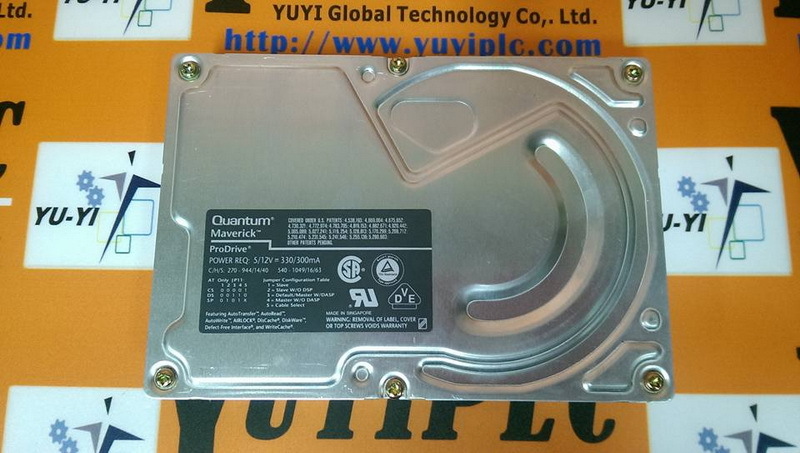
My oldest and smallest hard drive, that is currently in working condition and I'm currently using is a Quantum Maverick IDE drive with ~270 MB size and looks like this one. Unfortunately, after more than 30 years of usage and mostly staying stored in the closet, the drive developed some very bad sector near it's upper size limit's cylinders, so I can only low-level format it up to about 256 MB maximum. When I try to pass this pre-bad-sector-border with low-level formatting (from AMI BIOS on a 386 board), the drive controller just shuts down until full system shut down and power on cycle (seems like the same behavior you described in your last post). So, if I understand you correctly, in order to try to pass that bad sector I have to find some way to put the drive in so called "service mode" before the full low-level format - is this right or I'm missing something?

what comes around goes around

Reply 17 of 17, by mima85

User metadata
Rank Newbie
Rank
Newbie

Hi @aVd

Yeah I know those Mavericks, I have several of them in my collection. Unfortunately, like all voice-coil drives (IDE or SCSI that doesn't count), these cannot be truly low-level formatted. The "low-level format" you see in the BIOS is just a routine that zeroes away all the sectors' data area, but the signals of the physical drive's geometry (sector's preambles, IDs, servo signals, etc...) aren't being touched. A true low-level format procedure rewrites the entire magnetic structure of the drive geometry from scratch and this is only possible with older hard disks with a stepper motor as an head actuator. On these drives the controller knows the motor's step angle and knows how many pulses it has to issue to it in order to reach for the next track: that's a mechanical boundary that dictates how the tracks have to be written on the platters.

When doing a low-level format on such a drive, the controller just blindly steps the heads towards the platters' outer edge, hitting the physical head stop pin or waiting for a track 0 sensor signal (in these cases an optical or hall effect sensor is used). At the same time, on the spindle motor there's another hall or optical sensor that senses the spindle revolutions, and that pulse at the beginning of each revolution is used as an index signal, telling the controller where the first sector of every cylinder has to be placed. When the controller reaches for track 0 waits for that index signal as the spindle rotates, and when it appears it starts to write sectors in sequence (preamble, syncro signals, ID, data area, etc...) until the revolution is complete and the cylinder is completely written. At this point, it pulses the stepper motor to reach for the spot on the platters where the next track will have to be written and the cycle starts again. This is repeated until all the cylinders are laid out on the platters.

With a voice coil drive you don't have any mechanical boundary as the head actuator is an electromagnet that moves the arm in an entirely linear fashion, instead of discrete steps like a stepper motor. What happens during the construction of such a unit, is that the blank platters are mounted into the drive, onto the spindle which is already mounted in the unit's body, then goes in the head assembly and this partially-constructed drive is being fed to a machine called "servo writer", which is a device costing thousands of hundreds of dollars/euros/whatever, that electrically connects to the heads and the spindle motor, spins the platters to the desired speed, grabs the heads arm thru a hole in the drive's casing and starts to slowly move it to carefully lay onto the platters the so-called "servo signals", which are magnetic signals that the drive's controller uses to know how to position the heads when reaching for a desired cylinder/sector coordinates. Together with these signals also the actual drive geometry is being written at this stage, so cylinders and sectors with their preamble/syncro/ID/data area structure. This is a thing that can be done only at the factory with specialized equipment and a voice coil hard drive loosing those signals because of slow, progressive fading out of them, becomes actually dead even if mechanically and electronically-wise the drive is perfectly fine, without any possibility of recovering it for us end users. That's why it's impossible to perform a true low-level format on disks such your Quantum, while an old MFM stepper hard disk, provided you have the right skills, can be repaired in your basement without any specialized equipment.

Unfortunately the only option you have is to try and retry the sector zeroing, hoping that this would "wake up" weak magnetic areas into the sectors' data segment. That's the entire point of programs like Hard Disk Sentinel, Spinrite, DRevitalize, etc... by the way. But if are the servo and/or drive geometry signals that are fading out, I'm afraid you're in bad luck (I already lost several drives that were once perfectly fine because of that).