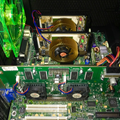
Today I was working with the TUV4X. The result is that all TUV4X BIOS versions have some kind of flaw.
Versions 1003, 1004 (Beta), and 1005 were extremely unstable. The memory only ran at 133 and 100 MHz in CL3 mode; as soon as even one timing value was changed, it froze. Only 66 MHz ran with CL2. I don't understand it. Here's an example result for the three versions; it was largely identical.
The attachment Memory_1005_CL3.JPG is no longer available
Version 1006 (Beta, your mod) was "okay". However, when "7ns (143MHz)" was set under SDRAM Configuration, the BIOS displayed 2-2-2-5, but Windows only ever showed 3-2-2-6. The BIOS simply refuses to set the CL2 value. Even with "User Define," the CL2 value isn't applied after booting. And now it gets interesting. With the "by SPD" setting, the BIOS displays 2-2-2-6. After booting, however, it shows 2-3-3-6. Another difference is that, even though the "Memory Interleave Enabler" is installed, only "2-way" is displayed with "7ns", "8ns" and "User Define". But when "by SPD" is selected, Bank Interleave is set to "4-way", as it should be. Quite a mess, in my opinion.
The values with the "7ns (143MHz)" setting in the 1006 BIOS:
The attachment Memory_1006_7ns.JPG is no longer available
The values with the "by SPD" setting in the 1006 BIOS:
The attachment Memory_1006_SPD.JPG is no longer available
Now to version 1002. BIOS version 1002 at least sets the SDRAM configuration correctly. CL2 is indeed CL2. Except for the bank interleave oddity described above. "4-way" is only applied under "by SPD".
The values with the "7ns (143MHz)" setting in the 1002 BIOS:
The attachment Memory_1002_7ns.JPG is no longer available
The values with the "by SPD" setting in the 1002 BIOS:
The attachment Memory_1002_SPD.JPG is no longer available
My question is, could you modify your 1006 Beta Version in this way, that it will set the CL2 Value by selecting "7ns" or "User Define" and when "7ns" or "User Define" is selected, then also "4-way" Bank Interleave?