VOGONS


First post, by MaverickUK

User metadata
Rank Newbie
Rank
Newbie
I've created this thread as a spin off from HDD Synth - Mechanical hard drive sound synthesis

That thread deals with the hardware based HDD Synth - which works with any computer (Retro/modern PC, Amiga, Atari etc...)

This thread deals with the software based HDD Synth Win32 - which works only Windows 9x, 2K and XP


What is HDD Synth Win32?
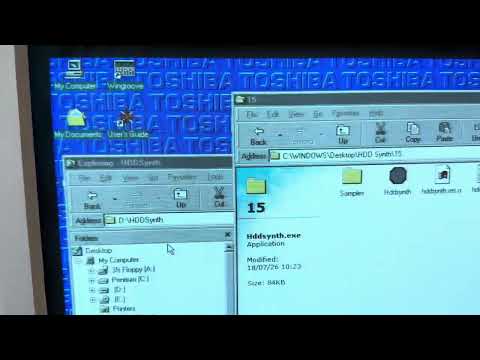
It recreates the sound of a mechanical hard drive for machines with solid state drives. It runs under Windows and provides the spin up, idle and access sounds. You can use different sample packs to emulate the sounds of different types of hard drives.

hqdefault.jpg

Watch video demonstration

http://www.strifestreams.com

Reply 1 of 3, by jiefjifef

User metadata
Rank Newbie
Rank
Newbie

BTW I also tested the latest version of the software on:
- a normal (x86_64) Windows 11 laptop: access sounds didn't work, otherwise OK
- Windows Vista Ultimate 32-bit (VM on macOS using UTM.app): access sounds didn't work, otherwise OK
- Windows XP SP3 (VM on macOS using UTM.app): OK
- Windows 98 SE (VM on macOS using UTM.app): OK

PS. If you want to test on macOS with Windows VMs, here's how I made my VMs on macOS 26 (ARM64 version) using UTM

(click to reveal details)

https://github.com/utmapp/UTM (I used the latest non-beta version)

Windows XP (32-bit) VM:

UTM.app -> File / New... -> Emulate -> Windows -> Intel i440FX (i386) -> Continue -> CD/DVD Image -> Browse... (select your 32-bit XP .ISO file) -> 8 GiB HDD maybe? -> Open VM settings -> Sound -> Emulated Audio Card -> AC97 -> launch the VM, install Windows normally

Windows 98 SE VM:

basically same as XP above but don't change "Emulated Audio Card" (just use the default Sound Blaster 16), and also a little bit more fiddling with large drive support and whatnot, relatively painless still, had to "Capture input devices" from the toolbar though (control+option to uncapture)

Windows Vista (32-bit) VM:

UTM.app -> File / New... -> Emulate -> Windows -> Intel ICH9 (x86_64) -> unselect "Install Windows 10 or higher" -> Continue -> Browse... (select your 32-bit Vista .ISO file) -> at least 32 GiB HDD maybe? -> Open VM settings -> Input -> USB 2.0 -> QEMU -> Force PS/2 Controller -> Sound -> Emulated Audio Card -> AC97 -> launch the VM, install (mouse support a bit wonky at first, had to click "Capture input devices" from the toolbar (control+option to uncapture) or just use the keyboard to install, using tab, enter, space, etc)

PS2. ...and this is quite possibly the stupidest possible way to transfer files inside a VM:

Disk Utility.app -> File -> New Image -> Image from Folder... -> select the folder (e.g. HDDSynth-Win32-v0.x.x) -> Image Format -> DVD/CD Master -> name it e.g. diskname.dvdr (becomes diskname.dvdr.cdr?) -> open Terminal.app -> hdiutil makehybrid -iso -joliet -o diskname.iso diskname.dvdr.cdr -> select the VM from the left panel of UTM -> CD/DVD from the right -> Browse... select diskname.iso -> should appear as a CD-ROM drive inside the VM

Reply 2 of 3, by jiefjifef

User metadata
Rank Newbie
Rank
Newbie

I tested HDDSynth-Win32-v0.13.1 on Windows 95 OSR2 on a real computer:
Pentium 133 MHz + ESS ES1938S ("ESS Solo-1")

- It showed a dialog box that said "A required .DLL file, MSVCRT.DLL, was not found.". I fixed that by installing vc6redistsetup_enu.exe from https://web.archive.org/web/20120610063726/ht … stsetup_enu.exe (found the link to the installer from this page: https://glizda.wordpress.com/2021/05/19/compi … entium-in-2021/)

- It doesn't domplain if sound isn't working on the computer: I forgot to document this properly but I think I got a crash / weird dialog box when exiting the program before installing sound card drivers, also obviously the HDD sounds didn't work (no drivers = no sound but I had to figure it out myself)

Other than that, everything seemed to work just fine on win95 too!

PS. I hope I haven't complained too much. The software version is pretty neat too, and I hope you'll continue to develop it at some point in the future.

Reply 3 of 3, by MaverickUK

User metadata
Rank Newbie
Rank
Newbie
jiefjifef wrote on 2026-09-13, 12:29:

I tested HDDSynth-Win32-v0.13.1 on Windows 95 OSR2 on a real computer:
Pentium 133 MHz + ESS ES1938S ("ESS Solo-1")

Other than that, everything seemed to work just fine on win95 too!

That's great news, thanks for testing it out on a real Windows 95 machine

I appreciate all of your feedback and I'm planning another release with some improvements

http://www.strifestreams.com