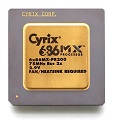
Hi, I know this is a bit of a topic bump but I think these are from the same company/factory. I picked up a joblot of what were labelled as "ATI 9000 64M" and a single "ATI 9200 128M", they're all dated from around 2009 and they all look exactly like the Mobility 7500 you have (except the fanless 9200), I suspected they were mobility chips before I bought them because I've seen these now and then on ebay, but thought I'd give them a chance.
The attachment Image1.png is no longer available
Right off the bat none of them will post on my system (its a modern Asus M5A97 AM3+ UEFI motherboard with 2 PCI slots, AMD 9xx chipset, so they aren't bridged PCI slots). I thought this was strange because I have successfully booted using a Nvidia Quadro FX600 PCI and also a Nvidia Geforce 6200 PCI, I tried resetting the bios and even removing the CMOS battery but nothing. Then I remembered reading somewhere on here about certain PCI cards (I can't remember which, maybe these ones) where they couldn't get the system to post UNLESS there was an AGP slot present (even old OEM boards that only have PCI slots etc.), I'm not sure if this is the case as I don't have an AGP motherboard to test but since these Mobility cards were used in laptops and were usually AGP 4X it sort of makes sense I suppose.
Anyway, using a modern PCIe GPU (or even the PCI Quadro FX600 or 6200) alongside these cards allows my system to post and then boot into Windows (in this initial case; XP SP3), and the cards show up in Everest, HWinfo etc.
The attachment Info.PNG is no longer available
Now comes the dreaded drivers part, even with desktop Radeons of this era the drivers can be a nightmare, but I spent a few hours testing. Firstly the Radeon Mobility 9000; I went straight in with Omega drivers from philscomputerlab (cat_7.12_ati_omega_xp2k_48442.exe), the card was detected and installed fine, after a reboot the Mobility 9000 now becomes the primary display and the PCIe output switches off. All seems to work fine, allowing me to switch to 32 bit color and 1024x768 in Display, until I tried to launch 3DMark2001, "No Direct3D detected", checked dxdiag, same thing, No Direct3D enabled etc. Uninstalled completely and then downloaded the official drivers (again, thanks phil) "wxp-w2k-radeon-7-90-030605m-009437c-efg.exe" and "control-panel-7-90-030605m-009437c-efg.exe" (.NET Framework 2.0 is needed first) extracted the drivers and because these don't include the Mobility cards (usually left up to OEMs) I force installed "RADEON 9000 SERIES" (I know they're not exactly the same as the desktop variant) in Device Manager (making sure to use the right Video Controller: 1002:4C66), and then installed the Control Panel, rebooted and all seems good, no Direct3D error message in dxdiag and 3DMark2001 launches and runs... up to the nature scene, then the PC force rebooted itself. I checked a bunch of options in ATI Control Panel and it would always crash on this one part, I had a feeling it was the vertex shader and I tested the vertex shader specifically in 3DMark2001 and yep, same thing there, reboots the system. I then went into 3DMark2001 settings and changed the "Pure Hardware T&L" setting to "Software T&L" this time the benchmark completely fully but the performance was a bit lower.
Certain apps such as fraps, rivatuner, GPU-Z that "probe the hardware" also causes the reboot. I tried using different drivers including ones that don't use a vertex shader such as RADEON 7000 SERIES but still, the reboot thing happened with them all. 3DMark2000 completed fine however.
At this point I concluded that these aren't going to play nicely with DirectX 8 games, despite being a DirectX 8.1 card.
I found a driver that works afterall, will update post with more info soon!
I wasn't able to get them working under Windows 98SE or ME at all on this system, you absolutely need a legacy system (perhaps with a AGP slot) in order to use it as a primary video card from the get go. I get a black text box when Windows 98 is booted (using the PCIe GPU as primary), and on the Radeons output it says something like "Driver is installed, configure in Display panel", but unable to make it work as a secondary card, perhaps with a second PCIe Radeon or something.
As for the Mobility 9200 128M card, not sure but I can't get any driver to work at all for it under 98, ME or XP. Everest, HWinfo etc. detect it as M9+ and it has an ID of 1002:5C63 but otherwise, no luck at all. Stats in Everest are of course innaccurate until I am able to install a driver for it.
The attachment Untitled.png is no longer available
Overall pretty disappointing, I would have better luck with a legacy system (with AGP slot if that is what is needed) but even after that, they also seem very finnicky to actually get working, and when they do they are still iffy. I did test some OEM Mobility 9000 drivers I found and changed the Device IDs accordingly but they didn't seem to work after a reboot.