VOGONS


First post, by Alex827

User metadata
Rank Newbie
Rank
Newbie

Hi everyone,
Over the past few months I have been working to complete a dual Pentium III PC.
Before I move to Tualatin modding, I need to get the coppermine CPU's working (may just settle for dual 1 GHz).

Up until this point I have gotten one CPU to work perfectly in its sloket adapter.
As soon as I have both installed however, the system begins to become unstable causing occasional boot issues.

Running memtest revealed no issues in single cpu mode at the stock 900 MHz or even overclocked to over 1 GHz.
As soon as I run two cpus however, memtest starts spewing errors starting with the third test eventually crashing at over 25,000 errors.

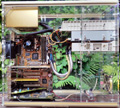
I have images attached below on the adapters, memtest results, motherboard, and cpus.

The adapters are seemingly generic SY-370 slokets.
CPUs tested: Intel Celeron 566/128/66/1.5V SL46T, Intel Pentium III 900/256/100/1.75 SL5BS.

Initially the adapters did not support dual CPU support but after much research and trial I bridged B75 to N33, then spliced a wire in and with a pull up 50 ohm resistor connected this line to B6 (VTT).
That should have us up to speed. This mod allows dual cpu detection but no real useability.

Any reccomendations as to how to proceed would be appreciated. I have a general idea of what the issue may be but referring back to old threads and sorting through them for a generic slotket has proven difficult.

Reply 1 of 21, by PARKE

User metadata
Rank Oldbie
Rank
Oldbie
Alex827 wrote on 2024-08-19, 02:58:

Any reccomendations as to how to proceed would be appreciated. I have a general idea of what the issue may be but referring back to old threads and sorting through them for a generic slotket has proven difficult.

It is not generic but produced by SOYO. There is not much to be found on the web. If you can't make them work you could try to find a couple of slotkets with a good reputation for SMP usage.

Reply 2 of 21, by nhattu1986

User metadata
Rank Member
Rank
Member

1. are you using the same model of slotket for both slot?
2. are you sure that the slotket is validated to run with 100Mhz bus? may be, just may be they are only stable on 66Mhz?
3. there are four cap is missing on the slotket in the attached image, is it your second slotket?

Reply 3 of 21, by Alex827

User metadata
Rank Newbie
Rank
Newbie

Totally could but I think I'm pretty close to having them working so I'd rather not have to spend more money.

1. Both are identical models
2. They are validated at up to 133 MHz and I was able to pass memtest at bus speeds up to 112 MHz (cpu won't post at 133) but only with a single cpu
3. I re-capped the motherboard and sloket, to improve cpu cooler compatibility for what I want to install, the caps needed to be installed on the back of the pcb. This does not affect stability in any way.

What is the difference between dual cpu support on slokets when pin X2 is used vs N33? It seems some of the shared bus requests are working so the mod performed did something.

Memory wont even count up and detect correctly in dual cpu mode. I had to enable quick boot to even boot memtest to see the failure.

Reply 4 of 21, by Grem Five

User metadata
Rank Oldbie
Rank
Oldbie

I never tried to mod a slotket for dual cpus but the other ones I got to work in dual for my supermicro was Asus S370-DL.

I never tried other slotkets like the later versions of MSI Master as I don't have those. I did try more "generic" ones that had a dual jumper, only the Asus ones worked for me.

FYI your board is a 440GX not 440BX, shouldn't make any difference at all just pointing that out.

Reply 5 of 21, by BitWrangler

User metadata
Rank l33t++
Rank
l33t++

I don't see it explicitly stated that you're either trying two of the celeron or two of the PIII-900 and not one of each.

Unicorn herding operations are proceeding, but all the totes of hens teeth and barrels of rocking horse poop give them plenty of hiding spots.

Reply 6 of 21, by Grem Five

User metadata
Rank Oldbie
Rank
Oldbie
BitWrangler wrote on 2024-08-19, 17:11:

I don't see it explicitly stated that you're either trying two of the celeron or two of the PIII-900 and not one of each.

I'm pretty sure any celerons past mendocino core can not be run in dual.

Reply 7 of 21, by Alex827

User metadata
Rank Newbie
Rank
Newbie

I have identical SL5BS Pentium III chips which I am attempting to run in a dual setup. They will post with the current mod and are detected at their correct speed and specs.

Also my bad about the GX vs BX. Totally forget sometimes and just call it BX. I have had a few of these Supermicro boards with both GX and BX chips with the lastest bios released with the same result being achieved on both.

I have this board maxed out at 2 GB of ram and when in dual cpu mode only will report sometimes half or less.

Again the issue is just that the memory is not properly detected and cannot be accesssed correctly when in dual setup pointing to the bus request signals not quite being processed correctly.

Maybe it's the wrong pin, maybe the resisor is not correct, could be a number of things.

Reply 8 of 21, by H3nrik V!

User metadata
Rank l33t
Rank
l33t

Any difference if you use less RAM, like just a single stick?

If it's dual it's kind of cool ... 😎

--- GA586DX --- P2B-DS --- BP6 ---

Please use the "quote" option if asking questions to what I write - it will really up the chances of me noticing 😀

Reply 9 of 21, by Alex827

User metadata
Rank Newbie
Rank
Newbie

I've tried different cofigs and every time it will report incorrectly or have stability issues. With only a stick of ram it will sometimes post and boot ok but stability is still bad and memtest reports issues.

Reply 10 of 21, by PC Hoarder Patrol

User metadata
Rank l33t
Rank
l33t

Never had much luck dual running on either of my SM boards (P6DGU & P6DBU) even though I was using the 'better' slot 1 adapters (tried both ABit SlotKET !!! and MSI MS-6905 Master 2.x) though a single processor always ran without issue...gave up trying and switched to slot 1 procs.

Take it your board is a late enough version to have the uprated VRM chips (HIP6004BCB or HIP6004CB rather than HIP6004ACB) for both slots. Is your 2GB of memory buffered or unbuffered?

Reply 11 of 21, by BitWrangler

User metadata
Rank l33t++
Rank
l33t++
H3nrik V! wrote on 2024-08-20, 04:03:

Any difference if you use less RAM, like just a single stick?

Yeah I'd try that too, no telling if it's RAM flakiness once you use more than 128MB per module, 3 modules on those chipsets. If after it's working reliably in dual you can get more working, great, but at the moment, get it as simplified as possible.

Unicorn herding operations are proceeding, but all the totes of hens teeth and barrels of rocking horse poop give them plenty of hiding spots.

Reply 13 of 21, by Alex827

User metadata
Rank Newbie
Rank
Newbie
PC Hoarder Patrol wrote on 2024-08-20, 19:51:

Never had much luck dual running on either of my SM boards (P6DGU & P6DBU) even though I was using the 'better' slot 1 adapters (tried both ABit SlotKET !!! and MSI MS-6905 Master 2.x) though a single processor always ran without issue...gave up trying and switched to slot 1 procs.

Take it your board is a late enough version to have the uprated VRM chips (HIP6004BCB or HIP6004CB rather than HIP6004ACB) for both slots. Is your 2GB of memory buffered or unbuffered?

Hmm.... never considered that it may be a board limitation. Do we know on Slot 1 PIII's which pin is used for the shared proc bus? I need to do some more tinkering to see which combo works. It doesnt make sense that with the same silicon and just a different socket that functionality would be lost completly.

My board is the final revision made in 2001. 6004BCB chips. The celeron I tested was 1.5 V I believe and ran fine. The 2 GB is unbuff non ecc dual rank. Each of the eight banks detects the 256 MB size correctly. If only single rank chips however it does not work if still 512 MB sticks.

Reply 14 of 21, by Grem Five

User metadata
Rank Oldbie
Rank
Oldbie
Alex827 wrote on 2024-08-21, 01:48:
PC Hoarder Patrol wrote on 2024-08-20, 19:51:

Never had much luck dual running on either of my SM boards (P6DGU & P6DBU) even though I was using the 'better' slot 1 adapters (tried both ABit SlotKET !!! and MSI MS-6905 Master 2.x) though a single processor always ran without issue...gave up trying and switched to slot 1 procs.

Hmm.... never considered that it may be a board limitation. Do we know on Slot 1 PIII's which pin is used for the shared proc bus? I need to do some more tinkering to see which combo works. It doesnt make sense that with the same silicon and just a different socket that functionality would be lost completly.

My board is the final revision made in 2001. 6004BCB chips. The celeron I tested was 1.5 V I believe and ran fine. The 2 GB is unbuff non ecc dual rank. Each of the eight banks detects the 256 MB size correctly. If only single rank chips however it does not work if still 512 MB sticks.

While not a P6DGE I have gotten my P6DGS to run two 1.1 GHz using Asus s370-DL slotkets.

JeiPvyvl.jpg

Reply 15 of 21, by Alex827

User metadata
Rank Newbie
Rank
Newbie

Well thats encouraging. Ultimately I would like to take a crack at tualatins on this board but I know from reading other threads that it has not worked. Even with microcode errors which this 900 MHz cpu has, it boots fine so I think there was alot of wasted time there in other threads.

Upon further research it seems the resistor setup I am using may be the culprit. When I have some time I will expiriment with some different setups. Wouldn't make sense that it detects fine and almost works except for some memory issues. Pin N33 must be correct so I will work on the lines around it.

Reply 16 of 21, by chubabs

User metadata
Rank Newbie
Rank
Newbie

Hi everyone, I found this cool motherboard. I tried running tualatins on it, which is interesting—the BIOS Patcher Alpha15 successfully updated the BIOS, I flashed it, but all my modified adapters mostly get stuck at POST code 27, although once, for some reason I don’t know, the 370SP rev 2.0 adapter (mod PPGA to FCPGA2) with a Celeron 1.2 passed POST and was identified as Unknown 1000 MHz. but after repeated tries, it started freezing at post code 27 again. As far as I understand, the new unicodes were not added by the patcher. Is the issue in the BIOS after all, or has anyone had experience manually adding unicodes to the AMI BIOS?

Reply 17 of 21, by chubabs

User metadata
Rank Newbie
Rank
Newbie

I managed to add the microcodes manually, but it didn't help; it still gets stuck at POST 27. Maybe the problem is with the adapters themselves, but I suspect it's actually a BIOS issue. It also sometimes passes POST with the 370SP, but interestingly, even with the microcodes added, it doesn't identify the processor.

Reply 18 of 21, by chubabs

User metadata
Rank Newbie
Rank
Newbie

Coppermine 1 gHz also booted in the FCPGA2 package, on the 370CPU slockets; I think the problem is with the microcode after all.
CPUID=6B1 Rev=1C 2001/02/15 CRC=6506E1CF Off=1026D Size=800 Plat=4
CPUID=6B1 Rev=1D 2001/02/20 CRC=6D9B5661 Off=10A6D Size=800 Plat=5
These are the ones I managed to find; maybe someone can suggest or share what other microcodes exist for Tualatins

Reply 19 of 21, by PC Hoarder Patrol

User metadata
Rank l33t
Rank
l33t
chubabs wrote on 2026-05-10, 12:08:
Coppermine 1 gHz also booted in the FCPGA2 package, on the 370CPU slockets; I think the problem is with the microcode after all. […]
Show full quote

Coppermine 1 gHz also booted in the FCPGA2 package, on the 370CPU slockets; I think the problem is with the microcode after all.
CPUID=6B1 Rev=1C 2001/02/15 CRC=6506E1CF Off=1026D Size=800 Plat=4
CPUID=6B1 Rev=1D 2001/02/20 CRC=6D9B5661 Off=10A6D Size=800 Plat=5
These are the ones I managed to find; maybe someone can suggest or share what other microcodes exist for Tualatins

I tried a similar mod a few years back for another member here, with a similar level of success as your own. Feel free to try / compare my version with yours...

The attachment P6DGE Mod BIOS Files.zip is no longer available

Far as slockets are concerned, this generation of Supermicro boards had a rep for being brand / model picky regarding what would work (modded or otherwise), ranging from 'just don't bother' (ABIT SlotKET III) to 'top rated' (ASUS S370-DL). Where the 370SP rev 2.0 falls in that range I couldn' say.

