VOGONS


ZuluIDE: A proper IDE device emulator for retro PCs

Topic actions

Reply 220 of 231, by mbalmer

User metadata
Rank Newbie
Rank
Newbie
trunk70 wrote on 2026-02-01, 09:18:
Oh thank you! But i live in Europe (Belgium) and I already have 3D printed the 5.25 enclosure :-) (I'm new in 3D Printing, Bamb […]
Show full quote
mbalmer wrote on 2026-01-31, 23:58:
Front-panel board designer and enclosure designer here. […]
Show full quote
trunk70 wrote on 2026-01-31, 12:05:

Page 4... Sorry for asking.

It's a shame that we can't buy it officially and that this isn't clearly stated on the official website (on the store page). 🙁

Front-panel board designer and enclosure designer here.

Part of the reason it wasn't there from the start is that when the ZuluIDE was first conceived, a front panel wasn't seen as needed because the initial assumption was that it would largely be used in cases where the media wasn't being changed often or where the media could be cycled using the OS's software-eject mechanism (think Mac OS 9, OS X, modern Windows and Linux versions).

Obviously, that assumption didn't hold up very long. 🤣

At the same time, one of the major pushes that we've been trying to make has been largely in the realm of device speed -- which, as you noted earlier, is the best amongst the bunch of IDE device emulators out there -- something we're definitely proud of.

That said, the consistent need for a hardware-based front panel is definitely something we're on. It's DIY at the moment primarily for a few reasons: first, getting it to work consistently at the start wasn't particularly simple and it's needed a lot of internal revisions to get to the point where it's as polished as it is; second, much like the DAC add-on board, not everyone wanted it, and the number of people who did want it and couldn't make their own with a small amount of effort was very, very small -- to the point where I've actually made a few of them myself and shipped them to a couple of folks who contacted me privately in that circumstance; third, because so much of the codebase is shared with the sister ZuluSCSI project, we've actually been trying to marry the two devices together in that regard so that both the ZuluIDE and the ZuluSCSI have workable, functional front panel controls.

If you're in the US (or really, anywhere that the US can ship to) you can always PM me and I will be happy to look up how much it would take for me to make up a front panel board on its own or a full 3D-printed 5.25" drive bay enclosure for you and ship it to you. Just please be aware that if I have to ship it internationally, there may be additional duties necessary for you to receive it.

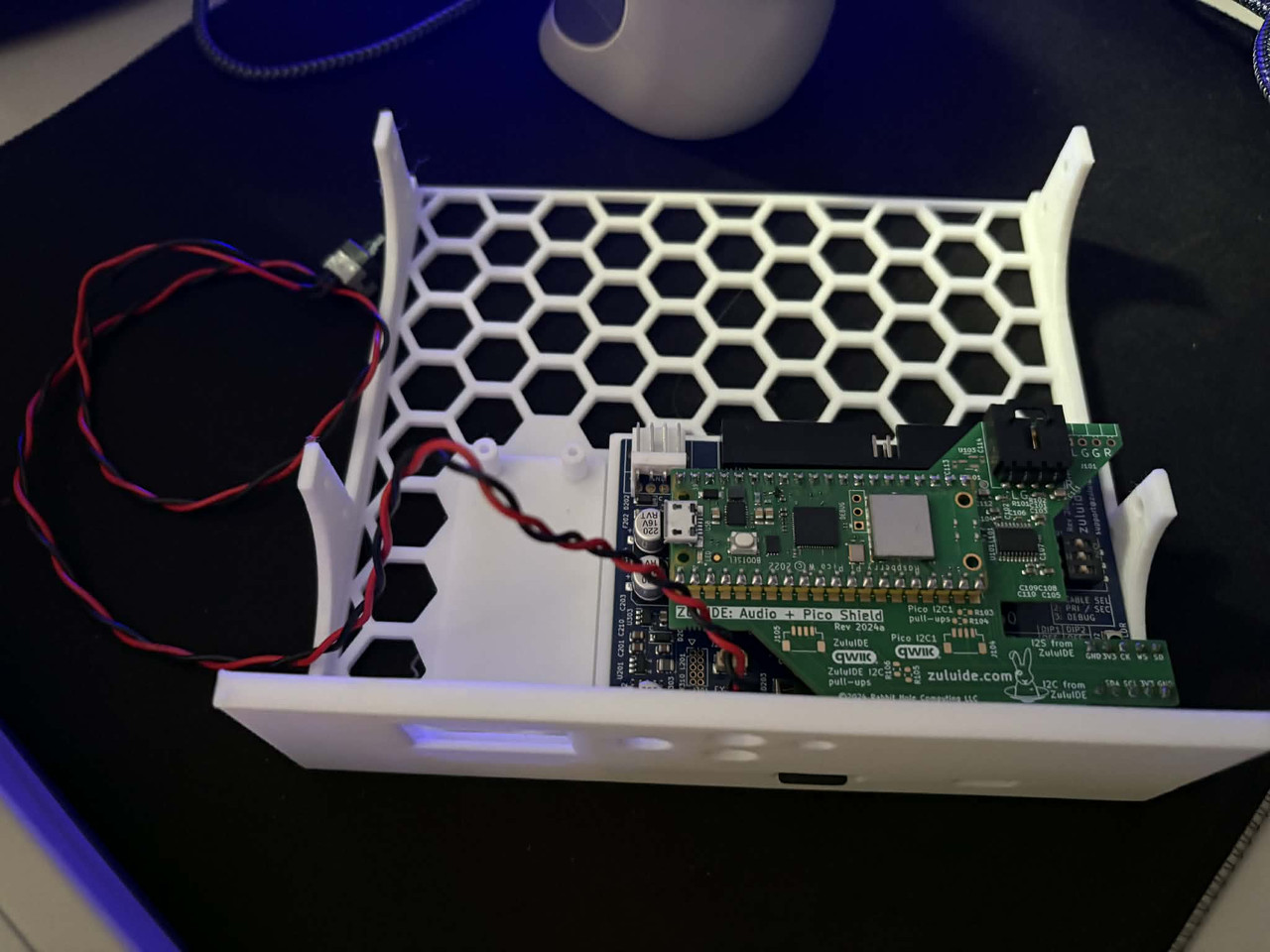
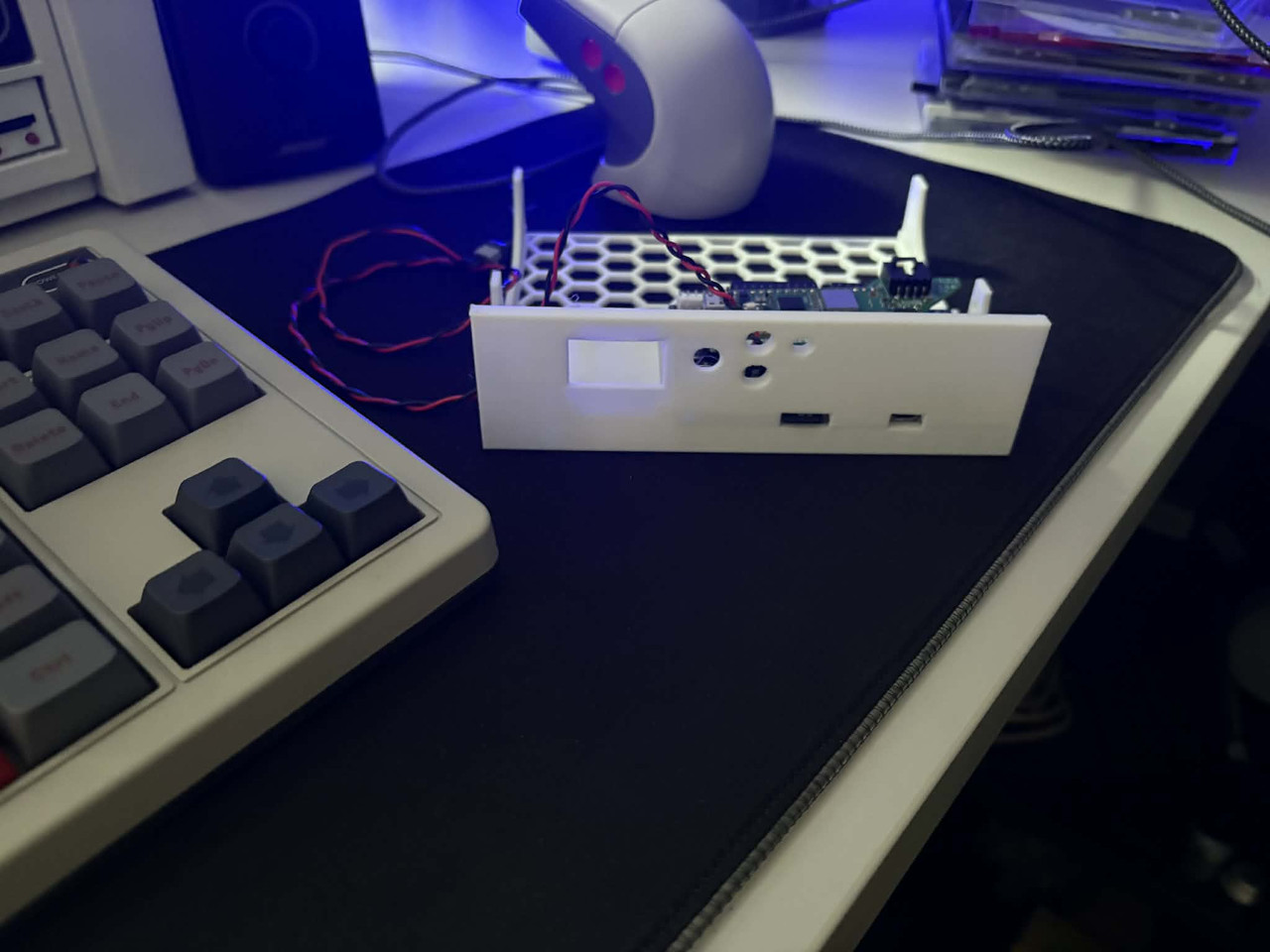
Oh thank you! But i live in Europe (Belgium) and I already have 3D printed the 5.25 enclosure 😀 (I'm new in 3D Printing, Bambulab P2S 😉 ).

0a6981a6_9a20_4424_b7e5_1ab528749b5e.jpg
0c008569_0e4e_4884_9908_1a91d34897a0.jpg
e5089b4d_13a3_429f_a70e_5c5f7f835ac5.jpg

I need the parts :

-Oled screen
-Rotary Encoder
-Push buttons

But I don't know what and where to order (I have the Zulu IDE V1 + DAC + PICO) and how to assemble the all parts. I don't understand very well the use of Qwiic port.

The final goal is to put the Zulu IDE in my main MS-DOS machine (i don't like the web interface and i switch often CD-ROM for my testing purpose).

Thanks 😀
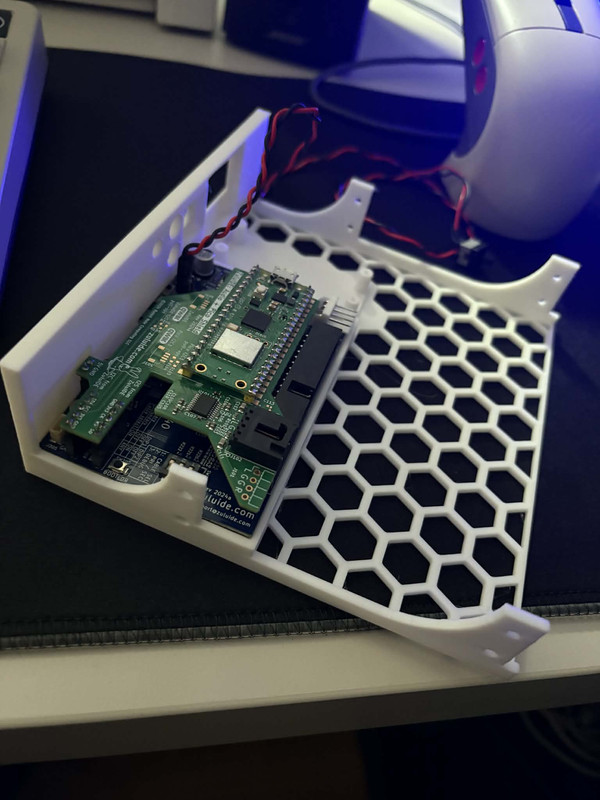
There is an updated version of the enclosure that closes the gaps around the SD card slot and USB port and also provides a nice footprint to plop down the control board. There's two options with the updated enclosure: a full-length bracket that's intended to fit in a full-depth 5.25" bay, and a "stubby" version that fits in small cases where the full 5.25" bay width and height are present, but the depth of the bay is reduced. I've attached STL files for those for those that want them here.

As for the interface board, it's not terribly difficult to put it together from a blank PCB and parts but it does require some surface-mount soldering skills. The interface isn't quite as simple as the Gotek -- unlike the Gotek, where the screen is the only external device on the I2C bus, the ZuluIDE has to combine the screen, rotary encoder, and pushbuttons together all onto the I2C bus. As a result, the interface board needs a little I/O expander chip that allows us to combine all of those signals together in a fashion that doesn't cause problems.

If you're comfortable putting that together on your own, I'm happy to provide you with instructions on how to do that, but if not, I'm happy to make up a board for you and send it your way with instructions on how to either finish the through-hole parts off yourself, or fully-assembled and ready to plug in to your ZuluIDE.

Reply 221 of 231, by buffi

User metadata
Rank Newbie
Rank
Newbie

I am very comfortable with SMD soldering and would love such instructions. Printed the carrier, so just waiting for the front panel now 😀

The attachment zulu.jpg is no longer available

Reply 222 of 231, by aperezbios

User metadata
Rank Newbie
Rank
Newbie
buffi wrote on 2026-02-02, 19:50:

I am very comfortable with SMD soldering and would love such instructions. Printed the carrier, so just waiting for the front panel now 😀

Where are you located? We can send you one.

Reply 224 of 231, by buffi

User metadata
Rank Newbie
Rank
Newbie

Also, I'm a little curious how the carrier is supposed to be printed. I had the best result with printing it with the front facing panel face-down, and then using organic supports for the rest, but it doesn't really feel like it's designed for printing like that since there's just a lot of overhangs which could be designed to not need supports...

That's kindof true for printing it with uh.. bottom down as well though 😀

Reply 225 of 231, by buffi

User metadata
Rank Newbie
Rank
Newbie

... sorry for spamming but I can't seem to figure out how to edit posts on this forum.

Anyways, I was planning to modify the carrier a bit to have it more printable, but there's also some weird bugs in the model above, like the beam here is hollow, causing it to not print well.

https://imgur.com/a/5HzCnlY

Reply 226 of 231, by aperezbios

User metadata
Rank Newbie
Rank
Newbie
buffi wrote on 2026-02-03, 17:43:

Anyways, I was planning to modify the carrier a bit to have it more printable, but there's also some weird bugs in the model above, like the beam here is hollow, causing it to not print well.

Before you do that, try this revised bracket design instead:

https://www.thingiverse.com/thing:7167806

Reply 227 of 231, by buffi

User metadata
Rank Newbie
Rank
Newbie
aperezbios wrote on 2026-02-04, 01:42:
buffi wrote on 2026-02-03, 17:43:

Anyways, I was planning to modify the carrier a bit to have it more printable, but there's also some weird bugs in the model above, like the beam here is hollow, causing it to not print well.

Before you do that, try this revised bracket design instead:

https://www.thingiverse.com/thing:7167806

This printed fine with faceplate down, and supports for the part in the far back.
I noticed that the side screwholes were smaller in this one, which caused the screws to not thread into them well, but found some other screws that worked.

Reply 228 of 231, by TgamesFR

User metadata
Rank Newbie
Rank
Newbie

@mbalmer, @aperezbios,

I've received my ZuluIDE V2, however i've noticed a important issue.

With the new ZuluIDE V2, the ZuluIDE V2 CD Audio DAC ouput is way lower compared to the ZuluIDE V1 CD Audio DAC.

I need increase a lot my sound volume to ear it correctly. The problem it's on many games i can't change the sound effects volume so sounds effects are very high obviously.

It is a firmware issue or a hardware issue ?

For reference, the ZuluIDE V2 Audio DAC comes from Serdashop and i've not changed the max_volume setting in config as i've wrote it (so should be at 100 already).
And i'm using the second port for CD Audio with a added CD Audio connector as can't use the first one as his place is not reachable in my setup (was same setup for V1 with added port too).

Also i've noticed under WIndows 98 when loading a image it takes around 35 seconds to load it (wasn't the case with V1), on DOS however it's instant.

Reply 229 of 231, by aperezbios

User metadata
Rank Newbie
Rank
Newbie
TgamesFR wrote on Yesterday, 02:47:
@mbalmer, @aperezbios, With the new ZuluIDE V2, the ZuluIDE V2 CD Audio DAC ouput is way lower compared to the ZuluIDE V1 CD Aud […]
Show full quote

@mbalmer, @aperezbios,
With the new ZuluIDE V2, the ZuluIDE V2 CD Audio DAC ouput is way lower compared to the ZuluIDE V1 CD Audio DAC.

I need increase a lot my sound volume to ear it correctly. The problem it's on many games i can't change the sound effects volume so sounds effects are very high obviously.

It is a firmware issue or a hardware issue ?

Without knowing which version of the firmware is currently on your ZuluIDE, I can't be certain, but I am relatively certain that electrically, there's no difference between the ZuluIDE V1 DAC board and the ZuluIDE V2 DAC board. It's literally the same schematic, so it seems likely to be firmware-related. Either way, this isn't a support forum, so feel free to report it via the proper channels, and we will investigate.

Reply 230 of 231, by TgamesFR

User metadata
Rank Newbie
Rank
Newbie
aperezbios wrote on Yesterday, 03:03:

Without knowing which version of the firmware is currently on your ZuluIDE, I can't be certain, but I am relatively certain that electrically, there's no difference between the ZuluIDE V1 DAC board and the ZuluIDE V2 DAC board. It's literally the same schematic, so it seems likely to be firmware-related. Either way, this isn't a support forum, so feel free to report it via the proper channels, and we will investigate.

Thanks for your fast answer,

I'm using lastest firmware, i've reported it on the github.

Reply 231 of 231, by TgamesFR

User metadata
Rank Newbie
Rank
Newbie

So i've did a speed benchmark of the ZuluIDE V2.

I did it on Windows XP (in case there was a bottleneck under Windows 98).

And so far, it seems (on slot 1 UDMA 2 - ATA 33 board) it goes slower than the V1.
Ofc ZuluIDE have DMA enabled in Windows and bios detected it as UDMA 2 mode.

Here the ZuluIDE V2 benchmark :

Zulu-V2-Benchmark.png

And here my SSD benchmark :

SSDBenchmark.png

As you can see, on the SSD benchmark it goes up to 30.03 MB/sec max who is normal as my system cannot go further than 33 MB/S with UDMA 2 - ATA 33.

However on the ZuluIDE V2, it stuck at maximum 3 MB/s (20X) who is way way slower than with the V1, i was around 6-7 MB/S (40X-46.7X).

Just to be really sure i've used others tools to benchmark and it was exactly same results sadly.

My MicroSD card is a Sandisk 128GB Extreme Pro (A2) who is one the fastest MicroSD card who exist.
And my ZuluIDE config is that :

[IDE]
enable_usb_mass_storage = 1
no_media_on_init = 1
reinsert_media_after_eject = 0
reinsert_media_on_inquiry = 0
init_with_last_used_image = 0
quiet_image_parsing = 1

[UI]
wifipassword="XXXX"
wifissid="XXXX"

For more informations, the ZuluIDE is plugged as primary/slave drive on the same IDE cable as my SSD.

For the moment, i will switch back to the V1, i hope it's a fixable bug otherwhise i will have to return it.
I will post it also on github.