VOGONS


Reply 20 of 31, by RetroGear1

User metadata
Rank Newbie
Rank
Newbie

akimmet,

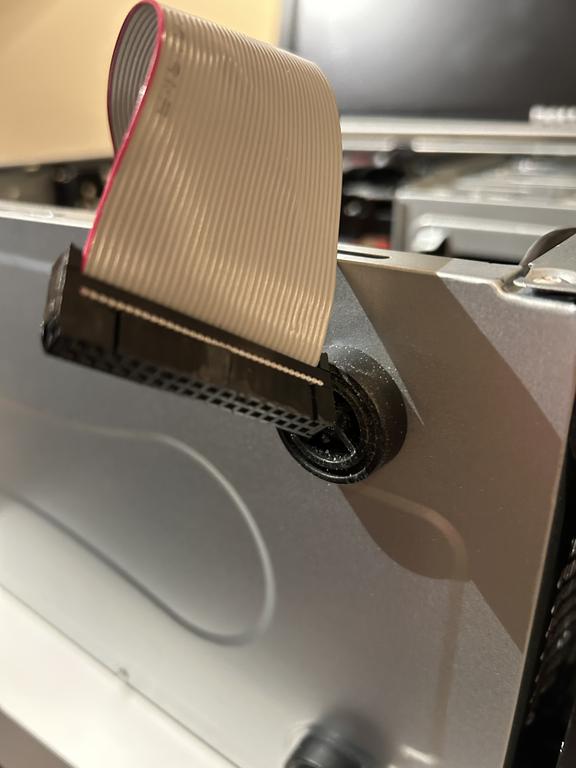
Thank you for bringing attention to this, mine does not. The floppy cable is perfectly straight and it looks like as you say I may need one that has the twist in the cable.

Currently, I have only one hdd and two optical drives. My mobo even though beilng a micro atx has 4 sata connectors which is why I got this one so I can add a second optical drive .

It looks like the red stripe is connected to the side where the "1" number is but the trimming I may need to do so I can flip the connector to the mobo in order to work. I will try this now.

Thanks so much for this tip.

Reply 23 of 31, by akimmet

User metadata
Rank Member
Rank
Member

This web page shows a correct PC floppy cable: http://www.nullmodem.com/Floppy.htm

This is what you will need to get things working. Don't try trimming the tab and flipping the cable around unless we are able to confirm it is nessisary. If you do have a rare early drive you will need to flip the cable at the floppy drive end not the motherboard.

Reply 24 of 31, by RetroGear1

User metadata
Rank Newbie
Rank
Newbie

Thanks for the link, i will reference it and am now convinced that it's a good chance it's the type of floppy cable that I am using is not the correct type and will try to get the proper type.

Much appreciated for your help akimmet!

Reply 25 of 31, by DaveDDS

User metadata
Rank Oldbie
Rank
Oldbie

If your cable doesn't have a twist, then you can't iuse druve A: but you should still be able to access it as drive B:

In BIOS set drive A: to none and B: as 1.44 - the drive should work as B:

If your BIOS has a "swap floppy drives" option, that can be used to make it A: - otherwise you will need to get the right cable... but you should still be able to get it working as B: and at least confirm that the drive and mainboard are working.

- Dave ; https://dunfield.themindfactory.com ; "Daves Old Computers" ; SW dev addict best known:
ImageDisk: rd/wr ANY floppy PChardware can ; Micro-C: compiler for DOS+ManySmallCPU ; DDLINK: simple/small FileTrans(w/o netSW)via Lan/Lpt/Serial

Reply 26 of 31, by DaveDDS

User metadata
Rank Oldbie
Rank
Oldbie

If you are comfortable working on little things, depending on the connectords on the cable, you might be able to remove the connector at the drive end of the cable, add the twist and replace it. Unless you would be happy with just drive B: you really have nothing to lose by trying.

I've done this a few time, here is an example where I removed both drive connectors and places twists around the center connector. This was for an ImageDisk system where I wanted the internal drive to be A: and B: at the end of the cable where it is easier to swap to a different drive "on the fly":
Re: CAN I FIT IT ON MY RIG???

if you decide to attempt this, let us know and we can provide details on exactly where the twist has to be and some tips that might make it slightly easier.

- Dave ; https://dunfield.themindfactory.com ; "Daves Old Computers" ; SW dev addict best known:
ImageDisk: rd/wr ANY floppy PChardware can ; Micro-C: compiler for DOS+ManySmallCPU ; DDLINK: simple/small FileTrans(w/o netSW)via Lan/Lpt/Serial

Reply 27 of 31, by RetroGear1

User metadata
Rank Newbie
Rank
Newbie

I appreciate all the help received so far from this awesome community, many thanks to everyone.

Tried switching via bios to drive B but no luck.
Ordered online the proper 34 pin cable with the twist and will arrive beginning of April. I looked locally for small computer stores that might have legacy cables but could not find any so no choice but go online.

Can't wait for the cable to arrive so I can get this computer completed.

So far it is inside a relative modern case although I would have preferred an era correct case. I might try to get one in the near future. Reason I picked this Antec VSK 3000 is because it had a floppy drive bay.
The other internals are:
Gigabyte GA-G41M-ES2L LGA 775
P4 cpu 651 Cedar Mill @3.4 ghz (new old stock)
ATI X800XL video card (used for only 5 months back in 2005 in my original P4 rig before upgrading back then to ATI X1950XT but kept the X800XL in an old parts bin.
160 gb Western Digital Velociraptor hdd (new old stock)
2 x 1gb OCZ gold xtc ram (new old stock)
Plextor DVD +- 24x dual format PX-891SAF (new)
DVD+- writer pulled from a Mac Pro 4,1
Azza power supply (modern psu 550w due to having old psu power unit failures previously with 2 other psu from 2004 and 2006)

Reply 28 of 31, by RetroGear1

User metadata
Rank Newbie
Rank
Newbie

*Solved*!!
Finally got the floppy drive working as the new cable arrived today. It happened to be due to incorrect floppy cable and the new one has a twist in the cable as the previous cable did not.

Thanks to everyone for helping out, much appreciated!

Reply 29 of 31, by DaveDDS

User metadata
Rank Oldbie
Rank
Oldbie
akimmet wrote on 2026-03-17, 23:17:

Is the red stripe of the floppy cable next to the power connector, if not you may have an early drive that has the floppy connector installed incorrectly.

Many (but not all) floppy cables will not fit the "wrong" way. Look for a little "slot" between two pins near one end of the connector on the drive.
You will often see a matching "bocking bar" at the same position from one end of the connector on the cable.

Bur... even if you can put the cable on the wrong way, you can tell immediately. All pins on one side of the cable connector are at ground level, and if on wrong, it grounds all control signals to/from the drive, which include select (active low) - this causes the drive to activate as soon as power is applied, and stay activated indefinitely (and you want to fix this asap as it's grounding output signals from the drive)

- Dave ; https://dunfield.themindfactory.com ; "Daves Old Computers" ; SW dev addict best known:
ImageDisk: rd/wr ANY floppy PChardware can ; Micro-C: compiler for DOS+ManySmallCPU ; DDLINK: simple/small FileTrans(w/o netSW)via Lan/Lpt/Serial

Reply 30 of 31, by akimmet

User metadata
Rank Member
Rank
Member
RetroGear1 wrote on 2026-03-31, 00:51:

*Solved*!!
Finally got the floppy drive working as the new cable arrived today. It happened to be due to incorrect floppy cable and the new one has a twist in the cable as the previous cable did not.

Thanks to everyone for helping out, much appreciated!

Glad we were able to help!
Thanks for the update, posting updates can be helpful for anyone stumbling across this thread in the future.

DaveDDS wrote on 2026-03-31, 08:56:
Many (but not all) floppy cables will not fit the "wrong" way. Look for a little "slot" between two pins near one end of the con […]
Show full quote
akimmet wrote on 2026-03-17, 23:17:

Is the red stripe of the floppy cable next to the power connector, if not you may have an early drive that has the floppy connector installed incorrectly.

Many (but not all) floppy cables will not fit the "wrong" way. Look for a little "slot" between two pins near one end of the connector on the drive.
You will often see a matching "bocking bar" at the same position from one end of the connector on the cable.

Bur... even if you can put the cable on the wrong way, you can tell immediately. All pins on one side of the cable connector are at ground level, and if on wrong, it grounds all control signals to/from the drive, which include select (active low) - this causes the drive to activate as soon as power is applied, and stay activated indefinitely (and you want to fix this asap as it's grounding output signals from the drive)

I wasn't sure I still had a drive with an incorrect index tab, but I managed to find one in my collection.
The drive with the black floppy connector has the index tab or "blocking bar" on the wrong side.
Oddly enough the missing pin is in the correct location, and prevents a cable with both an index tab and a blocked hole from being installed.
The incorrect drive appears to be a generic Sony MPF920 clone.

Reply 31 of 31, by DaveDDS

User metadata
Rank Oldbie
Rank
Oldbie
akimmet wrote on 2026-04-05, 16:35:

I wasn't sure I still had a drive with an incorrect index tab, but I managed to find one in my collection.
The drive with the black floppy connector has the index tab or "blocking bar"

I do have to apologize, when discussing floppy drives I tend to think along the lines of 5.25" and 8" drives, where the cable connector may actually have a "bar" from one side to the other a few pins down from one end, and that thinking "crept" into that posting (sorry).

Yes, 3.5" drives do have cap on the edge of the pin shroud, which prevent a cable connector with a tab sticking out on one side from being inserted the wrong way (same purpose as the bar on edge connectors)... but as you pointed out, many PC floppy cables don't have that tab on the one side and therefore can be inserter either way!

Best to go with red stripe marking pin1(if it's so marked and cable is assembled corectly) or at least end closest to the "twist" (which doesn't help if there's no twist)

@OP : Glad you got it working!

- Dave ; https://dunfield.themindfactory.com ; "Daves Old Computers" ; SW dev addict best known:
ImageDisk: rd/wr ANY floppy PChardware can ; Micro-C: compiler for DOS+ManySmallCPU ; DDLINK: simple/small FileTrans(w/o netSW)via Lan/Lpt/Serial