VOGONS


First post, by jami3rez

User metadata
Rank Newbie
Rank
Newbie

My first 486 system so I'm basing pretty much everything I know off LGR videos and Claude conversations. I started on Windows '98 and so this era of parts is something I've learned recently.

I have a motherboard, CPU, RAM and video card installed and it won't POST.

Hardware is -

QDI V4P895GRN/SMT Socket 3 Motherboard - https://theretroweb.com/motherboards/s/qdi-v4p895grn-smt
Intel 486-DX2 66
16mb 72PIN FPM RAM UG8M43202KBT-6
Trident TVGA9000C 16 Bit ISA 512KB VGA Video Graphics Card

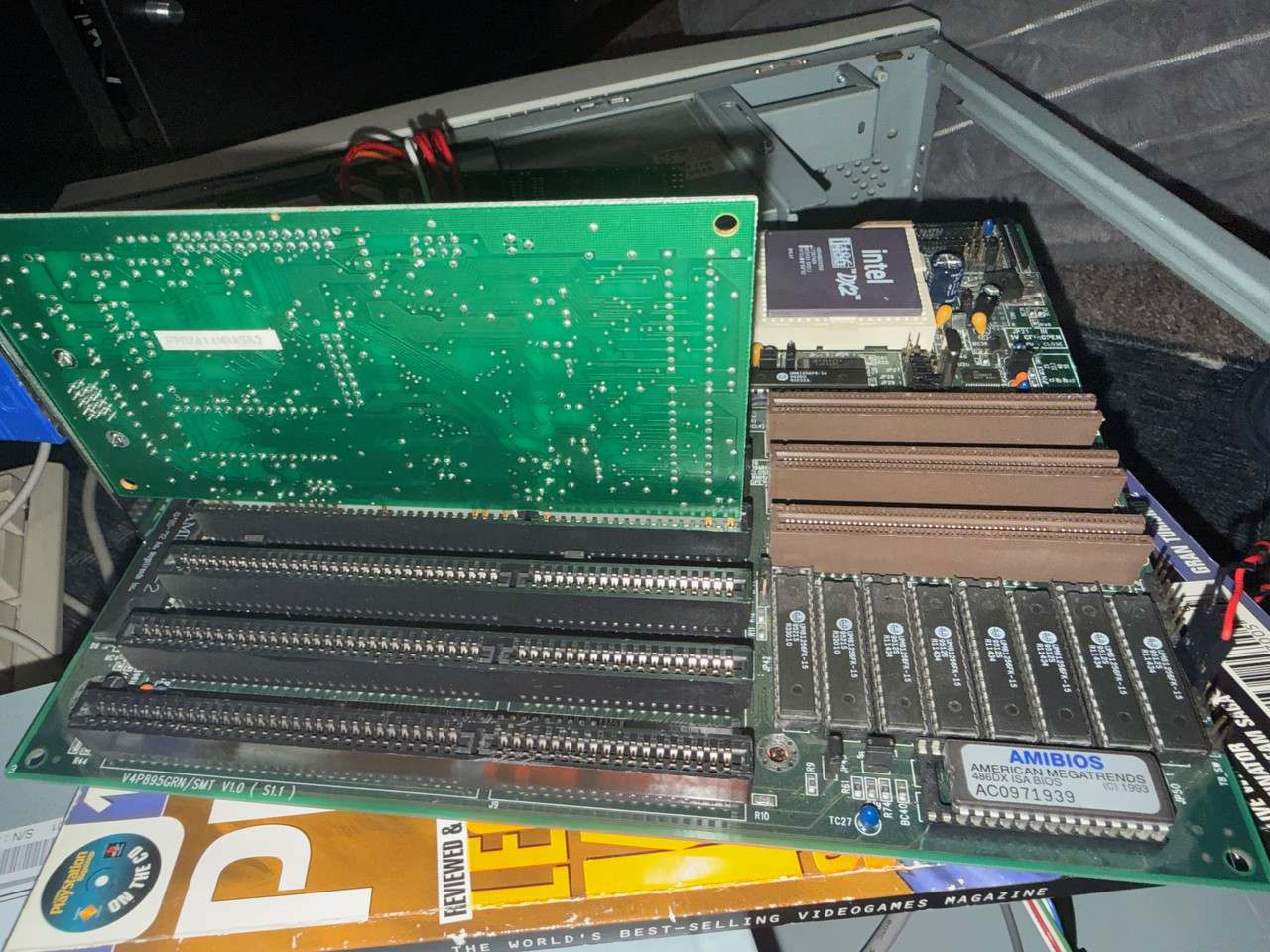
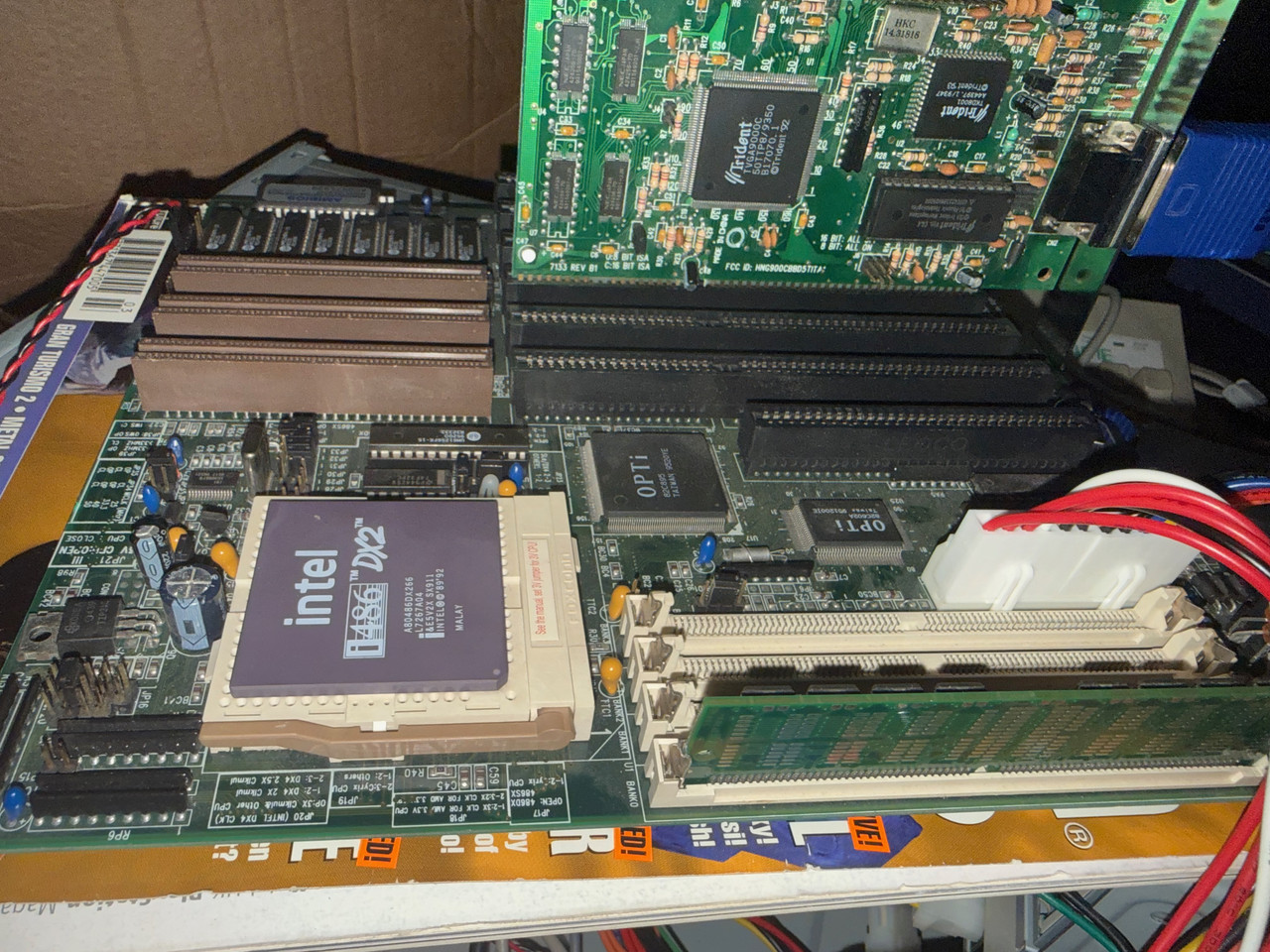
Installation looks like this -
IMG-0128.jpg

IMG-0129.jpg

  • It's connected to a CRT, which just displays black. The 'no signal' screen only comes up when I disconnect the cable. I've tried two VGA cables.
  • The mobo is getting power, the keyboard lights flash and I can feel the CPU and some chips on the board are warm.
  • I've seen images of the motherboard running before I got it, it should be fine.
  • I've tried two PSUs. Caveat, one is an ATX PSU I've connected via a converter kit. The other is an ATX PSU that has been manually rewired to have the correct sockets. Both support the -5V rail.
  • I've been through the jumpers twice and have set to the appropriate CPU (Intel DX2), speed (33mhz) and voltage (5V).

I don't have alternative kit to troubleshoot with at the moment, although I do have a VLB graphics card and a different RAM module to test on the way.

I did actually try this with a different motherboard/CPU/RAM combo I got on eBay and had the same issue, so returned it thinking it was dead. Seems maybe something else in my setup isn't working. The only common things between those two builds was the PSU(s) and the video card.

I'm assuming all the 'new' AT PSUs on eBay are dodgy as hell. I'm in the UK and there doesn't seem to be many good options for trying a different PSU.

Is there anything else I should be checking or is a big red flag to anyone who knows better?

Reply 1 of 10, by jami3rez

User metadata
Rank Newbie
Rank
Newbie

Also, 99% of the time, there is no response from the system at all. Twice though I have had a slow, repeating beep from the case speaker. Almost as I mentioned, this is silent most of the time. I don't what was different (if anything) to bring about the beeps.

Reply 2 of 10, by wierd_w

User metadata
Rank Oldbie
Rank
Oldbie

The beeps have a meaning.

https://www.computerhope.com/beep.htm

Check your beeping against such a reference.

Your board has amibios, so the first table applies.

Reply 3 of 10, by jami3rez

User metadata
Rank Newbie
Rank
Newbie

That’s good info, I’ll bookmark that.

Problem is my setup here is mostly silent. I couldn’t tell you how many beeps I got the couple of times it actually did beep. I’ve tried two different speakers too and I just get nothing.

Also changed the CMOS battery for fun.

Reply 4 of 10, by fosterwj03

User metadata
Rank Oldbie
Rank
Oldbie

I've found that Retro Web jumper listing aren't always accurate. Try moving the Clear CMOS jumper to different pins. I learned this with my 386 motherboard. It wouldn't start with the jumper settings from Retro Web, but did start when I moved the Clear CMOS jumper.

Reply 5 of 10, by jami3rez

User metadata
Rank Newbie
Rank
Newbie
fosterwj03 wrote on 2026-04-02, 00:53:

I've found that Retro Web jumper listing aren't always accurate. Try moving the Clear CMOS jumper to different pins. I learned this with my 386 motherboard. It wouldn't start with the jumper settings from Retro Web, but did start when I moved the Clear CMOS jumper.

Thanks I’ll give it a try, they do have a scan of the system manual though which seems like a pretty good source.

Reply 6 of 10, by CharlieFoxtrot

User metadata
Rank Oldbie
Rank
Oldbie

Have you measured voltages with a multimeter? I also suggest you get a ISA/PCI post code diagnostic card so you can see if the system is even starting to post, where it hangs and if it leaves reset. They cost next to nothing, but provide valuable information for trouble shooting.

Reply 7 of 10, by jami3rez

User metadata
Rank Newbie
Rank
Newbie
CharlieFoxtrot wrote on 2026-04-02, 04:45:

Have you measured voltages with a multimeter? I also suggest you get a ISA/PCI post code diagnostic card so you can see if the system is even starting to post, where it hangs and if it leaves reset. They cost next to nothing, but provide valuable information for trouble shooting.

I’ve picked up one of those cards, thanks. Might be useful once I (hopefully) start adding cards too.

I do have a multimeter but in this context not sure how to use it, and use it safely. The PSU is connected to some CD drives in the case not hooked up to the motherboard, and they are powered.

Reply 9 of 10, by jami3rez

User metadata
Rank Newbie
Rank
Newbie

So I've now tried -

  • Clearing the CMOS
  • A completley different video card
  • Removing everything but CPU, Mobo and PSU (also tried this with two different PSUs)

Still nothing. Not a sound from the case speaker. The only thing is that I can feel heat in some of the motherboard chips.

I'm very much at a loss.

Reply 10 of 10, by rasz_pl

User metadata
Rank l33t
Rank
l33t

in order:
jumpers all match manual, still try reseating them all or maybe even check with a multimeter if they all conduct as they should
re-seat cpu
re-seat bios chip
remove all cache chips

Do you have access to scope, fast logic analyzer or frequency counter? if so read the markings on hmm U20? that chip over FSB jumpers. Its a clock gen, its responsible for clocking chipset and cpu, would be good to check if all clocks are present and accounted for.

https://github.com/raszpl/sigrok-disk FM/MFM/RLL decoder
https://github.com/raszpl/FIC-486-GAC-2-Cache-Module (AT&T Globalyst)
https://github.com/raszpl/386RC-16 ram board
https://github.com/raszpl/440BX Reference Design adapted to Kicad