VOGONS


First post, by CJ Grass

User metadata
Rank Newbie
Rank
Newbie

Hello,
I’ve been using OSSC since 2021, and so far it’s been working flawlessly, but recently I’ve encountered a rather unusual (for me) problem.
I have a 486 DX4/100 with an S3 Virge 2MB card and a Diamond Monster 3D 3Dfx 4MB card. I have Windows 95 OSR2 installed, along with all the drivers.
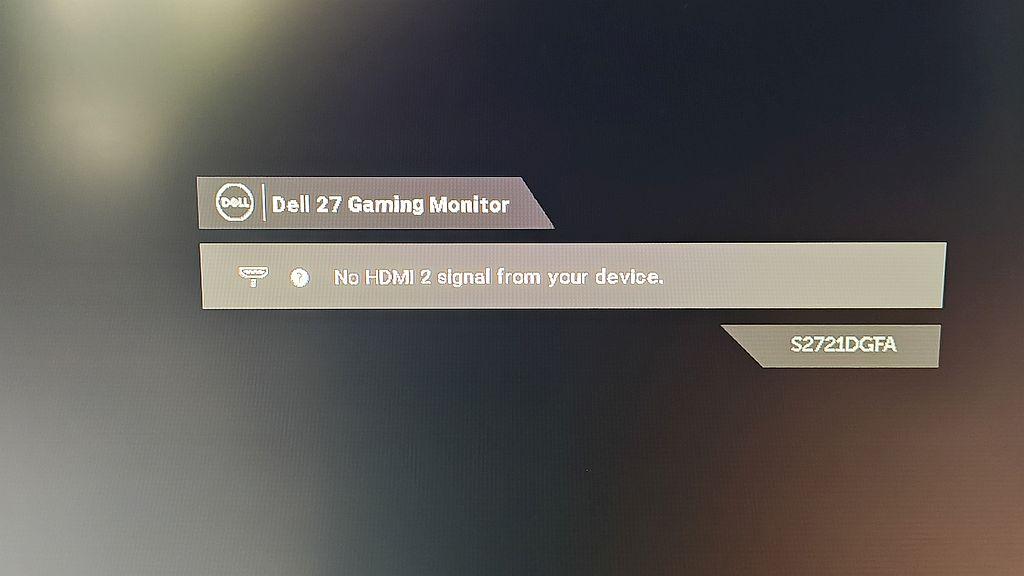
Everything works correctly in the system; the resolutions I set for the desktop (640×480, 800×600, 1024×768) work fine, but when I run game installers (e.g., Tomb Raider 1), the image on the screen disappears. In the Voodoo drivers, I have the option to test resolutions—there are 512×384, 640×400, 640×480, and 800×600—and the image only disconnects when I test 512×384; the rest of the resolutions are displayed correctly.
I tried various OSSC configurations, but unfortunately nothing helped.
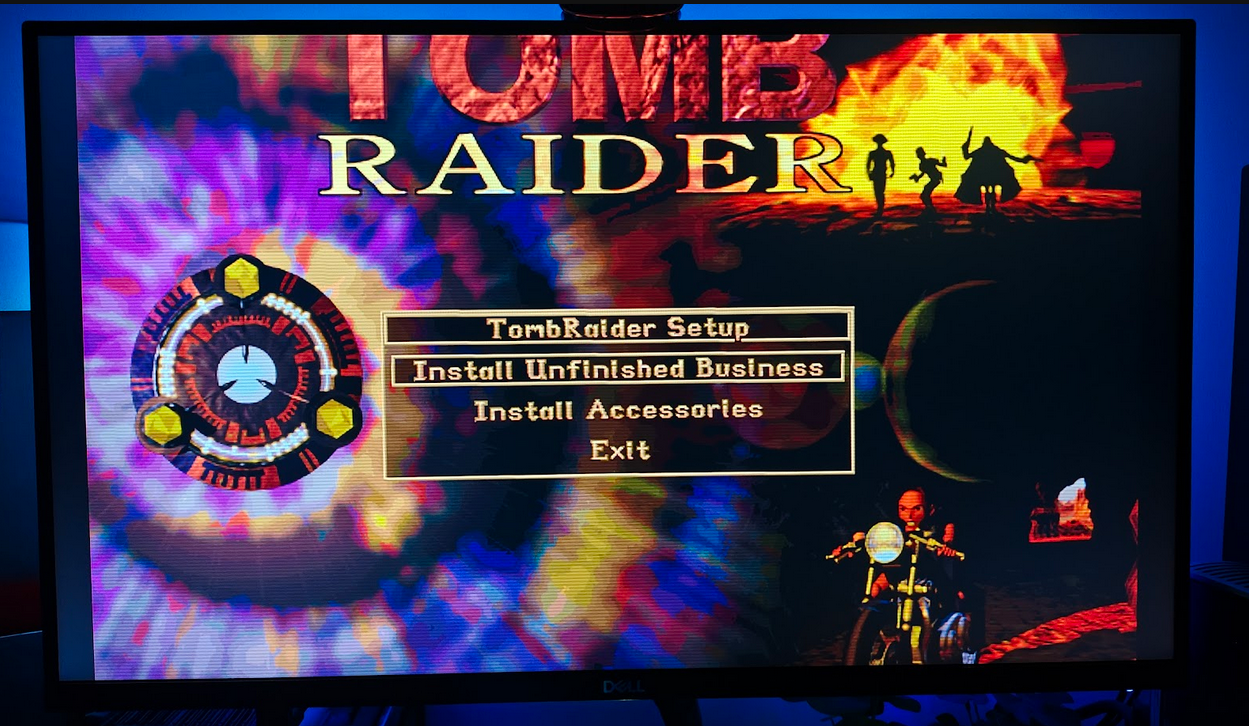
I also have DOS 6.22, and surprisingly, the installer for the aforementioned Tomb Raider displays without any problems there!
So why doesn’t OSSC display the image under Win95, but everything works fine under DOS? How can I fix this?
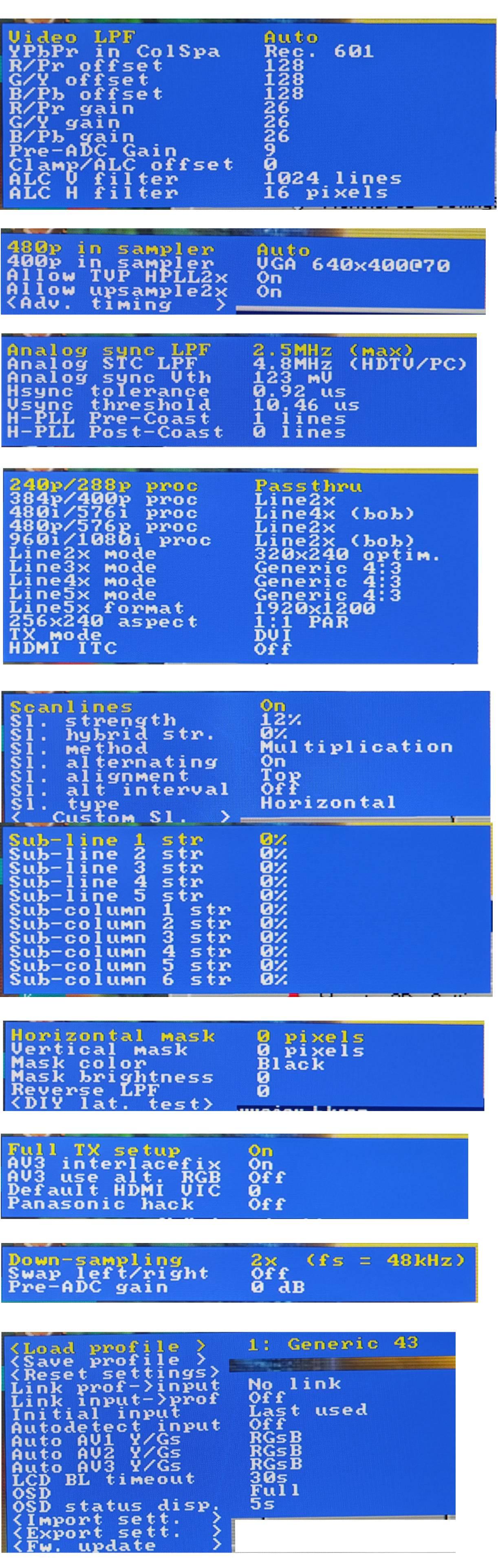
I’m attaching my OSSC configuration as well as a few screenshots.
Thank you for your advice and for your time.
qgkdid1lmb8vnc0gniaxvxtdbhgh093w.jpg
i2o21ydtjeq1qtqjm1fpmahebyh2u14x.jpg
ifbyydva99oo89r9lrgamztz3mphkpmj.jpg

Reply 1 of 5, by jh80

User metadata
Rank Newbie
Rank
Newbie

Hi, I have that same monitor and also use an OSSC. A great combo.

I can't really answer your question, but I'm wondering how you are running things. When the problem happens, you're trying to install Tomb Raider via Windows? It doesn't have a Windows installer, right? So you're in a DOS window in Windows? The Voodoo drivers you mentioned - is that something within Tomb Raider or in Windows 95?

Windows 95 can't display any resolution below 640 x 480 by default, so something weird might be happening there. It might not be related to the OSSC. The fact that everything works in DOS makes me think it's not an OSSC issue.

However, just in case, can you set the OSSC option "240p/288p proc" to "Line2x" rather than "passthru"? I don't think the monitor will display that low a resolution without line doubling.

Reply 2 of 5, by NeoG_

User metadata
Rank Oldbie
Rank
Oldbie

I don't think it's an OSSC problem, you can see on the display it has sync on the input, the problem will be that the modern monitor doesn't know what to do with a 1024x768@72hz signal. It would work fine with 1024x768@60hz, but the voodoo card has to do 512x384@72hz to stay in the 31Khz VGA sync window. The OSSC can't convert 72hz to 60hz. You'd think that a 165Hz monitor can handle it fine, but the extended sync range seems to not apply somwhere below 1080p resolution. Maybe using Line3x or Line4x for 384p processing might increase the resolution high enough to reach the minimum resolution for extended sync for this specific monitor.

When running game installers and the screen blanks out, what does the OSSC display show? Does it also show 433p 72Hz? It seems unusual that win95 would change resolutions for a game installer, unless it wants to play a video like some do that showcase other games.

98/DOS Rig: BabyAT AladdinV, K6-2+/550, V3 2000, 128MB PC100, 20GB HDD, 128GB SD2IDE, SB Live!, SB16-SCSI, PicoGUS, WP32 McCake, iNFRA CD, ZIP100
XP Rig: Lian Li PC-10 ATX, Gigabyte X38-DQ6, Core2Duo E6850, ATi HD5870, 2GB DDR2, 2TB HDD, X-Fi XtremeGamer

Reply 3 of 5, by jh80

User metadata
Rank Newbie
Rank
Newbie
NeoG_ wrote on 2026-05-20, 11:12:

I don't think it's an OSSC problem, you can see on the display it has sync on the input, the problem will be that the modern monitor doesn't know what to do with a 1024x768@72hz signal. It would work fine with 1024x768@60hz, but the voodoo card has to do 512x384@72hz to stay in the 31Khz VGA sync window. The OSSC can't convert 72hz to 60hz. You'd think that a 165Hz monitor can handle it fine, but the extended sync range seems to not apply somwhere below 1080p resolution. Maybe using Line3x or Line4x for 384p processing might increase the resolution high enough to reach the minimum resolution for extended sync for this specific monitor.

When running game installers and the screen blanks out, what does the OSSC display show? Does it also show 433p 72Hz? It seems unusual that win95 would change resolutions for a game installer, unless it wants to play a video like some do that showcase other games.

I have used this monitor with the OSSC at rates up to 100 Hz in Windows 98 at 1024x768 (beyond that you need a really good VGA cable to avoid noise). It requires manually calculating and adjusting the horizontal sample rate in the OSSC advanced settings. The equation is: sample rate = pixel clock / horizontal frequency, but I'm not sure how you find the pixel clock in this case.

Reply 4 of 5, by CJ Grass

User metadata
Rank Newbie
Rank
Newbie

Thanks for the replies.
In response to jh80—yes, I know I’m running a DOS game on Win95, but Win95 is largely based on DOS (a version higher than 6.22—7.0, I believe). And the Tomb installer is a DOS program and runs in full-screen mode (it can’t be displayed in a window). The VooDoo test also has a resolution of 640x400 @60Hz, and that test works.
I’ve tried various 240p/288p settings—from line2x to passthrough—and it’s always the same.
However, UNDER DOS, the OSSC displays this resolution!! And that’s what puzzles me. Maybe I can use some software to force a different refresh rate for 512x384 so it’s not 72Hz but, say, 60Hz?
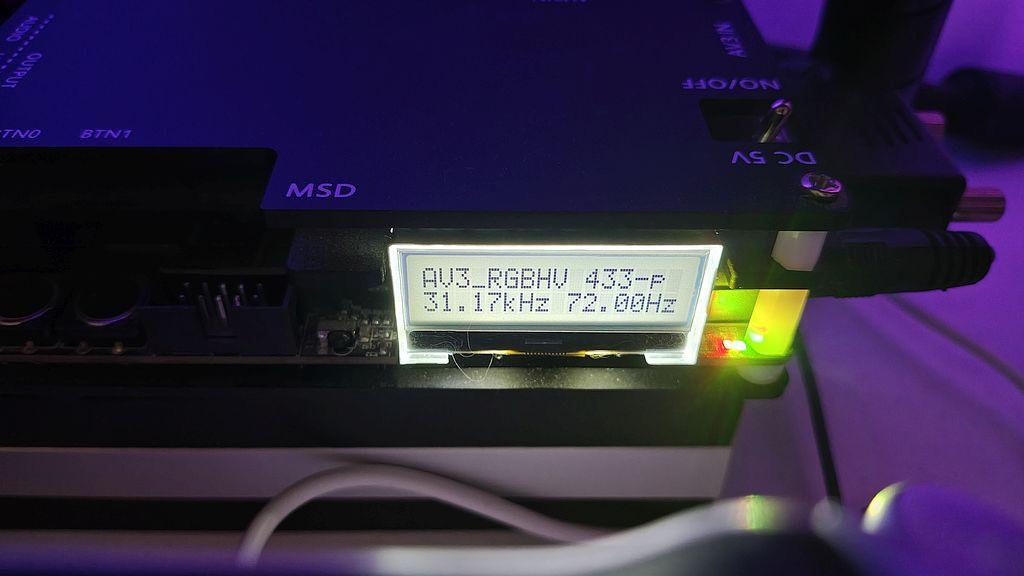
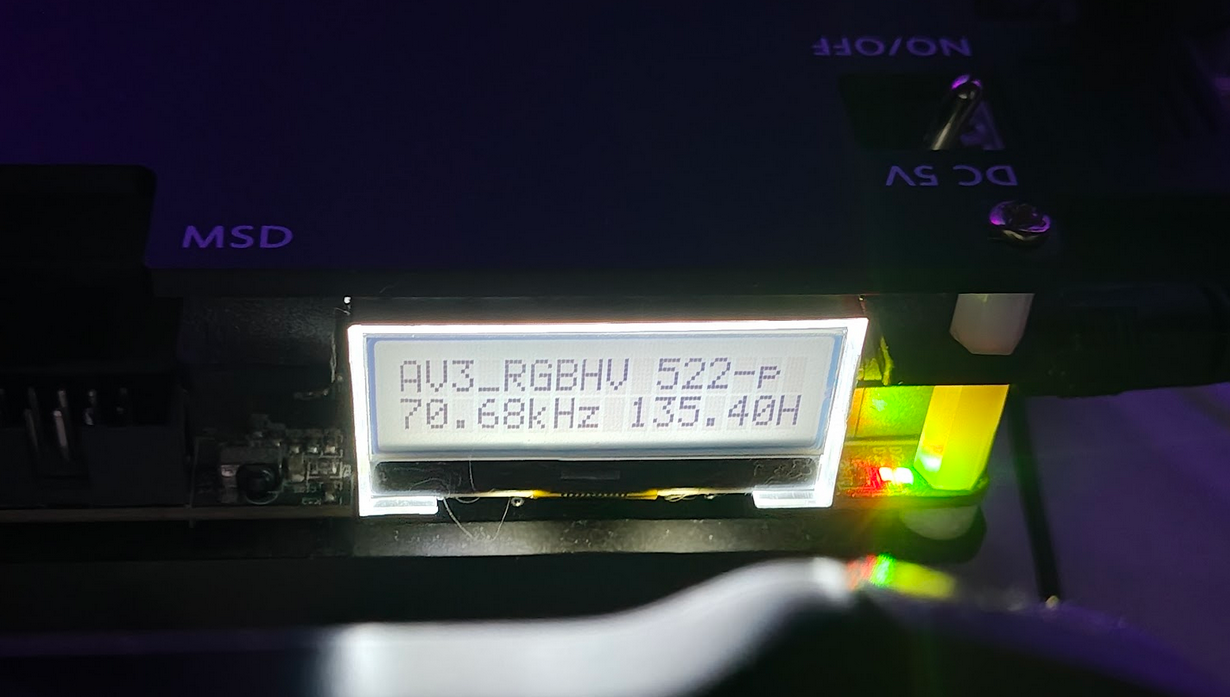
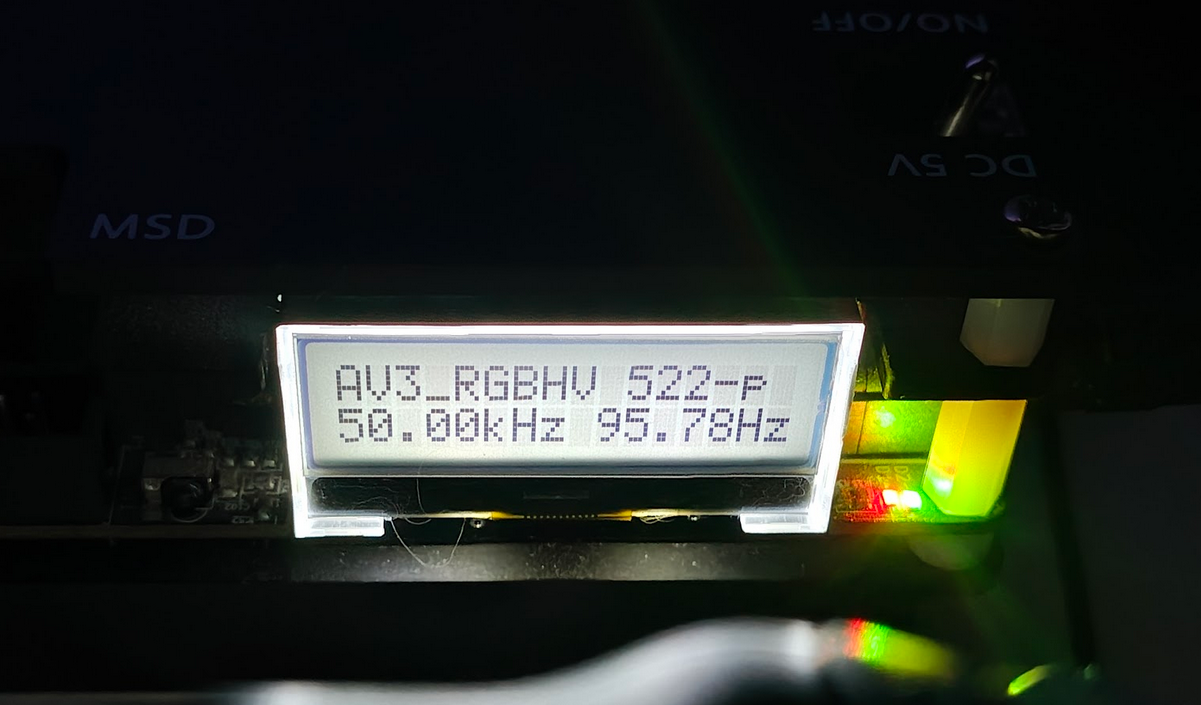
In response to NeoG_—when I run the installer or the VooDoo 512x384 @72Hz test on the OSSC, what appears is shown in the attached photo—433p 31.17kHz 72.00Hz (it depends on what I set in Line2x,3x, because resolutions like 522p 70.68kHz 135.40Hz or 522p 50.00kHz 95.78Hz also appeared)
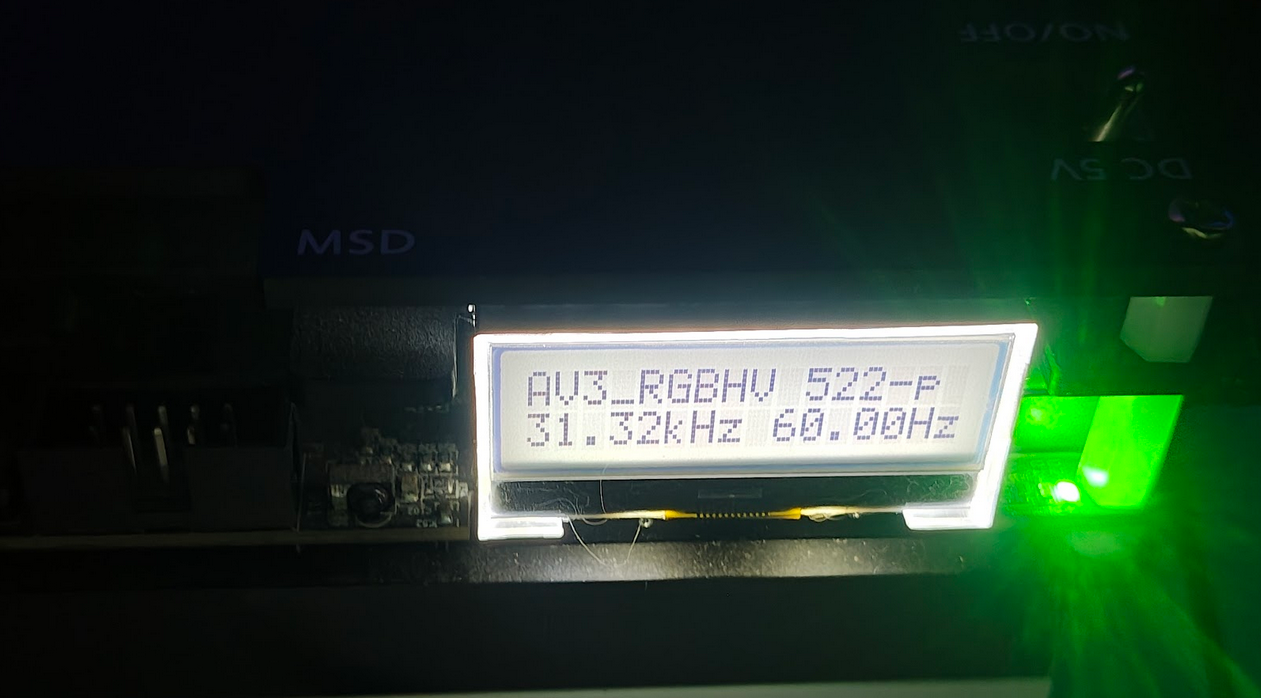
Under DOS, the installer for Tomb Raider, for example, launches (though the image is too stretched—I couldn’t get it to fit the screen 🙁 ) but it does launch, and OSSC shows 522p 31.32kHz 60.00Hz.
I think there’s something wrong with Win95, that Win wants to impose a different refresh rate for the resolution, e.g., of the Tomb Raider installer.
There used to be a program that let me change the refresh rate for each resolution. Here, in both the S3 and VooDoo drivers, I can change the Hz, but for the 512x384 resolution, 72Hz is the default and there’s no other refresh rate available.

9fb5431d187b9.png
7befb0a9f76a0.png

Reply 5 of 5, by CJ Grass

User metadata
Rank Newbie
Rank
Newbie

Windows, depending on which line setting I choose (2x, 3x, passthru), OSSC displays it like this:
2rrq7524yy5ni6qae4otbovl3x7olvbn.png
7wmwv6pt773n756pp2a28hl2sx8z0bun.png