By the way, before the AMD fanboys start flooding in, let’s have a chat amongst ourselves—us owners of those divine NVIDIA cards with their brilliant drivers.
Just between us and the whole internet.
How do I adjust the fan curve in the NVIDIA app?
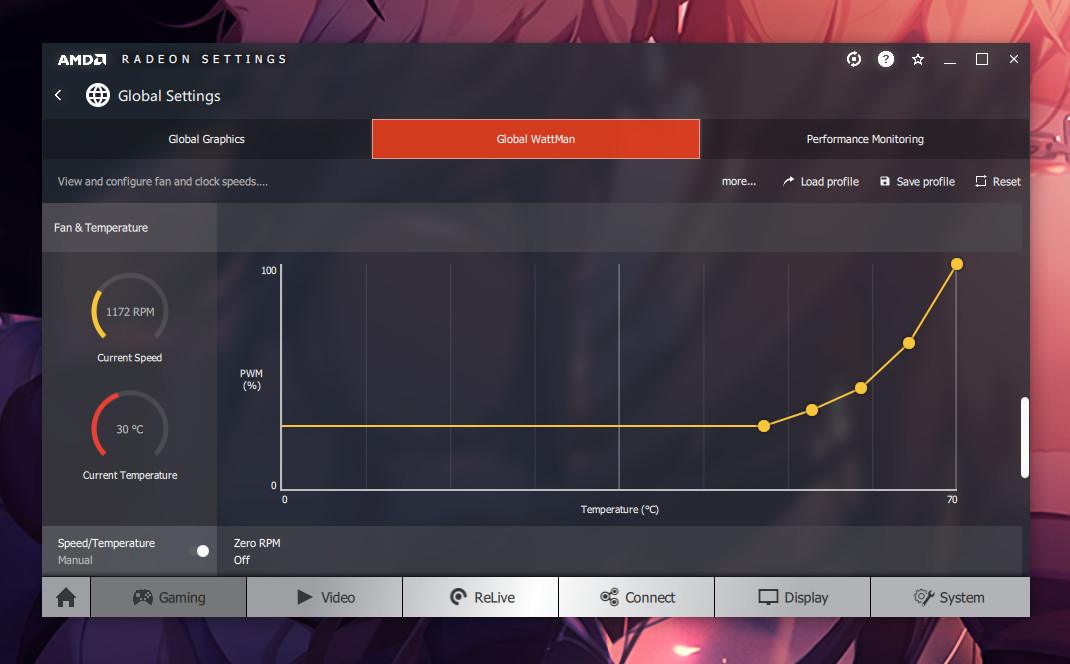
In the buggy AMD drivers, open the Adrenalin tab and move it manually as shown in the screenshot.

Since Mr Huang Jensen only cares about the quality of his own leather jacket, nVidia’s partners are churning out utter rubbish.
What exactly is the problem?
When the temperature reached 45 degrees, the fans on the same Sapphire RX580 graphics card revved up to 900 rpm (out of a possible 3,500), continued to run until the temperature had dropped by 5 degrees (within 10–30 seconds), and then switched off. The cycle lasted around 20 minutes.
The current RTX, upon reaching 45 degrees, attempts to start the fans at 30% speed. As NVIDIA’s BIOS has long since moved away from percentage values in favour of absolute RPM values, the controller has to synchronise with the fans after they start.
At low speeds, it does not have time to do this.
The result is something like this: the fans start spinning (2–3 revolutions), no synchronisation, the fans stop. Repeat.
As a result of these three attempts, the card cools down by 1 degree.
In other words, the BIOS doesn’t think the fan has started up; it thinks the card has magically cooled down all by itself.
The cycle repeats every 2-3 minutes.

If the heat build-up is more intense and the start occurs at 45–50% speed, the fan control algorithm behaves just like the bugged AMD cards, i.e. normally.
Aopen MX3S, PIII-S Tualatin 1133, Radeon 9800Pro@XT BIOS, Audigy 4 SB0610
JetWay K8T8AS, Athlon DH-E6 3000+, Radeon HD2600Pro AGP, Audigy 2 Value SB0400
Gigabyte Ga-k8n51gmf, Turion64 ML-30@2.2GHz , Radeon X800GTO PL16, Diamond monster sound MX300