VOGONS


HDD Synth - Mechanical hard drive sound synthesis

Topic actions

Reply 40 of 69, by Valad_Amoleo

User metadata
Rank Newbie
Rank
Newbie

Came here from the RC video.

Would there ever be a chance of having a version that is powered directly from the PSU rather than via the ISA and then use the HDD light method to control the sound playback? I have no ISA slots left but love the idea.

Reply 41 of 69, by NeoG_

User metadata
Rank Oldbie
Rank
Oldbie
Valad_Amoleo wrote on 2026-04-27, 09:13:

Came here from the RC video.

Would there ever be a chance of having a version that is powered directly from the PSU rather than via the ISA and then use the HDD light method to control the sound playback? I have no ISA slots left but love the idea.

There is two models being developed, the 500 which is what you described and the 1000 which is the ISA card

https://www.strifestreams.com/hddsynth

98/DOS Rig: BabyAT AladdinV, K6-2+/550, V3 2000, 128MB PC100, 20GB HDD, 128GB SD2IDE, SB Live!, SB16-SCSI, PicoGUS, WP32 McCake, iNFRA CD, ZIP100
XP Rig: Lian Li PC-10 ATX, Gigabyte X38-DQ6, Core2Duo E6850, ATi HD5870, 2GB DDR2, 2TB HDD, X-Fi XtremeGamer

Reply 42 of 69, by MaverickUK

User metadata
Rank Newbie
Rank
Newbie

A few updates on the project

HDD Synth Prototype MKIV - CompactFlash edition
untitled-1.png?width=1000&v=1dce6a2891dab53

Features:

  • Integrated CompactFlash adapter: Allows HDD Synth to act as a fully featured HDD replacement
  • Small: Has the physical dimensions of a 2.5" drive
  • Cost effective:Headless by default, optional controls can be added through headers

More details on my website

HDD Synth Prototype MKIII manufacturing update
1_1000024908.jpg?width=1000&v=1dce868066754bc

I've just received images from PCBWay of the first assembled board, which appears to have the correct placement of all the assembled components.

So they should be shipping to me in the near future

http://www.strifestreams.com

Reply 43 of 69, by crusher

User metadata
Rank Member
Rank
Member

That sounds great!
Thanks for the news and updates.

Reply 45 of 69, by MaverickUK

User metadata
Rank Newbie
Rank
Newbie

hqdefault.jpg

Watch demonstration of HDD Synth Prototype MKIII

This video compares it to the previous MKII and shows some of it's new abilities along with a discussion about the planned MKIV prototype

http://www.strifestreams.com

Reply 46 of 69, by crusher

User metadata
Rank Member
Rank
Member

Thanks for the update 😀
Looks very interesting!

Reply 47 of 69, by MaverickUK

User metadata
Rank Newbie
Rank
Newbie

mkv-front.png?width=1000&v=1dd02edcfcc15a9

Introducing the MKV prototype

I believe this is the final form of the HDD Synth before I go ahead with the Kickstarter later this year

http://www.strifestreams.com

Reply 48 of 69, by jiefjifef

User metadata
Rank Newbie
Rank
Newbie

Super neat! Can't wait to buy one.

PS. Can the hard drive sounds somehow be played via the computer's sound card instead (I'm hoping the green thing above the speaker mount, or some other header, could be connected to line in or something)? I could live without the spin up and spin down sounds if I could save some money by not having to pay for the speaker (and the super capacitor) on the HDD Synth at all

Reply 49 of 69, by MaverickUK

User metadata
Rank Newbie
Rank
Newbie

Whilst I'm waiting for the MKV hardware to be manufactured and shipping over to me I was wondering if I could build a PCMCIA version to run on my Windows 98 laptop... or even better a software based version that could run on any Windows 9x version

img_2568.jpg?width=1000&v=1dd169ae431abaf

So here we are! 😀

It is compatible with the sample packs used by the physical hardware version of HDD Synth, so you can switch between them

img_2565.jpg?width=1000&v=1dd169ae43c0bb6

Settings can be changed to your preferences

img_2570.jpg?width=1000&v=1dd169ce4f63c4c

Which are persisted to an INI file

img_2567.jpg?width=1000&v=1dd169ae436d855

The latest version is available from https://github.com/MaverickUK/HDDSynth_Win9x/releases

A demonstration video is available from https://youtu.be/oLoJ0eOow08

I've only tested this on a single Win 98 running with a 166MHz Pentium 1

Due to the nature of Windows, certain operations (such as running Scandisk) will likely cause audio dropouts. Read the GitHub README.md for more details

http://www.strifestreams.com

Reply 50 of 69, by jiefjifef

User metadata
Rank Newbie
Rank
Newbie

OMG what an unexpected gift! Thanks!
Seems to be working fine on my DFI AK74-EC / VIA KT133, Windows 98 SE, Sound Blaster Live! 5.1 (SB0100, PCI)

Here's some feedback, please feel free to ignore, absolutely not meant as discouragement or whatever

1) In a perfect world, audio lag would be as close as possible to 0 ms... Are there any further optimization tricks you can think of that could further lower the latency as much as possible? What kind of a lag does a real hard drive have approximately?

2) When copying large directories, the sound is too predictable / repetitive to my ear. My brain doesn't hear "hard disk sound", rather it sounds like "looping sound effect". Is it possible to add a little bit of randomization so that it doesn't sound like the same exact loop keeps looping over and over from start to finish?

3) in the HDD Synth Settings, I was unable to completely mute the "Idle" sounds: I set "Activity" -> 100 but there was still some "Idle" sound, I expected "Activity = 100" to mean idle sound are "Idle = 0" (completely silent)

4) In the sample packs, Original\ACCESS.WAV unfortunately also has the idle sound "baked in". Is it possible to somehow isolate ONLY the access sound in the recordings, so that the user can completely mute all idle sounds and only hear the activity sounds?

5) In the HDD Synth Settings, could you add an "Apply" button to make experimenting with the settings a little bit faster (use case: copy a large directory in the background, try a setting, apply, try something else, apply again, etc etc, until you find the best settings)

Also, I'm guessing pure DOS support (without Windows) would be even harder to implement? Something like https://github.com/MobyGamer/softhddi but with Sound Blaster support...

Reply 51 of 69, by MaverickUK

User metadata
Rank Newbie
Rank
Newbie

Thanks for the feedback jiefjifef

jiefjifef wrote on 2026-07-18, 12:44:

3) in the HDD Synth Settings, I was unable to completely mute the "Idle" sounds: I set "Activity" -> 100 but there was still some "Idle" sound, I expected "Activity = 100" to mean idle sound are "Idle = 0" (completely silent)

5) In the HDD Synth Settings, could you add an "Apply" button to make experimenting with the settings a little bit faster (use case: copy a large directory in the background, try a setting, apply, try something else, apply again, etc etc, until you find the best settings)

I've released a new version that incorporates these changes: https://github.com/MaverickUK/HDDSynth_Win32/ … ases/tag/v0.5.0 along with having a native Win 2k/XP executable, although I've not been able to test this yet.

1) The audio lag is a difficult one, as it's a trade off. You can try tweaking the audio buffering setting to reduce the lag, but you may notice more stuttering

4) The final sample packs will be better quality, as you're right there is some noise leakage on some of the existing ones

Thanks for the DOS link, it did cross my mind to look into creating this as a TSR. Although will likely be more tricky!

http://www.strifestreams.com

Reply 52 of 69, by jiefjifef

User metadata
Rank Newbie
Rank
Newbie

Neat!

I very briefly tested v0.5.0 on both Windows 98 SE and Windows XP SP3, both on the same computer as before, but on two separate "hard disks" (or should I say microSD cards). BTW my CPU is an AMD Duron 1300 MHz from January 2002 (Duron was a slightly nerfed Athlon I think)

On Windows 98 SE:
- idle sounds can now be silenced, great!
- the new apply button seems to be working nicely
- the NT version (hddsynth-nt.exe) refused to run

On Windows XP SP3:
- the non-NT hddsynth.exe didn't complain about incorrect Windows version (kinda works but no activity sounds)
- the NT version (hddsynth-nt.exe) seems to be working as expected
- lots and lots of random short hard drive sounds in the background, probably not your bug though: I currently only have 128 MB of RAM and AMD Duron 1300 MHz is not exactly a Windows XP powerhouse, so the hard drive probably really was doing all kinds of random stuff constantly in the background. Not sure if a real hard drive would have sounded like that though, maybe the sounds would have been shorter or more random or whatever, extremely hard to tell because I don't have any mechanical hard drives.

(It is kind of unfortunate that the same .EXE can't detect which Windows version it's currently running on and then select the correct code path accordingly or whatever, but it's not a huge deal)

Also, about my previous item 2) activity sound / loopy repetitiveness: could it be mitigated by recording two or more samples and randomly selecting which sample to play, or manually selecting a couple of different "well-looping" sections of the recording and playing different parts randomly, so it's not the same two seconds over and over and over again? I know I'm probably being super pedantic etc but right now it sounds very uncanny valley to me. I seem to remember real mechanical hard drives sounding much more random.

Thank you again for working on this!

Reply 53 of 69, by NeoG_

User metadata
Rank Oldbie
Rank
Oldbie
MaverickUK wrote on 2026-07-18, 21:54:

1) The audio lag is a difficult one, as it's a trade off. You can try tweaking the audio buffering setting to reduce the lag, but you may notice more stuttering

Taking examples from media players of yore (e.g. winamp), offering options for audio API (e.g. Directsound, WaveOut/MME) and surfacing all the options that affect buffering length would allow the end user to find the best settings for their particular system. Taking advantage of directsound hardware API where available would definitely help with stuttering.

MaverickUK wrote on 2026-07-18, 21:54:

Thanks for the DOS link, it did cross my mind to look into creating this as a TSR. Although will likely be more tricky!

The problem you will run into for DOS is that audio is low level and exclusive access. The TSR will only work as long as the user isn't attempting to use the audio device at the same time wih a game or software application.

One way around this is to integrate with a software mixer TSR like VSBHDA which would allow HDDSynth to communicate non-exclusively with VSB and not hog the emulated SB ports. But I don't know of a workaround for period hardware that would only have the original sound hardware.

98/DOS Rig: BabyAT AladdinV, K6-2+/550, V3 2000, 128MB PC100, 20GB HDD, 128GB SD2IDE, SB Live!, SB16-SCSI, PicoGUS, WP32 McCake, iNFRA CD, ZIP100
XP Rig: Lian Li PC-10 ATX, Gigabyte X38-DQ6, Core2Duo E6850, ATi HD5870, 2GB DDR2, 2TB HDD, X-Fi XtremeGamer

Reply 54 of 69, by jiefjifef

User metadata
Rank Newbie
Rank
Newbie
NeoG_ wrote on 2026-07-19, 00:47:
MaverickUK wrote on 2026-07-18, 21:54:

1) The audio lag is a difficult one, as it's a trade off. You can try tweaking the audio buffering setting to reduce the lag, but you may notice more stuttering

Taking examples from media players of yore (e.g. winamp), offering options for audio API (e.g. Directsound, WaveOut/MME) and surfacing all the options that affect buffering length would allow the end user to find the best settings for their particular system. Taking advantage of directsound hardware API where available would definitely help with stuttering.

I remember having to use ASIO4ALL to get acceptable (single digit) audio latency when dealing with music software & hardware on ancient Windows (MIDI keyboards, electronic drums etc. on REAPER).

ASIO4ALL FAQ: https://asio4all.org/help/frequently-asked-questions/
Last ASIO4ALL version that supported Windows 98 SE: https://asio4all.org/version-2-14-released/

Reply 55 of 69, by MaverickUK

User metadata
Rank Newbie
Rank
Newbie
NeoG_ wrote on 2026-07-19, 00:47:

Taking examples from media players of yore (e.g. winamp), offering options for audio API (e.g. Directsound, WaveOut/MME) and surfacing all the options that affect buffering length would allow the end user to find the best settings for their particular system. Taking advantage of directsound hardware API where available would definitely help with stuttering.

I wanted to keep the software as simple and portable as possible to begin with, so it would work across the widest range of Windows machine - but there's no point keeping it simple, if it doesn't work correctly

I've released version 0.6.0 which will use DirectSound if supported. In the settings menu you can also manually tell it how you'd like audio to be output. If you view the About menu it'll show how it's currently running. Let me know if this works better for you.

https://github.com/MaverickUK/HDDSynth_Win32/ … ases/tag/v0.6.0

jiefjifef wrote on 2026-07-19, 10:10:

ASIO4ALL FAQ: https://asio4all.org/help/frequently-asked-questions/
Last ASIO4ALL version that supported Windows 98 SE: https://asio4all.org/version-2-14-released/

Thanks, I'll have a look into this too

http://www.strifestreams.com

Reply 56 of 69, by jiefjifef

User metadata
Rank Newbie
Rank
Newbie
MaverickUK wrote on 2026-07-19, 12:31:
jiefjifef wrote on 2026-07-19, 10:10:

ASIO4ALL FAQ: https://asio4all.org/help/frequently-asked-questions/
Last ASIO4ALL version that supported Windows 98 SE: https://asio4all.org/version-2-14-released/

Thanks, I'll have a look into this too

First, about the ASIO4ALL thing: come to think of it, I don't remember if ASIO4ALL achieved its low latency by blocking all other sounds (audio exclusivity), if it can be made non-exclusive, if other ASIO drivers would be better, etc etc, I hope I didn't waste your time

Some v0.6.0 feedback:

1) this might be a bit hacky, but please consider restarting the application automatically after changing the Audio API: if the user presses "Apply", relaunch and reopen the settings window, if "OK" -> just relaunch automatically in the background

2) "250ms" is currently the minimum in the "Audio buffering" slider. Can you allow the user to select something lower? 25 ms, or even 100 ms would be so much better, is that realistic at all currently?

3) is there a way for HDD Synth to determine or estimate whether there will be dropouts / glitches on the user's system, and what is the real audio lag?

4) Otherwise things seem to be working, non-NT version now refuses to run on XP SP3, etc

Reply 57 of 69, by MaverickUK

User metadata
Rank Newbie
Rank
Newbie

Thanks for your ongoing support testing and providing feedback jiefjifef - I really appreciate it

https://github.com/MaverickUK/HDDSynth_Win32/ … ases/tag/v0.8.0

Features

  • reorganize Settings dialog into groups, add Help and API status
  • lower Audio buffering floor, backend-dependent
  • switch Audio API live instead of requiring a restart
  • add live audio latency/glitch readout to Settings dialog
  • new sample packs created from MBC Computers on YouTube (with permission)

Fixes

  • lay out Settings dialog in two columns instead of one long stack
  • sliders for disk-activity settings, plain-text help instead of dialog

Also thanks to MMaximus for creating https://www.youtube.com/@MBC9277 and agreeing for me to make use of it. I've included some additional sample packs in this release that I created from these recordings.

http://www.strifestreams.com

Reply 58 of 69, by jiefjifef

User metadata
Rank Newbie
Rank
Newbie

Very cool and always happy to help, especially if it means my microSD cards will start making completely unnecessary noise sooner.
The software is beginning to feel more and more usable, even though the DOS TSR (pipedream?) is of course still sorely missed.

Some more feedback after playing with v0.8.0 for a couple of minutes:

- In the settings dialog: using (only) a slider to "dial in" a number always feels like unnecessarily having to fight the UI to me. Please consider also adding editable text fields, so that I can just type the number I want instead of having to hunt for the right random pixel?

- In the settings dialog: instead of having "universal" volume and "balance", would it be more intuitive to just have separate volume sliders for idle and activity sounds (0-100% for both)? And I guess for the spinup sound too (if 0%, just skip playing the spinup thing completely)

- Is it possible to automatically isolate and remove idle sounds from the other files? Surely there must be software for stuff like that?

- I didn't check the files myself, but I'm hoping you're making sure that there is absolutely no additional delay / gap in the beginning of the recordings themselves, so that sounds always start playing instantly? Every millisecond counts.

- Is it not possible to just have one "universal" executable and detect NT-ness at runtime, and do NT things on NT, and non-NT on non-NT? That would be slightly less confusing for end users (normal people don't know or care that XP is "NT", etc).

Also, I was thinking about the easiest way to measure the actual "sound latency" for real mechanical hard drives. Maybe first play a sharp beep, then artificially make the hard drive make access sounds, record both with a microphone and measure the distance (in milliseconds) between the beep and the hard disk sound? And then do the same thing and compare with HDD Synth emulation?

Reply 59 of 69, by MaverickUK

User metadata
Rank Newbie
Rank
Newbie

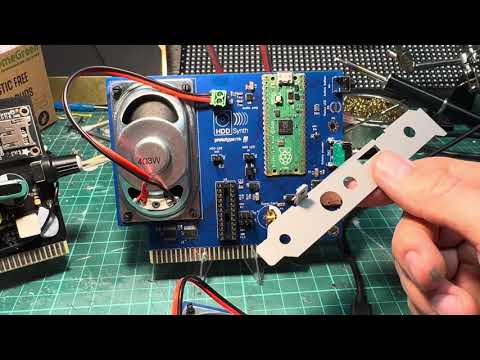
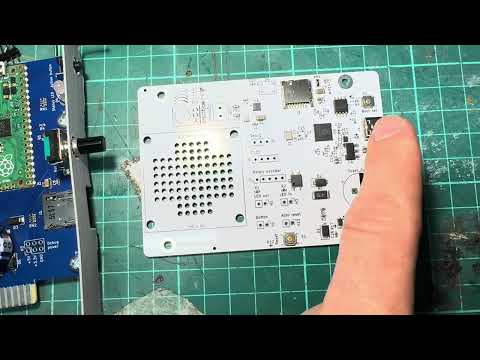
The HDD Synth MKV hardware has arrived!

hqdefault.jpg

Watch demonstration of HDD Synth Prototype MKV

This is pretty much what I'll be launching as a Kickstarter before the end of the year. It just needs a few minor tweaks before it's finalised.

Also on the HDD Synth Win32 front, the latest release is available from https://github.com/MaverickUK/HDDSynth_Win32/ … ses/tag/v0.13.1

Features

  • Single binary for Win9x + NT (2K/XP)
  • Individual sliders for volume controls
  • Slider + direct text entry box for settings
  • Right click menu icons
  • Right click menu "Run at startup" option
  • Clean exit on Windows shut down

http://www.strifestreams.com