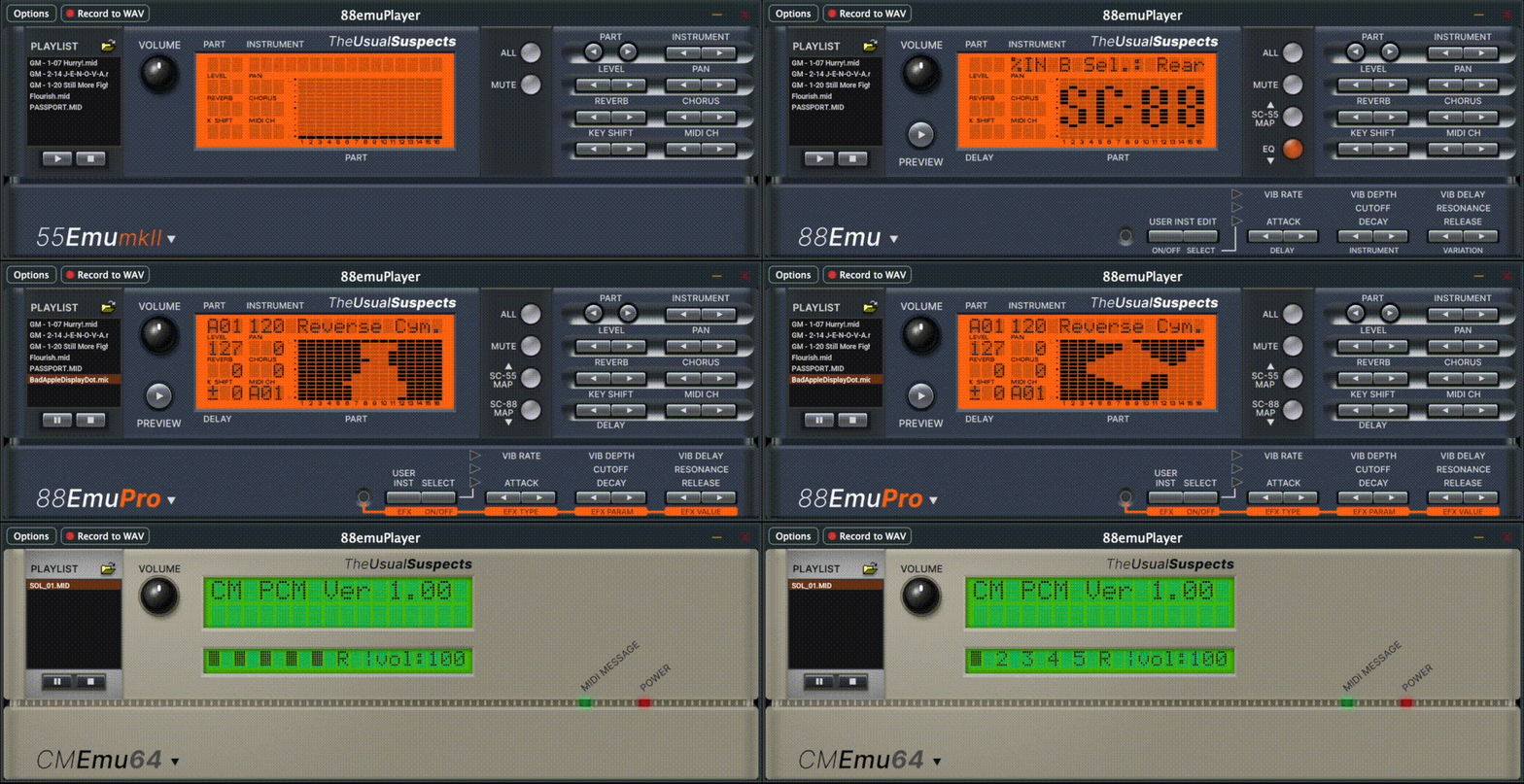
Hi @giulio, I’d like to point out that 88emu’s built-in MIDI player doesn't currently play Apogee Software's EMIDI files (used in Duke Nukem 3D) correctly. I’m attaching an example track.
Details
=============================================================
| Apogee Expanded MIDI (EMIDI) API v1.1 |
=============================================================
Specifications created by Lee Jackson and Jim Dosè
Apogee Sound System Support coded by Jim Dosè
First public release 1997.
Copyright (c) 1995,1997 Apogee Software Ltd. All Rights Reserved.
=============================================================
| Contents |
=============================================================
I. Instrument Definitions
II. Controller Definitions
III. InitBeat Format
IV. Contact Information
=============================================================
| I. Instrument Definitions |
=============================================================
The following instruments are currently defined as valid for data
entry events:
0 - General MIDI
1 - Roland Sound Canvas (GM only)
2 - Sound Blaster AWE32
3 - Wave Blaster and Compatibles (SCD-10, etc.)
4 - Sound Blaster and Compatibles (OPL-2 and OPL-3)
5 - Media Vision Pro Audio series
6 - Logitech Sound Man 16
7 - Adlib and Compatibles
8 - Ensoniq Soundscape
9 - Gravis Ultrasound, Ultrasound Max, Ultrasound ACE
127 - All (see Controller Definitions)
Note: Although the Roland Sound Canvas is supported, it is
only supported in GM mode. The Apogee Sound System does not
support the direct sending of System Exclusive messages required
for GS mode support.
=============================================================
| II. Controller Definitions |
=============================================================
The following controllers are currently defined as valid:
110 - Track Designation
Required: Yes
Multiples allowed: Yes
Format: 110 nn
(where nn is a defined instrument)
Controller 110 determines which instruments will receive data for
this track. Multiple instances may be used to designate multiple
instruments. If the track is designated for all instruments,
Instrument 127 may be used. This instrument may also be used in
conjunction with Controller 111 to exclude a single instrument or
group of instruments.
111 - Track Exclusion
Required: No
Multiples allowed: Yes
Format: 111 nn
(where nn is a defined instrument -
instrument 127 is invalid)
Controller 111 excludes an instrument from receiving the data for
this track. Multiple instances may be used to exclude multiple
instruments. Instrument 127 is not valid for this controller.
112 - Program Change
Required: No
Multiples allowed: Yes
Format: 112 nn
(where nn is a GM program change)
Controller 112 is the same as the standard MIDI program change
event. It may be inserted at any point a program change is
required. If it does not exist, standard MIDI program change events
will be recognized for this track. If it does exist, standard MIDI
program change events will not be recognized for this track, and all
program changes for the track must be entered using Controller 112.
113 - Volume
Required: No
Multiples allowed: Yes
Format: 113 nn
(where nn is between 0 and 127)
Controller 113 allows different volumes to be inserted in the same
manner as Controller 7. It should be used only if
designation/exclusion groups exist on the same MIDI channel. If
Controller 113 does not exist at the beginning of the track,
Controller 7 events will be recognized. If Controller 113 does
exist at the beginning of the track, Controller 7 events will be
ignored.
116 - Loop Begin
Required: Yes
Multiples allowed: Yes (see below)
Format: 116 nn
(see below for definition)
Controller 116 indicates the beginning of a sequence to be looped.
Values for this controller are as follows:
0 - infinite loop
1 - loop once
2 - loop twice
x - loop x times
A song should have a Master Start point and a Master End point. The
start point should occur after the InitBeat (see section III) and
after any introduction you wish to have played only once. Any
controller information (patch changes, pitch bend info, etc.)
required for the loop should be entered and/or repeated after the
loop's Master Start event (see also Section III, "InitBeat", below).
Likewise, any "reset" events required should be entered either just
after the loop's Master Start event or just before the loop's Master
End event.
Multiple non-infinite loop start/end pairs (see Controller 117
below) may occur at any point inside the Master Loop. Only one
infinite loop may be defined per song. Nested loops are not yet
supported.
IMPORTANT: Any event to be included within the loop must fall after
the Loop Begin point and end before the Loop End point.
If you are using Cakewalk Pro for Windows, you can
verify this by looking at the Event List view.
SIMULTANEOUS TIMES FOR LOOP POINTS AND EVENT DATA DO NOT
GUARANTEE THAT AN EVENT IS INSIDE THE LOOP. If in
doubt, set the event one tick after the Loop Begin or
have it end one tick before the Loop End.
117 - Loop End
Required: Yes
Multiples allowed: Yes (see below)
Format: 117 127
Controller 117 indicates the end of a looped segment of a song, or
in the case of a Master Loop, the end of the entire song. This
controller signals that the Apogee Sound System should immediately
loop back to the nearest non-resolved loop begin event (i.e., the
nearest Controller 116 event that does not have a matching
Controller 117 event).
Loop End events should not occur at the exact time of a Loop Begin
event.
Note: Loop Begin/End pairs only affect the track they are placed
on. If an entire song is to be looped through a segment, all
tracks must contain Loop Begin events and Loop End events
which occur on the same tick across all tracks, or should use
Global Loop Controllers 118/119 instead.
Be careful how you use non-synchronous single track loops -
the composer is responsible for making sure that everything
stays in sync.
See Controller 116 above for important information regarding
placements of events to be included within loops.
118 - Global Loop Begin
Required: Yes
Multiples allowed: Yes (see below)
Format: 118 nn
(see Controller 116 for definition)
119 - Global Loop End
Required: Yes
Multiples allowed: Yes (see below)
Format: 119 127
Controllers 118 and 119 are global versions of Controllers 116 and
117. Instead of controlling a single track's loop points, these
control every track's loop points. The same rules that apply to
116/117 also apply to 118/119, with these exceptions:
1. If you use 118/119 in a song, you cannot use 116/117
(and vice versa).
2. You can only place one 118/119 event at any single point
in a song. Recommended placement is on the first track.
=============================================================
| III. InitBeat Format |
=============================================================
Each song should begin with an InitBeat. In terms of standard
musical notation, an example of this would be a single 1/4 measure
where the rest of the song is in 4/4, or a single 1/8 measure when
the rest of the song is in 6/8. In MIDI terms, this is equivalent
to one full cycle of the current timebase (e.g., for timebase 120, a
single beat, 120 ticks long). Each track used should have its own
InitBeat. This beat should not contain any note on/off data, sysex
dump data, Loop Begin/End events (Controllers 116 and/or 117), or
other non-Controller events. It may, however, contain MetaEvents
such as text, copyrights, markers, program changes (normal or
Controller 112), and the like.
The InitBeat should contain any needed Controller 110, 111, 112, or
113 events needed to set up each track for the song. It may also
contain other Controllers (pitch wheel, modulation, RPN/NRPN data,
etc.) as desired. Keep in mind that you will need to repeat these
controller values at some point within the Master Loop if you change
them at any point in the song (and you rely on the original values
when the song goes back to the Master Start point).
If no special handling is required for a track (i.e., the track is
to be played by all instruments and no Controller resets/setups are
desired), the InitBeat for that track may be left blank. It is
advisable, however, to at least insert a single Controller 110 event
with value 127, indicating that the track is to be played by all
instruments. This is more a matter of personal preference, but it
can come in handy for setting up templates with Cakewalk Pro for
Windows and other programs that support default song templates.
If none of the tracks in a song require any special handling, all
InitBeats may be left blank. Do not delete the InitBeat measure -
just leave it blank.
Controller events may be spread throughout the InitBeat as desired.
You may place them all on a single tick, or on separate ticks. Some
instruments will behave unpredictably if all events for a track are
placed on the same tick (e.g., the 5-6 events needed to adjust pitch
bend parameters, especially if controllers 100 and 101 are set with
value 0 and then reset with value 127 as recommended by Roland), so
composer discretion is advised. At this time, simultaneous events
across multiple tracks are not known to cause a problem.
The InitBeat may be inserted in any way desired. If you are using
Cakewalk Pro for Windows, it is simplest to make the first measure a
1/4 measure (one beat @ 4 per measure) and then switch the meter to
whatever you want to use for the remainder of the song right at
measure 2. Meter changes within the song are not affected by this,
of course.
=============================================================
| IV. Support |
=============================================================
This version of the EMIDI API is being released on a "use at
your own risk" basis. No support is provided, and Apogee Software
Ltd. and 3D Realms Entertainment may not be held responsible
for any problems or damage you incur as a result of using this
API or any programs written to support it.