Data algorithm methods are beyond my capabilities as of now. I should learn them already.
[...]
There are areas that I want to show with "pattern" (ordered) dithering, they get dithered in photoshop, cut out, and pasted on top of another instance of the same image that was diffusion-dithered. After that, if I notice pixels that I don't like or if I feel more lines are needed, new pixels are painted onto the image.
Remeber that this color set is also available: AA0000, AA5500, 00AA00, 000000. This is less bright, has brown instead of "dark yellow", but has a higher saturation on red and green.
"Time, it seems, doesn't flow. For some it's fast, for some it's slow.
In what to one race is no time at all, another race can rise and fall..." - The Minstrel
I checked the pictures converted in GIF with compushow. with "cshow" you can watch the image in all possible ways. (1-4 CGA Pal, Mono-Hires, Plantronics) great image-viewer for low-end.
"Time, it seems, doesn't flow. For some it's fast, for some it's slow.
In what to one race is no time at all, another race can rise and fall..." - The Minstrel
Sorry for bothering the specialists here. There are several ways to convert images in different formats. Many paint programs and viewers can do this too. But these often do not make full use of every option the target format offers. Real specialized tools would perhaps do that.
I was thinking about converting some 320x200 graphics to CGA. Most users will perhaps do this on newest soft-/hardware, but I find it very convincing doing this on much older hard-/software. Not on the real target-machine, but something older. I am using my PCD-4H 486 for this. This machine has everything needed to do it.
To bad reeniges CGAart does not start on Win95A (it requires a newer Windows-Version), but imgconv does. Imgconv on the other side does not offer to change the CGA-Pals so that I really get everything out of the CGA format. And perhaps someone should teach me how to convert the binary-output of imgconv to a real gif/pcx. Sorry, I don't know how to handle that binary.
If I am thinking further, having something for EGA and EGA hires would be nice too, because I am planing to downgrade my A2286 in my A2000 from ET4000/VGA to a real EGA card, so that I have a native EGA machine.
I have attached the latest version of CGAconv with some gfx-files to test. Depending on the image I get really great results. What I would really appreciate would be an option to change the palettes/intensity and the background-color. That would be fantastic. Too bad I am only wanting things you might say and you are right. The only thing I can offer is to help setting up working multi boots on different machines with different OS's. Sorry!
Here you can see the machine I am working on. I terms of gfx I also have found a specialized Commodore-Like GFX-Tool. That would be one of the next test. I always have to consider that small and specialized software is the way to go, because space is limited on these retro-setups. I really love to get as much as possible out of limited hard-/software.
Retro graphics app that comes to mind for me is Graphics Work Shop, GWS, for DOS and early windows versions. I think I was using that after bmp conversion of Amiga 4096 color .iff files. Dithering to fixed windows 16 color palette or 256 color for DOS... I only had a very basic VGA card in 1993... Though I am not sure if I premassaged them some in Dpaint or TAD on the Amiga side.
Unicorn herding operations are proceeding, but all the totes of hens teeth and barrels of rocking horse poop give them plenty of hiding spots.
I was thinking about converting some 320x200 graphics to CGA. Most users will perhaps do this on newest soft-/hardware, but I find it very convincing doing this on much older hard-/software.
I don't agree, but if you want to try converting with CGA's limitations in mind, there are two things I used to do 30 years ago:
1. Photoshop in indexed-color mode with custom palettes (you can run older versions of Photoshop on win95). This is what I still use today when I need a color ordered dither, although I may try adding that to cgaart in the future, or write my own tool for it.
2. CONVERT.EXE included with DeluxePaint. It takes CGA palettes into account, sort-of. In DeluxePaint itself, you can also load a 256-color graphic, set a palette, then choose remap->picture from the menus.
Today, you can also try imagemagick (https://imagemagick.org/) at the command-line with custom palette definitions. There should be win95 builds of imagemagiick if you look hard enough. Someone told me ffmpeg can also convert, dither, and remap individual bitmaps but I haven't tried it yet, and ffmpeg certainly won't run on a 30-yr-old OS.
To bad reeniges CGAart does not start on Win95A (it requires a newer Windows-Version), but imgconv does. Imgconv on the other side does not offer to change the CGA-Pals so that I really get everything out of the CGA format. And perhaps someone should teach me how to convert the binary-output of imgconv to a real gif/pcx. Sorry, I don't know how to handle that binary.
reenigne's CGAart program is the current state of the art for targeting a specific RGBI combination. Have you used it?
If I am thinking further, having something for EGA and EGA hires would be nice too
There is only one program I've found that specifically handled the EGA 64-color palette properly, which is PICLAB which you should be able to find online as PICLB182 or PICLB193. It is very difficult to work with because it is a command-driven text tool only, but it does have special handling of the EGA 64 palette. You convert a file using a script like this:
1LOAD %1
2UNMAP
3REVERSE
4EGAPAL
5MAP
6GSAVE %2
What I would really appreciate would be an option to change the palettes/intensity and the background-color. That would be fantastic.
Thank you. CGAart requires a higher windows version than win95a that I am using. So it will not start on the machine I have chosen to be the "connecting device" between the retro-machines. - writing C64 and Amiga Floppys /- copying files to the network /- copying files to XT/AT - etc.
It's all about finding the right software for the machine. There are limitation on how low I will go. The connivence is gone ifI cannot easily access the NAS and browse and lookup files.(Acdsee) When I have to deal with 8.3 limitations and file formats the host does not like. Having input/output visible in realtime to check if converting makes sense is really handy. I have hundreds/thousands of possible files to check for conversion, so having to set multiple steps in professional Software (Photoshop) or even type in at command line will make it a long journey. I will check if I can make progress on things you considered. I have to consider limited space and power of that machine.
Thx
Last edited by dr.zeissler on 2026-02-08, 20:27. Edited 8 times in total.
I'm all in favour of doing fun things on older computers, but a Windows 95 is probably not the right tool for the job if you want to make the best possible CGA images. CGAArt does quite a lot of computation trying different combinations in different places (especially for matching in text mode) so it would probably be painfully slow on a typical W95 machine. Nevertheless, there is probably no reason it could not be made to work if you really wanted to try - the source code is available and isn't particularly reliant on newer Win32 APIs so it's probably mostly a matter of compiling it with a toolchain that has a Win95 compatible runtime.
Thank you, I was not aware of the things CGAart does on computing images to CGA. Perhaps my view on this is much simpler (because I am not so deep in that technical background) so I did not consider on how many resources are needed to use CGAart. I my "simple" view on this is, get the right source-image and make a simple nearest color conversion. To my eyes this can look gorgeous on CGA without dealing with rasters that other routines produce. In 90+% of my tests, the nearest color option is my favorite. Having the nearest color and browsing through the cga-pals and change the background-color if needed would be exactly my approach on this. After that the images is copied to the target machine. Because space on the target machine is even more limited, I considered about 30-50 top cga-art for demo-purposes.
Last edited by dr.zeissler on 2026-02-08, 21:32. Edited 3 times in total.
Yeah, if you're just working with all-points-addressable screen modes then there are lots of programs that can convert pictures to a lower colour depth with a given palette using error diffusion, ordered dithering, or nearest colour matching (I always used to use Paint Shop Pro 4 for this - I think that works under Windows 95). CGAArt has lots of different error diffusion options, colour distance metrics and also deals with gamma correction properly which most conversion software doesn't. Also its output is scaled with accurate aspect ratio and scanline emulation (with various different scanline profiles).
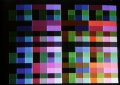
Thank you, I showcased two images that are really great on CGA. They do not lose detail, the colors are well distributed.
Dithering would make them look worse I think. I will make some additional color-reduction of source-images (256>64 or 16colors) with nearest color option without dithering to get other images to this quality because if the source-image is too colorful especially with bigger areas of dithering the result is mostly one big plain area with no detail or even completely black. So if I would get the most out of it, I think I will try to "prepare" some source-images before conversion that did not look good converted to cga before.
Last edited by dr.zeissler on 2026-02-08, 22:03. Edited 3 times in total.
Yes I normally use PSP4 on later Pentium machines. I will install it on this machine too, but this is for another project (mass-conversion of PNG images to gif) in order to make the ATARI-Compact-DiskCatalog visible on Netscape2.01 (Win32) on that machine. I have to change html-code (exchange PNG to GIF, get rid of CSS that netscape2 does not support and reducing from 4 to 2 colouns for 640x480 viewing, reducing the images on loading to half the scaling via browser costs way to much time to process them) so that this archived sites does work from my NAS on that 486 too. I write the disks back via mkdisk. https://www.exxosforum.co.uk/atari/games/index.htm
Last edited by dr.zeissler on 2026-02-08, 22:04. Edited 1 time in total.
Those did come out very nicely! It would be good to have an interactive converter where you could manipulate the colour space of the source image before conversion in order to avoid losing details in areas that would otherwise all map to the same CGA colour - that would make it possible to convert a lot of other images in such a way that they'd look as good as those two. But there are so many possible ways to manipulate a colour space, I'm not sure what would be the best way to go about it. In some cases you might not even want the transformation to be affine.
/- copying files to the network /- copying files to XT/AT - etc.
I have a network card in my XT with a packet driver and mTCP. When I need to transfer many files to/from it, I run FTPSRV and then just use filezilla (or any FTP client) on my modern machine to copy files over to/from it. This lets me use any tool on any host I want for creating files meant for the XT. (My portions of 8088 MPH and Area 5150 were developed/tested this way.)
The connivence is gone ifI cannot easily access the NAS and browse and lookup files.(Acdsee)
With filezilla, it's drag-and-drop, honestly. There's no faster or easier way to transfer files that I can think of, except possibly mounting a network drive using MS LANMAN, but I don't do that on XTs because LANMAN takes up something like 200KB of RAM.