VOGONS


Reply 20 of 26, by RetroGear1

User metadata
Rank Newbie
Rank
Newbie

akimmet,

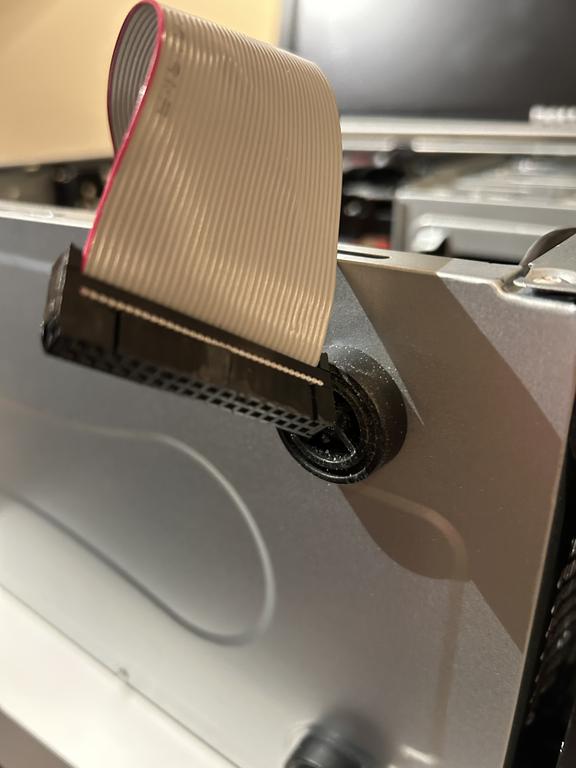
Thank you for bringing attention to this, mine does not. The floppy cable is perfectly straight and it looks like as you say I may need one that has the twist in the cable.

Currently, I have only one hdd and two optical drives. My mobo even though beilng a micro atx has 4 sata connectors which is why I got this one so I can add a second optical drive .

It looks like the red stripe is connected to the side where the "1" number is but the trimming I may need to do so I can flip the connector to the mobo in order to work. I will try this now.

Thanks so much for this tip.

Reply 23 of 26, by akimmet

User metadata
Rank Member
Rank
Member

This web page shows a correct PC floppy cable: http://www.nullmodem.com/Floppy.htm

This is what you will need to get things working. Don't try trimming the tab and flipping the cable around unless we are able to confirm it is nessisary. If you do have a rare early drive you will need to flip the cable at the floppy drive end not the motherboard.

Reply 24 of 26, by RetroGear1

User metadata
Rank Newbie
Rank
Newbie

Thanks for the link, i will reference it and am now convinced that it's a good chance it's the type of floppy cable that I am using is not the correct type and will try to get the proper type.

Much appreciated for your help akimmet!

Reply 25 of 26, by DaveDDS

User metadata
Rank Oldbie
Rank
Oldbie

If your cable doesn't have a twist, then you can't iuse druve A: but you should still be able to access it as drive B:

In BIOS set drive A: to none and B: as 1.44 - the drive should work as B:

If your BIOS has a "swap floppy drives" option, that can be used to make it A: - otherwise you will need to get the right cable... but you should still be able to get it working as B: and at least confirm that the drive and mainboard are working.

Dave ::: https://dunfield.themindfactory.com ::: "Daves Old Computers"->Personal

Reply 26 of 26, by DaveDDS

User metadata
Rank Oldbie
Rank
Oldbie

If you are comfortable working on little things, depending on the connectords on the cable, you might be able to remove the connector at the drive end of the cable, add the twist and replace it. Unless you would be happy with just drive B: you really have nothing to lose by trying.

I've done this a few time, here is an example where I removed both drive connectors and places twists around the center connector. This was for an ImageDisk system where I wanted the internal drive to be A: and B: at the end of the cable where it is easier to swap to a different drive "on the fly":
Re: CAN I FIT IT ON MY RIG???

if you decide to attempt this, let us know and we can provide details on exactly where the twist has to be and some tips that might make it slightly easier.

Dave ::: https://dunfield.themindfactory.com ::: "Daves Old Computers"->Personal