First post, by pshipkov
Consolidated and harmonized several pieces of code previously used for benchmarking and testing legacy hardware, into a unified library.
Thought it might be of interest to others here, so sharing it.
https://github.com/pshipkov/dos-media-library
A collection of independent modules for interactive graphics and audio programming in 16-bit real DOS mode for 286 / 386 / 486 / Pentium class hardware from the 1990ies, written in Turbo C.
Codebase occupies the space between a generic library and a game engine. Code is structured as an easy-to-read document for anyone with basic C experience. Rich annotations, simple types, explicit data movement, straightforward logic, and shallow call stacks.
Code is highly optimized for performance without overfitting towards specific use cases and without sacrificing readability.
img_t *image;spr_t *sprite;// initializevga_initialize(VGA_13H, RAM_BACK_BUFFER); // graphics modespr_initialize(VGA_13H); // sprite systemimage = img_load_from_file("SPRITE.BMP", x, y, w, h); // load image from filesprite = spr_create_from_image(image, SPR_OPAQUE); // create sprite from imageimg_set_palette(image, VGA_13H); // image palette -> HW paletteimg_free(image);// main (game, etc.) loopwhile (1) {spr_draw(sprite, x, y, SPR_FLAG_CLIP); // draw sprite at position (in back buffer)spr_draw(sprite, x2, y2, SPR_FLAG_CLIP); // draw sprite at another positionvga_flip_buffers(); // update screen}spr_free(sprite);// deinitializespr_deinitialize();vga_deinitialize();
For additional details, see the README, C header files, and inline comments in the source code.
A brief overview of the current modules with tests and benchmarks.
Low-level libraries that abstract the complexities of hardware interfacing and high-performance rendering.
The focus is entirely on the most classic era of PC graphics - before SVGA, VBE2, and linear frame buffers:
- CGA mode 4 - 320x200, 4 colors, 2 brightness levels. Interleaved memory layout, row-major ordering, 4 pixels per byte.
- EGA mode 0x0D - 320×200, 16 colors. Planar memory layout, row-major ordering, 2 pixels per byte.
- VGA mode 13H - 320x200, 256 colors. Linear memory layout, row-major ordering, 1 pixel per byte.
- VGA mode X - 320x240, 256 colors. Planar memory layout, column-major ordering, 1 pixel per byte.
- VGA mode Y - 320x200, 256 colors. Planar memory layout, column-major ordering, 1 pixel per byte.
Couple of highlights:
Double-buffered rendering with two staging area options: RAM back buffer (all graphics modes) and VRAM back page (EGA and VGA-X/Y only).
- RAM back buffer offers the highest performance, especially with frequent drawing, leveraging fast CPU-RAM access.
- VRAM back page lowers system RAM usage but is slower, since CPU-VRAM access over ISA/VLB/PCI is more expensive than CPU-RAM.
Using a VRAM back page enables hardware page flipping (no data copy required = no extra cost added per frame) - great for memory constrained systems and/or cases with fewer draws per frame.
EGA and VGA-X/Y modes can be configured with a virtual frame buffer with hardware support for efficient scrolling.
Highly optimized rendering routines with dedicated code paths supporting both per-pixel reading and writing and efficient region batch processing.
Hardware palette control.
Demonstration of baseline functionality - pixel operations, back buffer pointer operations, palettes switching.

4 libraries form the framework:
- BMP file loading (4-bit and 8-bit paletted). Automatic cropping to screen resolution.
- GIF87a/GIF89a loading with streaming LZW decompression. Interlaced support. Automatic cropping to screen resolution.
- Common image library as an abstraction layer. Image container management and lifecycle. Format-agnostic loading interface. Pixel manipulation and transformations. Prioritizes ease of editing over raw performance.
- Image-to-graphics bridge. Hardware palette setup from image data. Dithering, quantization, perceptual color matching.
Demonstration of baseline functionality and stress tests in CGA, EGA, VGA-13H graphics modes.

A compact library for efficient text rendering in graphics modes.
Built-in 6x8 bitmap font with 95 ASCII characters.
Support for transparent or solid backgrounds.
Demonstration of overlays, animation, styling functionality in all graphics modes.
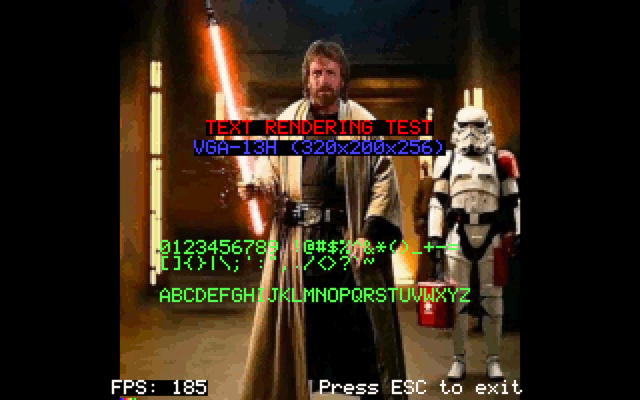
The test may appear simple - a mostly static display with only two dynamic elements - a frame counter and a scrolling text block, but it reveals several interesting subtleties.
To achieve the best possible performance across different graphics modes, the test employs two different rendering strategies, so the results are not strictly an apples-to-apples comparison.
In CGA and VGA-13H modes, partial-region restoration is used because their memory layouts make small updates efficient, whereas EGA and VGA-X/Y modes have overhead from frequent plane switching on partial updates, so full-screen blitting is used instead. This approach results in 4 memory copies and 4 plane switches per frame, otherwise frame rates would drop into the 20–40 fps range. Even with this optimization, planar graphics modes remain significantly slower than CGA and VGA-13H.
Understanding these implications is important to extract maximum performance from each hardware configuration.
The test results confirm it:
VGA-13H: 190 fpsCGA : 150 fpsVGA-Y : 125 fpsVGA-X : 110 fpsEGA : 90 fps
The 40 fps difference between CGA and VGA-13H modes comes from handling CGA's interleaved data organization and pixels packing - 4 pixels per byte.
The 20-30 fps difference between EGA and VGA-X/Y modes comes from handling EGA's row-major data organization and pixels packing - 2 pixels per byte.
Smooth and efficient screen scrolling was problematic in early PC graphics. Performance varies between modes due to different memory architectures and hardware features. Understanding these differences is necessary for optimizing graphics on period-correct hardware.
For reference:
IBM introduced CGA in 1981 without hardware scrolling.
EGA (1984) introduced hardware scrolling.
VGA (1987) refined hardware scrolling. Available in planar modes only (VGA-X/Y).
Software scrolling for CGA and VGA-13H modes implements copying of pixel data in RAM back buffer and blitting it to the screen.
Hardware scrolling for EGA and VGA-X/Y modes uses the video controller's built-in capabilities. The graphics backends provide virtual framebuffer (VFB) - a larger canvas in VRAM than the visible screen. The screen becomes a movable viewport into this larger area. With RAM back buffer, partial copying of pixel data is performed from RAM (back buffer) to VRAM (VFB) to fill new rows/columns exposed during scrolling. With VRAM back page, the code implements a pass-through, so pixels are directly drawn in the VFB, usually at coordinates within the screen.
Performance benchmarks covering all possible combinations of graphics modes, double-buffered rendering, software or hardware scrolling.
First part of the video shows the tests running on a DOSBox 486DX-66 reference system as the baseline.
Second half of the video is a run on a DOSBox 25MHz 286 reference system as a demonstration of performance optimizations for downscaling.

Test results are not surprising - graphics modes that support hardware scrolling perform better.
Performance varies across graphics modes due to differences in memory organization and hardware capabilities. Variability can also occur within the same mode - for example, in the CGA test, vertical scrolling is significantly faster than horizontal scrolling. CGA scrollers (games) better be designed as vertical.
EGA and VGA-X/Y modes provide two options for double-buffered rendering - using a RAM-based back buffer or a VRAM back page. Both are tested individually, performance metrics are provided for each of them with RAM back buffer numbers listed first.
VGA-Y : 293 / 217 fpsVGA-X : 276 / 212 fpsEGA : 246 / 150 fpsVGA-13H: 240 fpsCGA : 150 fps
From a performance standpoint, the RAM back buffer outperforms the VRAM back page double-buffered rendering. This advantage comes from the considerably faster CPU-RAM access compared to CPU-VRAM access. As each frame involves multiple read and write operations, the difference in bandwidth and latency grows rapidly, resulting in a significant performance gap.
The additional 40 scanlines of VGA-X impose a performance penalty compared to VGA-Y.
EGA is even slower than VGA-X/Y due to its data organization - planar memory layout, row-major organization, pixel packing.
The linear memory model and pixel-to-byte alignment of VGA-13H help a lot but not enough to match hardware scrolling.
CGA’s lack of hardware scrolling and overhead from its memory model (interleaved even/odd scanlines and pixel packing) make it the slowest option for screen scrolling.
Sprite rendering was essential for interactive graphics on early PCs, but the absence of hardware acceleration demanded low-level software optimizations to sustain performance.
This library implements the tight data management and high-performance rendering techniques required by legacy hardware.
- high-level, intuitive API that handles all low-level details - as simple as - create a sprite from image and draw it
- opaque sprites use uncompressed pixel data matching the memory layout of the graphics mode they were created for
- automatic span compression for transparent sprites, combined with optimized code that skips transparent pixels
- hardware clipping with customizable clip rectangles
- background save/restore for non-destructive sprite rendering
- automatic palette matching
Sprite sheet support for animated sprites is intentionally omitted as it is too use-case specific and goes against the library’s generality.
Pre-shifted bitmap copies for planar modes (EGA, VGA-X/Y) are avoided to prevent excessive memory use. Instead, runtime bit shifting is used - slightly slower but more flexible. Code can easily be adapted to apply bit shifting at creation time - trading memory for faster rendering.
Test/benchmark coverage of all graphics modes, double-buffering, and sprite rendering techniques, described in detail before each run.
CGA | EGA | VGA mode 13h | VGA mode X | VGA mode Y
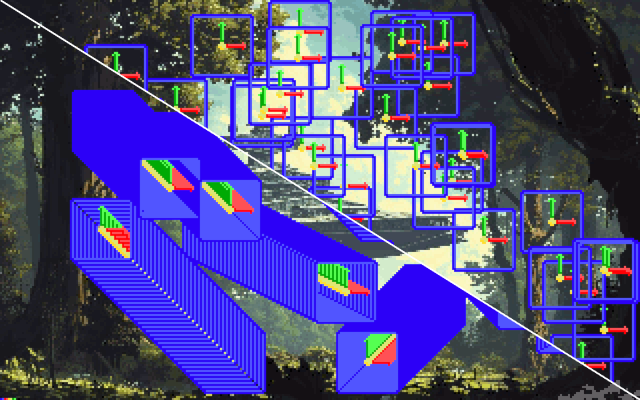
Results are quite interesting and telling.
First number is for tests with 10 sprites, second is for tests with 50 sprites.
VGA-13H mode's linear memory layout and one-pixel-per-byte packing have the least overhead when processing data. Memcopies all the way.
no background restoration 151.7 fps / 40.5 fpsper-sprite background restoration 95.7 fps / 21.9 fpssingle-pass background restoration 121.4 fps / 37.1 fps
VGA-X/Y modes suffer from their planar memory layout, which requires frequent plane switching - especially costly for per-sprite background restoration, where the number of switches scales with sprite count. This explains the low performance in the test. Notice how VGA-X and VGA-Y modes perform almost identically despite VGA-X having 40 additional rows, confirming that plane switching is the main bottleneck.
VGA-Y
no background restoration, RAM back buffer 121.4 fps / 28.4 fpsno background restoration, VRAM back page 79.2 fps / 15.7 fpsper-sprite background restoration, RAM back buffer 14.8 fps / 3.0 fpsper-sprite background restoration, VRAM back page 8.1 fps / 1.6 fpssingle-pass background restoration, RAM back buffer 101.1 fps / 27.2 fpssingle-pass background restoration, VRAM back page 121.4 fps / 29.8 fps
VGA-X
no background restoration, RAM back buffer 113.8 fps / 28.0 fpsno background restoration, VRAM back page 79.2 fps / 15.7 fpsper-sprite background restoration, RAM back buffer 14.7 fps / 3.0 fpsper-sprite background restoration, VRAM back page 8.1 fps / 1.6 fpssingle-pass background restoration, RAM back buffer 91.1 fps / 26.8 fpssingle-pass background restoration, VRAM back page 121.4 fps / 29.4 fps
CGA’s interleaved memory organization and 4-pixels-per-byte packing add extra cycles per draw operation.
no background restoration 91.1 fps / 18.8 fpsper-sprite background restoration 13.6 fps / 2.8 fpssingle-pass background restoration 86.7 fps / 18.4 fps
EGA’s planar layout, row-major organization, and pixel packing impose the highest overhead. Since bulk memory operations like memcpy are infeasible, rendering falls back to pixel-by-pixel drawing. Even with loop unrolling and other optimizations, EGA remains the slowest mode by far.
no background restoration, RAM back buffer 41.4 fps / 8.6 fpsno background restoration, VRAM back page 7.4 fps / 1.5 fpsper-sprite background restoration, RAM back buffer 6.4 fps / 1.3 fpsper-sprite background restoration, VRAM back page 1.4 fps / 0.3 fpssingle-pass background restoration, RAM back buffer 40.5 fps / 8.5 fpssingle-pass background restoration, VRAM back page 14.6 fps / 2.9 fps
Test runs in VRAM back page mode consistently results in lower performance than the RAM back buffer due to higher latency in CPU-VRAM data transfers over the ISA, VLB, or PCI bus compared to CPU-RAM access. The impact is most visible in the 50 sprite tests with higher draw counts.
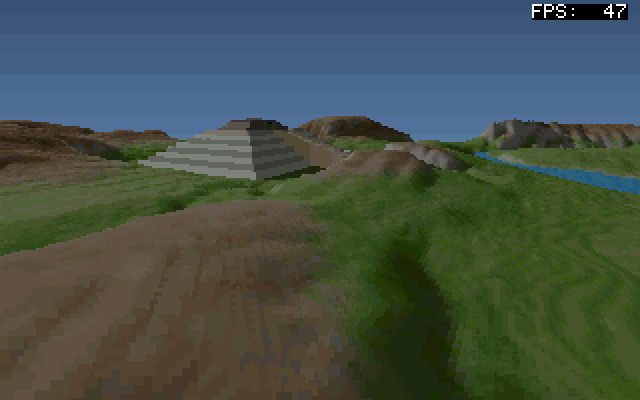
NovaLogic's Comanche: Maximum Overkill videogame (1992) was groundbreaking title with its voxel space engine, written entirely in assembler and so well optimized that it could run on a toaster.
The VXL module implements the same rendering technique.
It violates the library’s design goals and requirements - C‑only code, 286 CPU support, and real DOS mode - so it almost didn’t make the bake‑off list, but decided to include it anyway.
Pure C proved too slow due to the legacy compiler limitations, so the critical rendering paths use inline assembly for acceptable performance.
The framerate is still below what Comanche achieves, matching it will require writing the entire render loop in assembly, which is even more out of scope for this library.
Terrain is defined by square height and color maps stored in XMS memory (too big for conventional memory) and accessed directly via unreal mode (FS/GS segment overrides).
The test is in the form of an interactive application in which the user controls a 3D camera exploring the world and can toggle z‑depth / rendering LOD modes.
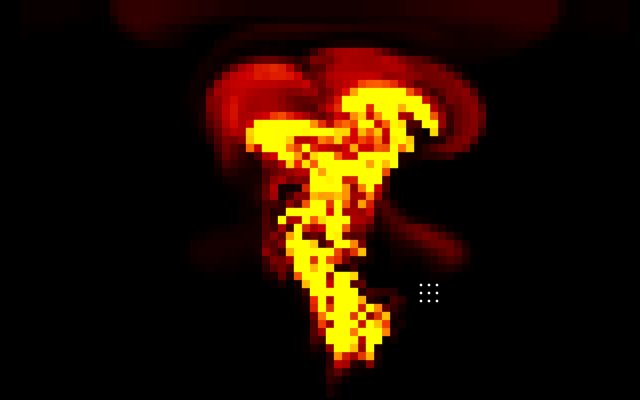
2D Navier-Stokes incompressible fluid dynamics solver (CFD) based on Jos Stam's "Stable Fluids" paper.
- Gauss-Seidel iterative pressure solve
- Semi-Lagrangian advection, configurable viscosity / diffusion / dissipation
- optional boundary handling
- gravity with density-proportional buoyancy
The test demonstrates interactive density emission into the voxel grid.
Point-Based Dynamics (PBD) solver for rigid body simulation.
- deterministic semi-implicit Euler integration
- iterative impulse-based resolution with friction + restitution
- circle and axis-aligned rectangle colliders
- compact pools (64 bodies / 64 colliders by default) that fit in conventional memory
- optional collision callbacks for begin/end/static-overlap event
The test demonstrates interaction between dynamic rigid bodies and static colliders, with and without gravity.
Visual representation of the simulation with sprites in VGA-13H graphics mode.
Direct hardware control of the PC internal speaker via Intel 8253 PIT.
Tone generation, musical sequences, and system beep functionality.
Optimized for retro game sound effects and simple audio feedback.
Baseline functionality testing.

3 libraries covering the following areas:
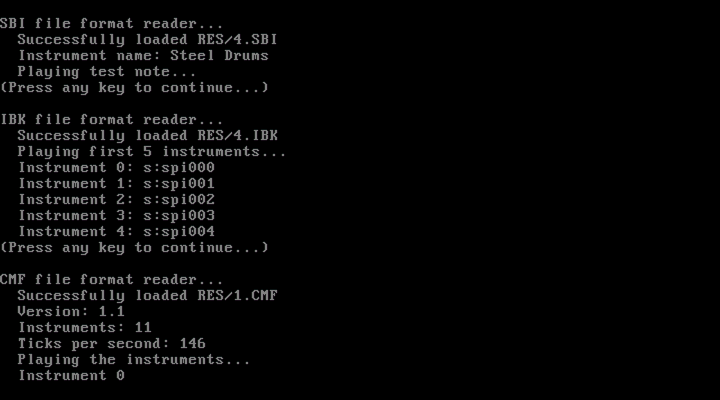
- instrument and music data loading from SBI (Sound Blaster Instrument), IBK (Instrument Bank), and CMF (Creative Music Format) files.
- complete FM synthesis control for Sound Blaster (OPL2/OPL3) and compatible hardware, including tone playback, instrument handling, volume control, etc.
- realtime music playback for the Creative Music Format (CMF)
Demonstration of baseline functionality - playback of tones, instruments, etc.
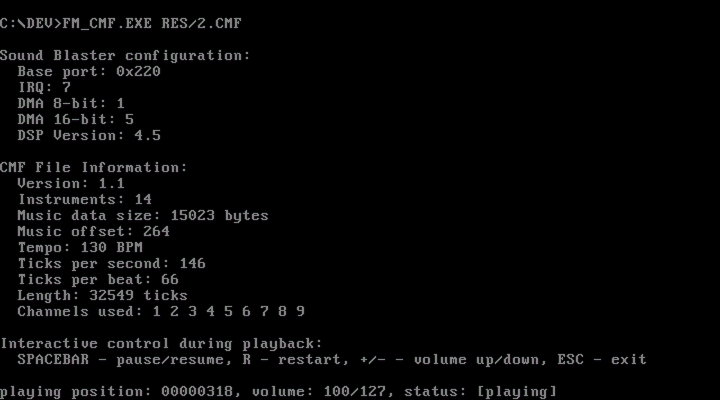
Demonstration of realtime playback of Creative Music Format files.
Second part of the video shows smooth playback during scale down to a reference 8MHz 286 system in DOSBox - a proof of a well optimized implementation.
6 libraries form the framework:
WAV file format loading library.
Provides complete header parsing and sample data extraction.
Supports full RIFF specification including PCM, A-law, Mu-law compression formats.
Optimized for DOS conventional memory constraints:
- batch loading from files on disk
- streaming from files on disk or memory buffers
Sound Blaster core library.
Provides fundamental Sound Blaster detection, initialization, and DSP control.
Supports Sound Blaster 1.5, 2.0, Pro, 16, and AWE32 variants and other compatible hardware.
Digital sound effects foundation library for 16-bit DOS mode.
Builds on the SBR core library to provide shared functionality used by the higher-level audio modules listed below.
- DMA controller setup and management (single-cycle and auto-init modes)
- interrupt handler installation and removal
- hardware capability validation for WAV format compatibility
- DSP command constants for 8-bit and 16-bit audio control
- buffer size calculation and adaptation utilities
- extensive floating point optimizations
Continuous playback through the PC speaker using 1‑bit audio (bit‑banging method), via double‑buffered, interrupt‑driven streaming.
- chunked streaming of WAV files from files on disk or memory buffers
- down-sample and fold multi-channel / multi-bit PCM to 1-bit output
- timer IRQ driven playback with optional looped playback
- double-buffered 1-bit output to avoid ISR starvation
- service hook to keep streaming responsive without heavy IRQ work
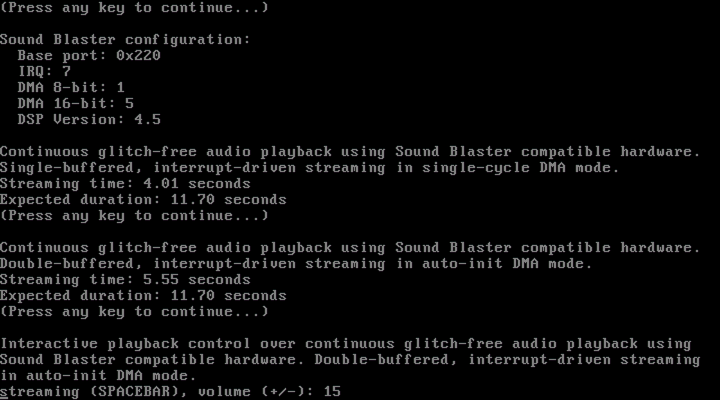
Continuous glitch-free audio playback using Sound Blaster compatible hardware, via single-buffered, interrupt-driven streaming in single-cycle DMA mode.
- automatic resampling of input to target format
- single-cycle DMA mode with automatic chunk progression
- single-buffer streaming from files on disk or memory buffers
- interrupt-driven automatic chunk loading for minimal CPU overhead
- adaptive buffer sizing for optimal performance across file sizes
- chunk size optimization for different Sound Blaster hardware
- hardware-specific pause/resume functionality (SB16+ only)
- seamless looping
Continuous glitch-free audio playback using Sound Blaster compatible hardware via double-buffered, interrupt-driven streaming in auto-init DMA mode.
- automatic resampling of input to target format
- high-speed auto-init DMA mode for maximum throughput
- double-buffered streaming with support for both contiguous and non-contiguous buffer allocation
- interrupt-driven automatic chunk loading and buffer switching for minimal CPU overhead
- adaptive buffer sizing for proper playback of audio data of minimal length and looping
- precise management of end-of-stream behavior (a common problem with auto-init DMA mode)
- hardware-specific pause/resume functionality (SB16+ only)
- seamless looping
Functionality tests followed by performance scaling experiments to validate optimizations.
The first minute of the recording demonstrates various playback methods. Notice the smooth, glitch-free output on Sound Blaster hardware.
Around the one-minute mark, scaling tests showcase code optimizations - maintaining smooth playback on a reference 8 MHz 286 system in DOSBox.
At 1:40, 16-bit playback is shown, followed by similar scaling experiments down to the same 8 MHz 286 configuration.
Real-time continuous multi-voice mixing library.
- real-time multi-voice software mixing (up to 8 simultaneous voices)
- configurable buffer sizes for optimal timing (256-8192 samples)
- seamless integration with digital sound effects libraries (builds on them)
- dynamic voice management (add/remove voices during playback)
- individual voice volume control
- automatic voice lifecycle management with cleanup
- stream audio from WAV files or in-memory buffers
- support for multiple formats - 8/16-bit, mono/stereo, full range of sample rates - sampling rate conversion targets minimal CPU overhead - no interpolation, filtering, etc.
Interactive functionality test simulating sound system of an arcade game - user (me in this case) fires first and second weapons by pressing hotkeys which triggers sounds that get mixed together with the music playing on the background.
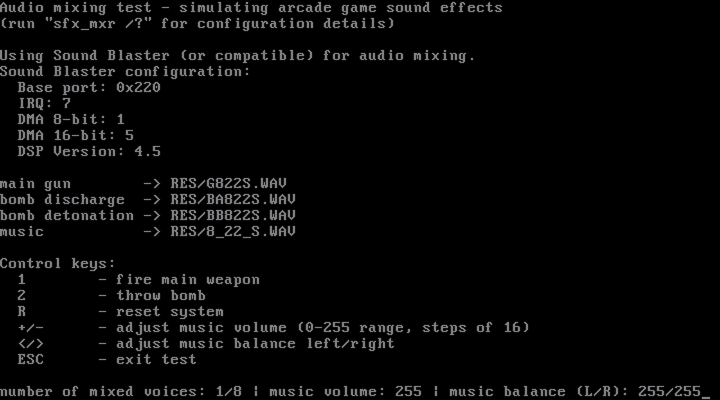
Performance scaling experiments to validate optimizations.
Notice the impact of using 16-bit source audio on underpowered hardware.
scaling down
scaling up
The repository also includes two examples contributed by my father, who briefly caught my retro-fever.
PC speaker 1-bit audio playback of arbitrary size WAV files via double-buffered streaming.
- handles any WAV file format (8/16-bit, mono/stereo)
- converts input data format to 1-bit PWM for PC speaker output
- uses INT 1Ch (user timer tick) for sample timing
- dynamically generated x86 assembly ISR
Continuous glitch-free playback of arbitrary size WAV files using Sound Blaster 16 compatible hardware.
- high-speed auto-init DMA
- double-buffered streaming
- interrupt-driven automatic chunk loading and buffer switching for minimal CPU overhead
The implementations in action:

VRAM memory management for VGA planar modes.
- allocation and deallocation of video memory regions in planar (unchained) VGA modes X and Y
- maintains linked list of free VRAM blocks
- allocation in a first-fit manner
- adjacent free blocks are merged to reduce fragmentation
Extended memory specification (XMS) library with focus on simplicity, safety, accessibility, without compromising performance.
- XMS 2.0/3.0 specification compliance
- access to extended memory above 1MB barrier from real mode
- handle-based memory management (allocate, free, resize)
- block copy operations between conventional and extended memory
- automatic handle tracking for leak detection on cleanup
- human-readable errors
Usage:
xms_initialize()handle = xms_allocate_block(1024) // allocate 1MBxms_copy_to_xms(handle, 0, data, len) // copy data to XMSxms_copy_from_xms(handle, 0, buf, len) // copy data from XMSxms_free_block(handle)xms_deinitialize()
Video recording of a test suite run.
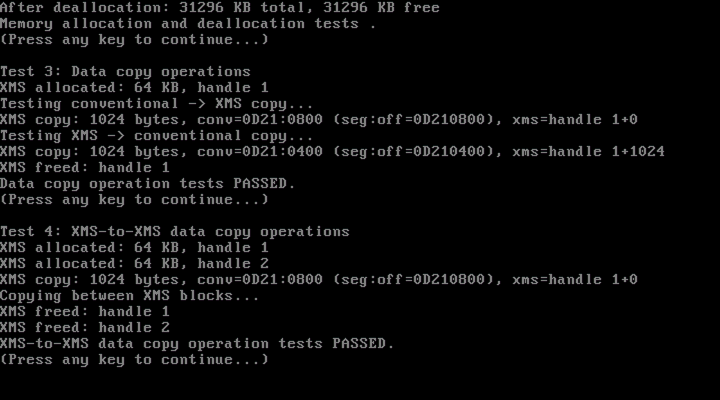
A complete end-to-end test involving many of the showcased above modules.