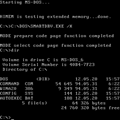
Well you will have some problems with the install, because of >512mb of RAM, UEFI CSM, and ACPI. There are various patches for these issues like CREGFIX and R. Loew's PATCHMEM, or you can use Oerg866's Windows 98 QuickInstall image which includes all official patches and those fixes. Use a 128gb or smaller SSD or hard drive to avoid disk corruption.
The next problem you will have if you can get Windows 98 installed at all is USB, which may include the keyboard and trackpad not functioning if they are connected that way. This may be resolved by using NUSB 3.6 and the Intel MACHINE.INF files available on Retro System Revival.
The third set of problems you will have is Drivers. There are no manufacturer-provided drivers for Windows 98 for any hardware newer than 2006. Full stop. I can say that confidently because that's when Microsoft stopped signing them. However there are still some options available, there are a few hobbyist produced drivers now and kernel extensions for getting some WDM drivers from Windows 2000/XP to work (but this requires a lot of esoteric Windows knowledge so good luck).
for display drivers: there is SoftGPU by JHRobotics which emulates 3d APIs on the CPU (slowly), there is also an older 2D only Vesa driver which may be faster on some systems right now (and you'll realize this is important if you get stuck waiting 5 minutes for welcome.exe to draw in).
Finally there is my project for HD Audio drivers which should work as long as that laptop has a Realtek codec but still is far from perfect.
For Ethernet, manufacturers provided NDIS 2.0 (DOS) drivers a lot longer than they provided Win9x drivers and these will work with Win98 though at very subpar speeds and other limitations.
Only a few Wifi cards can both work in 98se/Me and connect to modern access points with WPA2 security. I think that needs to be a Ralink RT61 chipset with the Odyssey Access Client which I cannot link here.
There's a possibility of using R.Loew's WDMEX to allow newer drivers but you will have to be extremely knowledgeable about driver development and figure out how to add missing kernel functions that those newer drivers depend on (good luck).
Sleep mode is NOT going to work. Prove me wrong. Ideally by writing your own power management driver that I can use, I'd love to see it.