OK here is the down and dirty:
You'll Need:
An analog headset extension cable with Left\Right and Ground conductors at minimum
A way to terminate the extension cable with some header pins (Header-pin set-crimper\soldering stuff optional)
An AC97 front panel
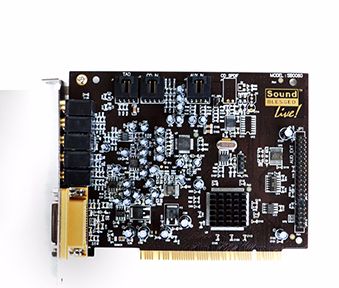
The troublesome sound card
multimeter to verify continuity and identification of wires in the extension cable
I decided to use 3x single pin housings instead of a single clean 2x5 housing for the pins just in case I had to move things around (glad I did...)

I originally used the following pins on the AC97 header:
2 - GRD
5-RGT
9- LFT
I connected and tested...
Issue one was that I messed up the wire identification and had to switch the left\right input wires
Issue two was that every time I removed the headset at the front or at the back, the system would hang and I had to reinstall the sound drivers
(I am assuming some sort of "headphone connection signal" was having a fit)
So I swapped the input wires to the "correct" channels and tried the new pins below:
2 - GRD
6-RGT
10- LFT
After those changes everything worked!
I could then remove any of the headset jacks without issue.
(I'm still scratching my head because from the headphone jack to the headset the conductors for 5\6 and 9\10 are the same.... but it is what it is.)

Here are the final pics:
(Orange is the AC97 connector, Blue is the three pin connector with the exposed ground wire safely surrounded with electrical tape.)


In the future I will use the "Correct" 2x5 pin housing for a professional\clean connection and an extension cable with a 90 degree jack, but for now it is working...
Let me know if anyone has any questions\comments...

I either fix it or break it permanently... there is no try.