VOGONS


New joystick in DOSbox

Topic actions

First post, by Kelly Stiver

User metadata
Rank Member
Rank
Member

I brought a Manhattan joystick converter from Amazon.com, tried it, but it didn't work at all. Maybe it was a dud. I'm thinking of returning it for a refund since I now have my eye on a Logitech extreme 3D Pro usb joystick that i'm thinking of getting for $44.99 plus tax from my local
Best Buy that's near the mall. Here are the specs for this joystick:

System requirements:
pc with pentium processor or compatible;
64 MB RAM;
20 MB available hard disk space;
CD-ROM drive;
USB port;
Windows 98, 2000, ME, or XP;
it has a twist handle and 12 buttons plus the fire (trigger) button).

These joysticks will be out of stock 12-31-08; the one I looked at tonight was the only one that was left on the shelf at Best Buy, and I've put it on a 24-hour hold before leaving Best Buy to go to the bus stop to go home tonight. I'm wondering if this joystick will run in DOSbox as well as Virtual PC & VMware Player under Windows 98SE for playing my older space combat simulator games in DOSbox and VPC 2004 and VMware Player under Windows 98SE as well as Microsoft Flight Simulator X (deluxe edition) under Windows XP [all this - DOSbox, VPC 2004 & VMware Player - are installed on my laptop which runs Windows XP, has 1 GB RAM]. newjoystickatBestBuy.jpg
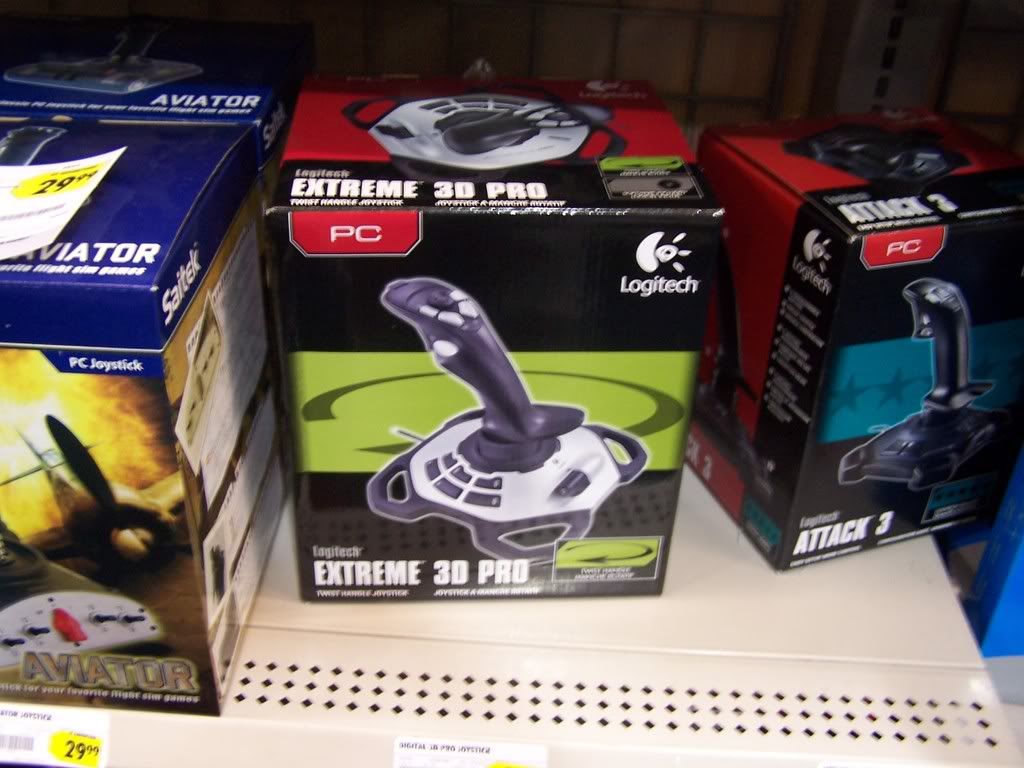
I'm wondering if this joystick will work in DOSbox. I have DOSbox 0.72 win32installer. I also have Windows 3.11 installed in DOSbox in a subdirectory and am wondering if this joystick will work in Windows 3.11.

Reply 1 of 4, by DosFreak

User metadata
Rank l33t++
Rank
l33t++

Well VPC your out of luck since VPC doesn't support USB.

DOSBox and Vmware will work.

DOSBox won't support all of the buttons and you'll have to configure your dosbox.conf

How To Ask Questions The Smart Way
Make your games work offline

Reply 2 of 4, by Kelly Stiver

User metadata
Rank Member
Rank
Member
DosFreak wrote:

DOSBox and Vmware will work.

DOSBox won't support all of the buttons and you'll have to configure your dosbox.conf

Thanks, DosFreak. DosFreak, could you please write me a tutorial on how I can configure my dosbox.conf for this joystick? I'd appreciate it.

Reply 3 of 4, by ADDiCT

User metadata
Rank Oldbie
Rank
Oldbie
DosFreak wrote:

DOSBox won't support all of the buttons

Bottons are not a real problem (when using the "buttonwrap=false" directive), but i couldn't get additional axes to work last time i've tried (important for throttle/rudder control).

On a modern machine, USB joysticks are the way to go. Don't bother with that old gameport-crap. But the best joystick won't help you if the program you're using doesn't support joysticks (like in DosFreak's examples).

Basic questions:
- are the joystick's mechanics good and durable (search for reviews)?
- are the drivers bugfree and readily available (many joysticks will work without special drivers, but it's always a plus to be able to configure certain settings via a special driver)?

I don't like these huge, inaccurate joysticks, and have been using gamepads for quite some time now, even for flying sims. If you can get over the fact that you won't have throttle controls on most gamepads (though you can set rudder controls to the second analog stick), they're a inexpensive, compact, and durable alternative. I'd recommend XBox 360 controllers, as they are very well designed, and work very good with windows. If i'm ever going to buy a "real" joystick, i'll go with the best i can get, no matter the cost. I have used too many "cheap" joysticks in the past, and never was happy with them. I'd rather spend a large sum once and be happy, than spend the same (or an even larger) amount of money on various joysticks that suck.

Reply 4 of 4, by Kelly Stiver

User metadata
Rank Member
Rank
Member
ADDiCT wrote:

On a modern machine, USB joysticks are the way to go. Don't bother with that old gameport-crap.

Are you talking about game port adapters (such as the Manhattan Game Port Adapter that I brought from Amazon)?

anyone know why gameport adapters don't work?

Also, I didn't buy that Logitech Extreme 3D Pro joystick today, as I've found a number of bad reviews on it.