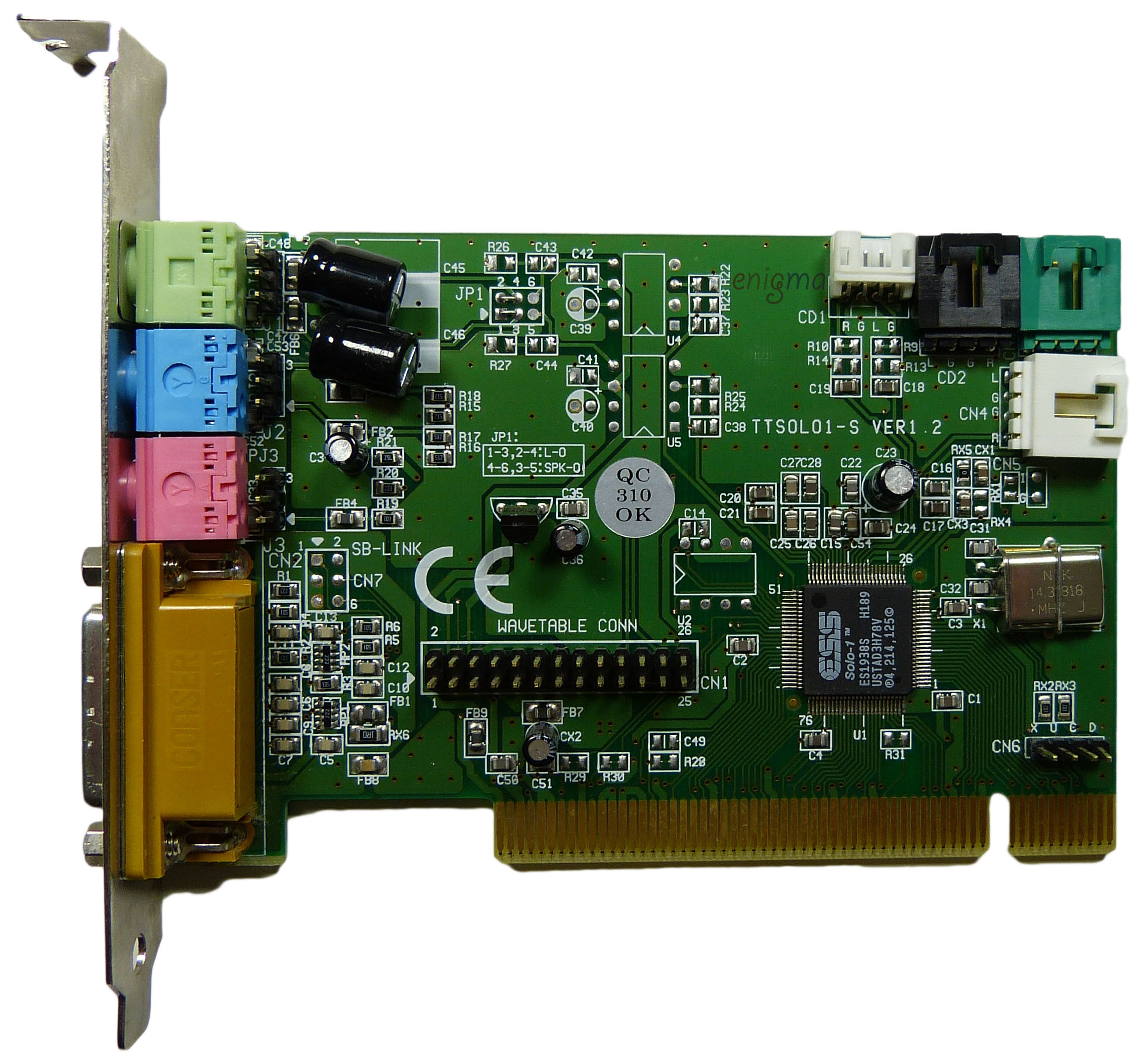
I was looking for an answer here on Vogons, but I didn't find one. However later I managed to enable Game Port on my ESS Solo-1 card attached to HP T5710 thin client. I am pasting my solution here:
- I am using solo1_drv_w9x_4.12.01.1165.zip driver from philscomputerlab.com installed on Windows 98 SE. 406-1126.zip attached in the previous post is simply slightly older version that IMHO does not come with any control panel or improvement. I am running DOS games and apps via Win98SE CONFIG.SYS and AUTOEXEC.BAT customization with GUI boot disabled.
- Once installed Phil's driver automatically enables DOS integration. This driver does not come with any UI or whatsoever besides what is already provided by Windows. However analyzing .inf files it reveals certain things can be configured via registry under HKLM\System\CurrentControlSet\Services\Class\MEDIA\0000\Config (0000 index may vary depending on your configuration)
- Rewriting config.sys by the driver on each boot (which I find supper annoying) can be disabled replacing "Add DEVICE=ESSOLO.SYS" and "Add ESSOLO.COM to Autoexec.bat" can be disabled moving replacing ff with 00 zeros.
- Game Port can be enabled in Windows replacing "Add Game Port" value 00 with ff. After reboot Game Port will show up as new device.
- Now, for DOS Game Port you need to edit C:\ESSOLO.INI according to ESS Solo-1 easy(ish) setup with ESSOLO.INI (No Windows/ESSOLO.SYS Required!) ensuring byte no. 09 has 02 hex value instead of any other (it was 12 for some reason on my setup). I used hexit editor to change this byte. Remember to backup the file. I also set +R +H +S flags on ESSOLO.INI to prevent accidental modifications.
- Once you reboot, running ESSOLO.COM (via AUTOEXEC.BAT) is absolutely sufficient to get everything running. I don't understand the purpose of ESSOLO.SYS. In my case I don't need anything resident at all to have fully working SB Pro 2 and OPL3 in DOS.
NOTE: Running ESS Solo-1 on HP T5710 (BIOS 1.08) thin client is bit unintuitive as BIOS does not provide any way to manually control IRQ / PCI slot assignment. Disabling most of integrated peripherals like built-in VIA AC97 sound, ethernet, parallel and serial ports will result in either ESSOLO.COM hanging/freezing or in other setups getting very weird IRQ numbers unsupported by many games! As unintuitive as it sounds, you need to keep VIA AC97 and ethernet enabled in order to ESSOLO.COM get your ESS Solo-1 assigned to most preferred IRQ 5.
So far I didn't try if Game Port really works. I just managed to get Game Port IO=201h as on the attached photo. I am still waiting for Game Port version CH Combat Stick to play Jane's ATF, but I will update my post once I confirm it really works. Otherwise the card works perfectly in all games I tried in DOS. Sound quality is great, especially OPL-3 and ESFM and it does not consume any memory.
The attachment IMG_5440.jpeg is no longer available
The attachment IMG_5460.jpeg is no longer available
The attachment IMG_5443.jpeg is no longer available
The attachment IMG_5439.jpeg is no longer available