VOGONS


VGA Repair report collection

Topic actions

Reply 60 of 80, by ChrisK

User metadata
Rank Member
Rank
Member

Unbelievable. Very much appreciated!

RetroPC: K6-III+/400ATZ @6x83@1.7V / CT-5SIM / 2x 64M SDR / 40G HDD / RIVA TNT / V2 SLI / CT4520
ModernPC: Phenom II 910e @ 3GHz / ALiveDual-eSATA2 / 4x 2GB DDR-II / 512G SSD / 750G HDD / RX470

Reply 61 of 80, by tehsiggi

User metadata
Rank Oldbie
Rank
Oldbie
ChrisK wrote on 2026-02-18, 13:13:

Unbelievable. Very much appreciated!

Very welcome. The X700 AGP is basically the X700SE PCIe but with the full chip enabled. They went for DDR1 due to cost.

AGP Card Real Power Consumption
AGP Power monitor - diagnostic hardware tool
Graphics card repair collection

Reply 62 of 80, by JammyPajammies

User metadata
Rank Newbie
Rank
Newbie
tehsiggi wrote on 2026-02-18, 07:52:

Keep it up! Regarding the schematic, there you go!

I wonder if there is any issue with memory, as the pattern with the colors in your first picture is very repetitive.. you could try to find a version of MATS for that cart RAM chips layout on Quadro 980 XGL

Whoa, that was way fast! Thanks for the schematic! This is close enough to the NV28 on my card (NV28 seems to have a few extra capacitors at the outer top left/right edge and center bottom-middle) that with a reference image with color differentiated capacitors, I am able to determine the values of the capacitors that need help. geforce_4_ti_4800_r.jpg

The attachment Cap Reference.jpg is no longer available

The schematic + external reference image confirmed my suspicion that my card's cap colors didn't make sense. Of course, my first attempt with the shoehorned 2000pF capacitors was the actual closest to actual spec.🤣 The 4.7uF 0805s that I put in are correct, but I got the 0.01uF capacitor on the data lines wrong by a factor of 5 (I put in a 2000pF), whoops.

On the point about memory, the artifacts could have been caused by trapped isopropyl under the chip(s) from when I was cleaning flux off after attempt #2 or a result of the capacitor values from that attempt. The benchmark screenshot from my previous post was made after attempt #3 and ran without any artifacts (I was watching the whole time), so I would hope that the memory is ok. In any case, I am going to hold off on trying MATS until I get the correct value caps back on. I will update when I have news to share! 👍

Reply 63 of 80, by JammyPajammies

User metadata
Rank Newbie
Rank
Newbie

Attempt #4 using the schematic specs completed. All done with this one I think. Embarrassingly, it seems that my display setup (PC -> Extron VGA splitter -> monitor) was the main culprit behind the smearing/ghosting with this particular card. 🤦

The attachment IMG_20260221_161412.jpg is no longer available

Performance is fine, no artifacts on benchmarks, only one minor issue remains that isn't a deal breaker: There is coil whine or some other squealing in the 10-14kHz range from the card that starts as soon as I power on the PC but goes away and stays away the moment I put a load on the card, i.e. start a 3d mark run. This problem persists with a different fan plugged in and doesn't seem to happen at all if I disconnect the fan. I always thought that coil whine was positively correlated with component load, but I guess that's not always necessarily true. 🤷

The attachment all_repairs_stop.png is no longer available
The attachment IMG_20260222_113335.jpg is no longer available
The attachment IMG_20260222_113246.jpg is no longer available

Hot air station is still a few weeks out, so eventually I might try to get the mlccs to sit a little more flush using it, though I don't know or think it really matters all too much.

Reply 65 of 80, by JammyPajammies

User metadata
Rank Newbie
Rank
Newbie
tehsiggi wrote on 2026-02-22, 21:18:

Whining of the regulator could be due to the compensation network of the switching regulator not matching the output stage with the new caps.

Glad the card works.

You nailed it again! I looked at the schematic for the specs of the big electrolytics. Indeed, the big tall cap in the previous post needed an ESR in the range of 170mOhm and the one directly above it needed a bit more resistance as well. I finally got to use caps that I salvaged to practice desoldering years ago for something. No more high pitch whining! And I can finally justify having random caps on hand. 😆

The attachment IMG_20260222_154840.jpg is no longer available

Reply 66 of 80, by ChrisK

User metadata
Rank Member
Rank
Member

Does anyone know if it's possible to mix RAM chips from different manufacturers on a Ti4200 (NV28)?
I have a card with two allegedly defective chips from ESMT with 3.6ns in TSSOP-66 package. Those are relatively hard to get and would cost more than twice what the card itself was.

Apparently there are four strapping bits for the RAM type but I can't make anything out of the different variants since I don't know the meaning of the individual bits. There's also little information in the commonly available schematics. Must have to do with memory organization and termination themes but like said, exact information in missing.

I'd have some Hynix or Samsung chips with same speed grade available. But will either of them work in the current/mixed configuration?
I'm not that anxious in switching all eight...

RetroPC: K6-III+/400ATZ @6x83@1.7V / CT-5SIM / 2x 64M SDR / 40G HDD / RIVA TNT / V2 SLI / CT4520
ModernPC: Phenom II 910e @ 3GHz / ALiveDual-eSATA2 / 4x 2GB DDR-II / 512G SSD / 750G HDD / RX470

Reply 67 of 80, by tehsiggi

User metadata
Rank Oldbie
Rank
Oldbie
ChrisK wrote on 2026-02-27, 13:23:
Does anyone know if it's possible to mix RAM chips from different manufacturers on a Ti4200 (NV28)? I have a card with two alleg […]
Show full quote

Does anyone know if it's possible to mix RAM chips from different manufacturers on a Ti4200 (NV28)?
I have a card with two allegedly defective chips from ESMT with 3.6ns in TSSOP-66 package. Those are relatively hard to get and would cost more than twice what the card itself was.

Apparently there are four strapping bits for the RAM type but I can't make anything out of the different variants since I don't know the meaning of the individual bits. There's also little information in the commonly available schematics. Must have to do with memory organization and termination themes but like said, exact information in missing.

I'd have some Hynix or Samsung chips with same speed grade available. But will either of them work in the current/mixed configuration?
I'm not that anxious in switching all eight...

Have you checked the datasheets with regards to the timings? If they are comparable and the supply voltages as well, i don't think there should be that much of a difference. Got any part numbers to look at?

AGP Card Real Power Consumption
AGP Power monitor - diagnostic hardware tool
Graphics card repair collection

Reply 68 of 80, by ChrisK

User metadata
Rank Member
Rank
Member

Was more focused on getting the original ones until now. My inner Monk demanded it...
The others came up while searching. Wasn't sure if they could be an option.

M13L128168A-3.6 (original)
https://datasheet4u.com/pdf-down/M/1/3/M13L12 … 68A_EliteMT.pdf

K4D261638F-TC36 (replacement option 1)
https://www.alldatasheet.net/html-pdf/86665/S … K4D261638F.html

HY5DU281622ETP-3.6 (replacement option 2)
https://datasheet.datasheetarchive.com/origin … /DASF003295.pdf

Edit: had to correct the third link. Somehow they got a "DDR" and a "gDDR" variant at Hynix with the exact same part number but different timings!?

RetroPC: K6-III+/400ATZ @6x83@1.7V / CT-5SIM / 2x 64M SDR / 40G HDD / RIVA TNT / V2 SLI / CT4520
ModernPC: Phenom II 910e @ 3GHz / ALiveDual-eSATA2 / 4x 2GB DDR-II / 512G SSD / 750G HDD / RX470

Reply 69 of 80, by ChrisK

User metadata
Rank Member
Rank
Member

So I think we've a showstopper called VDD.
ESMT has it at 3.135V to 3.6V while the others are at 2.375V to 2.625V. So it seems no mixing possible in this case.
Would you concur, tehsiggi?

RetroPC: K6-III+/400ATZ @6x83@1.7V / CT-5SIM / 2x 64M SDR / 40G HDD / RIVA TNT / V2 SLI / CT4520
ModernPC: Phenom II 910e @ 3GHz / ALiveDual-eSATA2 / 4x 2GB DDR-II / 512G SSD / 750G HDD / RX470

Reply 71 of 80, by ChrisK

User metadata
Rank Member
Rank
Member

Have ordered the same ones for an insane price...
They will take some weeks to arrive.

RetroPC: K6-III+/400ATZ @6x83@1.7V / CT-5SIM / 2x 64M SDR / 40G HDD / RIVA TNT / V2 SLI / CT4520
ModernPC: Phenom II 910e @ 3GHz / ALiveDual-eSATA2 / 4x 2GB DDR-II / 512G SSD / 750G HDD / RX470

Reply 72 of 80, by tehsiggi

User metadata
Rank Oldbie
Rank
Oldbie
ChrisK wrote on 2026-03-02, 13:37:

Have ordered the same ones for an insane price...
They will take some weeks to arrive.

Fingers crossed that they'll work..

If not, the switch all + MVDD swap is still an option, but my prayers will ensure this work out 😉

AGP Card Real Power Consumption
AGP Power monitor - diagnostic hardware tool
Graphics card repair collection

Reply 73 of 80, by ChrisK

User metadata
Rank Member
Rank
Member

While still waiting for the shipment of my replacement parts I've another repair story.
Spoiler: this time no happy end (yet), so sensitive individuals refusing a certain rate of violence decide for yourself if you want to continue reading 😉

This is mainly told to give some hints where to look within a repair process before bringing out the big tools.
It is one of my very first "repair" projects in that matter at all that already started some years ago, a project where I couldn't find a solution, put it into a box, got it out of a box, couldn't find a solution, put it into a box, ...
In the end I may have killed it on my own because I didn't know any better.
So yeah, we're all coming from somewhere and are growing with our tasks.
But enough for the preface..

The suspect: Radeon X800GTO 256MB PCIe
The origin: HW lot with some TX mainboards, old ISA VGA cards, an AiW 9600Pro, iirc
The condition: not working although I think I can remember it posting once but then never again, but fan would spin down to below 100% duty right after POST

These pictures show the card already stripped down and worked on but I think you can imagine its natural condition:

The attachment X800_Front.jpg is no longer available
The attachment X800_Back.jpg is no longer available

What was checked over the time:
- all (ALL) regulators: all there and within spec
- resistances of the rails: nothing suspicious, only VDDC was rather low at ~1.3 Ohms, wasn't sure how to assess this at this point but ASIC only got little warm so I figured it may be ok
- BIOS: chip was removed, read out with external programmer & compared to a BIOS file from the net -> identical, rewrote the chip with no problem
- thermal sensor: signal from thermal diode was there but no communication on the I2C side

At this point I put the card away waiting for some mental lightning bringing me more enlightenment. I waited...
Took out the card again, checked everything again, put it under my pillow (figuratively ofc). But still nothing. Back to box.
Deciding I had nothing to loose it underwent a hot air treatment. Of course all of you know with this kind of card there's no dice with hot air alone and you can't move (not to mention reflow) anything. Now I know too.
Result: nothing changed, no POST, no spinning down of the fan after power on. Back to box.

That was the point where I thought about spending it for parts or putting it to the bin. Case closed...

...not really:
Just recently, after a successful repair of a 9800XL and a X700, I pulled it out of its box again, just to have another look at it and try some more things.
First of all, try my new preheater and do things right! Said and done. Heated everything up, flowed it with flux, dipped the ASIC a few times. Everything looked right, easy peasy. And yet, nothing 🙁.

With the help of the schematic (which I didn't have at my first attempts) I started again probing different signals. One of them was the PCIe-reset signal.
I remembered having had a look at this before and thought I'd confirmed it was ok. But only up to the output of a buffer just next to the PCIe slot. This time I followed the traces to some resistors on the back of the card and tried to measure if there was continuity up to the last point of the line. There wasn't. In fact the area around these resistors was so heavily corroded that no solder would stick to the pads regardless how much I tried and what flux I used. Why I haven't seen this before I can't say.

The attachment X800_PCIE_Reset.jpg is no longer available

I could remove the two resistors which had no continuity (R1837, R1838) but had to replace them. For their pads I used a glassfiber pencil and carefully scrubbed away the oxide. After that it was possible to get some solder on them again. With the replaced resistors the reset signal would finally reach the ASIC again.
In the end it didn't help. The card still didn't post. "It's dead, Jim" I said to myself.

Having come so far no one would just give up, right?
So I started probing the flash again, as well as all PCIe and memory related signals.
And I found life! The ASIC seems to read the flash, there was traffic on all SPI lines. Ha, it's not dead yet!
For the other signals, well, it didn't work out that positive. There were three PCIe lane signals having a short to ground. The same with two RAM signals. My fault in a failing reflow?
OK, last try, give it a shot in a PCIe x1 slot. Beeing higher PCIe lanes with the shorts maybe it says hello in a x1 slot. But, no luck.

The point of no return:
So if I can't help it come back to life maybe it can help me learning some more.
Again with the big tools, I removed the ASIC to find out where exactly the shorts are. The ASIC came off easily and showed a wonderful almost perfect BGA picture. So no short at the balls.
The PCB was also free of shorts now but the ASIC itself wasn't. Guess it really is dead now, Jim.

The attachment X800_ASIC_removed.jpg is no longer available

Unfortunately my replacement parts order was out already a few days and just for the R480 it doesn't make sense to start another one.
Don't know but this card will go back to the box for now until the day a replacement crosses my way or I need parts for other projects. In the end it is just another X800-PCIe. One of a million and nothing to worry too much about.
I'm pretty sure this card could work now if I had seen the corroded area much earlier. May be my very first tries with hot air damaged the ASIC already, who knows.
But this was also a learning session for me and now maybe others too. A good one.
Next time I'll do better, I promise 😉

Last edited by ChrisK on 2026-03-06, 12:17. Edited 1 time in total.

RetroPC: K6-III+/400ATZ @6x83@1.7V / CT-5SIM / 2x 64M SDR / 40G HDD / RIVA TNT / V2 SLI / CT4520
ModernPC: Phenom II 910e @ 3GHz / ALiveDual-eSATA2 / 4x 2GB DDR-II / 512G SSD / 750G HDD / RX470

Reply 75 of 80, by tehsiggi

User metadata
Rank Oldbie
Rank
Oldbie

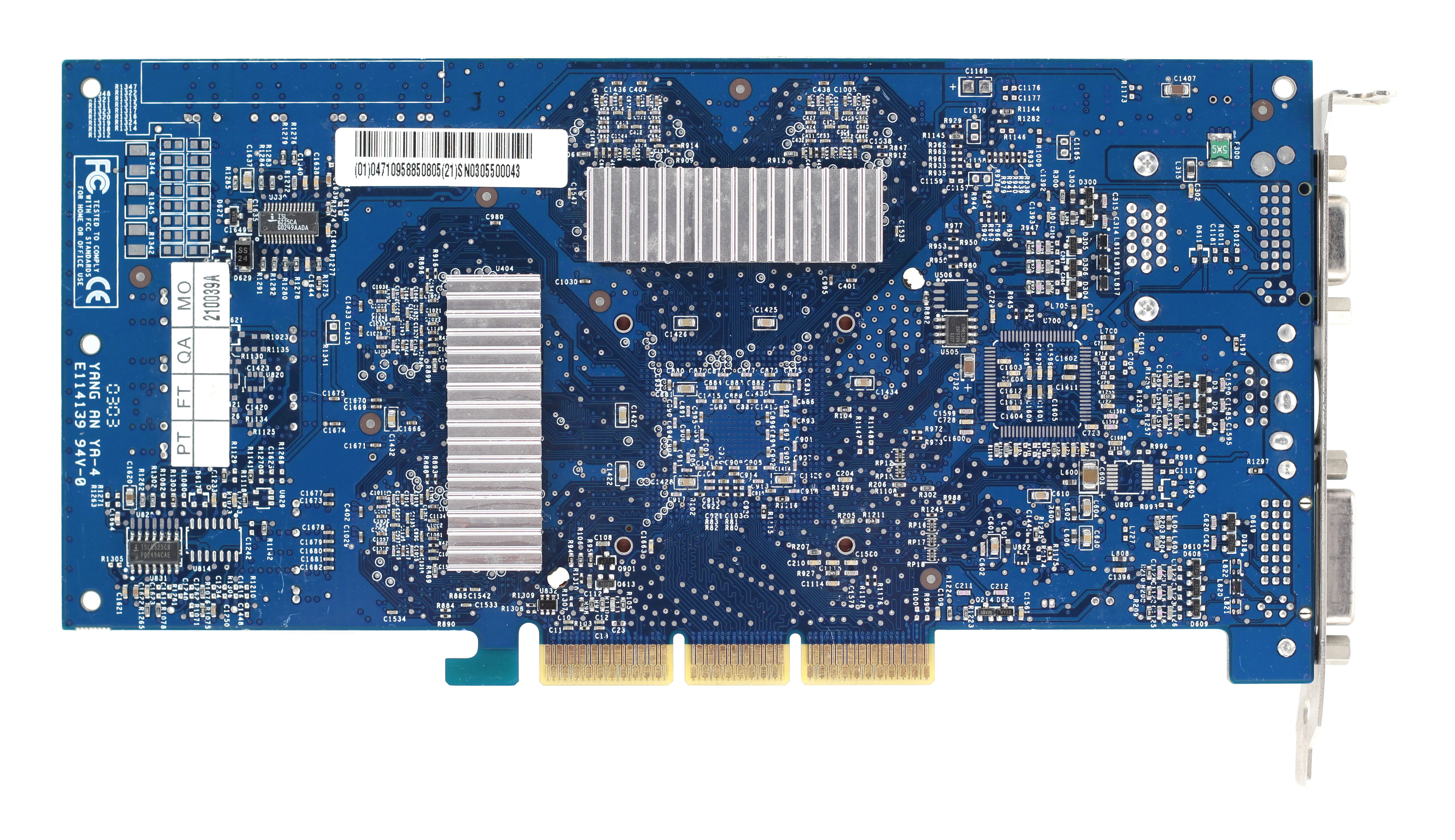
Re: Ti4200 x8 (Ti4800) - ASUS V9280S Broken - Another successful repair done by zuldan. The card is a GeForce 4Ti 4200 using the Ti 4800 reference layout. The card was not giving an output at all. After a lot of measuring with a DMM and an oscilloscope, it was identified that there was a chain of errors. The GPUs power rail NVVDD was not having the right voltage and the PG output was low, meaning the ISL6525CB was also not happy with the output voltage. Measurements nailed it down to the ISL6525CB is defect. After changing it, the NVVDD rail was coming up correctly, however the memory voltage rails did not come up as expected, which resulted in vast graphical errors, but at least a picture. It was identified that the ISL6225 that is responsible for the memory voltages was broken too. Once that was resolved, the picture still showed errors, but the card showed a readable output. It was identified using MATS that there is a memory error on FBA bank 0 - replacing the memory chip solved the issue and the card is now fully working.

AGP Card Real Power Consumption
AGP Power monitor - diagnostic hardware tool
Graphics card repair collection

Reply 76 of 80, by tehsiggi

User metadata
Rank Oldbie
Rank
Oldbie

Today we're having a tough one. I gt this Radeon 9500Pro off ebay, listed as broken (pixel errors on boot).
I know the 9500Pro wasn't as loved as the 9500 128M or the 9700s, but this one got to feel what it means to not be loved.

First impressions
This card had a rough rough time. It was dirty and not in good shape.. the fan was disconnected for whatever reason. It works just fine.

card-front.jpg card-back.jpg

What wasn't fine was the picture when plugging it in and the shape of the board and its components. The picture was a 100% pixelated mess. I ran R3MEMID blind and got MDC bits 5 and 6 dead as well as the whole MDD - ouch!

The card had a ton of missing components, I tried to mark them on this picture (green rectangles).

max-ripts.jpg

Around 20 parts where missing. So before doing anything else - I had to find out what is missing.

Diagnosis

Here is a collection of pictures what was missing. We had the whole ordeal around the memory section. Bulk caps for VTT, MVDDQ and MVDDC (big ones, 10µF and 22µF) as well as termination resistors and smaller de-coupling capacitors (0402). The regulator U48 for MVDDC was missing it's compensation network completely, farewell! 2x10nF and 1x22pF (0603). Then there was a bulk cap missing, 22µF 16V Tantalum. One resistor near the AGP slot was gone as well. Overall, a large search and rescue operation.

rip1.jpg rip2.jpg rip3.jpg rip4.jpg rip5.jpg rip6.jpg rip7.jpg rip8.jpg rip9.jpg rip10.jpg

The repair

After all those parts were replaced, I put the card into the system - things looked a tiny bit better, but not really. R3MEMDID still reported MDD dead and two bits MDC gone. Kind of to be expected - all the stuff was around power supply and a few termination resistors. That wouldn't cause whole MDD to fail. I took a look at the data activity with a scope.. on MDC there was action (activity around VTT).. on MDD everything was stuck to high. Not good!

MDC activity:
mdc-activity.jpg

MDD "activity":
mdd-activity.jpg

So all DQ lines on MDD are stuck on high. I checked CKE (clock enable) on MDD and it is stuck low, keeping the memory inactive. Well that's a bummer. CKE on MDC was working fine. Both of them have a pull down of 10kOhms against GND for a defined state and the GPU pulls them high when time is right. Apparently that's not happening for MDD.

So i bodged a resistor with 1.8kOhms resistor to high potential and plugged the card back in.

bodge-cked.jpg

Et voila! It looks way better.

cked-bodged.jpg

Now back to R3MEMID.

r3mem1.jpg r3mem2.jpg

Hmm.. MDD is completely back alive again! That's good. MDC still misses bits 5 and 6. Let's inspect the board again.. uhh oh..

mdc56-gone.jpg

Well, here's your trouble. bits 5 and 6 are disconnected, no wonder they don't work.

mdc56-back.jpg

Good enough for me - and wohoo! No more errors and a working card. Well.. still with the bodge resistor for CKED that is..

So let's figure out whats going on. According to the schematic, CKED is on pin AV1 - uh no.. that's right at the outer corner of the GPU. With that old cooler being "glued" on it and rough force, that screams mechanical stress. I first validated which trace CKED is and if the via coming from the GPU is connected to the pull-down resistor. It is .. so either the connection to the GPU is broken or the GPU itself is not pulling it up anymore.

cked-via.jpg

Let's have a look under the microscope.

r300-cracked.jpg

There you have it. That GPU is cracked. Everything but CKED on AV1 works though. So I gave it a soft reflow - preheated and some flux + hotair. And what can I say - that solved the issue! CKED is alive again and the card fully working!

Testing

After I removed the bodge resistor again, I ran 3DMark2001 as well as some games. All work without any issues anymore. I'm pretty happy about this repair. This card will never have the same glory as it's generational colleagues, but it's usable now.

95pro-CKF.jpg clean-back.jpg clean-front.jpg

Some extra: The top side DRAM has it's marking printed AND laser engraved. In different directions even 😁

dram-fun.jpg

AGP Card Real Power Consumption
AGP Power monitor - diagnostic hardware tool
Graphics card repair collection

Reply 77 of 80, by zuldan

User metadata
Rank Oldbie
Rank
Oldbie
tehsiggi wrote on 2026-03-13, 13:38:
Today we're having a tough one. I gt this Radeon 9500Pro off ebay, listed as broken (pixel errors on boot). I know the 9500Pro w […]
Show full quote

Today we're having a tough one. I gt this Radeon 9500Pro off ebay, listed as broken (pixel errors on boot).
I know the 9500Pro wasn't as loved as the 9500 128M or the 9700s, but this one got to feel what it means to not be loved.

First impressions
This card had a rough rough time. It was dirty and not in good shape.. the fan was disconnected for whatever reason. It works just fine.

card-front.jpg card-back.jpg

What wasn't fine was the picture when plugging it in and the shape of the board and its components. The picture was a 100% pixelated mess. I ran R3MEMID blind and got MDC bits 5 and 6 dead as well as the whole MDD - ouch!

The card had a ton of missing components, I tried to mark them on this picture (green rectangles).

max-ripts.jpg

Around 20 parts where missing. So before doing anything else - I had to find out what is missing.

Diagnosis

Here is a collection of pictures what was missing. We had the whole ordeal around the memory section. Bulk caps for VTT, MVDDQ and MVDDC (big ones, 10µF and 22µF) as well as termination resistors and smaller de-coupling capacitors (0402). The regulator U48 for MVDDC was missing it's compensation network completely, farewell! 2x10nF and 1x22pF (0603). Then there was a bulk cap missing, 22µF 16V Tantalum. One resistor near the AGP slot was gone as well. Overall, a large search and rescue operation.

rip1.jpg rip2.jpg rip3.jpg rip4.jpg rip5.jpg rip6.jpg rip7.jpg rip8.jpg rip9.jpg rip10.jpg

The repair

After all those parts were replaced, I put the card into the system - things looked a tiny bit better, but not really. R3MEMDID still reported MDD dead and two bits MDC gone. Kind of to be expected - all the stuff was around power supply and a few termination resistors. That wouldn't cause whole MDD to fail. I took a look at the data activity with a scope.. on MDC there was action (activity around VTT).. on MDD everything was stuck to high. Not good!

MDC activity:
mdc-activity.jpg

MDD "activity":
mdd-activity.jpg

So all DQ lines on MDD are stuck on high. I checked CKE (clock enable) on MDD and it is stuck low, keeping the memory inactive. Well that's a bummer. CKE on MDC was working fine. Both of them have a pull down of 10kOhms against GND for a defined state and the GPU pulls them high when time is right. Apparently that's not happening for MDD.

So i bodged a resistor with 1.8kOhms resistor to high potential and plugged the card back in.

bodge-cked.jpg

Et voila! It looks way better.

cked-bodged.jpg

Now back to R3MEMID.

r3mem1.jpg r3mem2.jpg

Hmm.. MDD is completely back alive again! That's good. MDC still misses bits 5 and 6. Let's inspect the board again.. uhh oh..

mdc56-gone.jpg

Well, here's your trouble. bits 5 and 6 are disconnected, no wonder they don't work.

mdc56-back.jpg

Good enough for me - and wohoo! No more errors and a working card. Well.. still with the bodge resistor for CKED that is..

So let's figure out whats going on. According to the schematic, CKED is on pin AV1 - uh no.. that's right at the outer corner of the GPU. With that old cooler being "glued" on it and rough force, that screams mechanical stress. I first validated which trace CKED is and if the via coming from the GPU is connected to the pull-down resistor. It is .. so either the connection to the GPU is broken or the GPU itself is not pulling it up anymore.

cked-via.jpg

Let's have a look under the microscope.

r300-cracked.jpg

There you have it. That GPU is cracked. Everything but CKED on AV1 works though. So I gave it a soft reflow - preheated and some flux + hotair. And what can I say - that solved the issue! CKED is alive again and the card fully working!

Testing

After I removed the bodge resistor again, I ran 3DMark2001 as well as some games. All work without any issues anymore. I'm pretty happy about this repair. This card will never have the same glory as it's generational colleagues, but it's usable now.

95pro-CKF.jpg clean-back.jpg clean-front.jpg

Some extra: The top side DRAM has it's marking printed AND laser engraved. In different directions even 😁

dram-fun.jpg

What a great repair. Really enjoyed reading this one. Great diagnosing skills my friend. She lives again! Makes me want to go looks at my box of cards for repair 🤣. Next card up is a X1950 XTX.

A shame we’ll eventually loose the pictures for this repair from imgbb deleting them but I understand Vogons only allows 5 images per post 🙁

Reply 78 of 80, by tehsiggi

User metadata
Rank Oldbie
Rank
Oldbie
zuldan wrote on 2026-03-13, 20:27:
tehsiggi wrote on 2026-03-13, 13:38:
Today we're having a tough one. I gt this Radeon 9500Pro off ebay, listed as broken (pixel errors on boot). I know the 9500Pro w […]
Show full quote

Today we're having a tough one. I gt this Radeon 9500Pro off ebay, listed as broken (pixel errors on boot).
I know the 9500Pro wasn't as loved as the 9500 128M or the 9700s, but this one got to feel what it means to not be loved.

First impressions
This card had a rough rough time. It was dirty and not in good shape.. the fan was disconnected for whatever reason. It works just fine.

card-front.jpg card-back.jpg

What wasn't fine was the picture when plugging it in and the shape of the board and its components. The picture was a 100% pixelated mess. I ran R3MEMID blind and got MDC bits 5 and 6 dead as well as the whole MDD - ouch!

The card had a ton of missing components, I tried to mark them on this picture (green rectangles).

max-ripts.jpg

Around 20 parts where missing. So before doing anything else - I had to find out what is missing.

Diagnosis

Here is a collection of pictures what was missing. We had the whole ordeal around the memory section. Bulk caps for VTT, MVDDQ and MVDDC (big ones, 10µF and 22µF) as well as termination resistors and smaller de-coupling capacitors (0402). The regulator U48 for MVDDC was missing it's compensation network completely, farewell! 2x10nF and 1x22pF (0603). Then there was a bulk cap missing, 22µF 16V Tantalum. One resistor near the AGP slot was gone as well. Overall, a large search and rescue operation.

rip1.jpg rip2.jpg rip3.jpg rip4.jpg rip5.jpg rip6.jpg rip7.jpg rip8.jpg rip9.jpg rip10.jpg

The repair

After all those parts were replaced, I put the card into the system - things looked a tiny bit better, but not really. R3MEMDID still reported MDD dead and two bits MDC gone. Kind of to be expected - all the stuff was around power supply and a few termination resistors. That wouldn't cause whole MDD to fail. I took a look at the data activity with a scope.. on MDC there was action (activity around VTT).. on MDD everything was stuck to high. Not good!

MDC activity:
mdc-activity.jpg

MDD "activity":
mdd-activity.jpg

So all DQ lines on MDD are stuck on high. I checked CKE (clock enable) on MDD and it is stuck low, keeping the memory inactive. Well that's a bummer. CKE on MDC was working fine. Both of them have a pull down of 10kOhms against GND for a defined state and the GPU pulls them high when time is right. Apparently that's not happening for MDD.

So i bodged a resistor with 1.8kOhms resistor to high potential and plugged the card back in.

bodge-cked.jpg

Et voila! It looks way better.

cked-bodged.jpg

Now back to R3MEMID.

r3mem1.jpg r3mem2.jpg

Hmm.. MDD is completely back alive again! That's good. MDC still misses bits 5 and 6. Let's inspect the board again.. uhh oh..

mdc56-gone.jpg

Well, here's your trouble. bits 5 and 6 are disconnected, no wonder they don't work.

mdc56-back.jpg

Good enough for me - and wohoo! No more errors and a working card. Well.. still with the bodge resistor for CKED that is..

So let's figure out whats going on. According to the schematic, CKED is on pin AV1 - uh no.. that's right at the outer corner of the GPU. With that old cooler being "glued" on it and rough force, that screams mechanical stress. I first validated which trace CKED is and if the via coming from the GPU is connected to the pull-down resistor. It is .. so either the connection to the GPU is broken or the GPU itself is not pulling it up anymore.

cked-via.jpg

Let's have a look under the microscope.

r300-cracked.jpg

There you have it. That GPU is cracked. Everything but CKED on AV1 works though. So I gave it a soft reflow - preheated and some flux + hotair. And what can I say - that solved the issue! CKED is alive again and the card fully working!

Testing

After I removed the bodge resistor again, I ran 3DMark2001 as well as some games. All work without any issues anymore. I'm pretty happy about this repair. This card will never have the same glory as it's generational colleagues, but it's usable now.

95pro-CKF.jpg clean-back.jpg clean-front.jpg

Some extra: The top side DRAM has it's marking printed AND laser engraved. In different directions even 😁

dram-fun.jpg

What a great repair. Really enjoyed reading this one. Great diagnosing skills my friend. She lives again! Makes me want to go looks at my box of cards for repair 🤣. Next card up is a X1950 XTX.

A shame we’ll eventually loose the pictures for this repair from imgbb deleting them but I understand Vogons only allows 5 images per post 🙁

Thanks for your kind words. X1950XTX gives me fond memories.. the urge to get such card was big back in the days..

If I find the time, I'll start collecting those reports on my github as well. That'll at least preserve them a bit better. I have all original pictures still around, so we're good!

AGP Card Real Power Consumption
AGP Power monitor - diagnostic hardware tool
Graphics card repair collection

Reply 79 of 80, by shevalier

User metadata
Rank Oldbie
Rank
Oldbie

In twenty years’ time, when the Gigabyte rtx3060 Eagle model becomes a collector’s item, this diagram might come in handy.
By then, we may well have an answer as to why it is necessary to configure a custom speed curve at the hardware level within the fan itself, given that the speed is controlled by software.
The next time the fan starts making a noise, I’ll rewire the resistor dividers to create a linear relationship between RPM and PWM.

Aopen MX3S, PIII-S Tualatin 1133, Radeon 9800Pro@XT BIOS, Audigy 4 SB0610
JetWay K8T8AS, Athlon DH-E6 3000+, Radeon HD2600Pro AGP, Audigy 2 Value SB0400
Gigabyte Ga-k8n51gmf, Turion64 ML-30@2.2GHz , Radeon X800GTO PL16, Diamond monster sound MX300

