VOGONS


First post, by Dhigan

User metadata
Rank Newbie
Rank
Newbie

190946.jpg

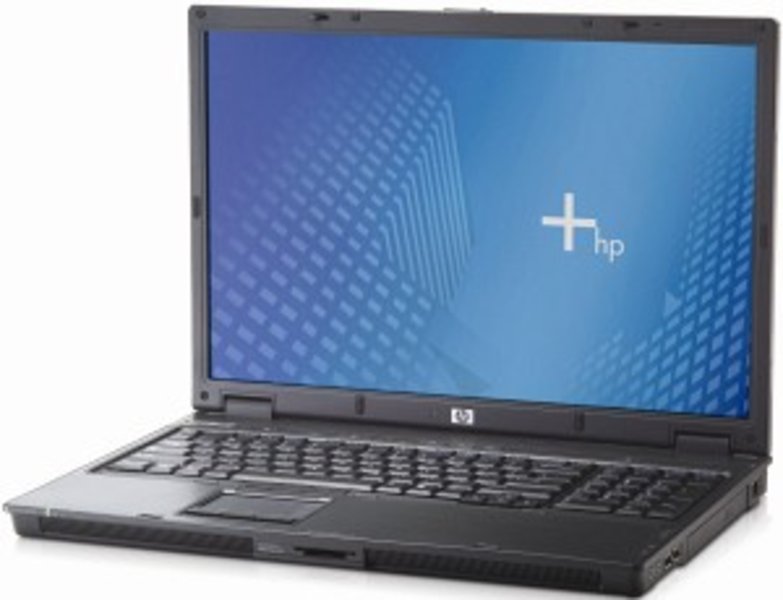
I am trying to get sound out of this nice hp compaq nx9420 under win XP64, but I can't make it work ...
https://support.hp.com/au-en/drivers/hp-compa … book-pc/1839153

sp41980.exe seems to be the right driver (ADI SoundMAX HD Audio Driver VERSION: 5.10.1.5240), but I get the following message : "audio driver installation failed"
It does mention PREREQUISITES : HD Bus Driver KB888111 must be installed first.

That would be sp32646 for win XP32 bit sp1 or sp2 (and not required for sp3 ?), but I have not been able to find Microsoft Universal Audio Architecture (UAA) Bus Driver for High Definition Audio for XP64 bit ...
This MS support page does not mention a XP64 bit version
https://support.microsoft.com/en-us/topic/uni … b8-2551e825042e

material ID is :
HDAUDIO\FUNC_01&VEN_11D4&DEV_1981&SUBSYS_103C309F&REV_1002

I do have sound under win XP32 bit, so it is not a hardware problem.

Any idea how to proceed please ?

Win 3.1 : HP Omnibook 425 + Toshiba T2130CT
Win 9x : Dell Latitude Cpx H500GT + Dell GX1
Win XP64 : Asus P5B Xeon

Reply 1 of 6, by bakemono

User metadata
Rank Oldbie
Rank
Oldbie
Dhigan wrote on 2026-03-08, 15:33:

HDAUDIO\FUNC_01&VEN_11D4&DEV_1981&SUBSYS_103C309F&REV_1002

Is that what was reported in device manager in XP64? It probably already has UAA stuff installed. Check whether HDAUDBUS.SYS exists to confirm.

GBAJAM 2024 submission on itch: https://90soft90.itch.io/wreckage

Reply 2 of 6, by Dhigan

User metadata
Rank Newbie
Rank
Newbie

Thanks bakemono for your input and sorry for my late answer.
hdaudbus.sys is found in c:\windows\system32\drivers and in c:\windows\Driver Cache\amd64\sp2.cab
Seem to be both the same version 5.10.1.5013 built by winDKK high definition audio bus driver v1.0a

Win 3.1 : HP Omnibook 425 + Toshiba T2130CT
Win 9x : Dell Latitude Cpx H500GT + Dell GX1
Win XP64 : Asus P5B Xeon

Reply 3 of 6, by shevalier

User metadata
Rank Oldbie
Rank
Oldbie

https://pcsupport.lenovo.com/ua/en/downloads/ds003528
https://download.lenovo.com/ibmdl/pub/pc/pccb … q6aud08ws14.exe
Try these from the Lenovo website.
The problem with ADI is that Analog Devices did not post drivers on its website, but only provided them to manufacturers.
Then (I think) it sold this branch of the business to Connexant.
I don't remember exactly who bought Connexant, but it all ended.

Aopen MX3S, PIII-S Tualatin 1133, Radeon 9800Pro@XT BIOS, Audigy 4 SB0610
JetWay K8T8AS, Athlon DH-E6 3000+, Radeon HD2600Pro AGP, Audigy 2 Value SB0400
Gigabyte Ga-k8n51gmf, Turion64 ML-30@2.2GHz , Radeon X800GTO PL16, Diamond monster sound MX300

Reply 4 of 6, by Dhigan

User metadata
Rank Newbie
Rank
Newbie

Thanks Shevalier.
Yes "This package installs an updated version of the Microsoft Windows XP (64-bit) device driver for any ADI SoundMAX that comes preinstalled in your computer." also looked good to me...
But q6aud08ws14.exe (like sp45614.exe from HP) gives me : "does not support your computer hardware" ...
The funny thing is that, if I install a realtek HD driver like q6aud01ws14.exe or q7aud20ws14.exe they "install" without any error message but sound still doesn't work (yellow mark).

Win 3.1 : HP Omnibook 425 + Toshiba T2130CT
Win 9x : Dell Latitude Cpx H500GT + Dell GX1
Win XP64 : Asus P5B Xeon

Reply 5 of 6, by shevalier

User metadata
Rank Oldbie
Rank
Oldbie
Dhigan wrote on Today, 14:51:
Thanks Shevalier. Yes "This package installs an updated version of the Microsoft Windows XP (64-bit) device driver for any ADI S […]
Show full quote

Thanks Shevalier.
Yes "This package installs an updated version of the Microsoft Windows XP (64-bit) device driver for any ADI SoundMAX that comes preinstalled in your computer." also looked good to me...
But q6aud08ws14.exe (like sp45614.exe from HP) gives me : "does not support your computer hardware" ...
The funny thing is that, if I install a realtek HD driver like q6aud01ws14.exe or q7aud20ws14.exe they "install" without any error message but sound still doesn't work (yellow mark).

https://www.asus.com/me-en/supportonly/m2r32- … pdesk_download/
SoundMAX Audio Driver V5.10.1.6110 for Windows 2000/XP(WHQL) / V5.10.01.6110 for Windows 2003(WHQL) / V5.10.02.6110 for Windows 64bit XP(WHQL)/2003
These drivers in the ADIHdAud.inf file definitely have the line ‘dev_1981’.

Aopen MX3S, PIII-S Tualatin 1133, Radeon 9800Pro@XT BIOS, Audigy 4 SB0610
JetWay K8T8AS, Athlon DH-E6 3000+, Radeon HD2600Pro AGP, Audigy 2 Value SB0400
Gigabyte Ga-k8n51gmf, Turion64 ML-30@2.2GHz , Radeon X800GTO PL16, Diamond monster sound MX300

Reply 6 of 6, by Dhigan

User metadata
Rank Newbie
Rank
Newbie

Thanks Shevalier.
Yes ADIHdAud.inf file definitely have the line ‘dev_1981’, well done !
But subsys is different : 10190E70.
In a wild move, I tried to replace the (one occurrence) subsys in the .inf with mine.
With or without replacement, I still get : "does not support your computer hardware" ...

Win 3.1 : HP Omnibook 425 + Toshiba T2130CT
Win 9x : Dell Latitude Cpx H500GT + Dell GX1
Win XP64 : Asus P5B Xeon