I do understand that projects like WebOne and Protoweb exist but I am curious if there are projects or methods which involve downloading old snapshots of websites (let alone making fictional websites) and creating your own 'fake' 90s internet using a proxy of some kind. (No internet connection required!)
I am curious because I would've liked to have it I can record my vintage computing footages showcasing more than just playing games and running certain software but also want to keep it a bit period accurate. (If I used 1995 hardware, I would make it look like I am visiting the 3D Realms site circa October 1996)
And even combine the downloaded websites from 1996-1997 with fictional websites for some funny projects. But again, I am wondering how that can be done without dealing with methods like editing the HOSTS file? (I aim for compatibility with multiple browsers and OSes as well)

you'd need to get as much "old" html as possible from archive, websites that somehow still exist, old cover disks and so on then create a home network with old school web server so you can "surf" 90's style. Are you going to do it? If you can get local 1990's to include everything that was in the 90's in a couple hundred mile circle around you then you'll find a bunch of people wanting to move in! 😀
Just ask AI to produce a lot of websites with information like: "my name is Jack, I like fishing. Fishing is fun. Here are three good things about fishing: It is nice. I like fish. No women allowed, hahaha, 🤣." add a bunch if broken liks to his favorite mp3s and finally an animated under construction sign to finish it off. True 90s vibe.
A lot of magazine cover CDs had popular websites archived on them in mid 1990s, 3Drealms was a favorite so you may find it.
Interesting, will have to find some to download and see what I could find.
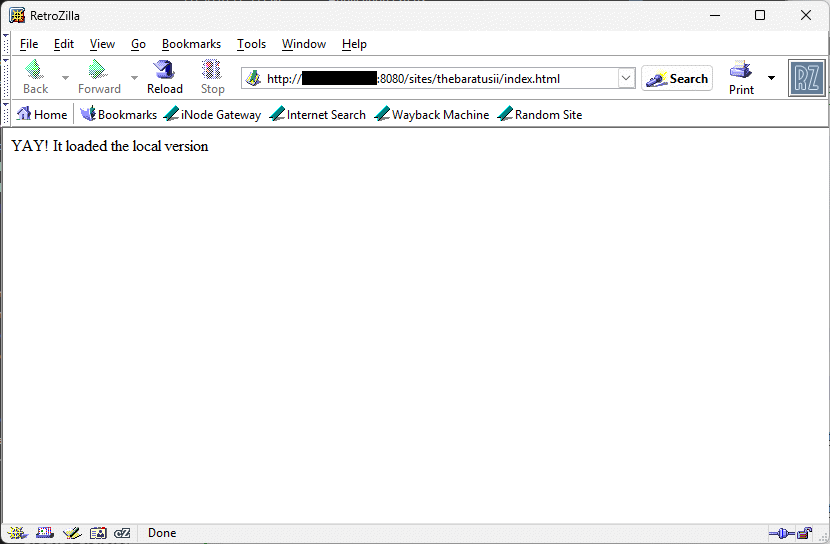
So far, the closest I went with this idea would be using WebOne for redirecting certain websites to a local version. However what's missing is tricking it into thinking it's actually the domain and not a local URL like "http://127.0.0.1:8080/sites/something/index.html"
This was done by adding in "AddRedirect" inside an Edit section of a URL.
Otherwise you'd need to build it yourself and effectively emulate how these work, I don't think think they or eg. protoweb have made any source code etc. publicly available
I recall using TheOldNet at one point, but I believe the issue with using that (and I tried this myself just recently) are the websites failing to load due to the traffic limits of the Wayback Machine. Protoweb on the other hand restores websites but I am not sure if they restore based on year and the highest year they normally go for is 2000. Which to me somewhat defeats the purpose of authentically capturing the experience if I am just going to browse the 2000 snapshot of the 3D Realms website on 1995 hardware.
To be fair, I don't plan on emulating every website as much as possible but rather locally emulate a small chunk of websites for the sake of recording those experiences for YouTube projects. Only thing I need to figure out really is tricking the URL into loading the local versions if anything, and I imagine that would require setting up a DNS/DHCP server perhaps?
yeah i wanted to do this for myself years ago (scraping everything archived from an old BOOKMARK.HTM of mine), thuogh I had a realization that it'd make me very sad after it all when the sites I did regularly visit in the 90s relied on FTP downloads and one of those (happypuppy.com) is not very preserved for that part. It'd be a very 404'd FOMO dread either way
long live PCem FUCK "AI". It is a tool of fascism. We do not need it. We do not use it.
Home Computers were still to expensive for allot of peoples back in 1990’s and too difficult to setup
And maintain in USA
Allot of peoples used the WebTV-MSN dail-up internet service box
They cost about $150 - $300 USD and came with keyboard and all the wires
To hook it up to your TV
My friend had one on his BIG Screen 60-inch TV back in 1998 it was pretty cool
And worked okay for basic internet, email, security, kids accounts and content protections.
Internet portals like
Alta-Vista
Netscape
AOl
Ask Jeeves
Sherlock
AT&T world net
EarthLink
Etc…
And... if you truly want to get "the experience" right.... no emulating Cable, Fiber or any sort of Broadband access... You need something like a "TalkSwitch" (small Analog phone system) and some 14.4 modems.
Hey... this was the 90s ... 14.4was incredibly fast - I still recall the first time I got "online" (to a university mainframe) using a D.C. Hayes 80-103A modem S100 card (Probably the first "Hayes" modem - no AT commands etc.) in my Altair - in the early 1980s at a whopping 300baud speed! (not really something I care to experience again)
- Dave ; https://dunfield.themindfactory.com ; "Daves Old Computers" ; SW dev addict best known:
ImageDisk: rd/wr ANY floppy PChardware can ; Micro-C: compiler for DOS+ManySmallCPU ; DDLINK: simple/small FileTrans(w/o netSW)via Lan/Lpt/Serial
If you want to make a domain come from a specific IP address it needs to be done inside DNS resolution. The simplest way is to use the system hosts file (%windir%\hosts) to redirect domains to 127.0.0.1 - However DNS has no port forwarding so the local web server has to be operating on port 80 unless you want to use domain.com:8080 to access the local web server.
The local webserver can be set up using vhosts, so the specific website delivered depends on the domain name entered. That way you can have many different websites running off the same same IP and port. WebOne wouldn't be necessary in this setup.
So the end set up would look like the hosts file with a list of domains you want to replicate locally redirected to 127.0.0.1, a webserver running on 127.0.0.1:80 (e.g. Apache 1.3) and a list of vhosts all pointing to a different document root (folder) for each replicated site identified by domain name.
As a bonus for this setup, domains not in the hosts file and IP addresses remain unaffected so this can be used in parallel with a live internet connection or local area network.
Edit: I skipped the part about you not wanting to use the hosts file, however DNS redirection locally is really depndent on the OS and the networking stack. Every OS this works on will need some version of DNS redirection, either using a built in function (like HOSTS on windows, /etc/hosts on Linux or System Folder:Preferences:hosts on Mac OS9) or a local DNS server that can override results with a local DNS table.
For it to be truly OS independent you would need to have a gateway system on the local area network that serves up content and DNS responses according to a set of rules, that way DNS redirection is moved outside of the OS.
Last edited by NeoG_ on 2026-04-11, 05:41. Edited 3 times in total.
98/DOS Rig: BabyAT AladdinV, K6-2+/550, V3 2000, 128MB PC100, 20GB HDD, 128GB SD2IDE, SB Live!, SB16-SCSI, PicoGUS, WP32 McCake, iNFRA CD, ZIP100
XP Rig: Lian Li PC-10 ATX, Gigabyte X38-DQ6, Core2Duo E6850, ATi HD5870, 2GB DDR2, 2TB HDD, X-Fi XtremeGamer
Hey... this was the 90s ... 14.4was incredibly fast - I still recall the first time I got "online" (to a university mainframe) using a D.C. Hayes 80-103A modem S100 card (Probably the first "Hayes" modem - no AT commands etc.) in my Altair - in the early 1980s at a whopping 300baud speed! (not really something I care to experience again)
If you got a good 14.4 it was, with MNP5 and V32 bis I think it was, ALL the compression, you could pull text and websites were mostly text then down at 5 or 6 kB/sec which is what some poorly set up or cheapass no-compression 56k modems would do 5 years later. GIFs and zips only came down at 1.6 to 2.0 ish depending on how heavily they were compressed in the first place. I had a Zoltrix internal that had all the good compression stuff, then "upgraded" to a white box 28.8 that while it appeared to offer similar features, no init string could I figure out that would turn them on, so got a plain 2.8-3k on everything and for browsing it felt slower, though nearly twice the speed on well compressed files. Didn't use that all that long before I picked up a used USR 33.6 internal that was much nippier. However it had an early version of the standard which got pushed out when 56k was finalised on many ISPs, so rarely got onto a POP that worked at best speed after I'd had it a year.
Those Amstrad internal modems, only theoretically 2400 baud units, kinda near full length, plastic case around them. They were pretty miraculous for what they were. They could get a throughput of 9600bps pretty easily and compressed text well, so they would be almost as good as "bad" 14.4k modems. I had one for a backup unit that I picked up for a buck or something. I was somewhat amazed when I tried it.
Unicorn herding operations are proceeding, but all the totes of hens teeth and barrels of rocking horse poop give them plenty of hiding spots.