VOGONS


First post, by FullYes

User metadata
Rank Member
Rank
Member

Greetings

I recently acquired a MESH Athlon XP machine from ~2002. I bought it as tested and working and it does work, but it took me a while to realise there is quite a big issue with it.

It has an A7V333 v1.04 motherboard, though it is a bit of a stripped down "OEM" version as it does not have the RAID components installed.

https://theretroweb.com/motherboards/s/asus-a7v333

It originally had a 2000+ Palomino chip in but I successfully swapped to a 3000+ Barton. The computer runs stable as far as I can determine through stability tests and gaming.

The PC came with an Audigy card (SB0090) which didn't seem to work / detect properly. (I am running win98se) It shows up in device manager with a yellow exclamation mark saying the BIOS wasn't assigning it the IRQs it needed. I originally thought this was a card issue, but I tried it in another PC and got it working. I then bought an Audigy 2 ZS, which also didn't work (worked in another PC) I then tried enabling the onboard audio but this also doesn't seem to work, and neither do the USB 2.0 ports (the USB 1.1 ports all work fine)

I have a VIA PCI IDE / SATA card and a couple of NIC cards, and these all work fine.

I have tried using a few different version of the bios, but this didn't make any difference.

I have checked the jumper settings on the motherboard and have not found any reason to think that changing any of these will help - though I must say it is a dreadful motherboard for its use of MANY jumpers (certainly compared to other boards of its age)

Google searches and some threads on here mean my investigations so far point to it being an issue on the southbridge.

I am wondering if some bad caps would cause this issue, though it seems unlikely. The board has probably never been out of its case until I transplanted it into an antec case a few months back, so I don't think there are any damaged traces anywhere, but I will have a more thorough look at my next opportunity.

Does anyone have any suggestions?

System 1: K6-3 400, MS-5158 (430TX), 256MB SDRAM, Voodoo3 2000 PCI, AWE64 (Dos/95-early 98)
System 2: Athlon XP 2000+, SL-75KAV (KT133A), 512MB SDRAM, FX5900XT, Audigy 2 ZS (late 98)
System 3: i7-2600k, P8P67-M, 2x4GB DDR3-1866, GTX 460 (XP)

Reply 1 of 7, by Living

User metadata
Rank Member
Rank
Member

can you run the DDR at 333Mhz synchronous with the FSB?

look for bad caps, even if they seem fine, maybe they meassure a high ESR and are out of spec.

Reply 2 of 7, by RetroPCCupboard

User metadata
Rank Oldbie
Rank
Oldbie

Have you tried installing Windows XP on it, to see if it it behaves the same way?

Reply 3 of 7, by rasz_pl

User metadata
Rank l33t
Rank
l33t

VIA not loving SB LIVE cards was a thing, had to change something about pooling rate? but Im not sure if that extended to Audigy.
Asus capacitors from that era were top notch and wont need changing.

https://github.com/raszpl/sigrok-disk FM/MFM/RLL decoder
https://github.com/raszpl/FIC-486-GAC-2-Cache-Module (AT&T Globalyst)
https://github.com/raszpl/386RC-16 ram board
https://github.com/raszpl/440BX Reference Design adapted to Kicad

Reply 4 of 7, by FullYes

User metadata
Rank Member
Rank
Member
Living wrote on 2026-04-13, 13:08:

can you run the DDR at 333Mhz synchronous with the FSB?

look for bad caps, even if they seem fine, maybe they meassure a high ESR and are out of spec.

Yes it runs fine at 333Mhz 1:1 FSB:DRAM. This board seems to really push for tight timings. I only have 2 sticks of ram that will work at full speed and with turbo enabled (2-2-2-5 timings). It is running perfectly with these settings. The ram I’m using is a single 512MB corsair PC3000 (187.5MHz) stick so it’s underclocked if anything

System 1: K6-3 400, MS-5158 (430TX), 256MB SDRAM, Voodoo3 2000 PCI, AWE64 (Dos/95-early 98)
System 2: Athlon XP 2000+, SL-75KAV (KT133A), 512MB SDRAM, FX5900XT, Audigy 2 ZS (late 98)
System 3: i7-2600k, P8P67-M, 2x4GB DDR3-1866, GTX 460 (XP)

Reply 5 of 7, by FullYes

User metadata
Rank Member
Rank
Member
RetroPCCupboard wrote on 2026-04-13, 13:09:

Have you tried installing Windows XP on it, to see if it it behaves the same way?

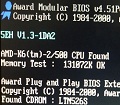
No not yet. I did think about doing this to see if it’s just a windows 98 issue. The thing that makes me think this won’t work, is the pci device listing at boot up. The things that don’t work, are always missing from the list.

System 1: K6-3 400, MS-5158 (430TX), 256MB SDRAM, Voodoo3 2000 PCI, AWE64 (Dos/95-early 98)
System 2: Athlon XP 2000+, SL-75KAV (KT133A), 512MB SDRAM, FX5900XT, Audigy 2 ZS (late 98)
System 3: i7-2600k, P8P67-M, 2x4GB DDR3-1866, GTX 460 (XP)

Reply 6 of 7, by FullYes

User metadata
Rank Member
Rank
Member
rasz_pl wrote on 2026-04-13, 13:39:

VIA not loving SB LIVE cards was a thing, had to change something about pooling rate? but Im not sure if that extended to Audigy.
Asus capacitors from that era were top notch and wont need changing.

I believe from what I’ve read, creative solved the problem by the Audigy 2, it was one reason why I decided to get one to try it.

My other Athlon XP build uses the KT133A chipset and the infamous 686B southbridge. I am currently using this setup with the Audigy 2, and have had no issues with it.

I have tried adjusting the PCI latency timer up and down, but this does not seem to help. I haven’t tried every single increment, I tried 32, 64, 96 and 128 clocks. Perhaps there is another number I should have tried

Thanks to all that have replied so far.

System 1: K6-3 400, MS-5158 (430TX), 256MB SDRAM, Voodoo3 2000 PCI, AWE64 (Dos/95-early 98)
System 2: Athlon XP 2000+, SL-75KAV (KT133A), 512MB SDRAM, FX5900XT, Audigy 2 ZS (late 98)
System 3: i7-2600k, P8P67-M, 2x4GB DDR3-1866, GTX 460 (XP)

Reply 7 of 7, by PcBytes

User metadata
Rank l33t
Rank
l33t
rasz_pl wrote on 2026-04-13, 13:39:

VIA not loving SB LIVE cards was a thing, had to change something about pooling rate? but Im not sure if that extended to Audigy.
Asus capacitors from that era were top notch and wont need changing.

AFAIK only 686B had the Live issue. I recall using Live with no corruption or pooling rate stuff on 8233/35/37.

"Enter at your own peril, past the bolted door..."
Main PC: i5 3470, GB B75M-D3H, 16GB RAM, 2x1TB
98SE : P3 650, Soyo SY-6BA+IV, 384MB RAM, 80GB