VOGONS


First post, by Major Jackyl

User metadata
Rank Member
Rank
Member

I don't want to start my Win7 install from scratch, as this has been in use for some time now.

So, what I've been trying to do, is clone my drive, a Hitachi DeskStar onto a WD Blue SSD, using Clonezilla.

The attachment 20260709_165752.jpg is no longer available
The attachment 20260709_170456.jpg is no longer available

The problem is that Clonezilla doesn't see the Hitachi. When I run Clonezilla, it will see the SSD and ANY OTHER DRIVE, except these Hitachi (I have two, neither show up).

I've tried 3 different motherboards to try and get it done. Ol' reliable couldn't even get the job done (DH61BE, I've cloned dozens of drives with this board). The board in the computer I'm trying to clone is Sabertooth 990FX. I've tried the M3A78-EM too, since it was right there. I tried my modern computer last night and same result. I would like to mention, I tried using IDE-SATA interface AND USB-SATA interface, same result.

Is this some kind of ugly drive firmware keeping me out? It has a Dell P/N, which is my only lead right now.
I'll share the drive info from Aida64, too:

The attachment Screenshot 2026-07-09 171655.png is no longer available
The attachment Screenshot 2026-07-09 171736.png is no longer available

Addendum:

I just tried a different Hitachi (I have a dozen of the "Apple" ones) and it was detected by Clonezilla.

The attachment 20260709_172909.jpg is no longer available

Pretty much the same drive, but with "Apple Firmware" I have been not using them because I thought THEY would be the ones to give me guff. Did not expect the Dell drive to be as dastardly as it is.

So, it appears may have answered my question. Firmware issue. BUT, is there a work-around? I was thinking "swap boards", but they're very different. How can I get this done?

Daily Units:
ASUS P55TVP4, P-MMX233, Matrox2064W, CT2770
ABIT IS7, P43.2(SL7E6), PNY6600GTS, Audigy(0090)
ASUS M2N-SLI, A64X2-5600+, EVGA 8600GTx2, Audigy2(0240)
ASUS ST-990FX, FX-8350, MSI GTX760x2, SB X-Fi(0460)
MSI Z690, i9-12900K, MSI RTX3090, SB AE-7


Reply 1 of 12, by Major Jackyl

User metadata
Rank Member
Rank
Member

One of the drives in my stack had the same board (and was detected in Clonezilla). You know what? I tried it. Nerve wracking. All of these Apple drives wait until probed to spin-up. Spun up. Gave me angry HDD noises. Slight panic. Just reseat the board, same. Oh boy...

Swapped the board back. The Dells spin-up immediately. It did. And booted just fine. Disaster averted. That was thrilling, 🤣

Daily Units:
ASUS P55TVP4, P-MMX233, Matrox2064W, CT2770
ABIT IS7, P43.2(SL7E6), PNY6600GTS, Audigy(0090)
ASUS M2N-SLI, A64X2-5600+, EVGA 8600GTx2, Audigy2(0240)
ASUS ST-990FX, FX-8350, MSI GTX760x2, SB X-Fi(0460)
MSI Z690, i9-12900K, MSI RTX3090, SB AE-7

Reply 2 of 12, by Grem Five

User metadata
Rank Oldbie
Rank
Oldbie

Never used clonezilla but I have had good luck with Macrium Reflect. Best luck I have had is just using Linux as it seems to detect pretty much any drive I have.

I have had drives that refuse to detect under Windows and Linux can detect them.

Reply 3 of 12, by kotel

User metadata
Rank Oldbie
Rank
Oldbie

Personally, I use acronis true image (I think it is the 2012 version) and I never had any drive detection issues with it (unless the drive was physically damaged). Maybe that could be a viable alternative.

I couldn't save them, but that doesn't mean I can't save myself!
Ready yourself!

Reply 4 of 12, by Major Jackyl

User metadata
Rank Member
Rank
Member
kotel wrote on 2026-07-10, 11:21:

Personally, I use acronis true image (I think it is the 2012 version) and I never had any drive detection issues with it (unless the drive was physically damaged). Maybe that could be a viable alternative.

For some reason, I got home, read this and thought to search for this on the Archive. Low and behold! There it was (I got the 2012 version, too, sounds like what I'm looking for). Burned it and went HOT out the beast, right into the cold hungry belly of the windows 7 computer. Powered up and confirmed all the drives on the POST, then booted Acronis.

The attachment 20260710_175332.jpg is no longer available
The attachment 20260710_175429.jpg is no longer available
The attachment 20260710_175450.jpg is no longer available

Looks like I might be successful here! Thank you!

Now I wait...

Daily Units:
ASUS P55TVP4, P-MMX233, Matrox2064W, CT2770
ABIT IS7, P43.2(SL7E6), PNY6600GTS, Audigy(0090)
ASUS M2N-SLI, A64X2-5600+, EVGA 8600GTx2, Audigy2(0240)
ASUS ST-990FX, FX-8350, MSI GTX760x2, SB X-Fi(0460)
MSI Z690, i9-12900K, MSI RTX3090, SB AE-7

Reply 5 of 12, by wierd_w

User metadata
Rank l33t
Rank
l33t

I have never understood why you need anything other than a linux live usb, and gddrescue.

*shrug*

Reply 6 of 12, by Ozzuneoj

User metadata
Rank l33t
Rank
l33t

I have been using the free version of Macrium Reflect for several years and it works great. I like that I don't have to interrupt what I'm doing to make a backup. I can be watching a video or listening to music or whatever and reflect can be imaging or cloning a drive in my system. In fact, I just did that today with my C: drive.

Keep in mind, Macrium no longer updates the free version, but you can still download it from other sites and use it. I believe this is the latest free version available.

Now for some blitting from the back buffer.

Reply 7 of 12, by DaveDDS

User metadata
Rank Oldbie
Rank
Oldbie

To clone a drive by direct sector copy (I have an external drive carrier which can hold two drives and do this much faster than through a system), you need two drives with exactly the same geometry (or at least compatible geometries - the TO drive could have more track with won't be usable)

-or- you need "smart" cloning software that knows the file system of the OS you are cloning and can reside the partitions as they are cloned-

On top of that, if you are cloning a Winblows drive - be aware that MS licensing can identify your system in part by drive ID, size and serial number - so if you clone Winblows "successfully" you may find that it no longer has a valid license on the new drive!

Over the years, I've mostly updated to bigger drives by reinstall and connecting the old one as a second hard drifve so I can just "copy stuff off" as I need.
You will of course have to reinstall most of the applications you use (hopefully license servers are still in operation)
- but then again, I've never been much of a "hard code" Winblows user, so it's usually not that hard (for me) - If you have lot of "stuff" on a system, it can get tricky.

https://dunfield.themindfactory.com ; "Daves Old Computers" ; SW dev addict best known:
ImageDisk: rd/wr ANY floppy PChw can ; Micro-C: compiler for DOS+ManySmallCPU ; DDLINK: simple/small filetransfer(w/o netSW)via Lan/Lpt/Com

Reply 8 of 12, by Ozzuneoj

User metadata
Rank l33t
Rank
l33t
DaveDDS wrote on 2026-07-10, 23:43:
To clone a drive by direct sector copy (I have an external drive carrier which can hold two drives and do this much faster than […]
Show full quote

To clone a drive by direct sector copy (I have an external drive carrier which can hold two drives and do this much faster than through a system), you need two drives with exactly the same geometry (or at least compatible geometries - the TO drive could have more track with won't be usable)

-or- you need "smart" cloning software that knows the file system of the OS you are cloning and can reside the partitions as they are cloned-

On top of that, if you are cloning a Winblows drive - be aware that MS licensing can identify your system in part by drive ID, size and serial number - so if you clone Winblows "successfully" you may find that it no longer has a valid license on the new drive!

Over the years, I've mostly updated to bigger drives by reinstall and connecting the old one as a second hard drifve so I can just "copy stuff off" as I need.
You will of course have to reinstall most of the applications you use (hopefully license servers are still in operation)
- but then again, I've never been much of a "hard code" Winblows user, so it's usually not that hard (for me) - If you have lot of "stuff" on a system, it can get tricky.

Since the OP is cloning a hard drive to an SSD I don't think drive geometry is a factor.

Also, in my experience, Windows does not care if I clone a system drive, resize partitions, swap out the drive and then boot from the new one. I have done many SSD upgrades this way and the users are relieved that nothing has changed other than the speed of their system.

In a pinch, Macrium does a good job with this. I can attach the new drive (either internally or via USB), install Macrium on the existing OS and use it to clone the current\old system drive while it is running. Then shut the system down, remove the old drive and put the new one in its place. 90% of the time it boots right up and it is like nothing has changed. In the cases where it will not boot at this point, I may have to do some command prompt stuff to make it realize it can boot from the drive.

Actually, I just remembered that the last time I upgraded someone's computer to an SSD I booted from Hiren's Boot CD PE (using Ventoy from a USB SSD, actually) and used "Lazesoft Disk Image and Clone" to clone the drive. I then shut the system down, swapped the old drive for the new one and it worked without a hitch. The benefit of this versus using Macrium is that you don't have to deal with a horribly slow system using a bogged down hard drive. Once it is cloned to an SSD the system is fast enough to work with and it's much easier to sort out any remaining software issues.

Now for some blitting from the back buffer.

Reply 9 of 12, by myne

User metadata
Rank l33t
Rank
l33t

http://www.drivesnapshot.de/en/
The beauty of this is you can run it from WITHIN A RUNNING WINDOWS to copy the RUNNING WINDOWS DRIVE.

I built:
Convert old ASUS ASC boardviews to KICAD PCB!
Re: A comprehensive guide to install and play MechWarrior 2 on new versions on Windows.
Dos+Windows 3.11+tcp+vbe_svga auto-install iso template
Script to backup Win9x\ME drivers from a working install
Re: The thing no one asked for: KICAD 440bx reference schematic

Reply 10 of 12, by Major Jackyl

User metadata
Rank Member
Rank
Member

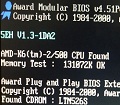
While I was waiting, I downloaded some of the other softwares mentioned and will use the cursed drive(s) as test subjects in a future project(s). I's really nice to know about the different methods of cloning. The Acronis did get done and report SUCCESS. I shut-down and removed my primary and attempted a boot. It started up with a perfect copy of my drive!

The attachment SSD_SUCCESS.png is no longer available

It installed itself and wanted a reboot, which I just did, because Pfff, this thing took SECONDS to boot now, 🤣 I've been using the spinner for years and have changed MB and CPU three times since the beginning. I've been gaming with my brother a lot recently and I've been in slow-town. More modern games (Dead Island specifically) was choppy and jank. The 8120FX/760 setup took care of that, but I was watching his load (anything) and it was blinding.

Most of my computers will run spinners until they fail. I do like the "feel" of the computer running with all that noise going on. Really lets you know it's doing something. It seems a little cold now, but it boots in about 11 seconds and is ready to do stuff. It used to take 2 minutes to get to desktop and it still wasn't ready.

Daily Units:
ASUS P55TVP4, P-MMX233, Matrox2064W, CT2770
ABIT IS7, P43.2(SL7E6), PNY6600GTS, Audigy(0090)
ASUS M2N-SLI, A64X2-5600+, EVGA 8600GTx2, Audigy2(0240)
ASUS ST-990FX, FX-8350, MSI GTX760x2, SB X-Fi(0460)
MSI Z690, i9-12900K, MSI RTX3090, SB AE-7
Reply 11 of 12, by Living

User metadata
Rank Member
Rank
Member
Major Jackyl wrote on 2026-07-10, 23:07:
For some reason, I got home, read this and thought to search for this on the Archive. Low and behold! There it was (I got the 20 […]
Show full quote
kotel wrote on 2026-07-10, 11:21:

Personally, I use acronis true image (I think it is the 2012 version) and I never had any drive detection issues with it (unless the drive was physically damaged). Maybe that could be a viable alternative.

For some reason, I got home, read this and thought to search for this on the Archive. Low and behold! There it was (I got the 2012 version, too, sounds like what I'm looking for). Burned it and went HOT out the beast, right into the cold hungry belly of the windows 7 computer. Powered up and confirmed all the drives on the POST, then booted Acronis.

The attachment 20260710_175332.jpg is no longer available
The attachment 20260710_175429.jpg is no longer available
The attachment 20260710_175450.jpg is no longer available

Looks like I might be successful here! Thank you!

Now I wait...

wait...did you burned a cd? i only do that when i need to boot from something 25+ years old with questionable usb support or no support at all. For everything else i use Rufus or BalenaEtcher and a flash drive

and yes, macrium reflect works but i preffer it for UEFI. For MBR / Legacy i use HDClone 4

Reply 12 of 12, by DaveDDS

User metadata
Rank Oldbie
Rank
Oldbie
Ozzuneoj wrote on 2026-07-11, 00:16:

Since the OP is cloning a hard drive to an SSD I don't think drive geometry is a factor.

Fair enough - a lot really depends om what a particular edition of Wonblows will "tolerate"...

Also, in my experience, Windows does not care if I clone a system drive, resize partitions, swap out the drive and then boot from the new one. I have done many SSD upgrades this way and the users are relieved that nothing has changed other than the speed of their system.

I've run into it a couple times - I think it really depends on the exact version of Winblows - and I feel that more recent versions have gotten a bit morr lax (there's only so much "impossibility" that users will tolerate in "usual" stuff) - I've had earlier editions absolutely refuse to validate the already activated license unless you restored it to the same drive.

In a pinch, Macrium does a good job ...

I"ve heard good thing about Macrium ... I really must play with it more. I've always traditionally used Norton Ghost (but like so many things these days - it's been many years)

https://dunfield.themindfactory.com ; "Daves Old Computers" ; SW dev addict best known:
ImageDisk: rd/wr ANY floppy PChw can ; Micro-C: compiler for DOS+ManySmallCPU ; DDLINK: simple/small filetransfer(w/o netSW)via Lan/Lpt/Com