VOGONS


First post, by Ahrle
User metadata
Rank Newbie
Rank
Newbie

Hi everyone

I’m losing my mind with this 486 build that has become completely unstable. While I suspect severe IRQ and DMA resource conflicts, I’m not entirely ruling out motherboard issues at this point. The PSU has been swapped for an Antec 380W, so I doubt it is the problem.

Specs as following:
- ECS UC-4914G
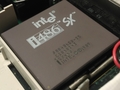
- i486DX2/66, actively cooled
- 2x32MB RAM (memtested 9 passes, no errors)
- 541MB Conner drive
- ET4000/W32 VLB
- CT3900 ISA 28MB
- Lo-Tech MIF-IPC-B connected to MPU-401 and a bunch MIDI modules
- 3Com ISA NIC
- MS serial mouse

The symptoms have been piling up, starting with the CPU randomly downclocking from 66 MHz to 16 MHz on roughly every second soft reboot. Sometimes this happens even while actively running Windows 95, rendering the system painfully sluggish. Hard reboots always revert it back to its full 66 MHz.

On top of that, every other time the external MPU-401 interface is connected, the system fails to detect it and defaults back to the AWE32 CT3900. The times the MPU-401 actually is detected, it often works great momentarily, until certain notes start sounding glitchy and corrupted, or the device shows up in Device Manager with an exclamation mark. A reboot may fix the problem, and it also remove the device entirely.
The 3Com ISA NIC has to remain permanently disabled - if turned on, Windows throws a VxD blue screen immediately on startup.

Yesterday, I was just chilling some MIDIs when out of nowhere a "Windows protection error, You must restart your computer." appeared.
Rebooted it six times since, with various results - mostly unable to finish loading Windows at all, but also once got 25% through "Add/Remove hardware" until hard freezing.

It has never been this broken before, but I suspect IRQs are haunting me again. Device Manager isn't giving anything useful, assuming I could even get into Windows to begin with.

I'm eager to know how on earth you reliably figure out which IRQs and DMAs are actually in use vs. free on a setup like this. No conflicts are present in Device Manager. Any insights, or troubleshooting ideas on what might be causing these crashes would be hugely appreciated!

Project 357575: ECS UC4914-G | i486DX2-66 | ET4000/W32 | CT3900
Main: IBM PC300PL | PIII 750 | Viper AGP + V2 SLi | CT4500


Reply 1 of 6, by Law212

User metadata
Rank Oldbie
Rank
Oldbie

It looks like Turbo light is on. Maybe it become sluggish because something is making it think turbo is on at times, have you looked at the jumper for the turbo switch to see if something is off about it maybe connecting or disconnecting the jumpers randomly?

Reply 2 of 6, by Law212

User metadata
Rank Oldbie
Rank
Oldbie

Remove all cards and add them one by one testing stability each time. Start with the sound card .

Reply 3 of 6, by Ahrle

User metadata
Rank Newbie
Rank
Newbie
Law212 wrote on Today, 13:34:

It looks like Turbo light is on. Maybe it become sluggish because something is making it think turbo is on at times, have you looked at the jumper for the turbo switch to see if something is off about it maybe connecting or disconnecting the jumpers randomly?

Shouldn't turbo be on at all times, or do you mean that the turbo light should be off if turbo is on?

Board jumper manual: https://theretroweb.com/motherboard/manual/33297.pdf

I cannot find anything turbo related in the manual, however there is this "PCI IRQ" section at the end of the manual:

PCI IRQ
IRQ JP25 JP26
í IRQ3 N/A Pins 7 & 8 closed
IRQ5 Pins 1 & 2 closed N/A
IRQ7 Pins 3 & 4 closed N/A
í IRQ9 Pins 5 & 6 closed N/A
IRQ10 N/A Pins 1 & 2 closed
IRQ11 N/A Pins 3 & 4 closed
IRQ15 N/A Pins 5 & 6 closed

This I don't understand - the board does not even have PCI. Do they mean ISA or what's the reference here?

Law212 wrote on Today, 13:36:

Remove all cards and add them one by one testing stability each time. Start with the sound card .

How can I test this?
The PC was dismantled down to the board in June. All addon cards - GFX, IDE controller, NIC, and MIF-IPC are replaced.
The issue is, sometimes I can play Simcity 2000 for three hours without a single problem, and sometimes I can't even boot Windows without protection error - same as before.

The pain yesterday was after I needed the FDD and only had one single power cable, so removed the Gotek (which was A:), used the phyical FDD for the stuff needed, and reinstalled Gotek as B: with no A: drive present.
Then after the protection error, I removed MPU-401 from dev manager and reinstalled it - then everything got a lot worse than before.

Project 357575: ECS UC4914-G | i486DX2-66 | ET4000/W32 | CT3900
Main: IBM PC300PL | PIII 750 | Viper AGP + V2 SLi | CT4500

Reply 4 of 6, by Law212

User metadata
Rank Oldbie
Rank
Oldbie

You made sure you have all the jumpers set for the correct CPU and speed? Have you tried testing the RAM?

Reply 5 of 6, by Grzyb

User metadata
Rank l33t
Rank
l33t

I can see "Green PC connector" there - it's supposed to be connected to a button on the case, meant for activating the power-saving mode.

If there's near-short-circuit on that connector - common with old capacitors - then random CPU speed dropping would be normal.

In 2003, I voted in favour of joining the European Union. However, due to later developments - especially the restrictions on cash usage - I have withdrawn my support. DOWN WITH THE EU!