VOGONS


First post, by Big Ultima Energy

User metadata
Rank Newbie
Rank
Newbie

Hi-

I've built the "dream computer" that I wanted as a kid (specs below), but my family couldn't afford. It's been a really fun project, and I've been able to solve every issue by searching the forums here, EXCEPT for one. I can install CD ROM games in DOS, but the two that I've tried to play (Phantasmagoria and Zork Nemesis) crash immediately during launch in DOS. I'll start the game, then get a prompt to insert the 1st disk and press any key. But after I do that, I just get kicked back to the DOS prompt, and the computer sort-of freezes. And by "sort-of freezes" it gets EXTREMELY slow. Like I'll hit a letter on the keyboard, but the letter doesn't show on the screen for several seconds later. So I have to restart the machine. Non-CD ROM games work just fine in DOS.

Phantasmagoria has a Windows 3.1 installer...I tried that and the game launches and plays just fine in windows. So I'm pretty sure it's not a hardware issue, likely a driver and/or memory management issue in DOS. But I haven't been able to figure it out.

Specs:

  • IDE/VLB motherboard (Genoa TurboExpress 486BL)
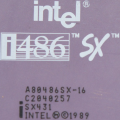
  • Intel 486DX50
  • 16MB RAM
  • Cirrus Logic CL-GD5426 VLB video card, 1MB RAM
  • AZTech Sound Galaxy Pro NX sound card
  • Goldstar IDE Floppy/IDE controller
  • 512MB CF card and adapter (for the hard drive)
  • Adaptec AHA-1515 SCSI controller
  • NEC MultiSpin 4X Caddy SCSI CD ROM
  • 3.5" and 5.25" floppy drives, and GoTek floppy emulator

The SCSI Gods really smiled upon me when I installed the SCSI controller and CD ROM...after installing the hardware I just ran the setup software (EZ SCSI lite v. 3.03) that came with the NOS card I bought, and it all worked! (except for the DOS game launch issue).

Here's what's in my config.sys and autoexec.bat files. (as a side note, I'd love to hear some suggestions for optimizing memory for DOS games. I did try running memmaker and it did free up some conventional memory...by completely removing the CD ROM driver...?)

CONFIG.SYS

DEVICE=C:\DOS\HIMEM.SYS
DEVICE=C:\DOS\EMM386.EXE NOEMS
DEVICEHIGH=C:\SCSI\ASPI2DOS.SYS /D /Z /X5
DEVICEHIGH=C:\SCSI\ASPICD.SYS /D:ASPICD0
BUFFERS=15,0
FILES=40
DOS=HIGH,UMB
LASTDRIVE=E
FCBS=4,0

AUTOEXEC.BAT

LH C:\SCSI\MSCDEX.EXE /D:ASPICD0 /L:D
SET BLASTER = A220 I7 D1 T4
SET SOUND = C:\SNDCRD
LH /L:0;1,45456 /S C:\DOS\SMARTDRV.EXE /X
@ECHO OFF
PROMPT $p$g
PATH C:\WINDOWS;C:\DOS
SET TEMP=C:\DOS
LH /L:1,29456 C:\MOUSE\MOUSE.COM

Thanks y'all! I haven't messed around with DOS since the mid-90s. Turns out that solving weird issues is a lot easier when the internet....exists 😀

Reply 1 of 4, by Yoghoo

User metadata
Rank Oldbie
Rank
Oldbie

First try without smardrv.exe in your autoexec.bat. If that doesn't work try a newer ASPI2DOS.SYS version (like 3.86s) and ASPICD.SYS. If I remember correctly it's included with EZ-SCSI Version 5.0c.

Reply 2 of 4, by Deunan

User metadata
Rank l33t
Rank
l33t
Big Ultima Energy wrote on 2026-08-09, 18:02:

LH C:\SCSI\MSCDEX.EXE /D:ASPICD0 /L:D

Why are you using MSCDEX from the SCSI directory, not the MS/DOS one? Is that something required for that SCSI CD-ROM driver? My memory is hazy but IIRC some CD games were only working properly with specific MSCDEX versions - and Phantasmagoria was one of those games. Usually the newer ones. Try MSCDEX from DOS 6.2 or perhaps your Windows install might have even newer version.

Reply 3 of 4, by Big Ultima Energy

User metadata
Rank Newbie
Rank
Newbie

Thanks for the help! I tried all the troubleshooting suggestions, and unfortunately had the same results. I ended up throwing in the towel and asking my AI overlord (Claude). And I'll be damned...Mr. Claude figured it out. It deduced that the problem was likely with the video card; specifically, when a game uses SVGA mode. I ran an SVGA graphics benchmarking program from the hard drive, and sure enough, the computer would immediately crash when I started it. So that ruled out the SCSI card and CD ROM drive as the problem.

Claude suggested installing a VESA driver - UniVBE 5.1. After messing with the configuration settings, I got it working! The UniVBE has a configuration setting to "ignore old BIOS," and checking that box did the trick. Apparently the CL-GD5426 card does have VESA 1.2 built into its ROM, but I'm thinking that the ROM/BIOS is corrupted on my specific card. So my problem is likely due to my specific card, and not that model in general. Now my 3 CD ROM games that I have (Phantasmagoria, Links 386, and Zork: Nemesis) all work properly.

Unfortunately, now my SCSI CD ROM is actually acting up; making some weird noises and having periodic read errors. I think I'm just going to retire it and put in an IDE CD ROM drive. I was kind of getting tired of dealing with the CD Caddy anyway...much prefer tray models. But I'm a little sad to not be on "Team SCSI" anymore 😀

Reply 4 of 4, by Disruptor

User metadata
Rank Oldbie
Rank
Oldbie

Don't be disappointet, but with a VLB at 50 MHz it is likely you will face problems. Basically VLB (version 1) was not designed to have a socketed graphics card at 50 MHz.
I am not sure whether your BIOS is the problem. I can imagine that your system does access the graphics card too fast using the BIOS code, but I am uncertain.
Is your Goldstar Multi-IO an ISA card? Then don't swap it with a (faster) VLB card because you're tickling the VLB at 50 MHz already with a graphics card.
ISA SCSI is boring when it is not a (faster) busmaster controller. So, no crocodile tears on your 1515. It just does PIO like IDE controllers do! However, having no busmaster does not hurt that much in DOS anyway.

Perhaps you can add more UMB areas in your EMM386, especially after uninstalling the SCSI controller.
Try these adaptions in EMM386 line:
1) During test phase, please change DEVICE= by DEVICE?=
2) Try and combine includes and see whether system crashes:
I=D000-DFFF
I=E000-EFFF
I=F000-F3FF
I=F400-F7FF
I=C800-CBFF
I=CC00-CFFF
3) Ideal would this the combination of all these in a single include:
I=C800-F7FF