First post, by Big Ultima Energy

- Rank
- Newbie
Hi-
I've built the "dream computer" that I wanted as a kid (specs below), but my family couldn't afford. It's been a really fun project, and I've been able to solve every issue by searching the forums here, EXCEPT for one. I can install CD ROM games in DOS, but the two that I've tried to play (Phantasmagoria and Zork Nemesis) crash immediately during launch in DOS. I'll start the game, then get a prompt to insert the 1st disk and press any key. But after I do that, I just get kicked back to the DOS prompt, and the computer sort-of freezes. And by "sort-of freezes" it gets EXTREMELY slow. Like I'll hit a letter on the keyboard, but the letter doesn't show on the screen for several seconds later. So I have to restart the machine. Non-CD ROM games work just fine in DOS.
Phantasmagoria has a Windows 3.1 installer...I tried that and the game launches and plays just fine in windows. So I'm pretty sure it's not a hardware issue, likely a driver and/or memory management issue in DOS. But I haven't been able to figure it out.
Specs:
- IDE/VLB motherboard (Genoa TurboExpress 486BL)
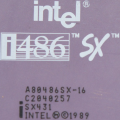
- Intel 486DX50
- 16MB RAM
- Cirrus Logic CL-GD5426 VLB video card, 1MB RAM
- AZTech Sound Galaxy Pro NX sound card
- Goldstar IDE Floppy/IDE controller
- 512MB CF card and adapter (for the hard drive)
- Adaptec AHA-1515 SCSI controller
- NEC MultiSpin 4X Caddy SCSI CD ROM
- 3.5" and 5.25" floppy drives, and GoTek floppy emulator
The SCSI Gods really smiled upon me when I installed the SCSI controller and CD ROM...after installing the hardware I just ran the setup software (EZ SCSI lite v. 3.03) that came with the NOS card I bought, and it all worked! (except for the DOS game launch issue).
Here's what's in my config.sys and autoexec.bat files. (as a side note, I'd love to hear some suggestions for optimizing memory for DOS games. I did try running memmaker and it did free up some conventional memory...by completely removing the CD ROM driver...?)
CONFIG.SYS
DEVICE=C:\DOS\HIMEM.SYS
DEVICE=C:\DOS\EMM386.EXE NOEMS
DEVICEHIGH=C:\SCSI\ASPI2DOS.SYS /D /Z /X5
DEVICEHIGH=C:\SCSI\ASPICD.SYS /D:ASPICD0
BUFFERS=15,0
FILES=40
DOS=HIGH,UMB
LASTDRIVE=E
FCBS=4,0
AUTOEXEC.BAT
LH C:\SCSI\MSCDEX.EXE /D:ASPICD0 /L:D
SET BLASTER = A220 I7 D1 T4
SET SOUND = C:\SNDCRD
LH /L:0;1,45456 /S C:\DOS\SMARTDRV.EXE /X
@ECHO OFF
PROMPT $p$g
PATH C:\WINDOWS;C:\DOS
SET TEMP=C:\DOS
LH /L:1,29456 C:\MOUSE\MOUSE.COM
Thanks y'all! I haven't messed around with DOS since the mid-90s. Turns out that solving weird issues is a lot easier when the internet....exists 😀