VOGONS


Rust-DOS, a new DOS emulator

Topic actions

Reply 20 of 34, by The Solutor

User metadata
Rank Member
Rank
Member

Yepp!!!

It works on W7 and fixes the magnification problem in W8.1 (I assume W8 will work as well)

Two birds with one stone... 😀

Reply 21 of 34, by gsos

User metadata
Rank Newbie
Rank
Newbie

Hey, cool I see you added native dpmi support. What was the reason to add this? DPMI was the most painful to get right for me and dosbox chose to remove it. Of course I can't run dos programs with IOPL=3 which is the principle part that turned it into a nightmare. I checked your DPMI isn't working properly with borland c and jazz jackrabbit (16 bit borland based dos-extender which is weird and expects different dos/bios calls to be auto translated if I remember correctly).

I got some way to try boot RetroOS in rust-dos. Unfortunately rust-dos doesn't expose an ATA so RetroOS doesn't find a disk to mount and doesn't boot further. Currently only bios int 13 is supported for directly reading an image, feature request 😁

Also my fat image is fat32 which rust-dos doesn't support. Another feature request.

Reply 22 of 34, by Dividebysandwich

User metadata
Rank Newbie
Rank
Newbie

Updates! v0.8.0 is available on https://rust-dos.com
Here's a brief list of the most important new features:

v0.7.0

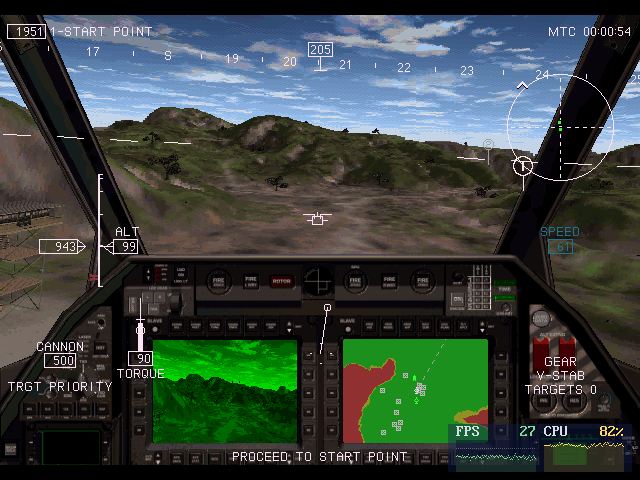
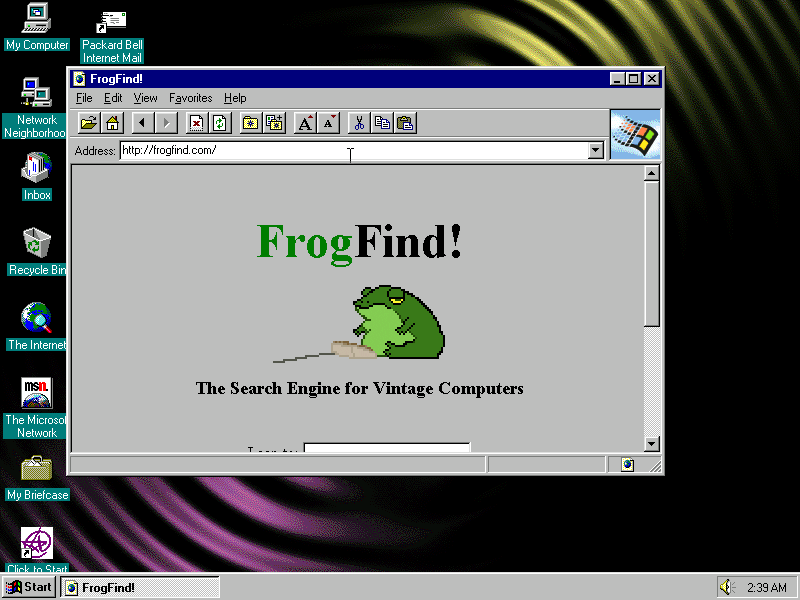
  • Windows 95 support
  • Improved Windows 3.x support
  • 3dfx in DOS and Windows
  • Pentium CPU emulation
  • Big performance improvements

v0.7.1

  • DPMI host implemented! This is still early and some games that work in raw mode may break, so it can be toggled off if needed
  • Windows 7 build
  • Improved compatibility with some popular games and scene demos

v0.8.0

  • TCP networking and internet in Windows 3.x and 95
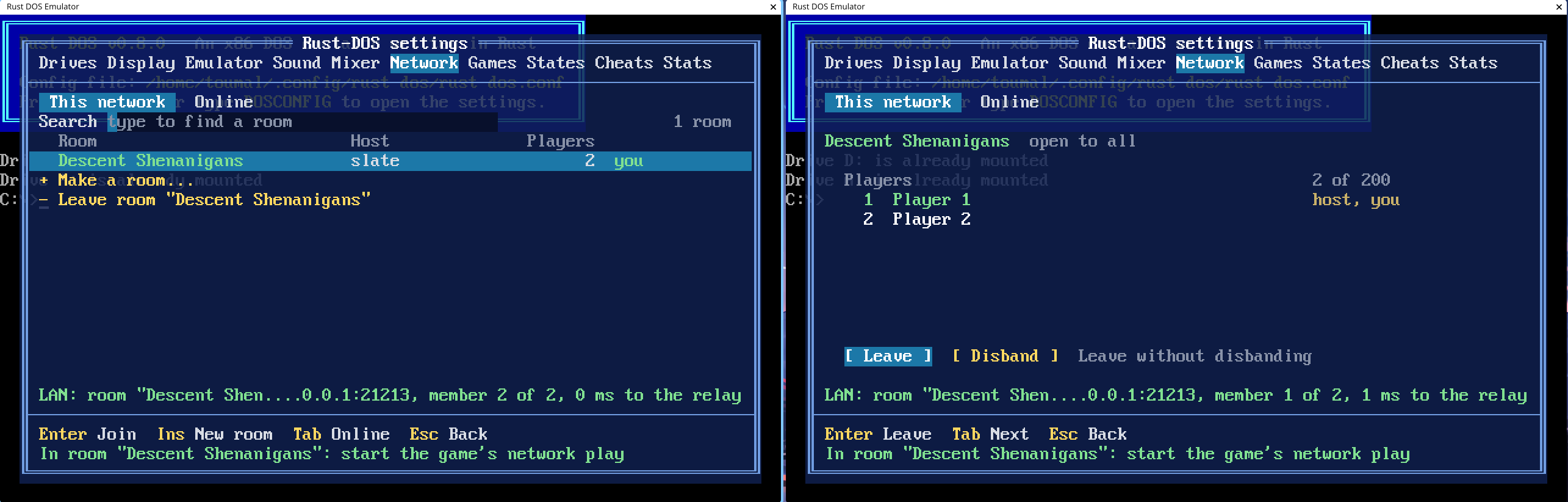
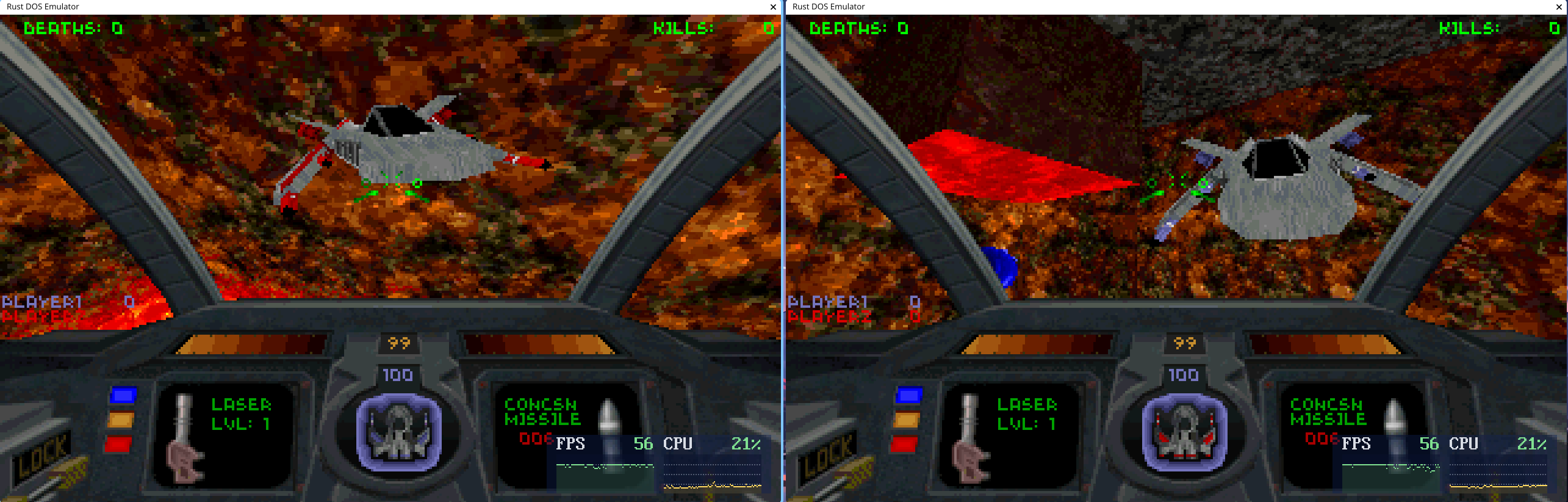
  • IPX networking in DOS via LAN and Internet
  • An online relay-service provides NAT traversal, and you can also run your own if you prefer.
  • Create and list lobbies with and without password protection

5z1278.png

xzunkl.png

2dyos8.png

j6ublo.png

Trumpet Winsock on Win3.x support only covers the NE2000, not dialup.
I should note that the networking is not compatible with dosbox or physical PCs. I was never a fan of having to faff with promiscuous mode and special system libraries. On the plus side breaking compatibility means more features like password protection and internet lobbies without the need to do port forwarding. If you do need to network with physical machines or dosbox instances, I think Dosbox-Staging or Dosbox-X is the logical choice for that.

If you just want to play multiplayer games with minimum effort, create a lobby, have the others join, and start your game.
One last thing: traffic is not encrypted, even via the internet.

Reply 23 of 34, by Dividebysandwich

User metadata
Rank Newbie
Rank
Newbie
gsos wrote on Today, 05:57:

Hey, cool I see you added native dpmi support. What was the reason to add this? DPMI was the most painful to get right for me and dosbox chose to remove it. Of course I can't run dos programs with IOPL=3 which is the principle part that turned it into a nightmare. I checked your DPMI isn't working properly with borland c and jazz jackrabbit (16 bit borland based dos-extender which is weird and expects different dos/bios calls to be auto translated if I remember correctly).

Some games and programs require it. Also, both Borland C and Jazz should work now - I was missing the MS-DOS vendor API and the int21h passthrough.

gsos wrote on Today, 05:57:

I got some way to try boot RetroOS in rust-dos. Unfortunately rust-dos doesn't expose an ATA so RetroOS doesn't find a disk to mount and doesn't boot further. Currently only bios int 13 is supported for directly reading an image, feature request 😁

Also my fat image is fat32 which rust-dos doesn't support. Another feature request.

Funny thing that... I actually implemented fat32 for dosbox-staging at https://github.com/dosbox-staging/dosbox-stag … ds/fat32support but at the time there was no real reason for the project to pick it up. So this and ATA is on my list for sure!

Reply 24 of 34, by The Solutor

User metadata
Rank Member
Rank
Member
Dividebysandwich wrote on Today, 12:10:

Updates! v0.8.0

I confirm the generic AMD64 version fixed the windows magnification problem in W8/2012 and W8.1/2012R2

Reply 25 of 34, by BinaryDemon

User metadata
Rank Oldbie
Rank
Oldbie

Wow. Can’t wait to give this a try.

What kind of hardware is needed to do 486 + Voodoo emulation?

Reply 26 of 34, by Dividebysandwich

User metadata
Rank Newbie
Rank
Newbie
BinaryDemon wrote on Today, 15:32:

What kind of hardware is needed to do 486 + Voodoo emulation?

It's probably a bit more power hungry compared to dosbox-x since their implementation had a lot more time in the oven. There's also always a chance that specific games perform much more poorly because they use certain instruction sequences that kick the dynamic recompiler out of optimizations or are simply recompiled into long loops of inefficient code. For example I had the problem that floor rendering in Heretic caused a huge amount of overhead. Such cases then have to be analyzed and fixed for the particular game in question. Unfortunately there's no one size fits all solution, at least none that I know of.

I haven't really benchmarked Voodoo between Rust-DOS and Dosbox-X yet either - I was more focused on getting things working, optimization will come in the next step.

Reply 27 of 34, by gsos

User metadata
Rank Newbie
Rank
Newbie
Dividebysandwich wrote on Today, 12:15:
gsos wrote on Today, 05:57:

Some games and programs require it. Also, both Borland C and Jazz should work now - I was missing the MS-DOS vendor API and the int21h passthrough.

Which games?Dosbox doesnt need it, what makes rust-dos different?

Reply 28 of 34, by Dividebysandwich

User metadata
Rank Newbie
Rank
Newbie
gsos wrote on Today, 19:05:

Which games?Dosbox doesnt need it, what makes rust-dos different?

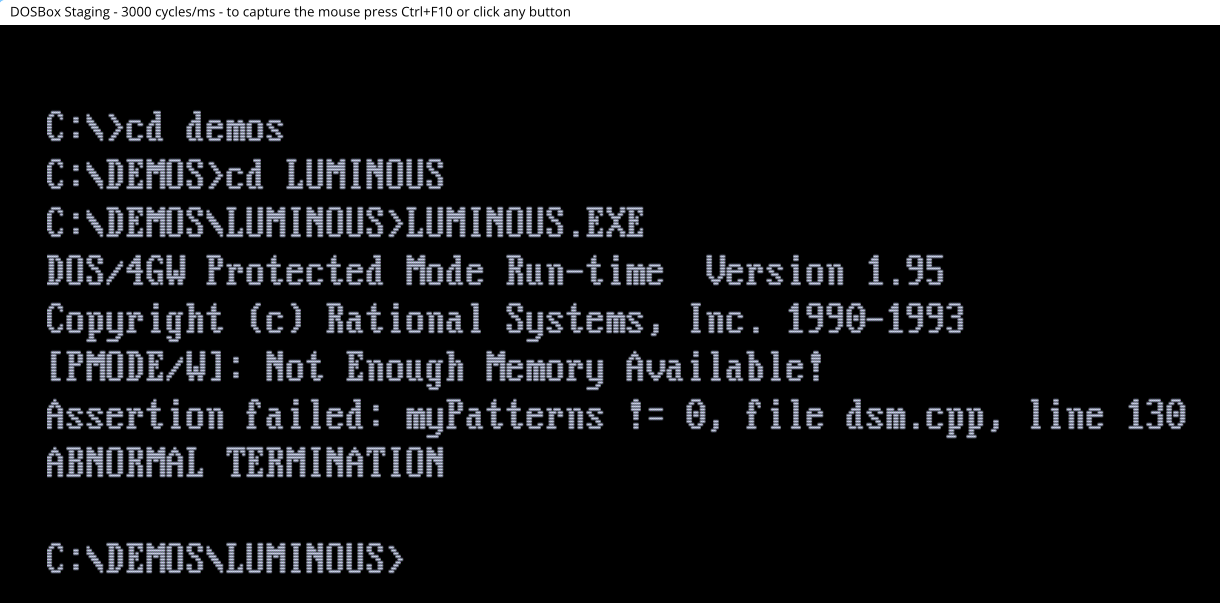
I think I first encountered this with the demo "Luminous" by scoop (https://www.pouet.net/prod.php?which=6279)

Here's dosbox-staging also failing with the same error:

m0nlk8.png

Again, if it causes problems, it can be disabled even without restarting the emulator, you just have to sit at the prompt.

Reply 29 of 34, by Dividebysandwich

User metadata
Rank Newbie
Rank
Newbie

@BinaryDemon:
I did some benchmarking of the Voodoo implementation in software mode. The big difference is that Rust-DOS Voodoo emulation supports up to 4 worker threads.
With one worker thread to match Dosbox-X, Rust-DOS is about on-par. It's has about 10% faster pixel fill rate, it's 20% slower on triangles, but framebuffer writes are almost twice as fast.
With 4 worker threads (which is the default), Rust-DOS is faster across the board: pixel fill rate is over 4 times faster, triangles are 2.5 times faster, framebuffer is 1.7 times faster. My guess is the synchronization overhead actually lowers the framebuffer score. There was no difference between DOS and Windows.

On GPU however, Dosbox-X's fill rate is over 70 times faster, triangles are 15% faster, while framebuffer writes are three times slower weirdly enough. The 70x advantage for Dosbox-X is because I essentially always fill in software.

TLDR: In software rendering and default settings, the Voodoo in Rust-DOS is a lot faster than Dosbox-X. If you have a GPU, the situation is reversed and Rust-DOS gets essentially roflstomped. But that's something I can work on.

Note that this is Voodoo performance only. Game performance still varies because of the different implementations. If you have a favorite game that runs terribly in Rust-DOS please let me know.

Reply 30 of 34, by The Solutor

User metadata
Rank Member
Rank
Member

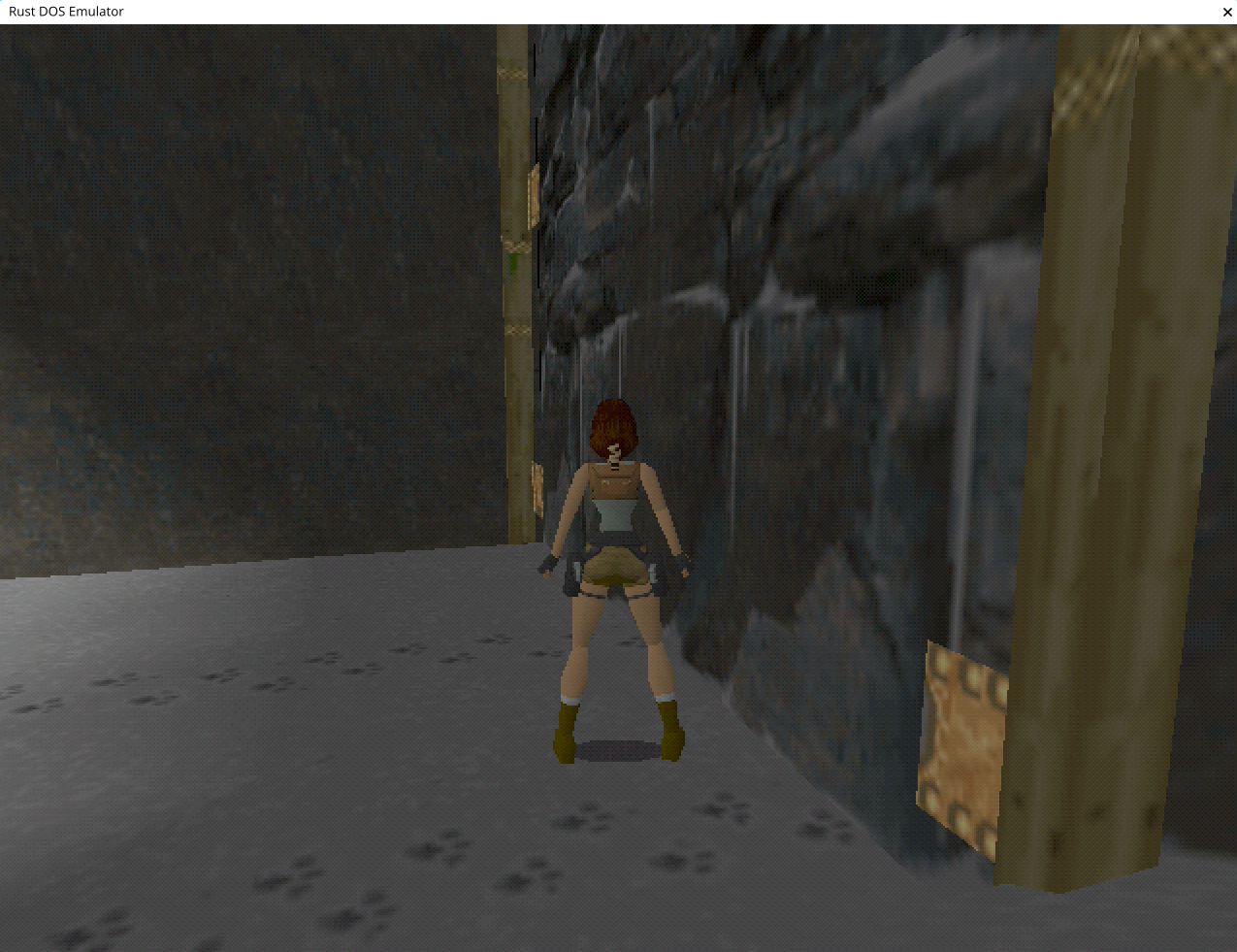
Tombraider, after the 3Dfx logo shows just a black screen, maybe it's just the blink video intro that breaks things.

In VMware (differently than Vbox) the black screen is a thing as well, but there just pushing ESC twice is enough to skip the invisible videos, and go straight to the game, which then works perfectly.

Here ESC does nothing, and a blinking cursor is the only sign of life.

Edit, the above applies to W8.1, retested from Win10 seems working perfectly.

Reply 31 of 34, by Dividebysandwich

User metadata
Rank Newbie
Rank
Newbie

@The Solutor: I also can't reproduce this on Linux. I downloaded the CD version and it seems to work fine. Looks like another windows version specific problem 😒
wnpm4o.png

Reply 32 of 34, by The Solutor

User metadata
Rank Member
Rank
Member
Dividebysandwich wrote on Today, 21:36:
@The Solutor: I also can't reproduce this on Linux. I downloaded the CD version and it seems to work fine. Looks like another wi […]
Show full quote

@The Solutor: I also can't reproduce this on Linux. I downloaded the CD version and it seems to work fine. Looks like another windows version specific problem 😒

wnpm4o.png

I've spent the last half hour trying to understand what was going on.

W7, OK W10 OK, W8.1 KO both AMD64 generic and W7 version.

So I restored the GPU driver I changed yesterday for the magnification problem, still no dice.

At the end I went the Linux way, deleted the rust-dos.conf file and started from scratch. Problem fixed. Not sure what was wrong in the old one, I played from the GUI with all reasonable options, unsuccessfully....

----------------------------------------------------------

Speaking of which, I humbly suggest an improvement: Make the program to check for rust-dos.conf in its own directory.

If the file is there, use it.

If the file isn't there look in the user's profile, and eventually create one (the current behavior)

This way the program can be either portable or normal, w/o much troubles.

Reply 33 of 34, by Dividebysandwich

User metadata
Rank Newbie
Rank
Newbie
The Solutor wrote on 58 minutes ago:

Speaking of which, I humbly suggest an improvement: Make the program to check for rust-dos.conf in its own directory.

Good idea. Will do!

Reply 34 of 34, by The Solutor

User metadata
Rank Member
Rank
Member
Dividebysandwich wrote on 42 minutes ago:

Good idea. Will do!

Thanks, I believe it doesn't require much additional coding, while adding a good feature in return.