Reply 100 of 116, by ultrahrc
Any chance to support 86Box's 86F diskimage ?
Unfiltered texture sampling for both software and OpenGL 3dfx rendering. The patch is based on the latest Github repo state.
Although not historically correct, people who didn't experience the mid 90s themselves may have a hard time to grasp in what way those super blurry textures may have been progress, and thus prefer a sharper unfiltered look.
With anisotropic filtering enabled the OpenGL renderer keeps mipmap-level filtering, and doing so finds a nice balance: sharp texels, but without ugly mip-level change artifacts.
I think that's it from my end for the time being. Those were the basics I wanted to get in. I might be back later with one or the other thing occasionally.
CD-Audio related behavior change/bugfix:
MSCDEX: don't play audio starting in a data track
A Play Audio request starting in a data track (e.g. sector 0 on a mixed-mode CD) used to play silence through the data track and report the drive as busy. Like DOSBox, accept the request but don't play, so the drive is not busy and the game can go on. Fixes EF2000 GFX+ CD music.
@dosmax: Merged, thank you!
ultrahrc wrote on 2026-10-08, 14:57:Any chance to support 86Box's 86F diskimage ?
Yep I have a first throw in git, but it has a number of limitations and I need to do more testing. Anything that needs a full FDC will not be supported, i.e. games that rely on emulating the controller hardware for copy protection.
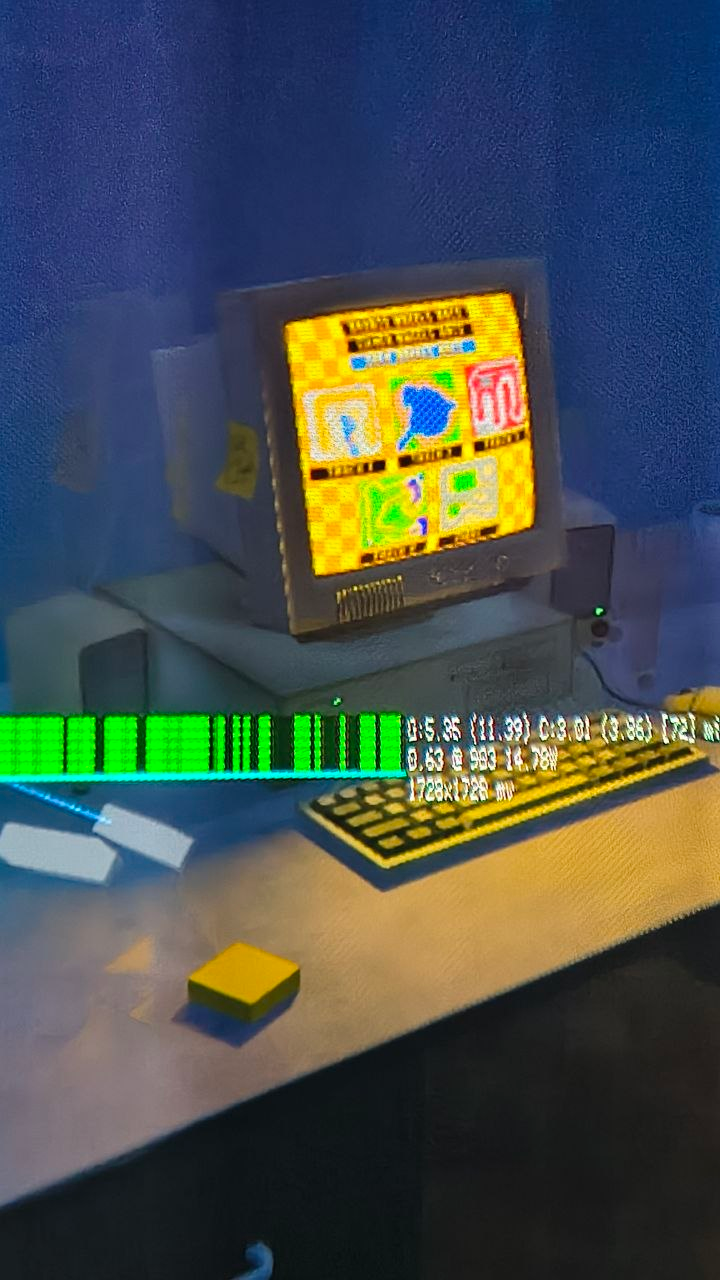
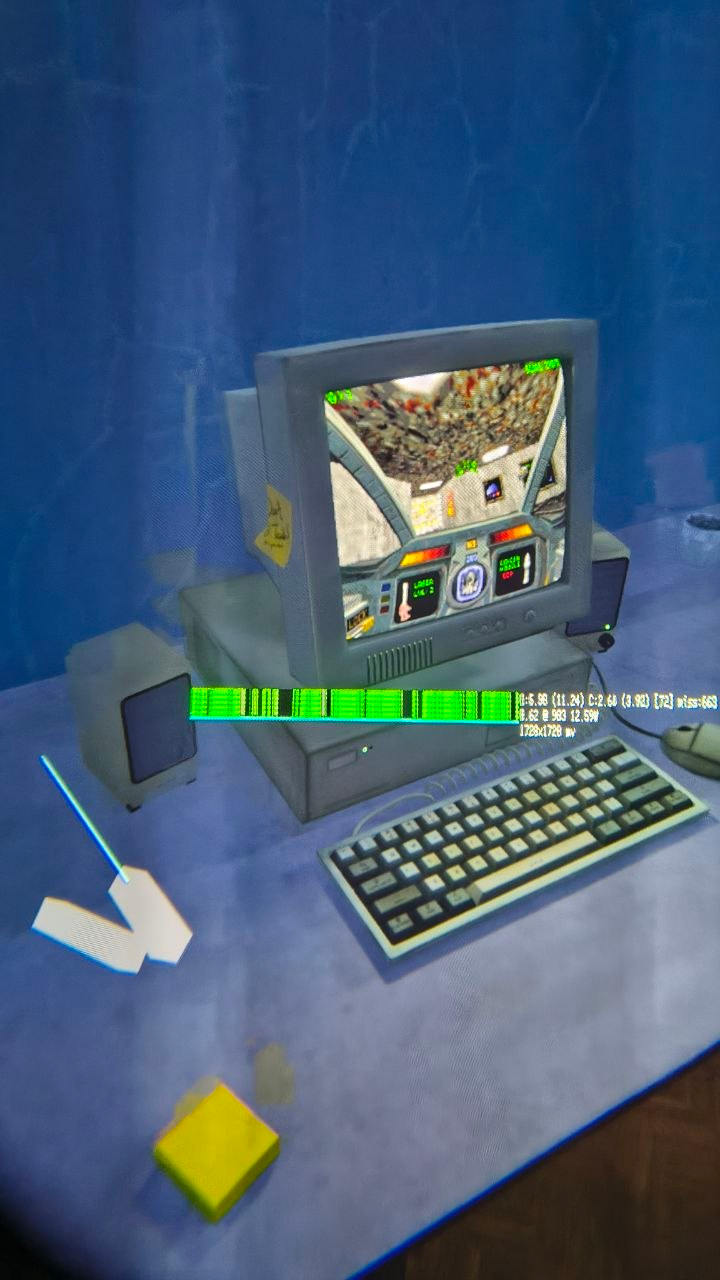
In other news, I finally got my Steam Frame and I'm busy ironing out the kinks right now. Streaming mode works, the renderer is selected automatically, but on-device rendering needs some love.
Good news everyone: Running standalone on the Steam Frame works, and performance is very good!
Of course you don't HAVE to use the 3d scene, you can also just run Rust-DOS in a 2D window that floats in your SteamVR space. And streaming works too.

v1.5.0 has been released -> https://github.com/dividebysandwich/rust-dos/ … ases/tag/v1.5.0
Steam Frame support
* Headset sessions now run through GLX, EGL or a Vulkan bridge, whichever the OpenXR runtime offers. This means Rust-DOS now runs standalone on the Steam Frame.
* Foveated rendering on the Steam Frame, through Valve's density map layers reached via Zink.
* Auto VR settings for standalone headsets: a lighter look, adaptive resolution and 72 Hz.
* New `--vr-probe`, `--vr-graphics` and `--vr-resolution` options, and headset graphics and resolution in the settings window.
* The Windows builds now include the OpenXR DLL, and the tarballs include libopenxr.
Rust-DOS now runs really well on the Steam Frame, drawing between 12-16 Watts in the "90s Bedroom" scene. Of course rendering just the 2D dos window uses less battery.
PowerVR and Rendition Vérité 3D accelerators
Two more 3D cards from the era join the 3dfx Voodoo and the S3 ViRGE:
* **PowerVR PCX2**: scenes render through its tile-based ISP and TSP, with texturing, shading, parallel tiles and render timing. It has its own settings and a filter setting.
* **Rendition Vérité**: the Speedy3D command interpreter with triangles, blits, blending, Z buffer, fog, bilinear filtering, alpha texture formats and vertex colour modulation. vQuake runs, including its spans, lookups and particles.
* Tomb Raider runs on both cards.
Game packages: the automount folder and OS installs
Packages can now bring their own disks and their own operating system, following a proposal from the community:
* **`automount` folder**: images and folders at the top of a package's `automount/` folder are mounted by their names before the game's commands run:
* `c.vhd` and `d.vhd` are hard disks.
* `d.cue`, `d1.iso` and `d2.cue` are discs in one drive, switched with Ctrl+F4.
* `e/` is a folder CD and `e.hd/` a folder hard drive.
* `a.img` and `a1.img` are floppies.
* `d[GAME CD].iso` sets the drive's volume label.
* **Bring your own OS**: `os=win98se` now looks in the package's `automount` folder first and in the OS images folder after that. A `rust-dos.conf` can name an OS too, with `[game] os=`.
* **Ship a Windows game's install as a `c.vhd`**: a differencing VHD holds only what the game's install changed, and Rust-DOS boots it on top of your own copy of the OS image. Differencing VHDs are a standard format that VirtualBox, Hyper-V and Windows can make. GAME-PACKAGES.md explains how.
* **Differencing VHD images** can be mounted anywhere. Their parent is found by name, beside the image or in the OS images folder, and is checked by its id.
* **Stale save data is set aside, not lost**: when a package or OS image changes after you played, the old changes file is renamed to `.rdelta.stale-<date>` and the game starts clean. Nothing is deleted.
* **One player at a time**: a second Rust-DOS that tries to launch a game already being played is refused, rather than both writing into the same saves.
* The libretro core's **Boot OS** option now goes through the same package handling, so automount folders work there too.
* Fixed: drives inside an archive (such as a folder OS inside a `.dosz`) were read-only. Their changes now go to the game's saves.
Drives page improvements
* Create fixed and dynamic VHD images right from the Drives page.
* Mount images as BIOS disk numbers (`2`, `3`) from the Drives page.
* Pick a drive's IDE slot in the mount dialog.
* Keep a disk image's changes in a separate delta file, chosen in the mount dialog.
* VHD images show up in the settings file browser.
3dfx improvements
* Unfiltered texture sampling (`voodoo_texture_sampling`) for both the software and OpenGL renderers. It switches immediately, without touching the guest's registers.
* Glide gamma (`voodoo_gamma`), set through the `SST_RGAMMA`, `SST_GGAMMA` and `SST_BGAMMA` environment variables.
* CRT shaders keep their scanlines, mask and glow at the 3dfx card's own resolution with the OpenGL renderer above 1x (`voodoo_scale_shader`).
* Anisotropic filtering in the OpenGL renderer.
Other changes and fixes
* 86Box `.86f` floppy images are now supported.
* MSCDEX Play Audio starting in a data track now plays nothing, as in DOSBox. This fixes CD music in EF2000.
* DPMI host: coprocessor status and emulation functions 0E00h and 0E01h.
* FPU: x/0 gives infinity with ZE, and 0/0 the indefinite with IE.
* Settings go back to your configured baseline before a game launches, so one game's settings no longer leak into the next.
* Launching a game from the settings window while a program runs asks before closing that program.
Distribution
* Rust-DOS now also ships as AppImage files for aarch64 and x86_64. This should make it a lot easier for SteamDeck, SteamMachine and SteamFrame users to just download and run instead of having to unpack tarballs.

One more fix: both Descent II 3dfx patches had no working mouse. The fix addresses that and will likely fix mouse support for quite a few other games as well.
Note that this is outside of my area of expertise and was entirely agent generated. The agent ran quite a few tests including visual verifications. However, I only tested the fix against a handful of other games, so I can't rule out entirely that it breaks something else. Most of what the fix does seems to be taken from Dosbox-Staging, so the risk is probably low.
[PATCH] Fix mouse support in Descent II 3dfx variants
- Both variants: return FFFFh from INT 33h AX=0020h to pass mouse initialization, and preserve full 32-bit registers across callbacks
- D2_3DFX.EXE: leave interrupt vectors 60h–65h unused so DOS/4GW can install its mouse callback translator, fixing startup hangs and button handling
- D2VOODOO.EXE: deliver pending button callbacks after reflected mouse polls with IF clear, fixing working movement but unresponsive buttons
- Add regression tests without changing IRQ12 infrastructure
- May also improve mouse compatibility in other DOS/4GW games.
@dosmax: Ah, excellent. Well I have my regression test suite for exactly that reason 😀
If you mean the automated tests, those ran through fine. Wouldn't trust those 100% though, you never know whether maybe some or the other game may be allergic to e.g. the interrupt change. But DosBox-Staging doing the same should instill some confidence in that respect.
As far as I'm aware I think (with a little help of from me) you now have the best option out there for Glide games under DOS, at least for my needs. 😀
Aaaaand one more addition. This really is the last one for now...
Instead of the boolean off/4:3 aspect setting, the patch provides a more flexible aspect ratio selection: none, 4:3, 5:4, 16:10, 16:9. Existing false/true values are automatically mapped to none/4:3.
Mostly useful to fix the aspect ratio of games that look horizontically compressed when displayed at 4:3. Usually stemming from art being drawn at 320x200 (16:10) with 1:1 pixels that then look wrong at 4:3. In such a case selecting a forced 16:10 aspect ratio looks better although in the past most probably played these games at 4:3.
For typical 320x200 VGA games your original false/true takes care of that well, but there are edge cases where it can't. E.g. Screamer 2 3dfx uses a 640x480 res, so both on/off from the old setting provide the same 4:3 result, although the games clearly only looks right aspect wise at 16:10.
Forced aspect ratios aside from 4:3 and 16:10 probably aren't that useful for the vast majority of DOS games, but were added in case some user e.g. prefers stretching to a 16:9 display.
And the really really last one (I think), providing a small usablity enhancemant:
A mouse sensitivity setting, configurable on the Emulator tab, applied directly on change.
Useful e.g. in D2_3DFX.EXE where the game's mouse sensitivity is too low to be usable even at the highest game setting.
Guess I should delete the project now before this gets out of control... 😀
...or make a fresh GH account and contribute directly 😀
Maybe later. Mostly wanted this for a handful of DOS Glide games, which now work like a dream. Hassle free hardware acceleration, all filtering, scaling etc. options one could wish for, and all that cotnrollable via your nice realtime settings GUI. Doesn't get much better than that.
I'll certainly be back with one or the other small thing, but for now I think I really have everything in that I wanted.
Wel, well, the closer you look...
This one fixes two Voodoo OpenGL problems. There is a minor impact on OpenGL performance since some draw calls now have to run twice, nothing serious though, and doesn't matter anyway in 2026 with the workload games that old put on a GPU.
Practical effects are: better working depth sorting, incl. with MSAA (affects pretty much any Glide game), and fixes for even more severe glitches in some games (e.g. a completely garbled image with OpenGL Voodoo in Achimedian Dynasty 3dfx)
---
Fix Voodoo OpenGL constant-depth writes and LFB command ordering
- Separate constant-depth comparisons from interpolated-depth writes
- Preserve framebuffer writes between identical triangle draws
- Add readback, MSAA depth, and saved-scene replay tests
Well, well, the closer you look..., part 2
This patch fixes joystick detection in Archimedean Dynasty and pretty likely other games as well.
This patch is the result of a (fairly nifty I got to say, those are getting really good...) agent driven debug session, the AI describes the result as follows:
The bus now supplies the emulated timestamp for port reads and writes; the game-port state stores its last armed time, so the save-state format version was bumped. Regression tests cover both polling patterns. You’ve confirmed both games now work.
v1.6.0 has been released! -> https://github.com/dividebysandwich/rust-dos/ … ases/tag/v1.6.0
CHD CD images
* Rust-DOS now reads CD images in MAME's compressed CHD format (`.chd`, as `chdman createcd` makes them). It reads both data and audio tracks, decompressing them as they are read.
* CHD images work wherever other CD images do: mounted from the Drives page, opened directly, or in a game package's `automount` folder (`d.chd`).
* A CHD is already compressed, so store it uncompressed inside a zip (`zip -n .chd`). That makes it the smallest CD image that uses no extra memory.
Windows 95 on the Rendition Vérité
* Windows 95 now runs on the Vérité with Rendition's V1000 reference driver (2.1 beta 2), installed with **Have Disk** in Display Properties. It used to crash after the driver was installed ([#15](https://github.com/dividebysandwich/rust-dos/issues/15), reported by [The-Solutor](https://github.com/The-Solutor)).
* The driver's 2D microcode now runs on the emulated card, including fills, copies, one-bit images, text, brushes and clipping. Mode setting goes through the card's own CRTC, and the Bt485 RAMDAC provides the palette and hardware cursor.
* The desktop, MS-DOS Prompts (windowed and full screen) and Paint were tested at 800x600 in High Color and at 640x480 in 256 colours and True Color.
NOTE: Direct3D and OpenGL under Windows are not supported yet.
Display, mouse and sound settings
* **Fixed aspect ratios** (`aspect`): `none` (native pixels), `4:3`, `5:4`, `16:10` or `16:9`. The picture expands to that shape without cropping, and `4:3` is the usual choice for DOS games. The old `true`/`false` values still work. (contributed by dosmax on the Vogons forums)
* **Mouse sensitivity** (`mouse_sensitivity`): scales captured mouse movement from `0.1` to `10.0` (default `1.0`). It has a slider in the settings window (contributed by dosmax on the Vogons forums)
* **Sound buffer and prebuffer** (`blocksize`, `prebuffer`): set how much sound waits for the host's sound device. Smaller values make sound effects follow the picture sooner; if the sound crackles, raise them again. The defaults are 512 frames and 20 ms.
libretro core: 3dfx Voodoo with OpenGL
* With **3dfx renderer** set to OpenGL, the core now draws the 3dfx card with the frontend's OpenGL, as the Rust-DOS window does. That includes **3dfx OpenGL scale** and **3dfx OpenGL antialiasing**. It needs RetroArch's `glcore` or `gl` video driver; with any other driver, the software renderer draws the card as before.
Debug server
Three additions for scripts and LLM agents that drive the debug server, by @kibertoad (https://github.com/kibertoad):
* Trace paging and counted traces: `GET /api/trace?since=N` reads the trace oldest first in pages, with a `next` cursor and a `dropped` count of entries overwritten before they were read. `POST /api/trace {"count":5000}` records the next 5000 instructions and stops, so the ring keeps what ran right after a breakpoint.
* Guarded memory writes: `PUT /api/memory` takes `"expect"`, the bytes that must be there for the write to happen. If they differ, nothing is written and the reply is 409. Every write reply now includes the bytes it replaced (`old`) and what reads back (`new`). Hex data can be written as `0xCD 0xAB`.
* Program start and exit stops: `POST /api/control/run {"command":"GAME.EXE","stop_at_entry":true}` runs a command line and pauses at the program's first instruction. The `{"program_start":true}` and `{"program_exit":true}` breakpoints pause at every program's entry and after every program ends, with its exit code and whether it stayed resident or was aborted. `/api/status` shows the running program and how the last one ended.
3dfx improvements (contributed by dosmax)
* Fixed the mouse in the 3dfx versions of Descent II
* Separated constant-depth comparisons from interpolated-depth writes
* Preserved framebuffer writes between identical triangle draws
Other changes and fixes

* Fixed the planet palette in Jazz Jackrabbit: video BIOS calls that pass pointers are now translated for DPMI programs.
* Fixed scroll jitter in Jazz Jackrabbit with VRR frame pacing.
* Expanded the Tomb Raider instructions: the double/single buffering toggle and the keys specific to the PowerVR version.
* The sound cards, DMA controller, savestates, host directories and the zip reader now live in their own crates. This allows the re-use of things like the GUS and SoundCanvas emulation written in pure Rust by other projects.
* Windows builds now have the correct program icon.
Here's a short video of Rust-DOS running on the Steam Frame.