VOGONS


Rust-DOS, a new DOS emulator

Topic actions

Reply 120 of 134, by ultrahrc

User metadata
Rank Newbie
Rank
Newbie

Thanks for adding basic support of 86F diskimages.
The advantage of the 86F format is it can hold many keydisk protection scheme.
So we can play keydisk protected games on emulators, no need to crack them.
I hope fully support will arrive in the near future.

Reply 121 of 134, by Dividebysandwich

User metadata
Rank Newbie
Rank
Newbie

v1.7.1 has been released! -> https://github.com/dividebysandwich/rust-dos/ … ases/tag/v1.7.1

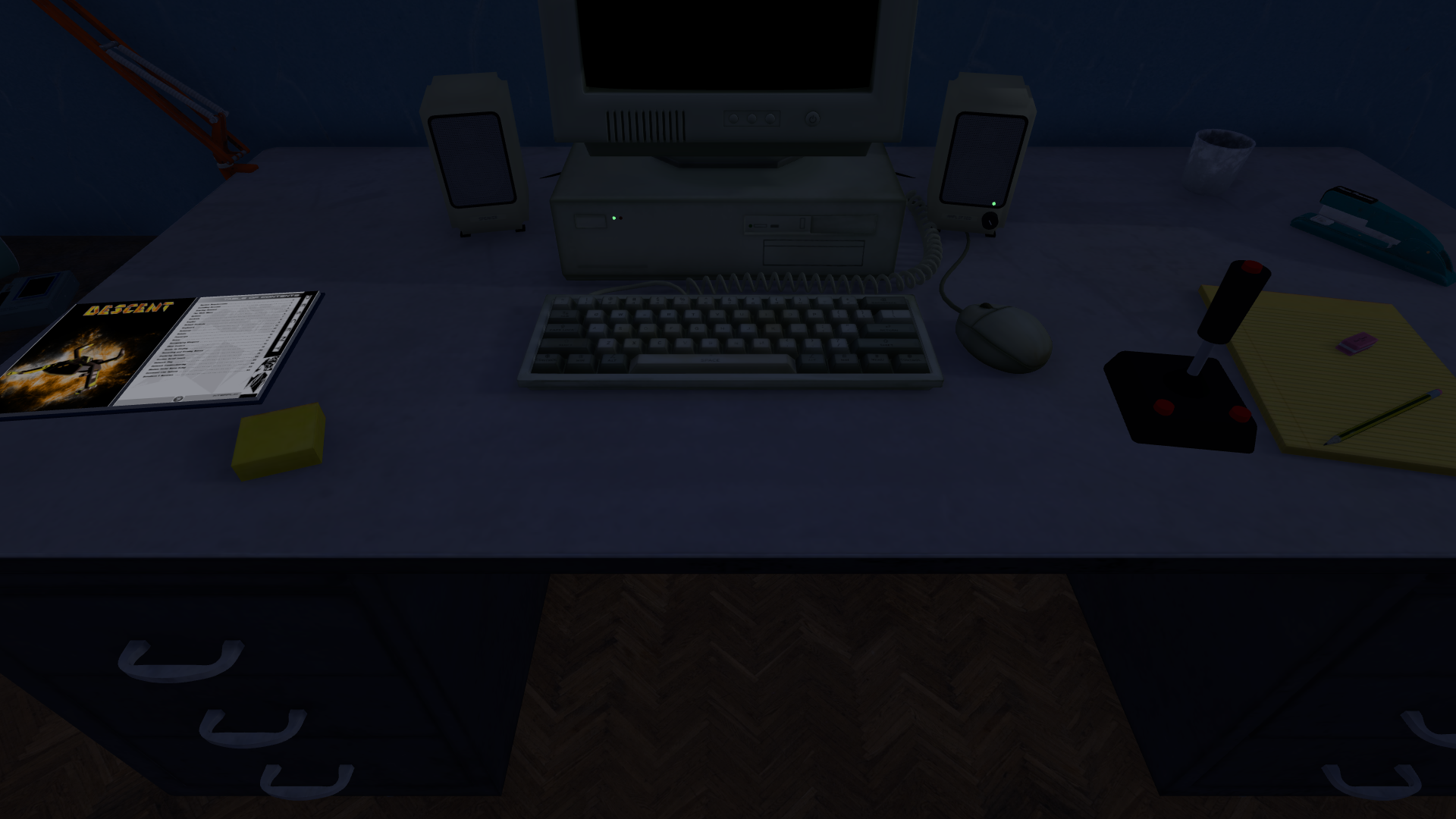
Game manual and virtual joystick on the VR desk

pa2jr2.png

The 3D scene now has things on the desk to pick up with a VR controller's grip button:

* The manual of the game that runs (from its profile's manuals and extras) lies on the desk as a booklet. Pick it up and turn its pages with the thumbstick of the hand holding it; with several manuals, **A/X** picks the next. Put it down and it settles on what is below it.
* A joystick: hold it by its stick and the stick follows your hand as the game port's joystick, with the trigger and A/X as its buttons. Hold it by its base to move it somewhere else on the desk.

Scenes of your own place the manual with an empty named `manual`, or bring their own booklet model with `manual_page_left` and `manual_page_right` pages (see `docs/vr.md`). A scene without one gets the manual anyway.

Dialup modem noises intensify

Video: https://youtu.be/XYpgWRVPmP8

Dialing out now sounds just like in the good old days: the modem's speaker plays the dial tone, the number as touch tones (`ATDT`) or pulse clicks (`ATDP`), the other end ringing, and a real modem's handshake, and CONNECT appears when the handshake ends.

* `ATM0` turns the speaker off, `ATM3` keeps it quiet while dialing, and `ATL0`..`ATL3` set its volume.
* The speaker has its own `modem` volume in the mixer.
* A key during the dialing or the handshake ends the call, as on a real modem.

Settings can now be opened with the mouse

Hold the **right mouse button for three seconds** without moving the mouse and the settings window opens, for a PC on a TV, a remote, or a keyboard with no F12 (#78). The program still sees the press, and moving the mouse while holding the button keeps it an ordinary press. Turn it off with `mouse_menu_hold=false` for a game that has you hold the right button still.

Settings in the browser's address

The web version takes any `rust-dos.conf` setting in its address as `?section.key=value`, for that visit only:

?emulator.cycles=3000&sound.sbtype=sb2

The browser's saved settings stay as they are, and a game profile's own settings still win over them.

New CPUs supported

Pentium Pro and Pentium II are now supported, courtesy of @kibertoad

Other changes and fixes

* Fixed PIT channel 2 counting while its gate is low, which made MS-Kermit hang over and over. The counter now stops and restarts with the gate as on the 8253, for programs that time delay loops with it.
* Video recordings (Ctrl+F7) go on while the machine stands still, with the settings window or the pause screen in the picture and silence in the sound, instead of skipping that time.
* On Windows, starting Rust-DOS from Explorer or a shortcut no longer opens an empty console window next to it. Started from a terminal, it still prints there.
* Kept host folder searches are dropped after a state load and after a shared disk is copied back, so a search never lists files that are gone.
* Mouse: set the driver up for the new screen when a program sets a video mode by @kibertoad in https://github.com/dividebysandwich/rust-dos/pull/61
* Benchmark harness (Criterion) with DOS file call benchmarks by @kibertoad in https://github.com/dividebysandwich/rust-dos/pull/62
* Report access denied and path not found for failed host file opens by @kibertoad in https://github.com/dividebysandwich/rust-dos/pull/63
* Interpolate the AWE32 filter coefficients from a table by @kibertoad in https://github.com/dividebysandwich/rust-dos/pull/64
* Redraw only the changed rows of 16-colour planar frames by @kibertoad in https://github.com/dividebysandwich/rust-dos/pull/65
* Copy XMS and EMS block moves a run at a time by @kibertoad in https://github.com/dividebysandwich/rust-dos/pull/66
* Redraw only the changed lines of the CGA's composite picture by @kibertoad in https://github.com/dividebysandwich/rust-dos/pull/67
* Encode GIF animations on a thread of their own by @kibertoad in https://github.com/dividebysandwich/rust-dos/pull/68
* Fix HTTP screen mouse input for large absolute ranges by @firestrand in https://github.com/dividebysandwich/rust-dos/pull/69
* Document what Windows 95 support rust-dos has by @kibertoad in https://github.com/dividebysandwich/rust-dos/pull/70
* Keep the S3 for an imported DOSBox configuration that boots a hard disk by @kibertoad in https://github.com/dividebysandwich/rust-dos/pull/71
* Report the Stats page's numbers in /api/stats by @kibertoad in https://github.com/dividebysandwich/rust-dos/pull/72
* Add cpu=pentium_pro and cpu=pentium_ii by @kibertoad in https://github.com/dividebysandwich/rust-dos/pull/73
* Stop an unanswered serial link from waking the network thread hundreds of times a second by @kibertoad in https://github.com/dividebysandwich/rust-dos/pull/74
* Keep host folder entries between path lookups by @kibertoad in https://github.com/dividebysandwich/rust-dos/pull/75
* Keep FindFirst's listing of a host folder for FindNext by @kibertoad in https://github.com/dividebysandwich/rust-dos/pull/76
* Log exceptions per place instead of the first 200 by @kibertoad in https://github.com/dividebysandwich/rust-dos/pull/79

Many thanks for the PRs!

**Full Changelog**: https://github.com/dividebysandwich/rust-dos/ … v1.7.0...v1.7.1

Reply 122 of 134, by hail-to-the-ryzen

User metadata
Rank Member
Rank
Member

A convenient feature to help in gaming development is for a "headless mode" where the video and audio frames are redirected to files at a specified rate and length of time. It could be automatable at the command line. It would provide a kind of universal logging and for auditing that game code is running as expected. Errors can also be captured that are printed to the screen.

Reply 123 of 134, by Dividebysandwich

User metadata
Rank Newbie
Rank
Newbie
hail-to-the-ryzen wrote on 2026-10-12, 23:04:

A convenient feature to help in gaming development is for a "headless mode" where the video and audio frames are redirected to files at a specified rate and length of time. It could be automatable at the command line. It would provide a kind of universal logging and for auditing that game code is running as expected. Errors can also be captured that are printed to the screen.

Rust-DOS already has that, though it's using websockets. This is also used by the web-based debug UI and allows mouse and keyboard input. Much more efficient than dumping files.

Reply 124 of 134, by kibertoad

User metadata
Rank Newbie
Rank
Newbie

Hey, nice to meet y'all, and kudos to @Dividebysandwich for creating an amazing piece of software! Had a lot of fun contributing to it, and hope to keep doing so in the foreseeable future.

Any particular games some of you good folks would be interested in having their compatibility improved?

Reply 125 of 134, by Dividebysandwich

User metadata
Rank Newbie
Rank
Newbie
kibertoad wrote on Yesterday, 18:42:

Hey, nice to meet y'all, and kudos to @Dividebysandwich for creating an amazing piece of software! Had a lot of fun contributing to it, and hope to keep doing so in the foreseeable future.

Hey! Those are some really good PRs from you! BTW at the moment I'm finishing up the last niggles with Win98 support.

Reply 126 of 134, by kibertoad

User metadata
Rank Newbie
Rank
Newbie

Thank you! Looking forward to the new release, some important fixes there.

Reply 127 of 134, by Dividebysandwich

User metadata
Rank Newbie
Rank
Newbie

Rust-DOS v1.7.2 has been released -> https://github.com/dividebysandwich/rust-dos/ … ases/tag/v1.7.2

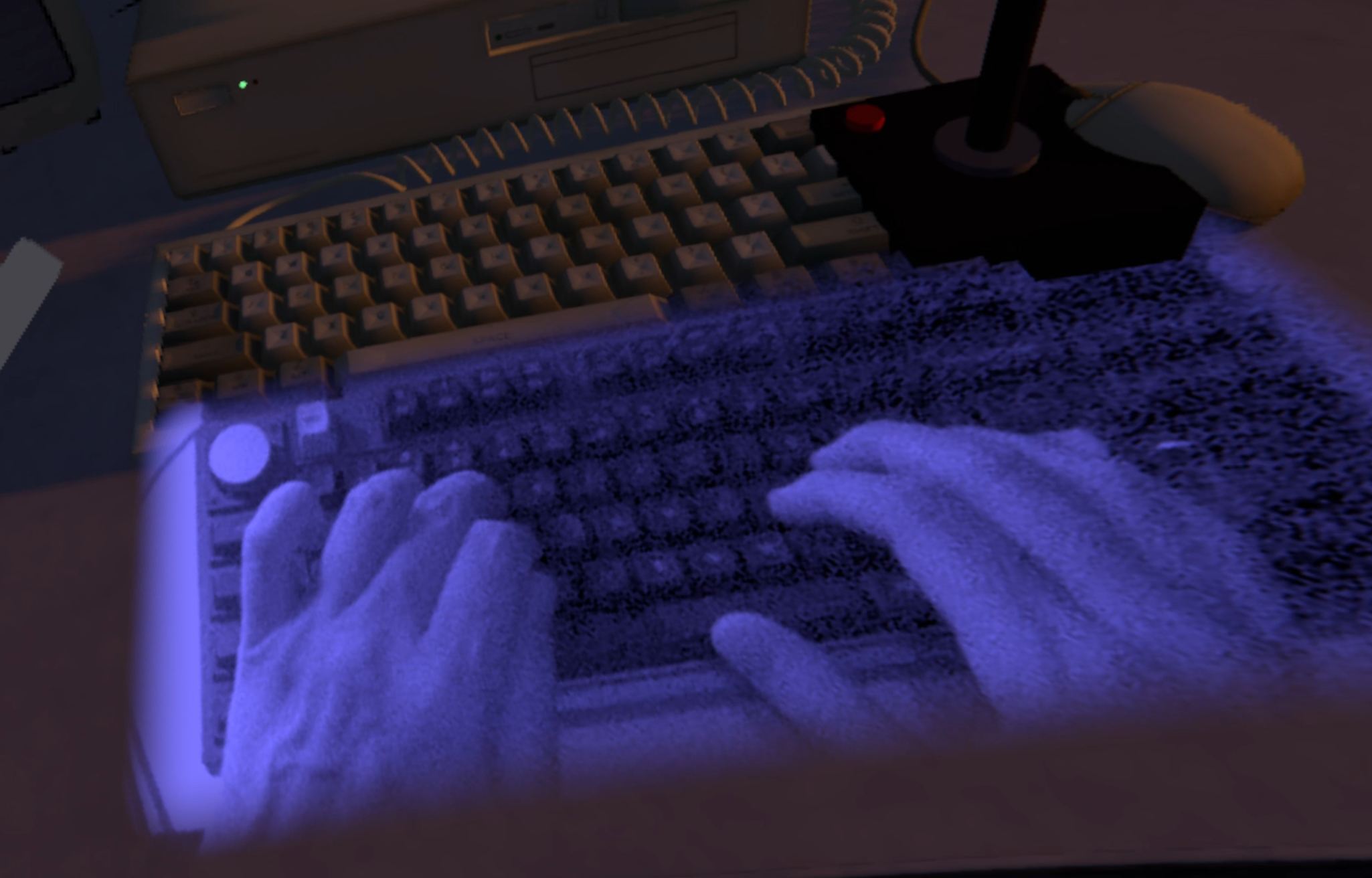
Physical keyboard visible in VR
xj9tjn.png

The new `keyboard` setting in `[vr]` shows your real keyboard, and your hands on it, through the scene with the headset's cameras, in a soft-edged window on the desk:

* `auto` puts it below the screen, then learns where it is from where your fingers press keys while the hands are tracked.
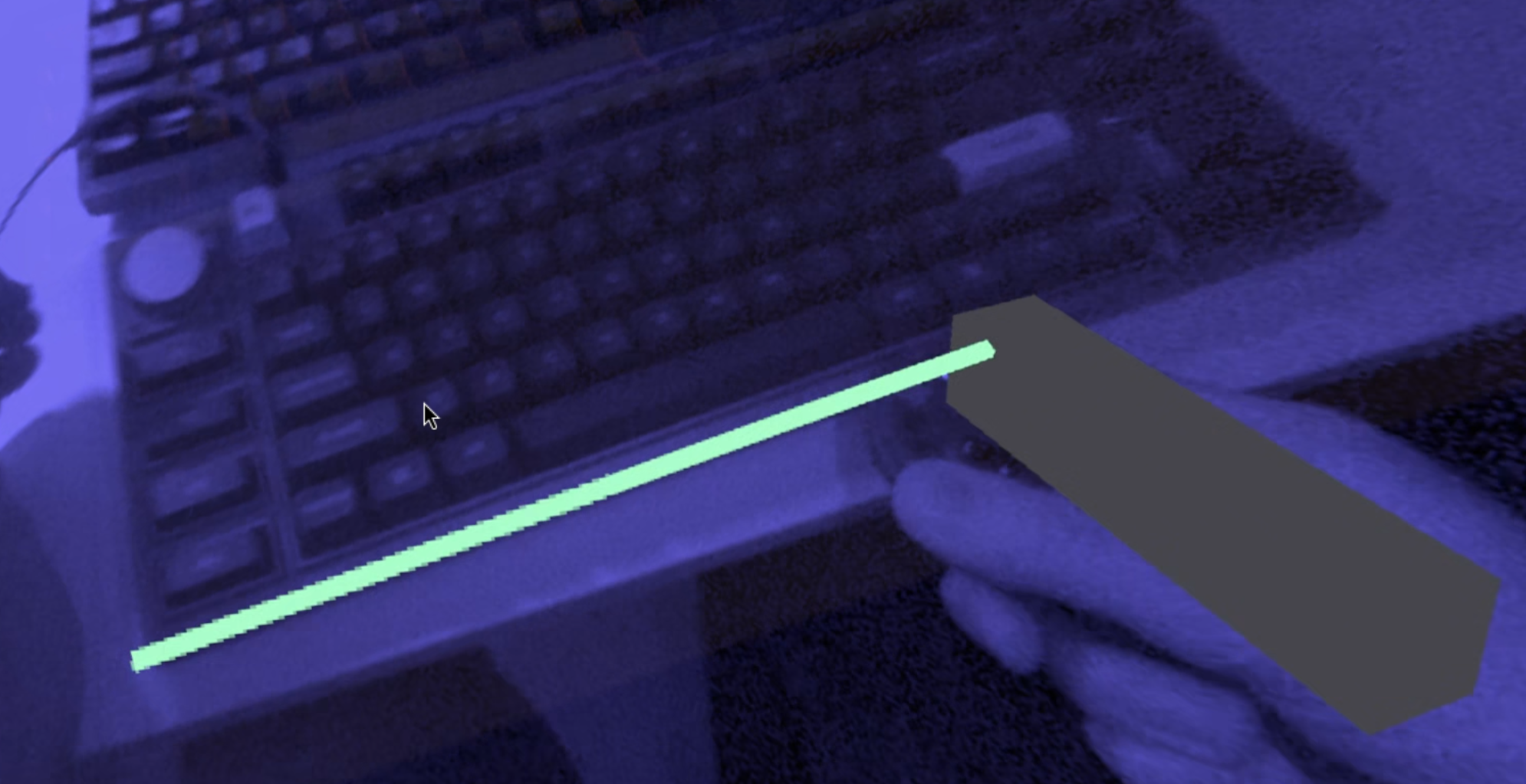
* `marked` puts it where you marked it with a controller, from the settings window's VR page

To manually mark the keyboard position, first select the bottom left corner of your keyboard, then pull a line to the bottom right corner.
3mnobj.png

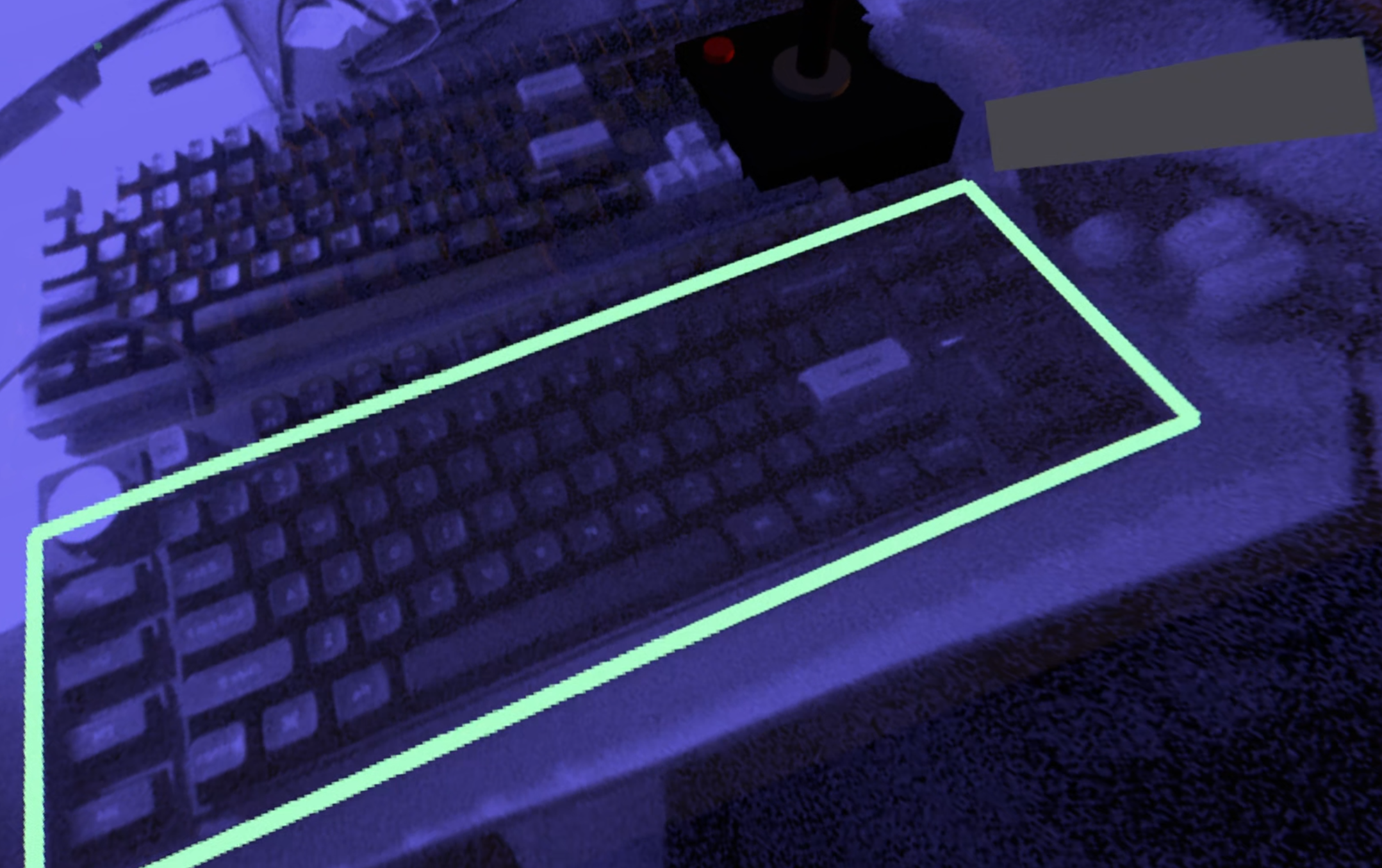
Then just drag the square upwards to encompass the entire keyboard.
dhwa09.png

This feature requires passthrough support. This includes the Steam Frame running Rust-DOS itself, Varjo XR headsets, or a Quest through Link. Note that this hasn't been tested on every headset yet, so reports are welcome.

One more small improvement: The controller's tip can now pick up the manual and the joystick too, not only its grip.

Windows 98 SE

Windows 98 SE now runs on the booted machine, with the S3 and a Pentium Pro or Pentium II

* **Images from other emulators** can be loaded without modification, for example images installed in DOSBox-X (archive.org has loads of them along with their `dosbox.conf`) imported as a game or mounted by hand, or even installed in 86Box. Windows finds the IDE and floppy controllers as new hardware at its first start and asks to restart.
* **System Properties -> Performance** shows the system is configured for optimal performance: the hard disk and the floppy drives operate in 32 bit mode, Sound Blaster 16 works, the S3 video driver supports up to 1024x768 in 32 bit, the MS-DOS prompt works, **Restart in MS-DOS mode**, Shut Down, and save states are functional.
* **Installing from the CD** works too: make a disk with `MAKEIMG`, boot the Windows 98 boot floppy with the CD in the drive, and Setup ends on the desktop about 15 minutes later at full speed.
* **The network card:** The NE2000 is supported and will appear at the port and interrupt the image was set up with, Windows can fetch an IP address access the internet.

The new Windows 98 section in `CONFIGURATION.md` has the details, including how to fix an image that another emulator left with every drive in MS-DOS compatibility mode.

Some additional fixes: Windows' SB16 driver no longer fails with Code 10, disks with more than 16 heads get a translated parameter table for Windows' IDE driver, an empty floppy drive reports "Not ready" instead of "General failure", and a system booted from a floppy restarts from the hard disk once the floppy drive is empty, as a PC that boots from A: and then C: does.

Floppy controller and Plug and Play Sound Blaster

Two additions for booted Windows systems, by @kibertoad:

* **An 82077AA floppy disk controller:** Windows 95 and 98 now drive A: and B: with their own 32-bit floppy driver, instead of MS-DOS compatibility mode.
* **`sbtype=sb16vibra`:** the ViBRA16C, an ISA Plug and Play Sound Blaster 16, as DOSBox-X has it. Windows 95 finds the card and sets it up with its own Plug and Play driver, so a Windows installed on DOSBox-X with that card keeps its sound.

Faster Windows 95 games with the recompiler

Changes by @kibertoad, found by profiling Magic & Mayhem and Enemy Infestation on Windows 95:

* **DirectDraw into the frame buffer:** `REP MOVS` and `REP STOS` copy into the linear frame buffer in one go, and translated code writes to it directly. In Enemy Infestation's tutorial level the host's busy time dropped from 70-90% to about 60%, and the frame rate went from 43-55 fps to a steady 55-56.
* **POPF and POPFD** at ring 0 run as translated code. Windows 95 restores the flags with them around nearly everything it does, up to 467,000 times a second in Enemy Infestation.
* **FWAIT, FISTP QWORD and BSWAP** run as translated code. MSVC's float-to-integer conversion (`_ftol`) uses the first two, 500,000 times a second in Magic & Mayhem's main menu.
* **Smaller translated code:** memory operands share their slow paths, so translation is 20-25% faster, and programs with a lot of code no longer fill the code memory and get translated again and again.

Sampling profiler

When a game runs slowly, a profile now shows where the time goes, by @kibertoad: `POST /api/profile` on the debug server, or `--profile FILE` from startup to exit. It names the hot guest code, the devices and ports, the DOS and BIOS calls, and the instructions the recompiler hands back, as JSON, text, or folded stacks for flame graphs (inferno, speedscope). See `docs/profiling.md`.

Other changes and fixes

* Holding the right mouse button opens the settings again when the mouse jitters a little while held (#81, reported by @The-Solutor).
* `rust-dos.exe` now has version information in its file properties on Windows (#82, reported by @The-Solutor).
* FPU: 80-bit values round to the nearest double instead of being cut off, and FIST, FST, FRNDINT and compares round from all 80 bits. FIST of a value that doesn't fit, or of a NaN, stores the integer indefinite and sets the invalid-operation flag, and FRNDINT rounds halves to even and reports its rounding in PE and C1, as on a real x87.
* Memtest86+ 4.20 and 5.01 no longer reset in a loop after their PCI probe.
* On the SB16, a volume set through the SB16's own mixer registers now reads back through the SB Pro's too.
* DOS: creating a file over an existing one empties it, so a program that rewrites a shorter file no longer finds the old file's tail at its end.
* PIT channel 2 keeps a square wave running through a repeated control word, which gave Bao Xiao San Guo Zhi the same random number for every roll.
* Debug server: a saved state can be loaded with its C: drive from another folder.

* Add a sampling profiler by @kibertoad in https://github.com/dividebysandwich/rust-dos/pull/83
* PIT channel 2: keep square waves running through a control word, add pit2_gate_at_start, read back port 61h by @kibertoad in https://github.com/dividebysandwich/rust-dos/pull/84
* Load a state's folder drive from another folder by @kibertoad in https://github.com/dividebysandwich/rust-dos/pull/85
* Round 80-bit FPU values to the nearest double by @kibertoad in https://github.com/dividebysandwich/rust-dos/pull/86
* Empty a file a create call opens over an existing one by @kibertoad in https://github.com/dividebysandwich/rust-dos/pull/87
* Add the ViBRA16C as an ISA Plug and Play Sound Blaster (sbtype=sb16vibra) by @kibertoad in https://github.com/dividebysandwich/rust-dos/pull/88
* Add an 82077AA floppy disk controller for booted systems by @kibertoad in https://github.com/dividebysandwich/rust-dos/pull/89
* Say in the profiling docs that a profile translates the code again by @kibertoad in https://github.com/dividebysandwich/rust-dos/pull/90
* Translate FWAIT, FISTP m64 and BSWAP in the recompiler by @kibertoad in https://github.com/dividebysandwich/rust-dos/pull/91
* Share the slow paths of memory operands in the recompiler's trampoline by @kibertoad in https://github.com/dividebysandwich/rust-dos/pull/92
* Copy REP MOVS and STOS into the linear frame buffer at once by @kibertoad in https://github.com/dividebysandwich/rust-dos/pull/93
* Translate POPF and POPFD at ring 0 in the recompiler by @kibertoad in https://github.com/dividebysandwich/rust-dos/pull/94
* Write translated stores into the linear frame buffer directly by @kibertoad in https://github.com/dividebysandwich/rust-dos/pull/95
* Keep wide port writes off the CF9h reset register by @kibertoad in https://github.com/dividebysandwich/rust-dos/pull/96
* Read the SB16's levels through its SB Pro mixer registers by @kibertoad in https://github.com/dividebysandwich/rust-dos/pull/97

Many thanks for the PRs!

Reply 128 of 134, by jh80

User metadata
Rank Member
Rank
Member

The amount of features you've been able to add in the three weeks since you posted this thread is impressive.

I think another poster already mentioned this, but...

Is it possible to set a target frame cap for the "auto" CPU setting?

I really like the concept that the program dynamically adjusts CPU speed to target a particular frame rate, but there are times where 1) a game doesn't have a built-in frame cap, and 2) a game will run too fast if capped at the display frame rate.

An example that comes to mind is Heavy Gear (note: I have not tested this at all in Rust-DOS). This is a Windows 95 game from 1997 that runs well in software mode on a Pentium 200MMX, but also supports Voodoo and DirectX graphics. In my experience, the gameplay feels "right" at about 30-40 fps, but it has no built-in frame cap (at least, in some regards). Some variables seemed tied to frame rate, like walking animations, and the game starts to feel wonky when it hits 60 fps.

Why not just set a specific CPU cycle target? Well, the game can experience a lot of slowdown when drawing a lot of polygons or effects. The idea that Rust-DOS might be able to maintain a constant 40 fps no matter the on-screen action is really appealing.

Anyway, thanks for making this!

Reply 129 of 134, by Dividebysandwich

User metadata
Rank Newbie
Rank
Newbie
jh80 wrote on Yesterday, 22:18:

Is it possible to set a target frame cap for the "auto" CPU setting?

That's a really good idea. Implemented! And if you save a game preset it will be remembered per game too.

Reply 130 of 134, by dominusprog

User metadata
Rank Oldbie
Rank
Oldbie

I don't know if you have designed an icon or not, but I designed this in Inkscape. Hope you like it. If you decide to use it, I'll send you the SVG.

The attachment Rust DOS.png is no longer available
The attachment Rust DOS 2.png is no longer available

Duke_2600.png
A-Trend ATC-1020 V1.1 ❇ Cyrix 6x86 150+ @ 120MHz ❇ 32MiB EDO RAM (8MiBx4) ❇ A-Trend S3 Trio64V2 2MiB
OPTi MAD16 / Creative Vibra16XV ❇ 8.4GiB Quantum Fireball ❇ Win95 OSR2 Plus!

Reply 131 of 134, by kibertoad

User metadata
Rank Newbie
Rank
Newbie
hail-to-the-ryzen wrote on 2026-10-12, 23:04:

A convenient feature to help in gaming development is for a "headless mode" where the video and audio frames are redirected to files at a specified rate and length of time. It could be automatable at the command line. It would provide a kind of universal logging and for auditing that game code is running as expected. Errors can also be captured that are printed to the screen.

Headless mode in rust-dos is actually pretty much best-in-class. If you feel that anything specific is missing or could be improved, please let me know, I use that part of the system heavily myself and would be very happy to improve it further!

Reply 132 of 134, by hail-to-the-ryzen

User metadata
Rank Member
Rank
Member
kibertoad wrote on Today, 15:51:

Headless mode in rust-dos is actually pretty much best-in-class. If you feel that anything specific is missing or could be improved, please let me know, I use that part of the system heavily myself and would be very happy to improve it further!

Thank you. I now see the power of its headless mode as an user. It definitely is a robust and thoughtful design as implemented, and is both efficient and programmable for automation, such as a capability to query an output by a system event instead of just at a fixed rate of time. Your work in this area, particularly the profiling code, will be invaluable. It should be possible to even run an "autoresearch" loop for automating improvement to performance in games, such as finding further optimizations in the vanilla Doom engine by "hill climbing" and "profiling" techniques, although I see that you can also diagnose errors by a similar procedure. The recent directdraw optimization is a clever design, too. I will definitely post again if I run across any issues when testing this area of emulation.

Reply 133 of 134, by Jo22

User metadata
Rank l33t++
Rank
l33t++
Dividebysandwich wrote on Yesterday, 21:05:

* FPU: 80-bit values round to the nearest double instead of being cut off, and FIST, FST, FRNDINT and compares round from all 80 bits. FIST of a value that doesn't fit, or of a NaN, stores the integer indefinite and sets the invalid-operation flag, and FRNDINT rounds halves to even and reports its rounding in PE and C1, as on a real x87.

Hi, I just want to note that many DOS emulators, such as DOSBox, are carelessly being used for DOS productive software.
I heard and read about it a few times myself, at least.

So unless x87 emulation is waterproof, there maybe could be a little disclaimer somewhere in the software itself or its documentation (FAQ etc).
One that states that x87 emulation is a work-in-progress (if that's the case) or that the software is not meant to run productivity software (if true).

This isn't meant as a criticism, but as a good advice. Also from a liability point of view.
People nowadays tend to forget how things used to work and assume that things just automagically work (plug&play).
They likely don't take rounding errors into account when they use math software, thus.

They rather simply grab some emulator (-without fully understanding the concept of virtualization or emulation-) to make an application run.
In the early days of DOSBox, many users mounted virtual C:\ to real C:\ despite the explicit warning not to do.
They did that because the concept of mapping was too tiresome to them.
I know a few of such users in person, too.

Um, on a second thought, maybe it's also not a bad idea to gently point users to accurate or period-correct software emulators for x87?
Not as an advertisement, but as an alternative they can consider using.
They could google the software themselve, if needed, I think.

The Franke.387 emulator used to be a commercial product (now freeware) and was used by AutoCAD users and other users.
So it should produce predictable results on vintage software.

Another one that comes to mind was EMUL87, a public domain software.
Due to being free of charge, it probably was very widespread, maybe.
Not sure how accurate it was.

Last but not least, there's some i8087 library that was turned into an x87 TSR (EM87 v1.4?).
It was considered very accurate. By i8087 standards only, of course.
The later FPU generations did handle certain things differently, since the original i8087 was based on an IEEE draft spec, AFAIK.

A curiosity is an FPU emulator, 88x87, that runs on PC/XTs,
despite these PCs lacking INT6/INT7 error-handlers needed for i8087 emulation
(80186/80286 and up had hardware-exception-handlers).
It's no conventional x87 emulator but uses the software interface of popular compilers, such as Borland compilers.
It basically relies on patching certain software interrupts instead of handling hardware interrupts to emulate an x87.
So it's more like an floating point library, maybe. Some user(s) got AutoCAD 10 to run with it on an FPU-less PC/XT, apparently.
A few of these PD emulators are attached here (no warranty of any kind).

PS: Speaking of FPUs, I vaguely remember the 80287 and the 80287XL/80387 do differ in how they handle infinities.
Maybe it is also a good idea to mention that "everything you always wanted to know about math coprocessors" text file (coproc.txt).
It gives an understanding about all the different FPUs of the day.
So modern users might develop a higher understanding about the matter.

PS/2: Windows has its own x87 virtualizer/emulator runtime, WIN87EM.
It's part of Windows 3.x onwards as WIN87EM.DLL, but used to be optional on Windows 2.x (WIN87EM.EXE).
For original Windows 3.1 there's an updated version available that fixes a bug with certain FPUs.
So on Windows, it's perhaps an option to have x87 emulation being disabled, since that DLL can handle it.
Just like most users were used to it back in the days, when they didn't have an FPU installed yet.

Sorry about that monologue, I hope that wasn't talking too much! 😅
I'm just a layman who thought it could be useful to think about that.

"Time, it seems, doesn't flow. For some it's fast, for some it's slow.
In what to one race is no time at all, another race can rise and fall..." - The Minstrel

//My video channel//

Reply 134 of 134, by hail-to-the-ryzen

User metadata
Rank Member
Rank
Member

Hardware manufacturers have the same problem alongside software compilers. Here are some examples:
Re: Calculatory inconsistency between DOSBOX/Win and DOSBOX/x86 Linux/ARM
Re: Math Coprocessor speed question....
Re: FPU 387 questions
Re: A brief comparison of 386 FPUs
A brief comparison of 386 FPUs