VOGONS


First post, by pojo

User metadata
Rank Newbie
Rank
Newbie

Hi all,

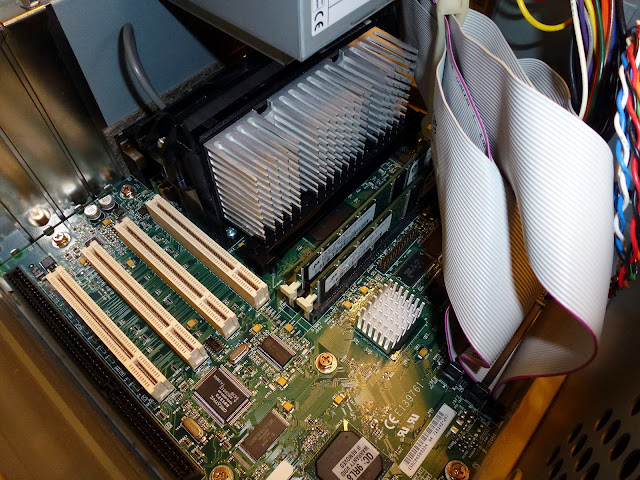
I have recently gotten a PII machine and I soon discovered that the fan sounds absolutely horrible. I cleaned it from dust, and it's slightly better now but still an awful noise.

It seems that to replace the fan, one needs to buy a whole new fan assembly?

Can this CPU run safely on the stock heatsink alone?

Reply 2 of 19, by pojo

User metadata
Rank Newbie
Rank
Newbie

It's the one in the first link. This pic is before cleaning. 😵

The attachment p2.jpg is no longer available

Reply 3 of 19, by bristlehog

User metadata
Rank Oldbie
Rank
Oldbie

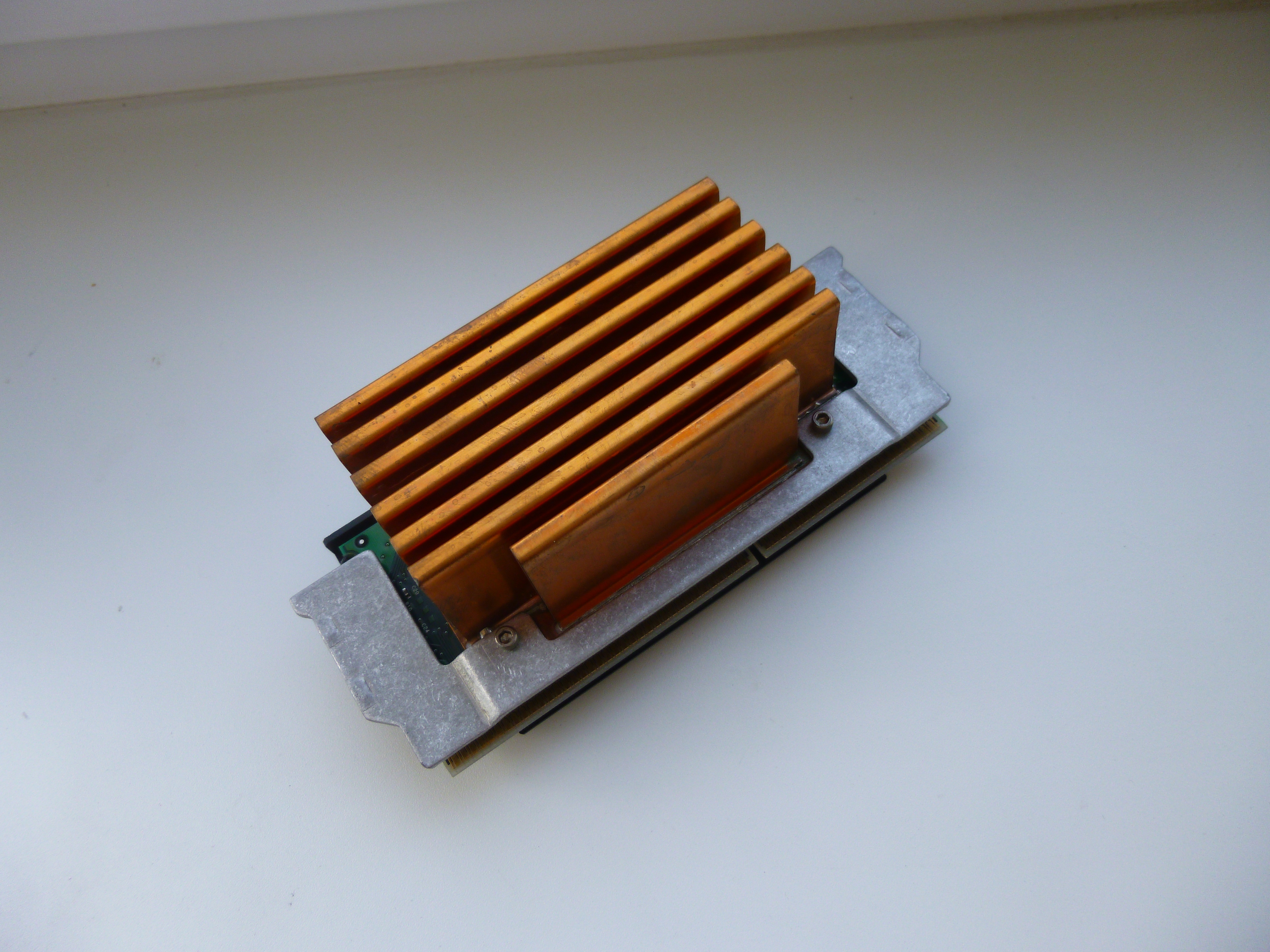
I've got a fanless P3-933 that operates normally, however, it has a copper heatsink. I believe it was pulled from a Dell server.

photo

Here you can get fantastic wallpapers created by a friend of mine: patreon.com/Unpocodrillo

Reply 4 of 19, by Tetrium

User metadata
Rank l33t++
Rank
l33t++
pojo wrote:

It's the one in the first link. This pic is before cleaning. 😵

p2.jpg

I remember that I once (in my early days of building computers as a hobby) had the same problem with the same type of cooler and I had very few spare parts back then.
I cut out the original fan which had completely seized up and taped a new fan onto it (onto the circle part of the plastic). It sorta worked I think, but I don't remember if I ended up building a rig back then to see how that "solution" faired.

You could also somehow mount a new fan directly onto the heatsink, but somehow I find screwing a new fan onto that tiny heatsink a bit...messy or something.
I wouldn't run this one without a fan btw

Can the heatsink be removed btw? If it can, then I'd try and mount a (small) fan to the heatsink.
But the best solution would be to mount a new (bigger) heatsink to the slot 1 CPU, though I don't remember if there were differences in how the heatsinks were mounted on the new and older Slot 1 CPU's

Whats missing in your collections?
My retro rigs (old topic)
Interesting Vogons threads (links to Vogonswiki)
Report spammers here!

Reply 5 of 19, by pojo

User metadata
Rank Newbie
Rank
Newbie

That looks like something I want. There are a few on ebay but the ironic thing is that buying a fanless Pentium III is basically cheaper than buying just a fan assembly/heatsink.

http://www.ebay.com/itm/161052922565?_trksid= … K%3AMEBIDX%3AIT

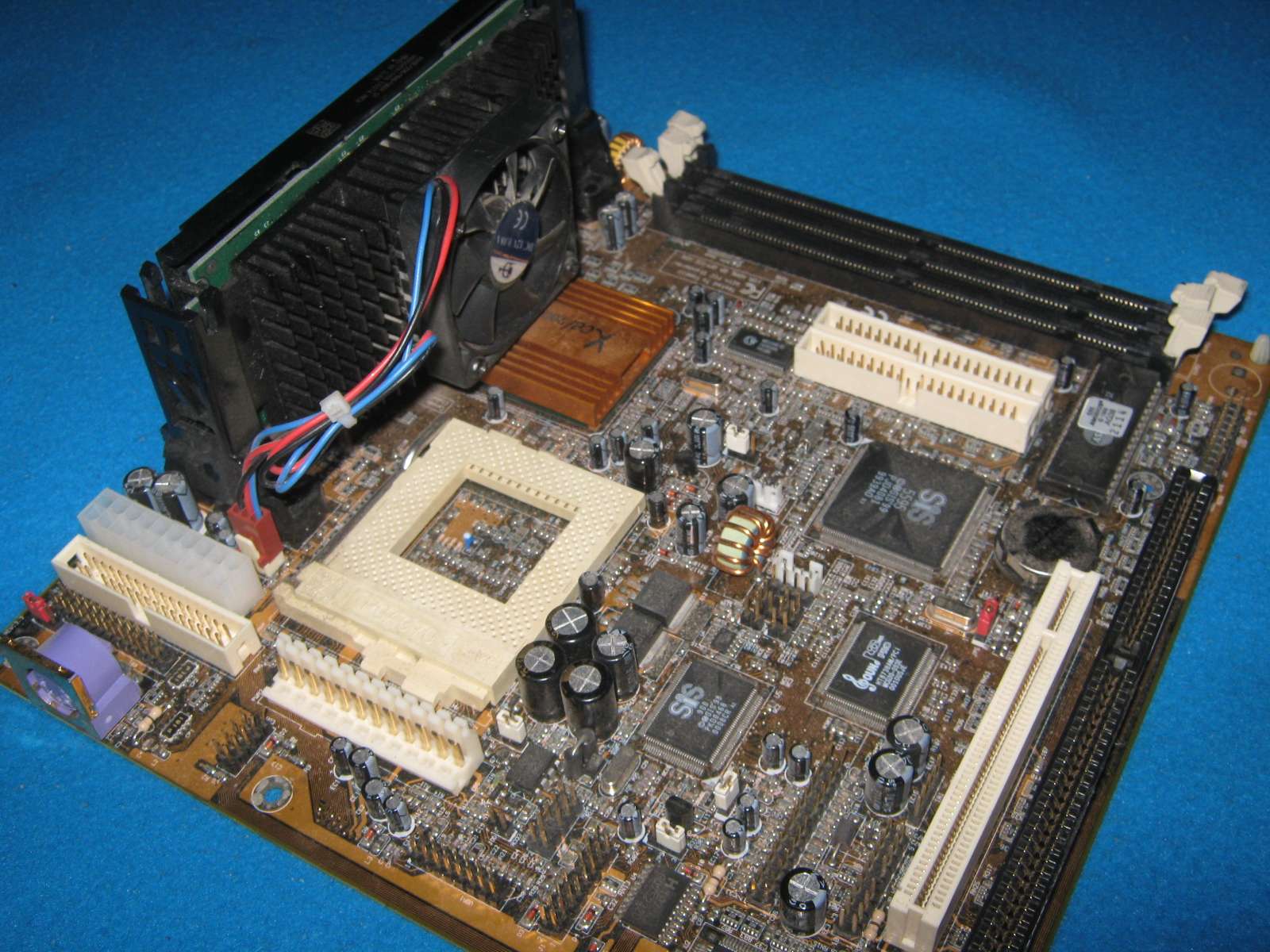
My motherboard should be able to run Pentium III up to 600MHz, correct?

http://www.motherboard.cz/mb/fic/VB-601.htm

Reply 6 of 19, by Tetrium

User metadata
Rank l33t++
Rank
l33t++
pojo wrote:
That looks like something I want. There are a few on ebay but the ironic thing is that buying a fanless Pentium III is basically […]
Show full quote

That looks like something I want. There are a few on ebay but the ironic thing is that buying a fanless Pentium III is basically cheaper than buying just a fan assembly/heatsink.

http://www.ebay.com/itm/161052922565?_trksid= … K%3AMEBIDX%3AIT

My motherboard should be able to run Pentium III up to 600MHz, correct?

http://www.motherboard.cz/mb/fic/VB-601.htm

According to the description the P3 you linked to is a Coppermine. The motherboard page you linked to suggests your board only works (officially) with Katmai. Theres a good chance that Coppermine won't work with your board.

Now some boards will work with Coppermine even though officially they aren't supposed to. It comes down to weather your board can lower it's voltage supplied to the processor to around 1.6v.
But if you want to make sure the CPU works with your board, then I'd suggest you get a real Katmai (those have 512KB cache instead of 256KB).

Edit: One more thing. The Coppermine you found on Ebay is 133MHz FSB while your board won't go higher then 100MHz FSB. So even if that CPU works, you'll either have to downclock it to 450MHz or you're gonna have to overclock.

Edit2: This one for example will work with your board 😀

Whats missing in your collections?
My retro rigs (old topic)
Interesting Vogons threads (links to Vogonswiki)
Report spammers here!

Reply 8 of 19, by RacoonRider

User metadata
Rank Oldbie
Rank
Oldbie

In IBM PC-300PL P2-450 is cooled with a passive aluminium heatsink situated not far from the intake case FAN. Works good enough.

You can also use epoxy and thermal paste to attach a couple of socket 370 heatsinks with FANs. Be creative, cooling is easy to mod.

Reply 9 of 19, by laxdragon

User metadata
Rank Member
Rank
Member

I run a slot1 based P3 700 Mhz with a stock heatsink on it. Granted, I don't run it 24/7, but when I do boot it up and play a retro game or two it runs just fine.

I really should check the temp on it sometime.

That system is fanless (even the PSU) and runs from a CF card as well. So it is completely silent. Love it.

laxDRAGON.com | My Game Collection | My Computers | YouTube

Reply 10 of 19, by Tetrium

User metadata
Rank l33t++
Rank
l33t++
laxdragon wrote:

I run a slot1 based P3 700 Mhz with a stock heatsink on it. Granted, I don't run it 24/7, but when I do boot it up and play a retro game or two it runs just fine.

I really should check the temp on it sometime.

That system is fanless (even the PSU) and runs from a CF card as well. So it is completely silent. Love it.

The Coppermine 700 does run a lot cooler then a P2-450 (18W vs 27W)

Whats missing in your collections?
My retro rigs (old topic)
Interesting Vogons threads (links to Vogonswiki)
Report spammers here!

Reply 11 of 19, by maximus

User metadata
Rank Member
Rank
Member

I run a Pentium II 450 with passive cooling. The only fan in the system is the power supply fan. It gets a little warm, but has never given me any trouble.

This is with integrated graphics, though. If and when I add a discrete video card, I'll probably add a case fan just to be on the safe side. Here's the setup:

P1010675.JPG

PCGames9505

Reply 12 of 19, by Tetrium

User metadata
Rank l33t++
Rank
l33t++

@ Maximus

The thing is, your heatsink is made to run such a chip passively. The tiny heatsink on pojo's P2-450 probably won't run well without a fan attached.
I've run a similar slot 1 CPU on a testbench once and without a fan near it, it does become hot to the touch after a while. Having a fan near it (like the fan of a PSU) would still be a wise thing to do.

Btw I still like these heatsinks a lot as they'll cool very well when a fan is added or very near it 😀

Whats missing in your collections?
My retro rigs (old topic)
Interesting Vogons threads (links to Vogonswiki)
Report spammers here!

Reply 13 of 19, by maximus

User metadata
Rank Member
Rank
Member

Ah, I missed that detail. I noticed when I was shopping for Pentium IIs that there seemed to be a lot of variation in cooling solutions.

Perhaps the fan could be quieted down with some lubricating oil? I've been reading up on fan repair, and it seems that this often does the trick. (Have yet to try it myself, though.)

PCGames9505

Reply 14 of 19, by nforce4max

User metadata
Rank l33t
Rank
l33t

I would just hunt down a good cooler knowing how useful they are despite the cost and you can look to get one that is already installed on another cpu if need be. Got a P2 450 my self and they are not something you want to take risks with that are not necessary. P3 Katami run even hotter but the cores are very stable at high temps however the L2 cache isn't. Intel did produce a version of the P2 for mobile applications that had a integrated L2 cache on the core but are not common.

On a far away planet reading your posts in the year 10,191.

Reply 15 of 19, by maximus

User metadata
Rank Member
Rank
Member

Update to my last post:

I have now tried the oil trick and it does work. (So far, at least.)

This may not work in your case, but it's worth a shot. Go to the hardware store and buy some all-purpose household oil (should only cost $3 or $4). Peel back the fan's sticker, put a drop of oil in the lubrication well, reassemble everything, and see if it helped. Might be cheaper / simpler than getting a new fan or bigger heatsink.

PCGames9505

Reply 17 of 19, by RacoonRider

User metadata
Rank Oldbie
Rank
Oldbie
maximus wrote:

Update to my last post:

I have now tried the oil trick and it does work. (So far, at least.)

This may not work in your case, but it's worth a shot. Go to the hardware store and buy some all-purpose household oil (should only cost $3 or $4). Peel back the fan's sticker, put a drop of oil in the lubrication well, reassemble everything, and see if it helped. Might be cheaper / simpler than getting a new fan or bigger heatsink.

Cheap household oil is a must-have in an everyday rescue kit. It's hady to store in a 5ml syringe. Thus the sticker and the ruber disc covering the bearing can be poked through and the liquid can be dosed with precision. The oil does not leak as long as the needle cap is on, which is good as well.

Reply 18 of 19, by Hatta

User metadata
Rank Member
Rank
Member

Please be careful recapping your needles! Don't hold the cap when recapping. Place it on a surface, put the needle in and pick up the cap with it. Then secure the cap. This will prevent you from missing the cap and jabbing yourself with a very sharp and probably dirty needle.

Reply 19 of 19, by maximus

User metadata
Rank Member
Rank
Member
pojo wrote:

@maximus: I did that yesterday. It does seem a bit better, but still pretty noisy. I only put one drop in there, maybe I should try some more. Btw, I used this as a guide: http://www.techrepublic.com/article/quiet-noi … -a-drop-of-oil/

Too bad. The oil really worked wonders on one of my VGA fans.

PCGames9505