VOGONS


A NOT-SO EPIC Dual Pentium Pro Build

Topic actions

Reply 160 of 170, by Irinikus

User metadata
Rank Oldbie
Rank
Oldbie

The Oxygen 202's a cool video card which is 100% compatible with this system, as it's from the 1996 era, however it has one fatal flaw which renders this system pretty much useless for classic gaming, as it doesn't support 256 colours!!!

This system seems to be very fussy with graphics cards, and doesn't like my Matrox millennium II, so I'm considering one of these to hopefully drive the 2D graphics in this system:

An ATI 3D Rage II 8MB (4MB on card + 4MB)

The attachment s-l1600.png is no longer available

It's from the 1996 era, so it should hopefully be compatible with this system. (I really hope so!!!)

The attachment Screenshot 2024-03-14 at 09.42.33.png is no longer available

And it supports 256 colours @ 640x480:

The attachment Screenshot 2024-03-14 at 09.44.12.png is no longer available

And it has windows NT4 driver support:

The attachment Screenshot 2024-03-14 at 09.40.27.png is no longer available

YouTube

Reply 161 of 170, by Irinikus

User metadata
Rank Oldbie
Rank
Oldbie

The lowest the Oxygen 202 will do @ 640x480 is 32768 colours, and this won't do for classic gaming! 🙁

The attachment IMG_8303 copy.jpg is no longer available

YouTube

Reply 162 of 170, by chinny22

User metadata
Rank l33t++
Rank
l33t++

ok fine I guess I'll "let you" swap out the Oxygen 😉
Shame as it's such a unique card, but your right not much point if it makes the PC useless for gaming.
The Rage is somewhat correct as well as dual socket servers would use it for onboard video, newer servers but servers all the same.

Reply 163 of 170, by Irinikus

User metadata
Rank Oldbie
Rank
Oldbie
chinny22 wrote on 2024-03-14, 22:16:

ok fine I guess I'll "let you" swap out the Oxygen 😉
Shame as it's such a unique card, but your right not much point if it makes the PC useless for gaming.
The Rage is somewhat correct as well as dual socket servers would use it for onboard video, newer servers but servers all the same.

Thanks! 😀

I'm all for other suggestions if there are any, "period correct cards which can push 1280x1024 in true colour and 640x480 in 256 colours".

YouTube

Reply 164 of 170, by luckybob

User metadata
Rank l33t++
Rank
l33t++

my board works great with a matrox G200.

Matrox G200 PCI 8MB video card, quick test

Once men turned their thinking over to machines in the hope that this would set them free. But that only permitted other men with machines to enslave them. - Reverend Mother Gaius Helen Mohiam

Reply 165 of 170, by Irinikus

User metadata
Rank Oldbie
Rank
Oldbie
luckybob wrote on 2024-03-16, 15:02:

my board works great with a matrox G200.

Matrox G200 PCI 8MB video card, quick test

Thanks very much for the link! 😀

The system's still suffering from a considerable amount of instability, especially after it's been running for a while!

I think that it may require a re-cap as well as an inspection with a fine-toothed comb (Microscope)!

I don't currently have the equipment (re-work station with microscope and oscilloscope) necessary to carry out these tasks, so I'll have to put this on hold until I do.

I'm not willing to throw more money at this one until I can get it to run stably!!!

Ultimately this little hobby will convert from collecting to repairing, which is fine by me!

YouTube

Reply 166 of 170, by luckybob

User metadata
Rank l33t++
Rank
l33t++

You might want to fiddle around with the cpu card. if it isnt EXACTLY in the right position, it can cause errors. There is a big reason they didnt do this on other boards.

Once men turned their thinking over to machines in the hope that this would set them free. But that only permitted other men with machines to enslave them. - Reverend Mother Gaius Helen Mohiam

Reply 167 of 170, by Irinikus

User metadata
Rank Oldbie
Rank
Oldbie
luckybob wrote on 2024-03-17, 15:33:

You might want to fiddle around with the cpu card. if it isnt EXACTLY in the right position, it can cause errors. There is a big reason they didnt do this on other boards.

Agreed!

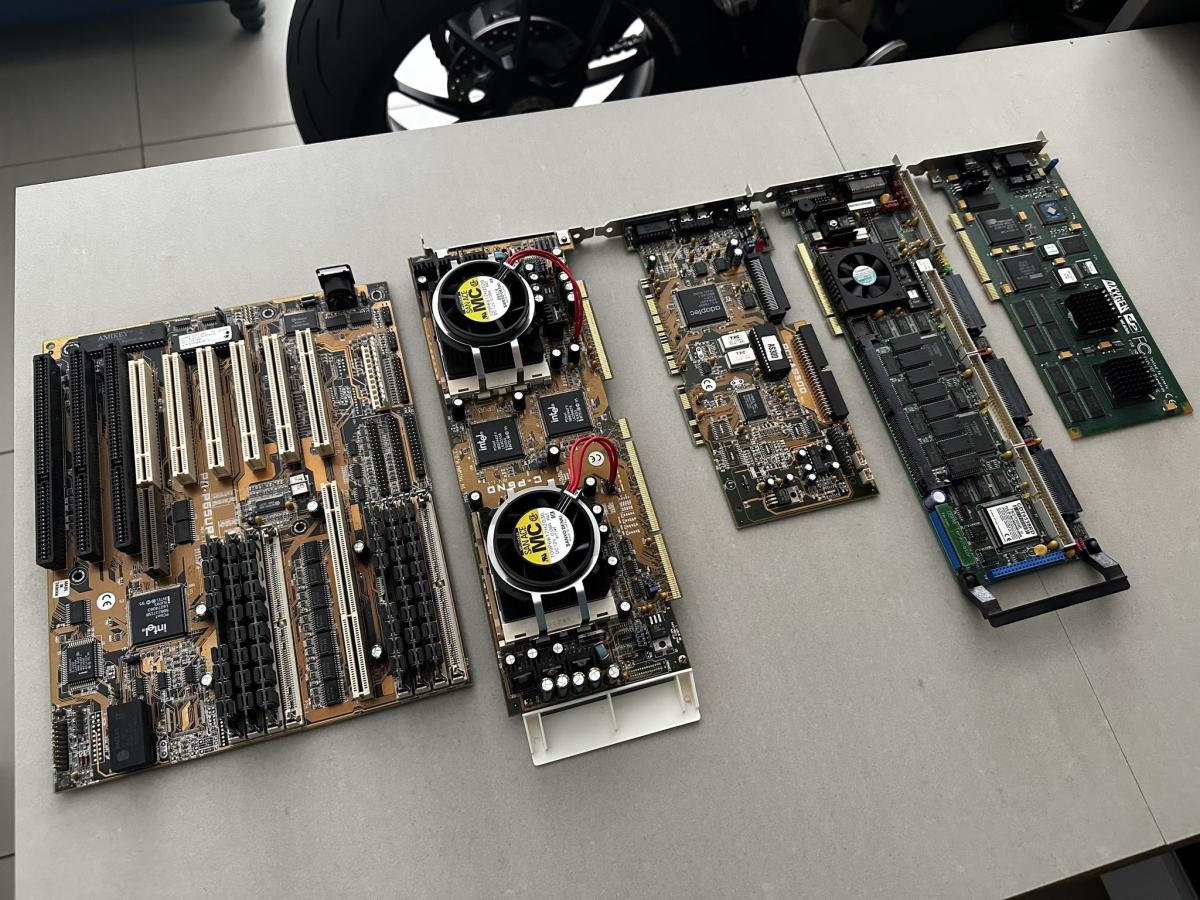
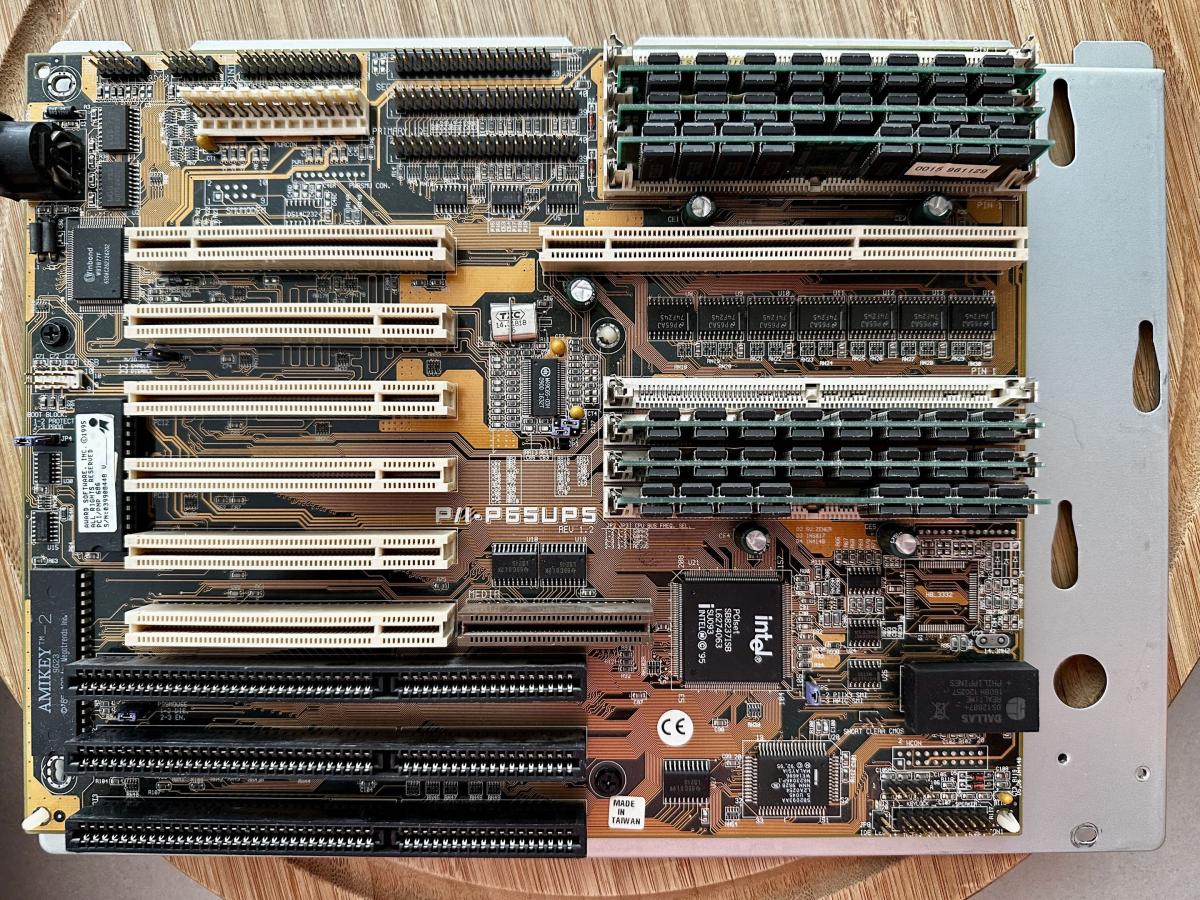
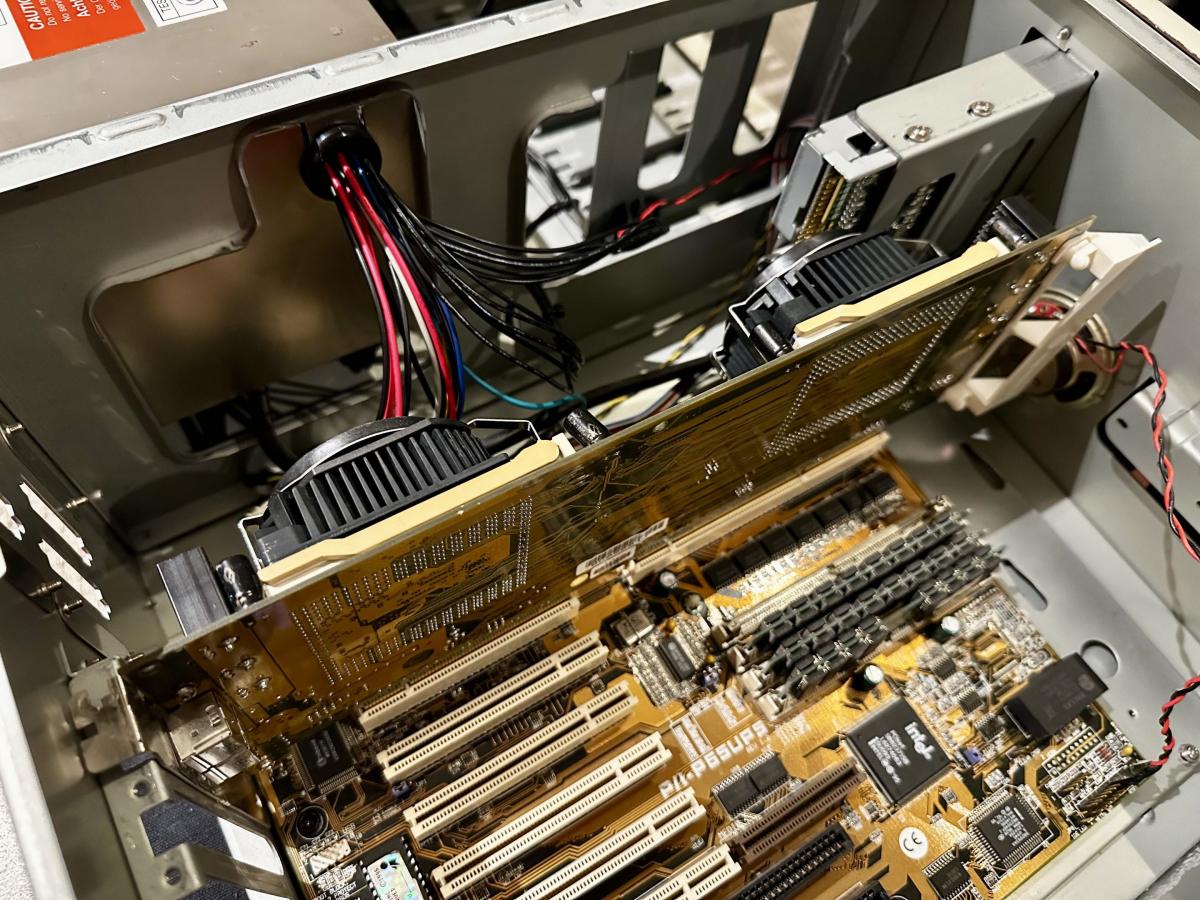
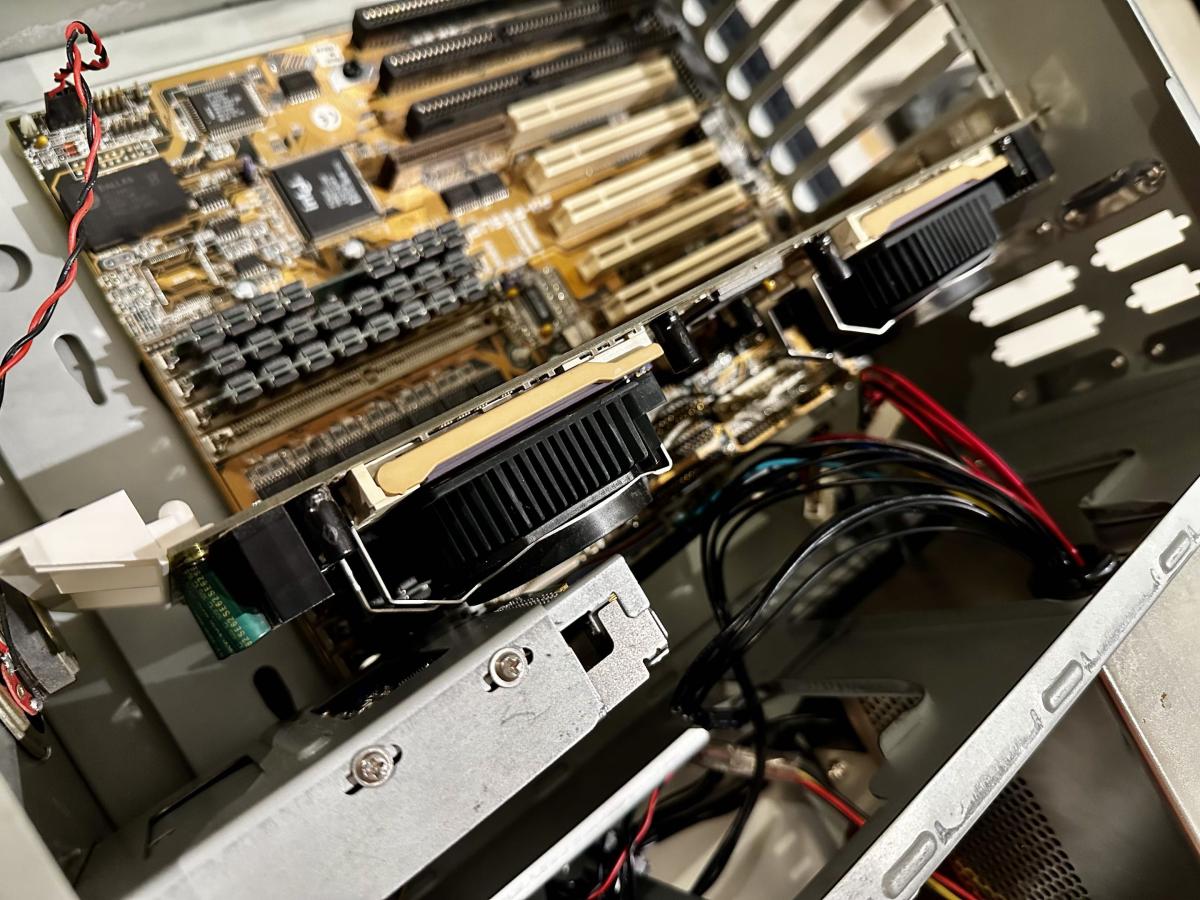
The CPU card isn't the best of designs, as you have electrolytic capacitors sitting right up against the VRM heatsinks, which will reduce their life span as the heat sinks on this card get pretty hot!

The attachment IMG_8306 copy.jpg is no longer available
The attachment IMG_8304 copy.jpg is no longer available
The attachment IMG_8305 copy.jpg is no longer available

I'll also need to find out how to give all of the contacts in the slots a deep clean. (The board as a whole for that matter!)

I'll need to go over this board with a fine-toothed comb in a series of logical steps.

YouTube

Reply 168 of 170, by Schafeman

User metadata
Rank Newbie
Rank
Newbie
Irinikus wrote on 2023-07-30, 12:52:
I've created a bootable floppy using FreeDOS in Windows XP Professional on my "EPIC Socket 8" machine and I've copied The BIOS […]
Show full quote

I've created a bootable floppy using FreeDOS in Windows XP Professional on my "EPIC Socket 8" machine and I've copied The BIOS file "ND6I0218.AWD" and aflash221 to the disk, so all's ready for the BIOS flash from a Boot Disk point of view! (I now need to build the machine into a case!)

Here's a site featuring a wide selection of Awdflash versions, other than version 2.21, which I already have: (Which version found here would you most recommend for this job?)

https://www.wimsbios.com/awardflasher.jsp#gsc.tab=0

When the time comes, JP4 will have to be set to enable the BIOS flash:

OeueXl5.png

This shows that there were indeed some crucial fixes to the BIOS for this board along the way:

CT4ydtn.png

Hey.. hate to revive this thread as it looks like you maybe didn't quite finish this build? Either way, I have this EXACT same setup. Same CPU's, cpu card, Asus board. I've also been attempting to get my Matrox G200 working, and NT 4 REFUSES to install drivers for it and keeps resetting to standard VGA. Anyways, I was curious if you ever got around to updating your BIOS? Seems like I may be running into some of the same issues but I really don't want to go flash-crazy until I know which version of the flash util you used and if the new BIOS fixes some of the problems. Appreciate ANY insight here, thanks!

Reply 169 of 170, by luckybob

User metadata
Rank l33t++
Rank
l33t++

#1 - the bios file depends on the CPU card. There are 3 of them, one for each CPU card. (see #4)
#2 - the latest bios is still available from the Asus website, last I looked. its also over on Theretroweb. In fact, i looked at TRW and it has a lot of missing info, so just ask me. (i'll set that site straight shortly.)
#3 - I had no problem with NT4 and the G200 on my machine - at least beyond the normal bullshittery of NT4 - I DO know NT can have an issue with Uncached Speculative Write Combining (USWC). Check the bios and turn that off.
#4 - this exists: https://www.ebay.com/itm/334083997635 it lets you swap the cpu cards around, but its NOT a good idea.

Once men turned their thinking over to machines in the hope that this would set them free. But that only permitted other men with machines to enslave them. - Reverend Mother Gaius Helen Mohiam

Reply 170 of 170, by Irinikus

User metadata
Rank Oldbie
Rank
Oldbie
Schafeman wrote on 2025-11-17, 21:39:

Hey.. hate to revive this thread as it looks like you maybe didn't quite finish this build? Either way, I have this EXACT same setup. Same CPU's, cpu card, Asus board. I've also been attempting to get my Matrox G200 working, and NT 4 REFUSES to install drivers for it and keeps resetting to standard VGA. Anyways, I was curious if you ever got around to updating your BIOS? Seems like I may be running into some of the same issues but I really don't want to go flash-crazy until I know which version of the flash util you used and if the new BIOS fixes some of the problems. Appreciate ANY insight here, thanks!

I will eventually get back to it once I get a suitable chassis for it. (The position of the CPU card on this motherboard makes it rather fussy as to which chassis can accommodate it)

YouTube