First post, by ulinta
Hi Dege,
First of all, thank you for continuing to maintain dgVoodoo2.
I'd like to report a reproducible crash that only occurs when using dgVoodoo2 with the **Taiwan version of Cross Gate (cg.exe)**, an old 32-bit DirectDraw game.
### Environment
* Game: Cross Gate (Taiwan version, cg.exe)
* OS: Windows 11 24H2 (Build 26100)
* dgVoodoo: 2.87.3
* DDraw.dll version: 4.7.1.3000
### Problem
The game works normally, but after running for approximately **6-12 hours** (usually while the character is idle running a player shop), it crashes to desktop.
I don't remember this happening before I started using dgVoodoo2.
I first noticed the problem with 2.87.2 and it still occurs with 2.87.3.
I also tested with **Fast video memory access disabled**, but the crash still occurs.
### Event Viewer
Faulting module:
DDRAW.dll
Exception code:
0xC0000005
Fault offset:
0x0002FDDE
### WinDbg
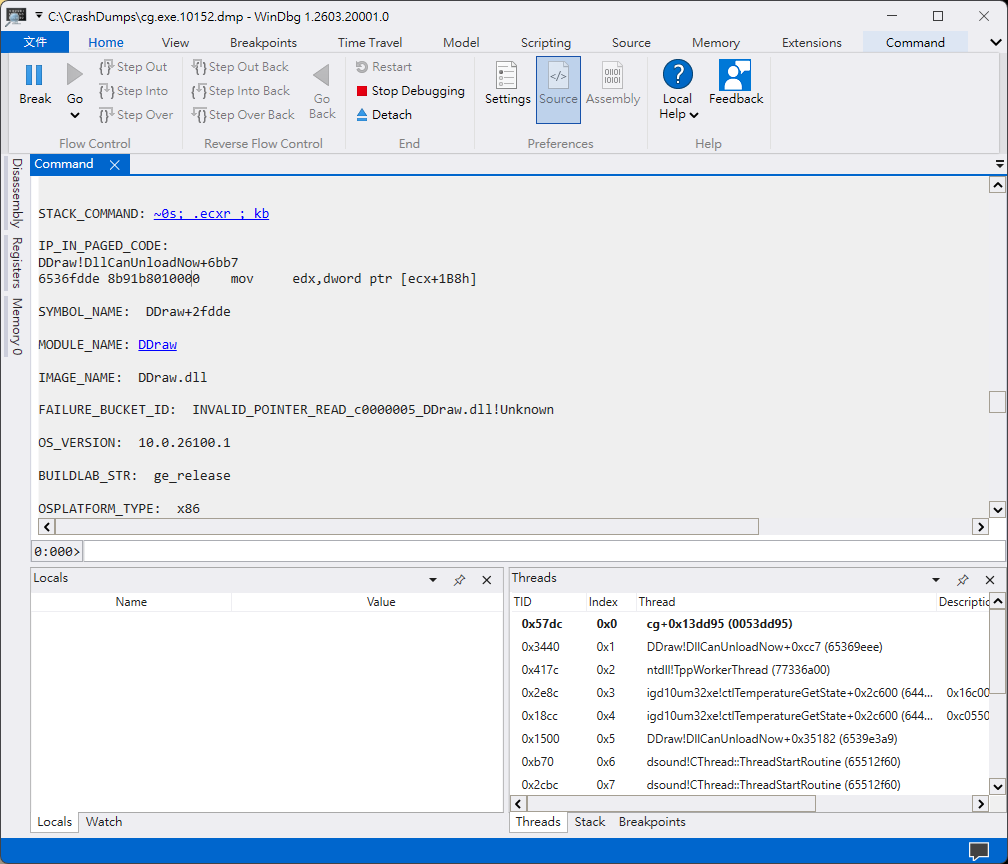
I enabled Windows LocalDumps and analyzed the crash dump.
The crash always occurs at:
```
DDraw+0x2FDDE
```
Instruction:
```
mov edx, dword ptr [ecx+1B8h]
```
Register state:
```
ECX = 00000000
```
The instruction dereferences a NULL pointer, resulting in an access violation.
Call stack:
```
DDraw
DDraw
DDraw
cg.exe
DDraw
```
Unfortunately, there are no public symbols available, so WinDbg cannot resolve the internal function names.
### Additional Information
I have collected:
* Full crash dump (~1.45 GB)
* WER report
* Event Viewer logs
* WinDbg analysis
I'd be happy to upload the dump or test any debug build if it would help investigate the issue.
Thank you very much for your time.