VOGONS


Retro OSes for retro computers

Topic actions

Reply 300 of 315, by Jo22

User metadata
Rank l33t++
Rank
l33t++

Here's another lesser known homebrew OS, Snowdrop OS.
So far, it looks very promising, tinkering with it seems fun.
Has BASIC interpreter, but programs can also be linked/compiled.
Source code is available, too.

I'll let the author speak for himself here:
"Snowdrop OS was born of my childhood curiosity around what happens when a PC is turned on,
the mysteries of bootable disks, and the hidden aspects of operating systems.
It is a 16-bit real mode operating system for the IBM PC architecture.
I designed and developed this homebrew OS from scratch, using only x86 assembly language."

Link: Homepage

PS: The author's main site is neat, too! I higly recommend browsing by.
Lots of electronics projects, some of which interface with Snowdrop OS.
Examples:
- stepper motor driver controlled by Snowdrop OS
- interfacing a Nintendo NES from Snowdrop OS
- interfacing with a 16x2 LCD via parallel port

"Time, it seems, doesn't flow. For some it's fast, for some it's slow.
In what to one race is no time at all, another race can rise and fall..." - The Minstrel

//My video channel//

Reply 301 of 315, by Jo22

User metadata
Rank l33t++
Rank
l33t++

Another one, Solar OS .
It's an experimental 64-Bit real-time OS (formerly 32-Bit).
The OS is written in ASM and has a lot of development tools, it seems.

Requirements:

Only 8Mbytes RAM (even less)
P1 class CPU at 266 or even lower
Can be setup to run with under 2Mbyte RAM with some limitations.

Homepage: http://www.oby.ro/os/

"Time, it seems, doesn't flow. For some it's fast, for some it's slow.
In what to one race is no time at all, another race can rise and fall..." - The Minstrel

//My video channel//

Reply 302 of 315, by Jo22

User metadata
Rank l33t++
Rank
l33t++

Hi again, please excuse for the double post (tripple post?) here, but there's another retro OS.
It's SerenityOS, a mix of Win95 GUI and Unix architecture.
It's especially made for friends of both Windows 9x/NT and Linux, I suppose.

https://serenityos.org/

There's a thread at Vogons, which was made by me (?) - I'm a bit surprised and confused, to be honest. 😅
Re: New Linux distribution that looks exactly like Win95

"Time, it seems, doesn't flow. For some it's fast, for some it's slow.
In what to one race is no time at all, another race can rise and fall..." - The Minstrel

//My video channel//

Reply 303 of 315, by MrFlibble

User metadata
Rank Oldbie
Rank
Oldbie
Jo22 wrote on 2025-06-14, 00:20:
Hi again, please excuse for the double post (tripple post?) here, but there's another retro OS. It's SerenityOS, a mix of Win95 […]
Show full quote

Hi again, please excuse for the double post (tripple post?) here, but there's another retro OS.
It's SerenityOS, a mix of Win95 GUI and Unix architecture.
It's especially made for friends of both Windows 9x/NT and Linux, I suppose.

https://serenityos.org/

Just as I had my hopes high for an eventual Windows-looking environment to run retro games from the 90s era (if this OS would also supply tight integration of DOSEMU and Wine to run DOS/Win apps like on real Windows), I read their FAQ, and it felt largely discouraging:

Will SerenityOS support $THING? Maybe. Maybe not. There is no plan. […]
Show full quote

Will SerenityOS support $THING?
Maybe. Maybe not. There is no plan.

When will you implement $THING?
Maybe someday. Maybe never. If you want to see something happen, you can do it yourself!

Where are the ISO images?
There are no ISO images. This project does not cater to non-technical users.

So it feels like someone is just having fun with this and might drop development forever at any time when they lose interest or it works "well enough" for them on their own machine.

Except if maybe someone else picks this up with a more serious and goal-oriented approach.

DOS Games Archive | Free open source games | RGB Classic Games

Reply 304 of 315, by Zilch

User metadata
Rank Newbie
Rank
Newbie

Not sure if this has been mentioned in the past, but I think MikeOS is always good fun!

I actually haven't tried it since version 4.5, so I have some catching up to do.

Reply 305 of 315, by dr.zeissler

User metadata
Rank l33t
Rank
l33t

I think I have to dig this thread much deeper to get new possible OS for playing around in my multiboot-setups. https://youtu.be/uylD7rDSorg?si=QpV9D_kuXYeDZ6aP

Retro-Gamer 😀 ...on different machines

Reply 307 of 315, by dr.zeissler

User metadata
Rank l33t
Rank
l33t

For that 486/133 a bit to high (P200+) but Cloudschatze showed DR-Dos with NewDeal3 that is indeed intersting because I am still searching for an icon-based guy for dos. Testing QMIII is at first, but DR-DOS and Geos/NewDeal is second. Not a real OS for sure, but interesting to maxout the machine. Executor is also running very nice on that 486/133.

Retro-Gamer 😀 ...on different machines

Reply 308 of 315, by lolo799

User metadata
Rank Oldbie
Rank
Oldbie
dr.zeissler wrote on 2026-01-30, 11:14:

For that 486/133 a bit to high (P200+)

I did try it in 86box with a 486 PCI motherboard and a dx4/100, it did work under that emulated machine.

But it's not a real one so I'm curious if you could try it on your 486. It installs as a loopback file under Win9x (like the Personal Edition of BeOS) so you can always uninstall easily.

PCMCIA Sound, Storage & Graphics

Reply 309 of 315, by MattRocks

User metadata
Rank Member
Rank
Member
Jo22 wrote on 2025-01-29, 09:53:
Not an OS per se, but a fine retro GUI for DOS - MCShellGS 97 v3.1 ! Runs on 80286 minimum w/ VGA, but needs some XMS memory (2 […]
Show full quote

Not an OS per se, but a fine retro GUI for DOS - MCShellGS 97 v3.1 !
Runs on 80286 minimum w/ VGA, but needs some XMS memory (2 MB up).
Reminiscence of System 7.x..

Features: Picture Viewer (BMP/PCX), Print Manager (Epson/Laserjet/Proprinter), Virtual Memory, Calculator etc.
File Manager: Copy/Format Disk, Search Files, Copy+Paste, etc.
Desktop: Wallpapers, Patterns, Clock, Sound Effects etc.

I never knew that existed!

While also not operating systems, I spent a fair amount of time using Fusion/Basilisk II/SheepShaver to run MacOS 7/8 on my PC. I also used BeOS (later OpenBeOS, then Haiku).

And the most curious (almost an operating system) alternative I can think of, but that I can't actually remember using, is Sun Microsystems Looking Glass 3D.

https://distrowatch.com/table.php?distribution=lg3d
https://web.archive.org/web/20110223094847/ht … t/projects/lg3d
https://www.youtube.com/watch?v=c-4y0bwl6w0

Reply 310 of 315, by gdjacobs

User metadata
Rank l33t++
Rank
l33t++

I remember this pseudo GUI which used ASCII based "Windows" with programs run via a batch file with a callback to the shell. Never been able to rediscover what it was.

All hail the Great Capacitor Brand Finder

Reply 311 of 315, by jal

User metadata
Rank Oldbie
Rank
Oldbie

Given the ubiquity of Borland-based text-only windowed GUIs, not sure why you scare-quote "windows". What you describe can be any of the myriad of menu-like programs. I recall my XT clone of the late 80s to come with an IBM menu system which did just what you described, but it didn't really have windows in the traditional sense.

Reply 312 of 315, by Jo22

User metadata
Rank l33t++
Rank
l33t++

The textmode GUIs are sometimes called TUIs, I think.
As for the design/layout of windows and drop-down menus, IBM called its own specification SAA, I vaguely remember.
Borland products used Turbo Vision and are available for use in user applications by early 90s.

https://en.wikipedia.org/wiki/Text-based_user_interface
https://en.wikipedia.org/wiki/IBM_Systems_App … on_Architecture
https://en.wikipedia.org/wiki/Turbo_Vision

"Time, it seems, doesn't flow. For some it's fast, for some it's slow.
In what to one race is no time at all, another race can rise and fall..." - The Minstrel

//My video channel//

Reply 313 of 315, by Jo22

User metadata
Rank l33t++
Rank
l33t++

RetrOS-32.

Description
A x86 32bit Hobby Operatingsystem with graphics, multitasking, editor, filesystem, networking and 32bit C-Compiler for i386 architecture.

Features
Custom Bootloader & GRUB compatible
Multi-threaded pre-emptive scheduling
Networking, TCP, UDP, DHCP
Custom C Compiler
FAT16 Filesystem

Links:
https://www.youtube.com/watch?v=ny7fXjuv6WM
https://github.com/joexbayer/RetrOS-32
https://oshub.org/projects/retros-32

"Time, it seems, doesn't flow. For some it's fast, for some it's slow.
In what to one race is no time at all, another race can rise and fall..." - The Minstrel

//My video channel//

Reply 314 of 315, by DaveDDS

User metadata
Rank Oldbie
Rank
Oldbie

If you'd like to experience what it was like to actually use some very old systems, you can grab some of my classic system emulators from "Daves Old Computers"

I put together a fair collection, you can run things like Appie][, TRS-80, Ti, Atari, SOL, COSMAC, PET, ZX80/81, Adam, Acorn, PDP-11, IBM370 and more.

Here are the ones I actually created for this collection, based on actual systems that I had in my position at the time:

Mil-MOD8: 1974, Intel 8008 processor.
The OS was MONITOR-8, which let you load and run "other stuff", including:
-Scelbi 8008 BASIC (1974)

Mits Altair: 1975, Intel 8080 processor, with emulated NorthStar floppy disk system.
-Can boot NorthStar DOS, and my own DMF operating system.

Vector1+ & NorthStar Horizon: 1976, Z80 Processor, with emulated NorthStar disk system.
Basically the same emulator, it just puts on a different face and rearranged IO ports.
-Can boot NorthStar DOS and CP/M

Heathkit H8: 1977, Intel 8080 processor, with emulated, H8T - Tape interface and H17 - Floppy disk system
-You can load various Heathkit tape based software as well as boot Heath HDOS.

D6809 portable: 1983, 6809 processor, with emulated NEc765 based floppy system.
This was a system I comlpetely designed from "scratch".
-Can boot my own CUBIX O.S.

- Dave ; https://dunfield.themindfactory.com ; "Daves Old Computers" ; SW dev addict best known:
ImageDisk: rd/wr ANY floppy PChardware can ; Micro-C: compiler for DOS+ManySmallCPU ; DDLINK: simple/small FileTrans(w/o netSW)via Lan/Lpt/Serial

Reply 315 of 315, by aVd

User metadata
Rank Member
Rank
Member

Hi, guys!
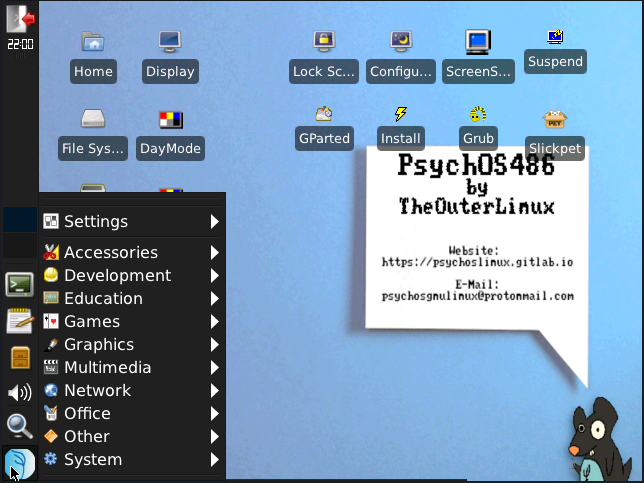
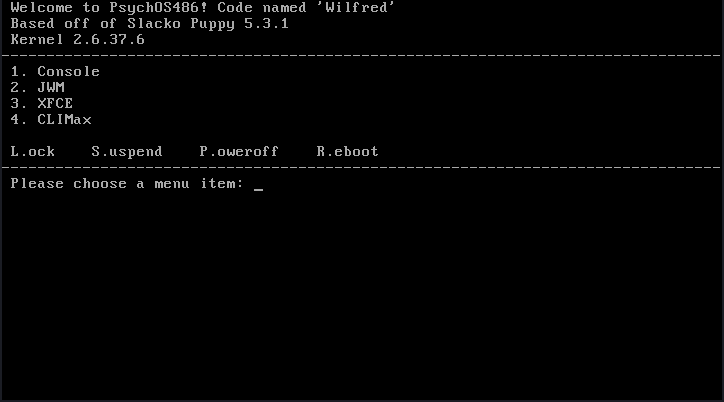
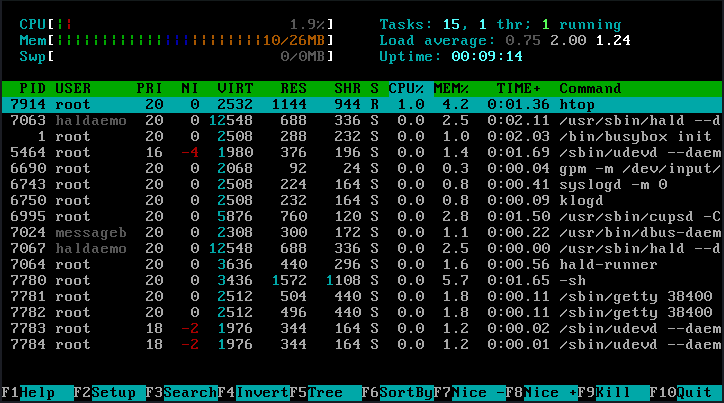
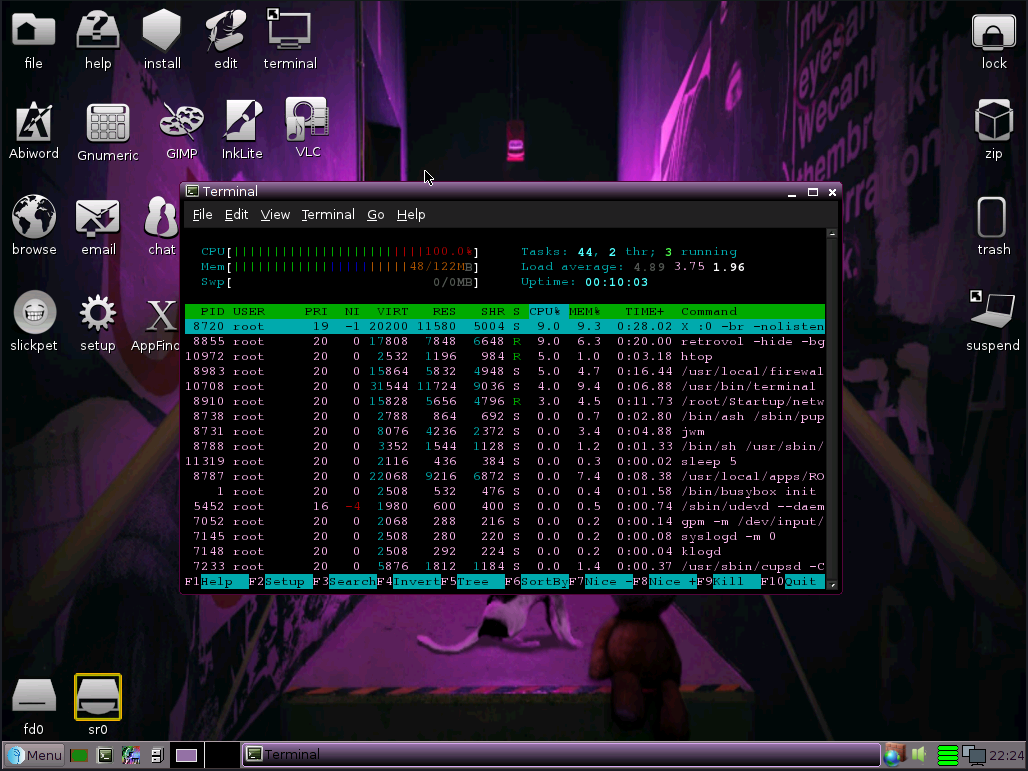
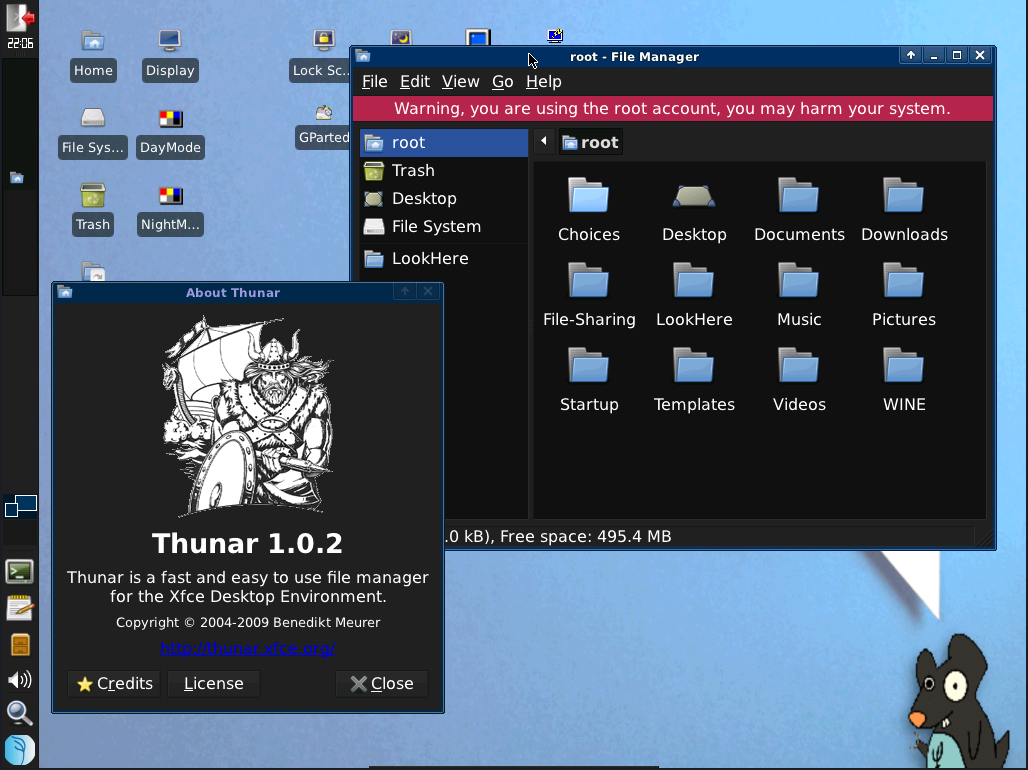
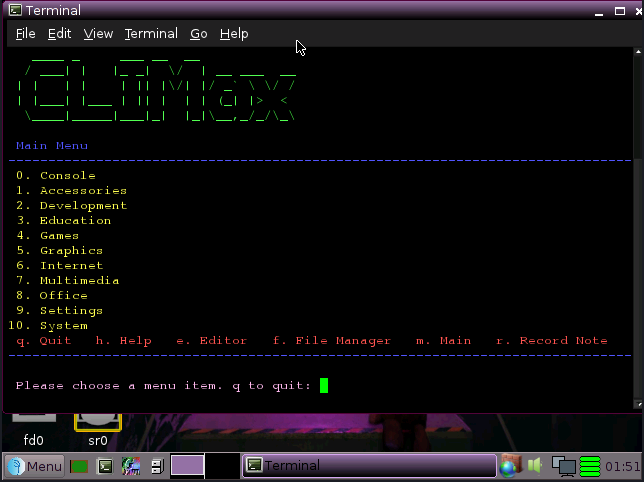
While searching the internet for some old DOS CGA mode switching for VGA software I landed into some very strange Linux distro site - PsychOS. And it has a 486DX targeted version too: https://psychoslinux.gitlab.io/486

PsychOS486 code named "Wilfred" information:

  • Default username: root
  • Default password: woofwoof
  • Initial release date: 2020/11/28
  • Version: 1.6.5
  • Target: Older i486DX/i586/i686 computers with CD-ROM drives
  • Recommended RAM minimum for console-only use: 32MB (will not boot below 23MB)
  • Recommended RAM minimum for GUI desktop, but you'll hate it: 64MB
  • RAM minimum for over-all mental well-being: 128MB
  • Download Size: 687.6MB
  • Installation Size: 4.71GB on EXT2 file-system; GUI method only
  • Supports persistence: Yes
  • MD5: dc6b6841766f83621af254ac88ab98bd
  • License: It might be LGPL?
  • E-Mail: psychosgnulinux@protonmail.com

https://www.youtube.com/watch?v=EJyFunNAuNw

XFCE_AppMenu.png

More PsychOS486 screenshots

BootImage.png
Console.png
32MB.png
CLIMaxConsole.png
JWM_RAM.png
Thunar.png
CLIMaxColor.png

BONUS:
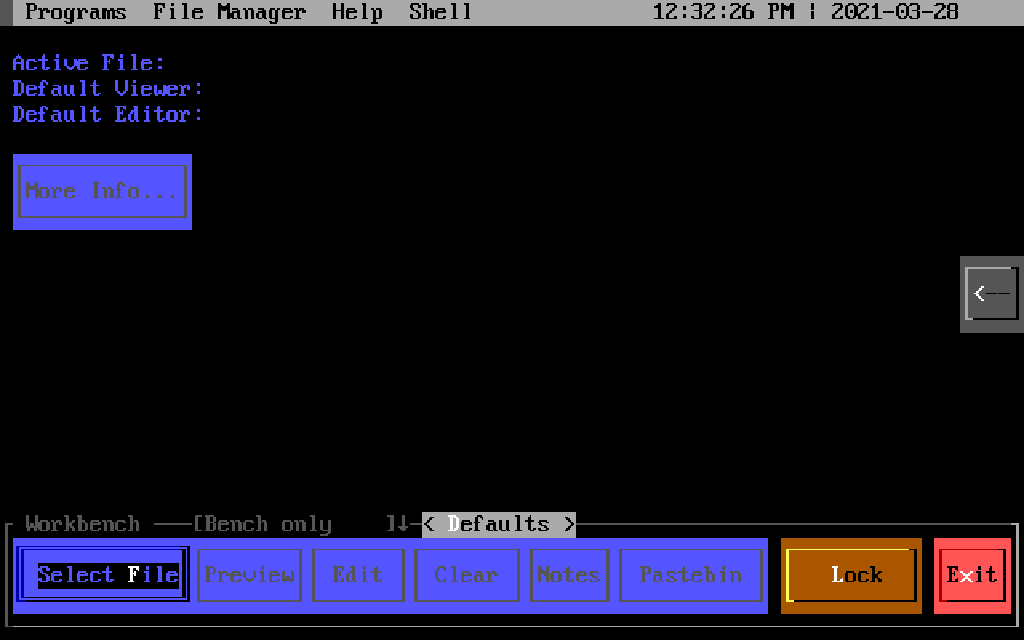
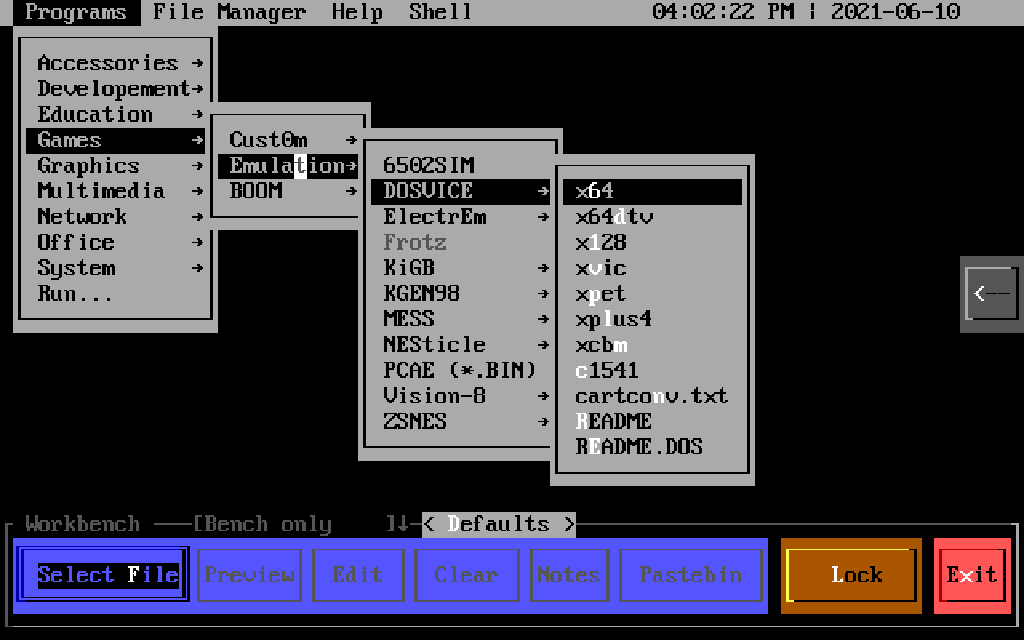
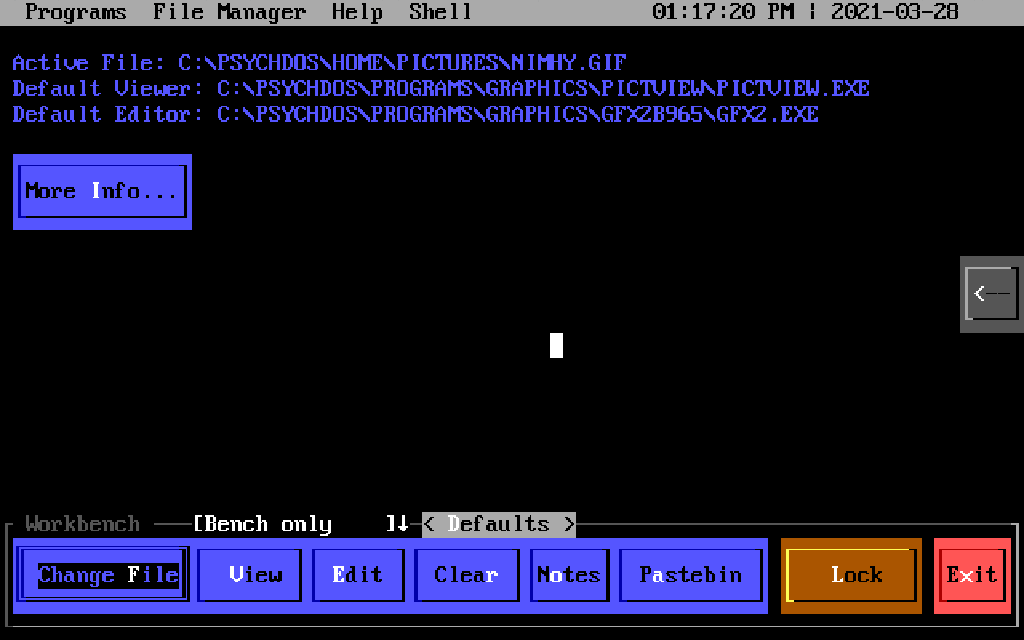
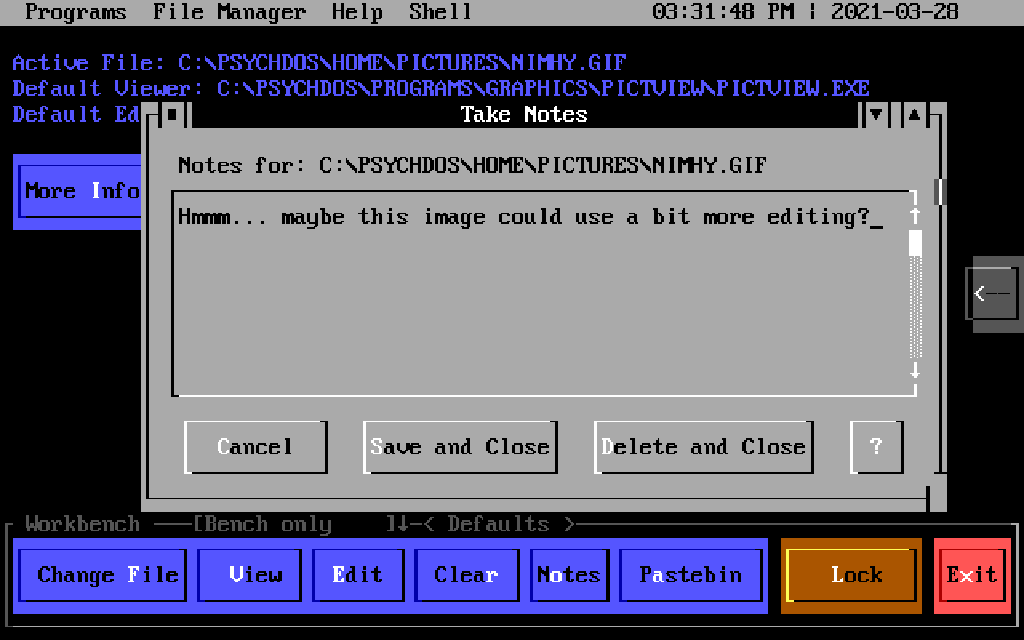
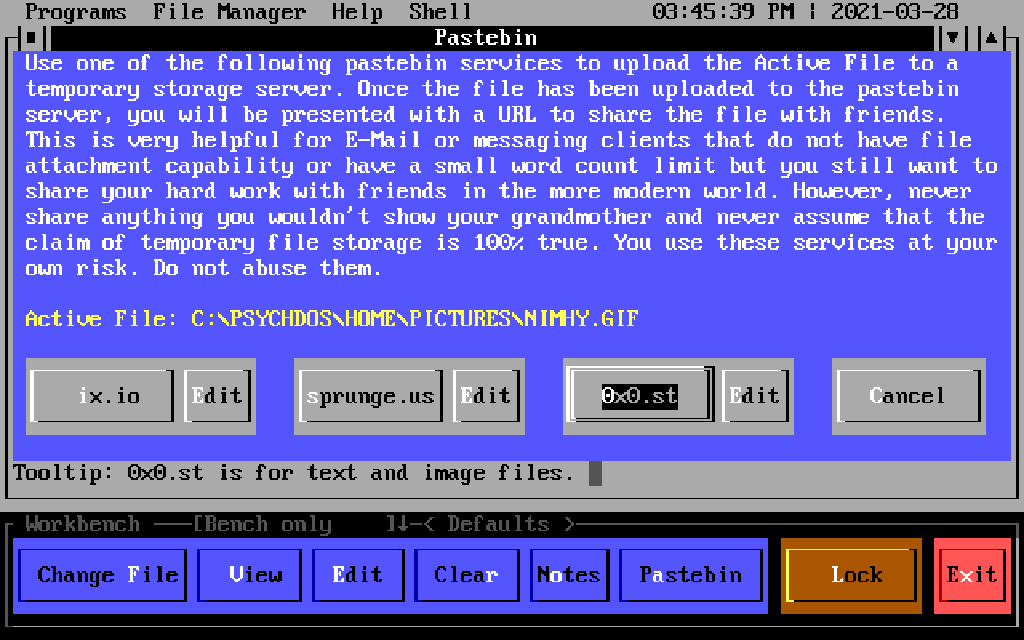
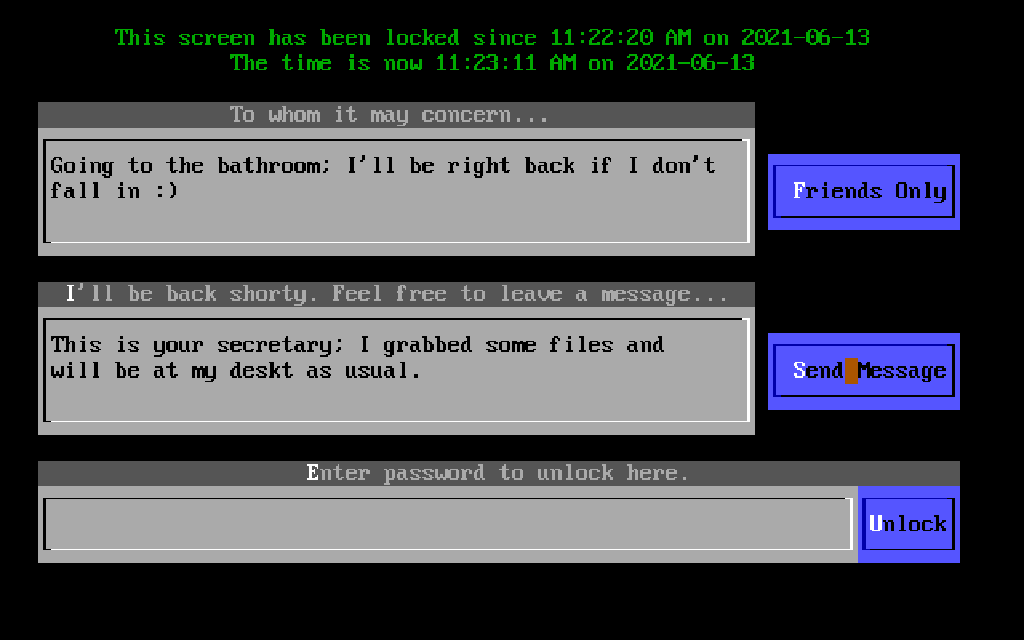
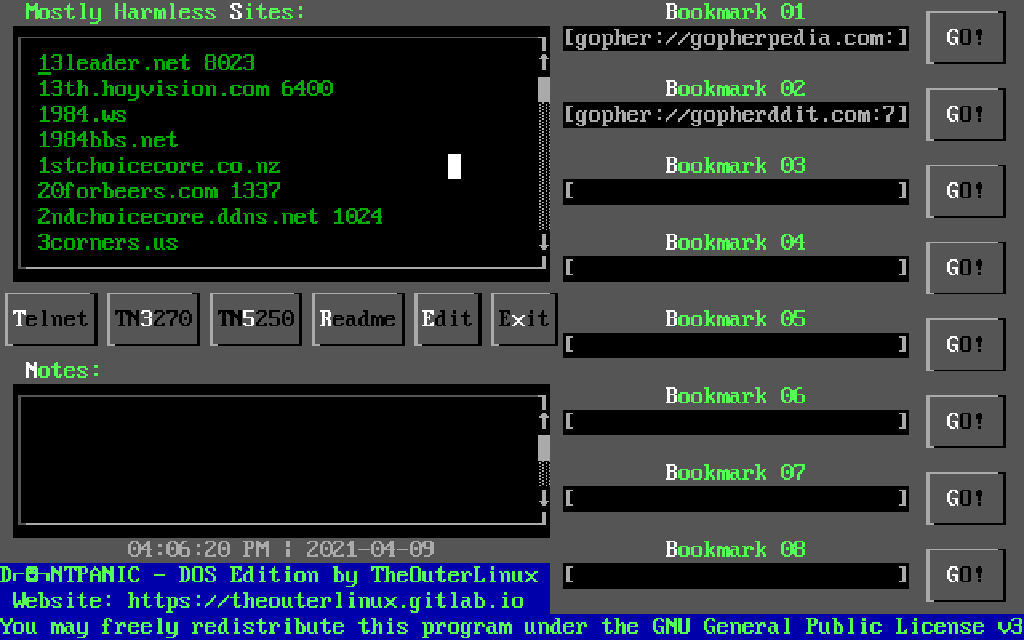
And more weird things from the same PsychOS site - a (Free)DOS TUI environment PsychDOS ver. 1.0: https://psychoslinux.gitlab.io/DOS/INDEX.HTM

https://www.youtube.com/watch?v=wQCiZtnJekU

PSYCHDOS.PNG

More PsychDOS screenshots

PROGRAMS.PNG
CHECKMSG.PNG
NOTES.PNG
NOTES.PNG
PASTEBIN.PNG
LOCKSCRN.PNG
DNTPANIC.PNG

Just tested PsychDOS. Runs on a 386+ in DOS.

DOS fan :: artificial "intelligence" (chat) bots - not a fan... not a fan at all :: is freeware a lie, when human freedom is a fundamental lie?