VOGONS


A NOT-SO EPIC Dual Pentium Pro Build

Topic actions

Reply 200 of 221, by Irinikus

User metadata
Rank Oldbie
Rank
Oldbie

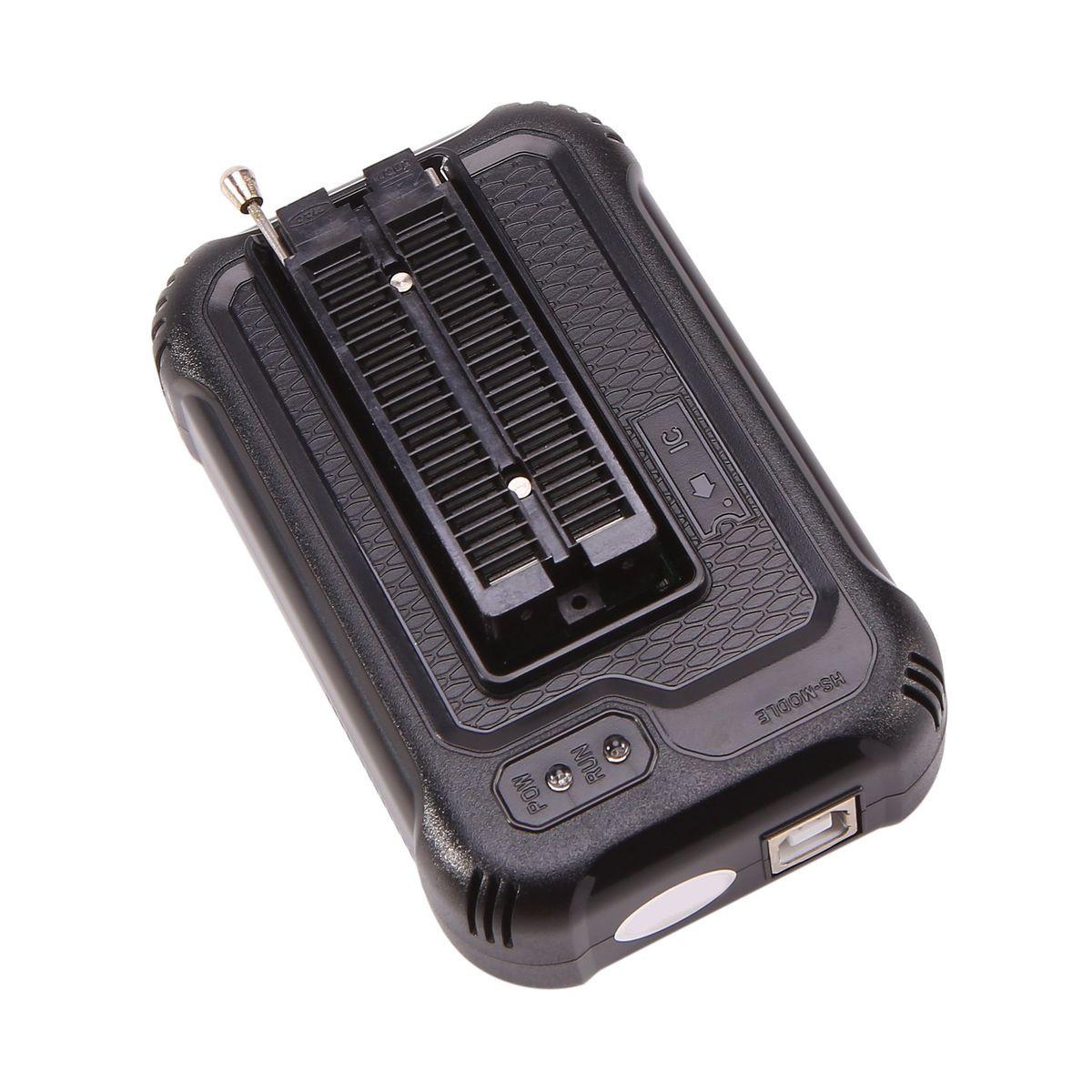
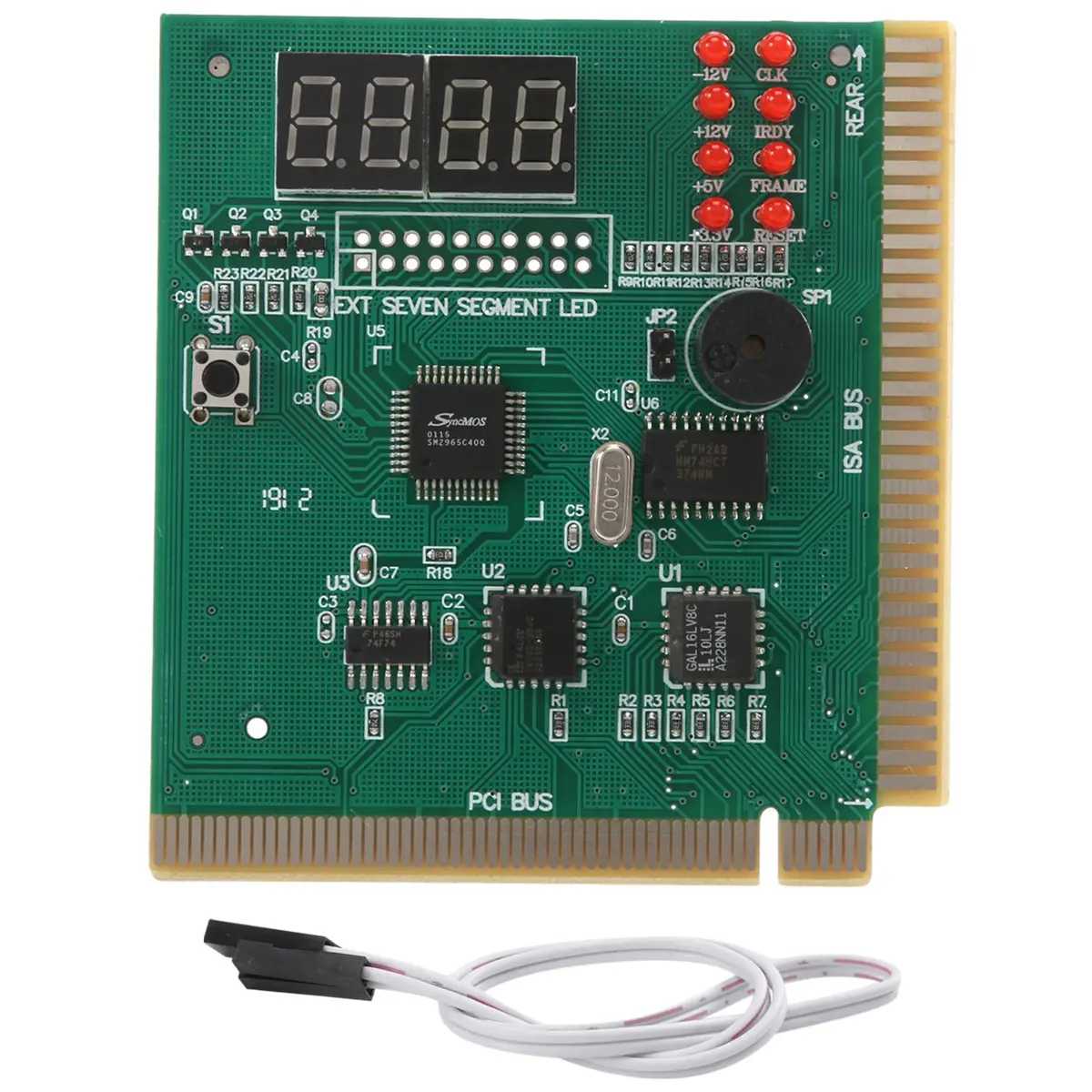
In the next two weeks I'm going to purchase WD-40 Contact cleaner to clean all of the slots and CPU sockets (as it's safe to use on plastics and rubbers), a PCI Diagnostic card to see what's going on as the system tries to POST and a Xgecu T48 Programmer to update the BIOS chip with the latest BIOS and hopefully get rid of BIT Rot of there is any.

17805826116538NoQVori1D4_portrait.png

17805825860068bHTagn5aS4_portrait.webp

17806015921534dBpVRkfmm4_portrait.jpeg

Last edited by Irinikus on 2026-06-04, 19:37. Edited 2 times in total.

YouTube

Reply 201 of 221, by BitWrangler

User metadata
Rank l33t++
Rank
l33t++

POST cards are great to have in general, but I don't think in this situation they are going to detect anything. i.e. the problems happen after it's gone past the basics. POST is over when you see the "POST" screen, any recoverable errors it reports (key stuck, CMOS check) and any non-recoverable is where it sticks and the POST card gives you a clue.

Edit: Okay reread, you have some occasions of not making it to the POST screen? Sorry, I may have confused your "not booting" statements with seeing POST screen and then doing nothing. or having the storage interface problems. So yeah if you are looking at a blank screen, maybe a blinking cursor, then the POST card should say something.

Unicorn herding operations are proceeding, but all the totes of hens teeth and barrels of rocking horse poop give them plenty of hiding spots.

Reply 202 of 221, by Irinikus

User metadata
Rank Oldbie
Rank
Oldbie
BitWrangler wrote on 2026-06-04, 14:33:

POST cards are great to have in general, but I don't think in this situation they are going to detect anything. i.e. the problems happen after it's gone past the basics. POST is over when you see the "POST" screen, any recoverable errors it reports (key stuck, CMOS check) and any non-recoverable is where it sticks and the POST card gives you a clue.

Edit: Okay reread, you have some occasions of not making it to the POST screen? Sorry, I may have confused your "not booting" statements with seeing POST screen and then doing nothing. or having the storage interface problems. So yeah if you are looking at a blank screen, maybe a blinking cursor, then the POST card should say something.

When it doesn't BOOT, it doesn't POST.

YouTube

Reply 203 of 221, by Irinikus

User metadata
Rank Oldbie
Rank
Oldbie

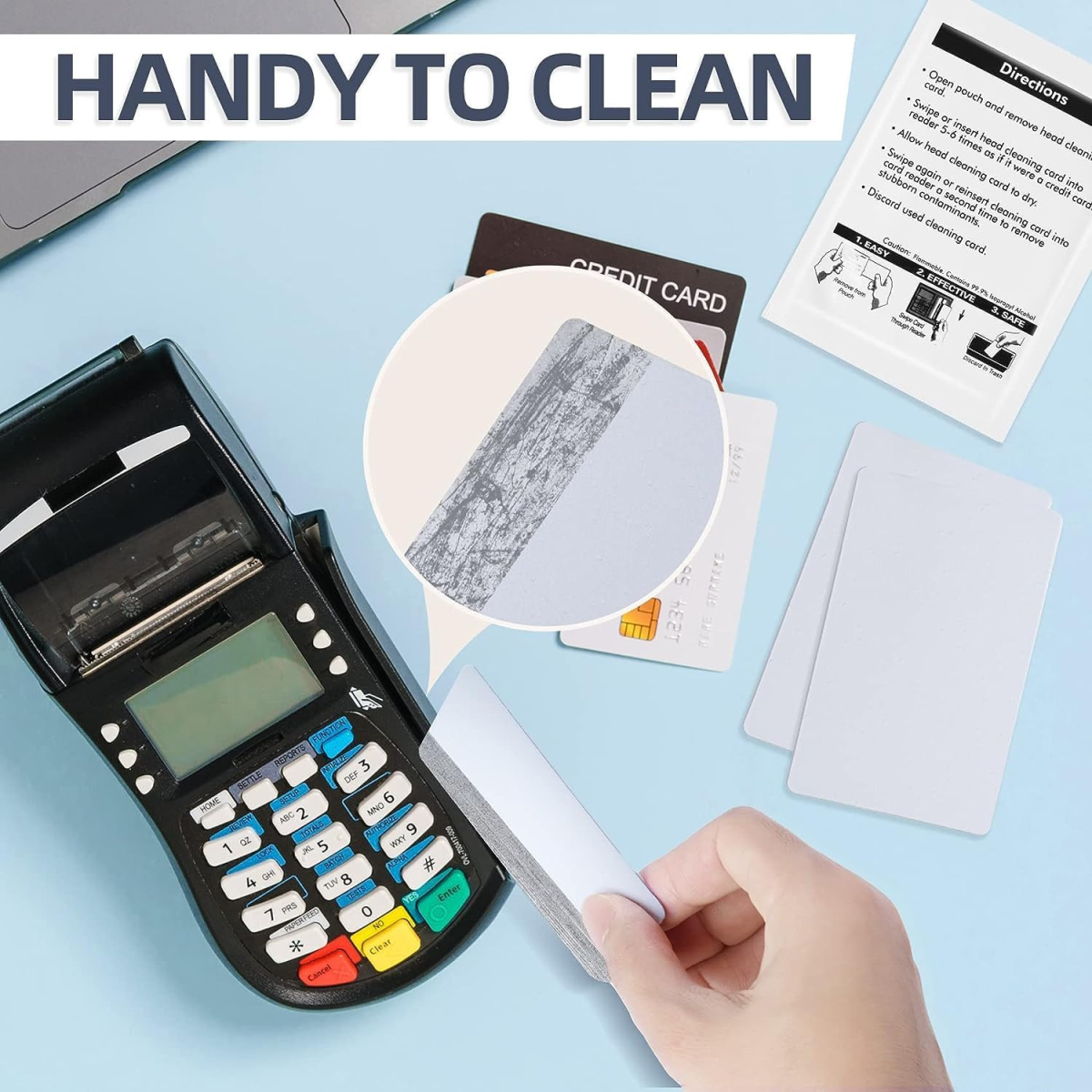
@necoro on the Silicon Graphics User Group Discord suggested these to me to clean PCI clots:(Dual Side Card Reader Cleaner)

1780591444737396B4KVCCD4_portrait.png

YouTube

Reply 204 of 221, by Grem Five

User metadata
Rank Oldbie
Rank
Oldbie

I have used many contact cleaners and I have no idea what makes it magically but Deoxit has seemed to fix problems that other contact cleaners have not.

Reply 206 of 221, by Irinikus

User metadata
Rank Oldbie
Rank
Oldbie
Grem Five wrote on 2026-06-04, 23:35:

I have used many contact cleaners and I have no idea what makes it magically but Deoxit has seemed to fix problems that other contact cleaners have not.

Thanks for the advice! 😀

I've managed to find a seller on Amazon.us that ships to South Africa (The DEOXIT liquid with a brush). DEOXIT isn't sold over here!

YouTube

Reply 207 of 221, by Irinikus

User metadata
Rank Oldbie
Rank
Oldbie

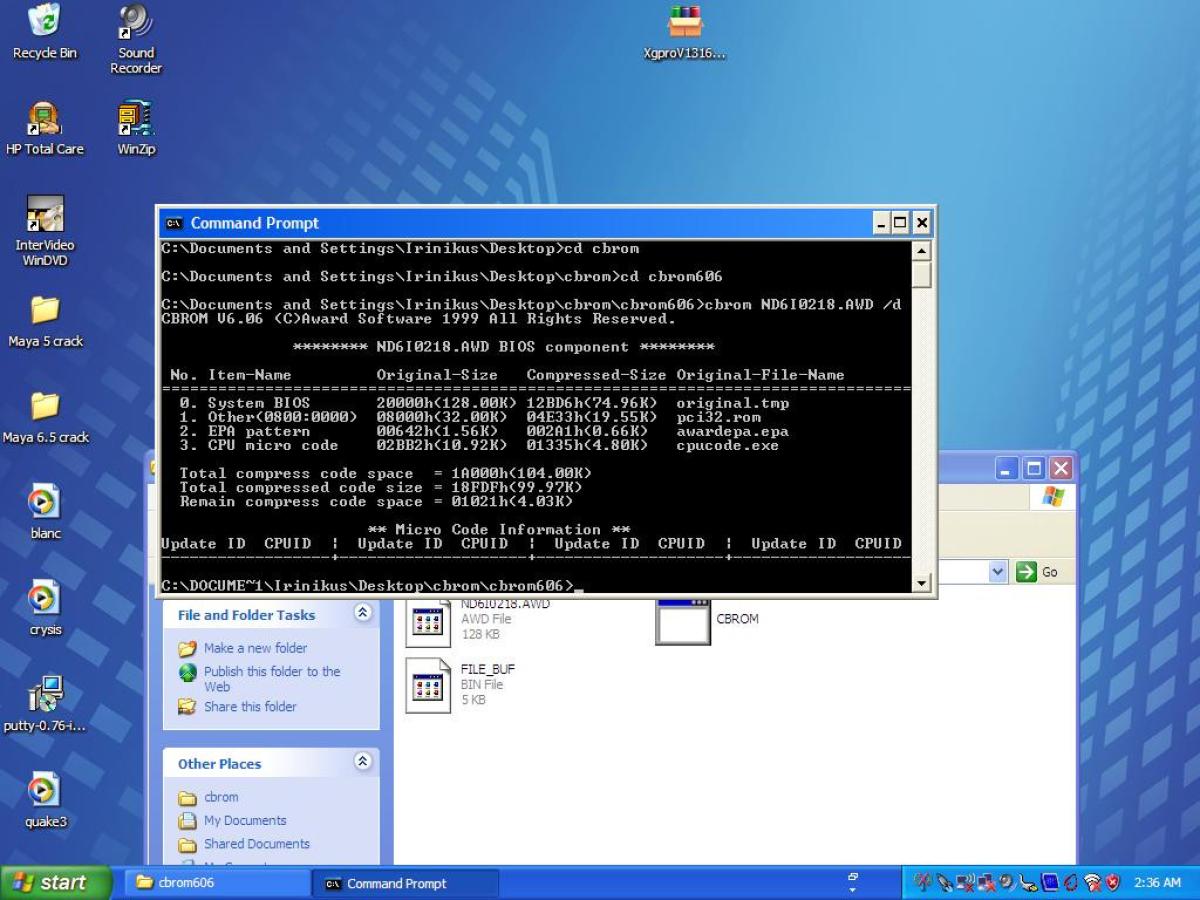
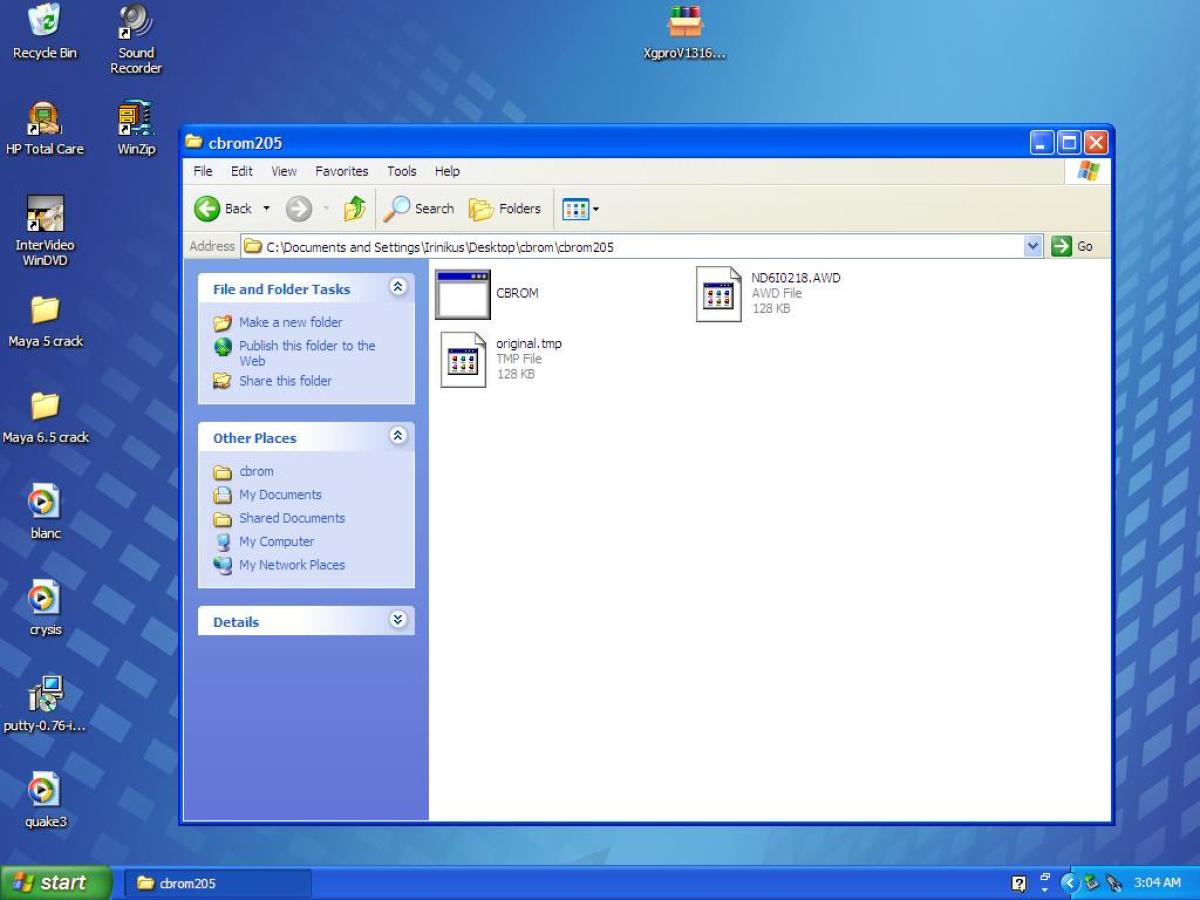
Here's what cbrom sees inside the latest BIOS file which I downloaded for this system in an .AWD format:

17806552447609e5wbDorzj4_portrait.JPG

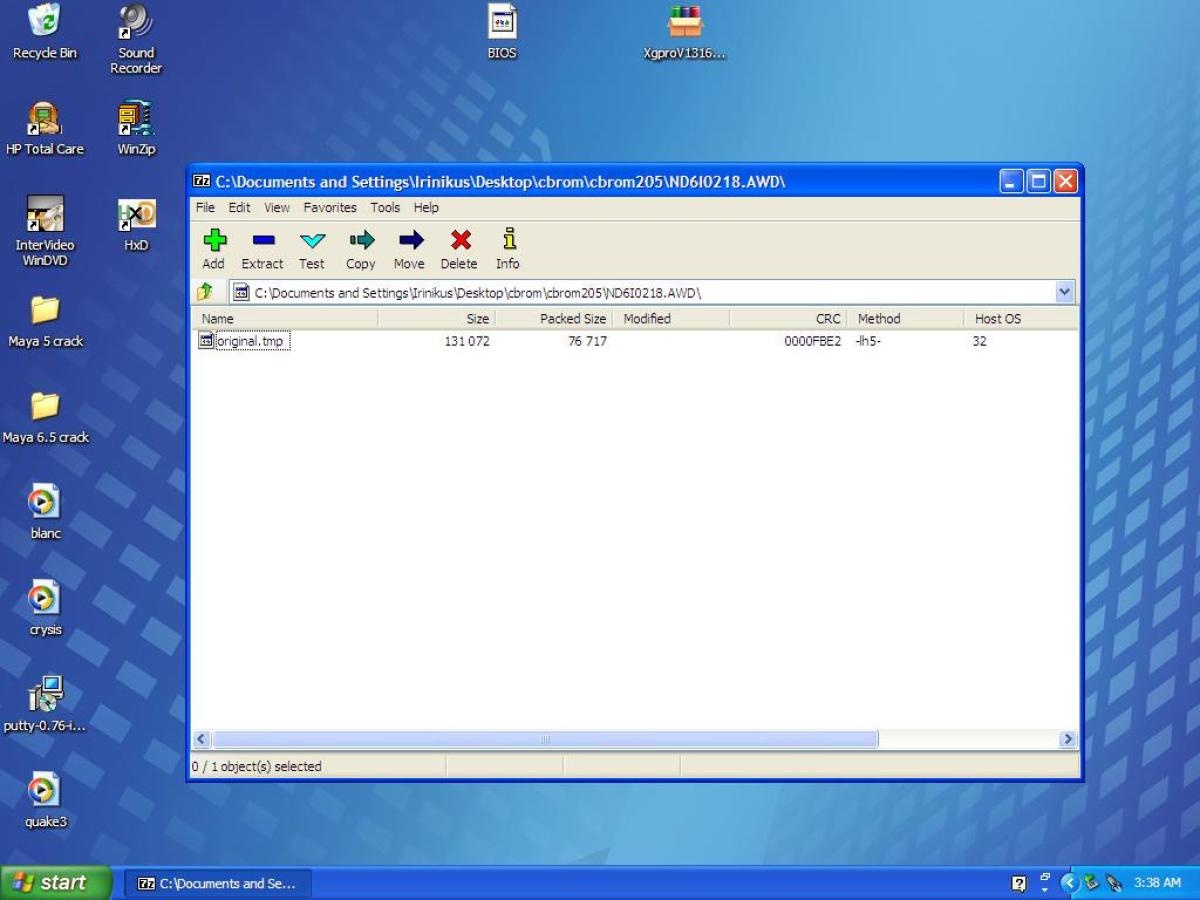
This is what 7ZIP sees inside the .awd archive:

178065841594724NechD9kg4_portrait.JPG

I used 7ZIP to extract "original.tmp" from the .awd archive:

17806564738181EBPdWRo0q4_portrait.JPG

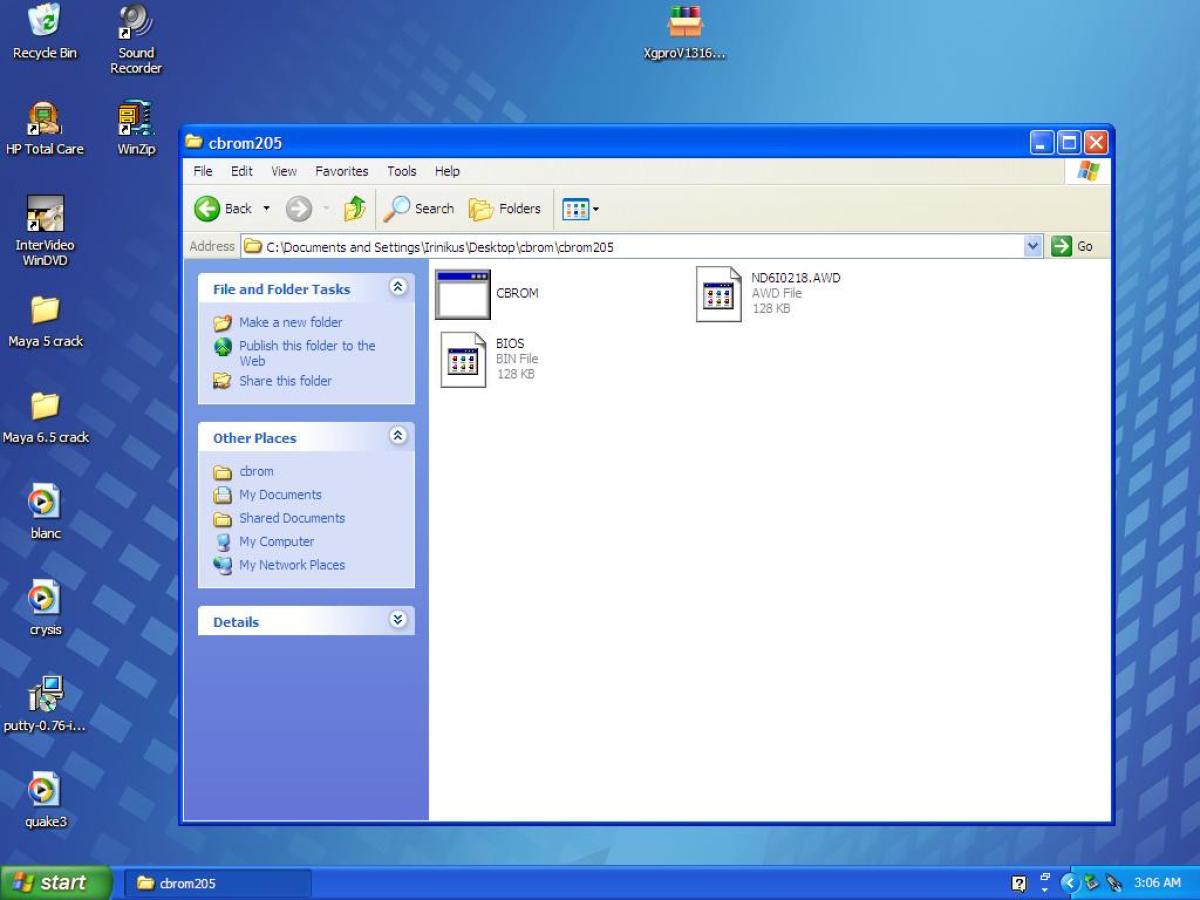
I renamed "original.tmp" to "BIOS.bin"

17806564927735g4BblWJbO4_portrait.JPG

I just want to know if I've followed the correct procedure to get a .bin file from the .awd file so that I can use it with a universal programmer?

YouTube

Reply 208 of 221, by Irinikus

User metadata
Rank Oldbie
Rank
Oldbie

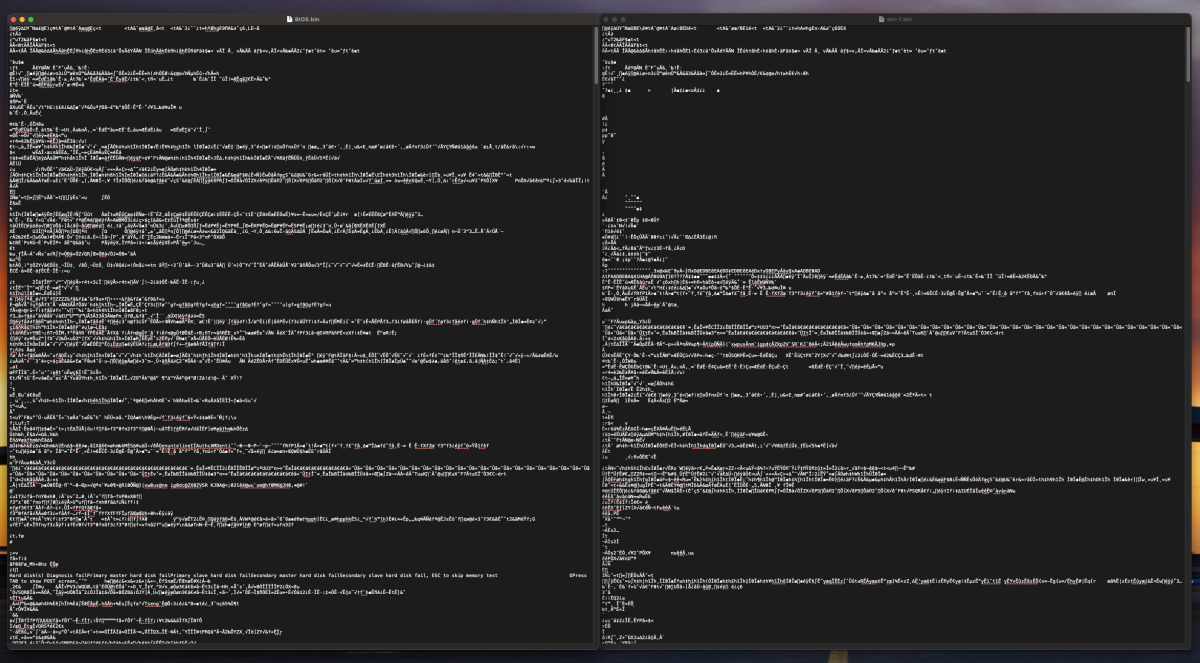
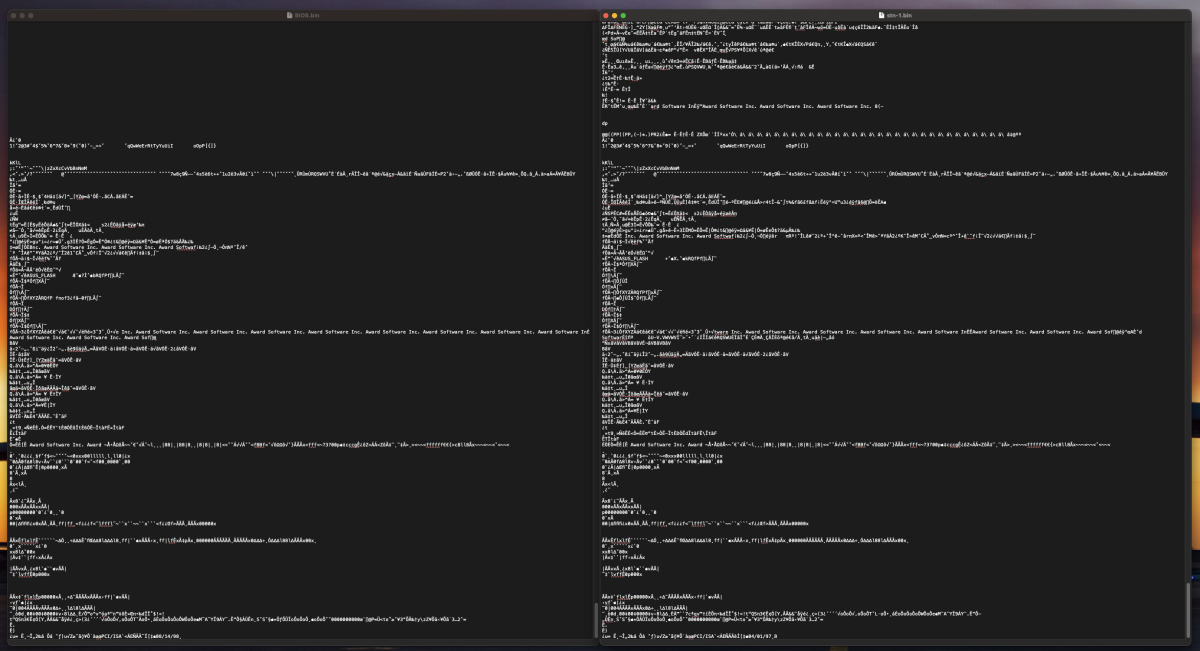
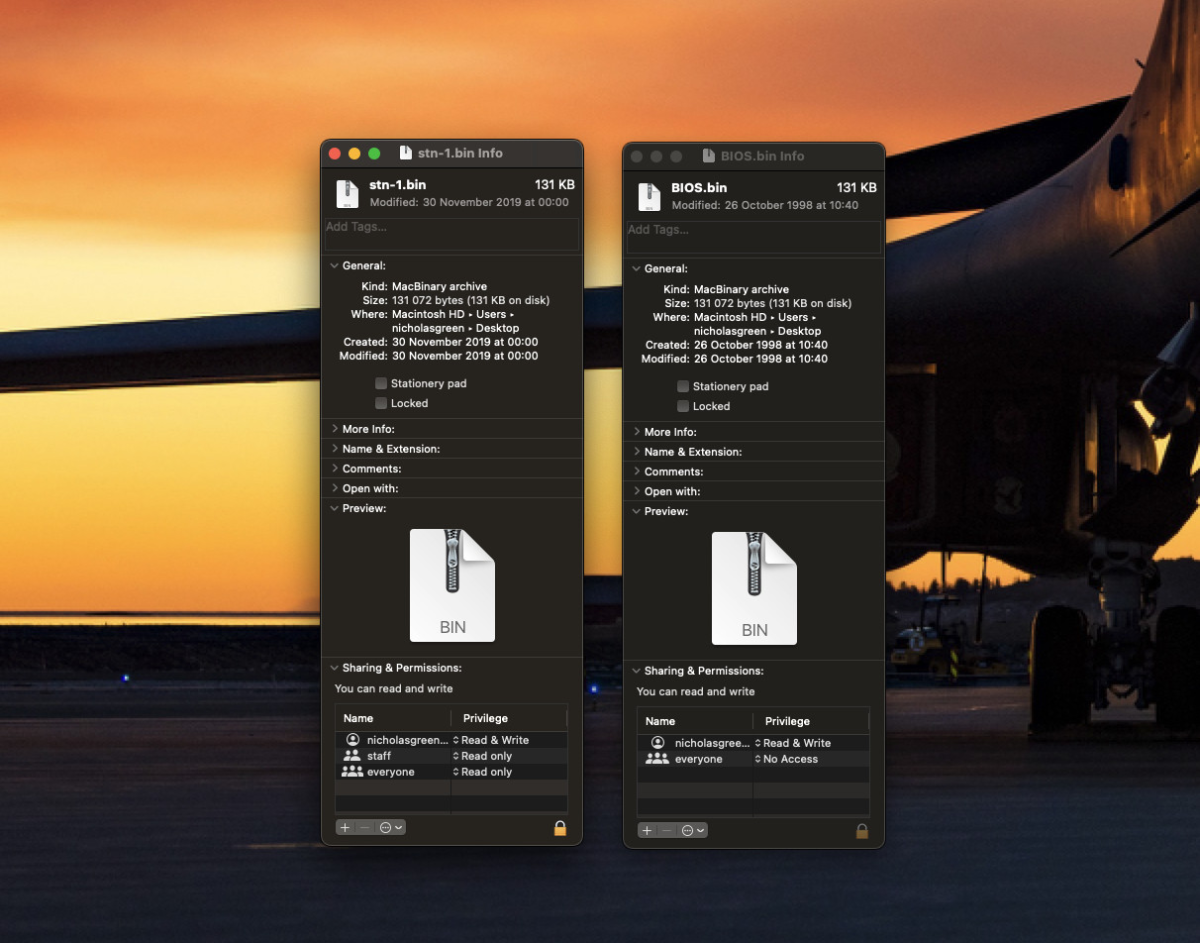
I know that this is a very crude comparison: (I opened the .bin file that I made "BIOS.bin"and compared the start and end of the file with one of the .bin files that I got for the dual pentium board from the Retro Web "stn-1.bin in text edit, and they both seem to start and end in the same way.)

17806609660514oCFVHf2kL4_portrait.png

17806610076096HD7xknlOu4_portrait.png

Size wise they're also identical:

17806617869594T7xV6ATTB4_portrait.png

YouTube

Reply 209 of 221, by Irinikus

User metadata
Rank Oldbie
Rank
Oldbie

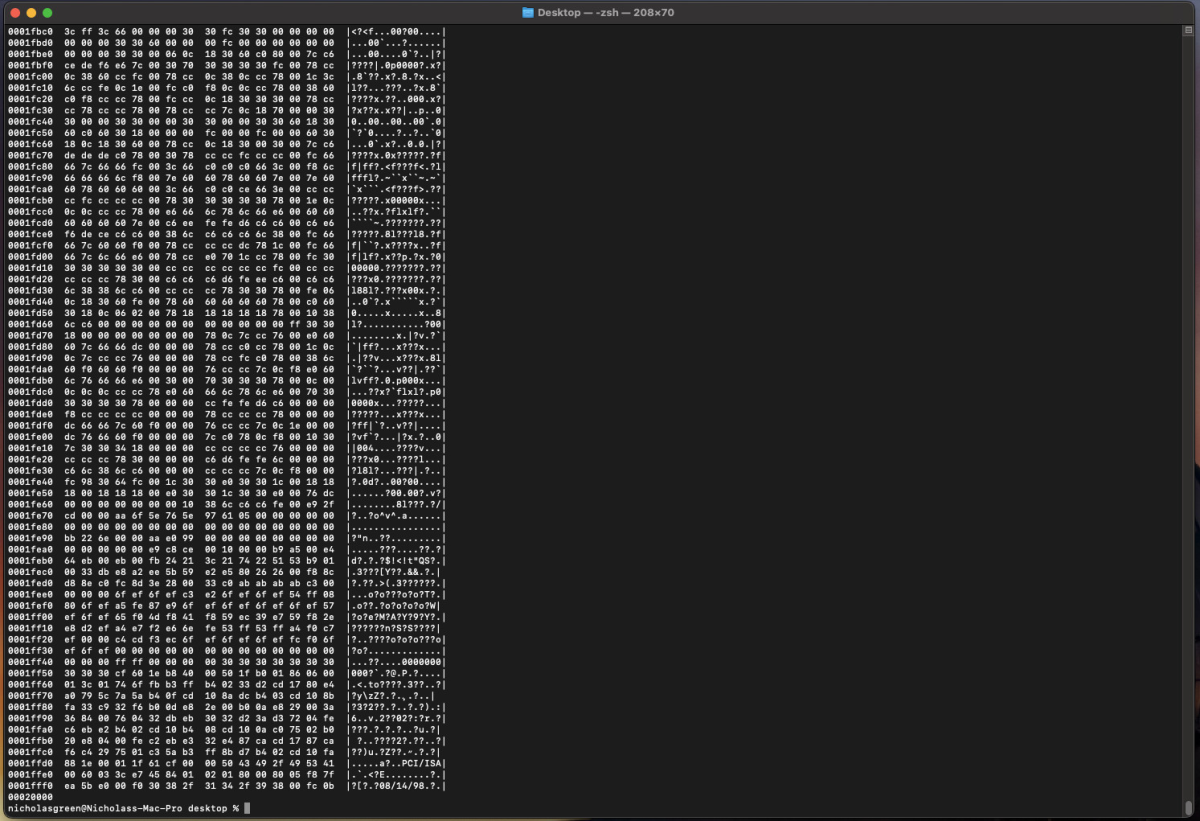
Here's the end of the hexdump of BIOS.bin:

17806788381258Zh6ol4Fiw4_portrait.png

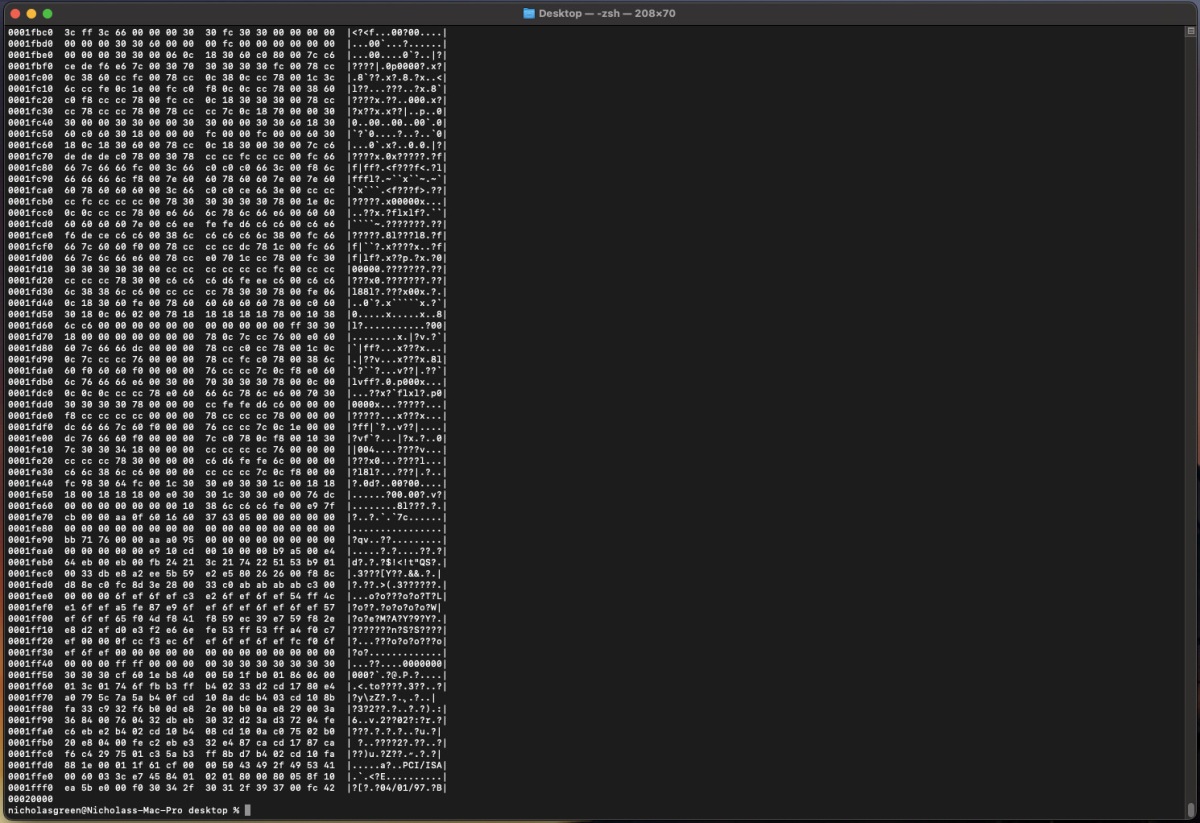
Here's the end of the hexdump of stn-1.bin

1780678860835xpq8NNXJ04_portrait.png

So hopefully I'm good! 😀

YouTube

Reply 210 of 221, by Irinikus

User metadata
Rank Oldbie
Rank
Oldbie

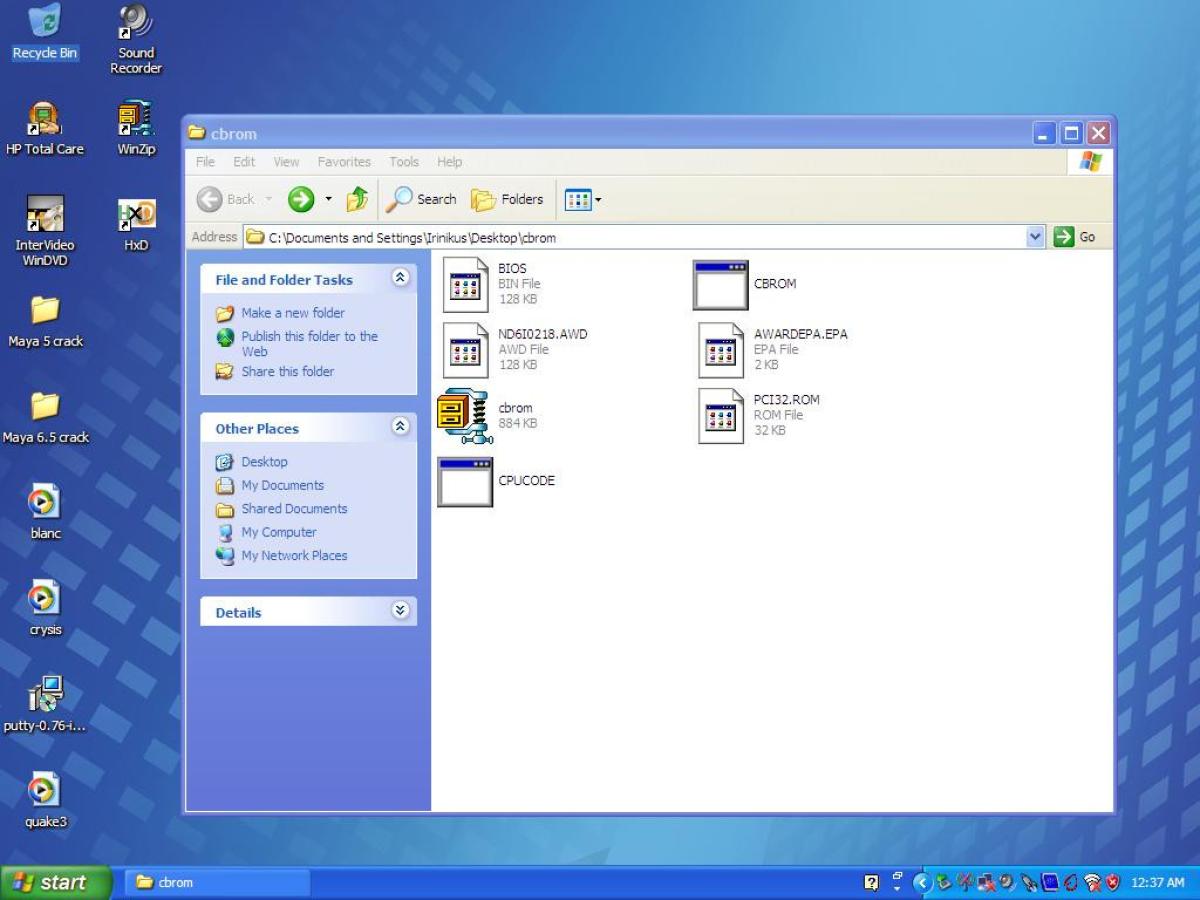
I've managed to extract the other modules from the .AWD file: (Using cbrom)

17807210821455GC0SrLGLj4_portrait.JPG

The question is: How do I get these extra modules onto the machine when I flash the BIOS chip with a universal programmer, and what are the target ROM's for these files? (I notice that the CPU micro code if a .exe file which can probably be executed in DOS?)

YouTube

Reply 211 of 221, by Irinikus

User metadata
Rank Oldbie
Rank
Oldbie

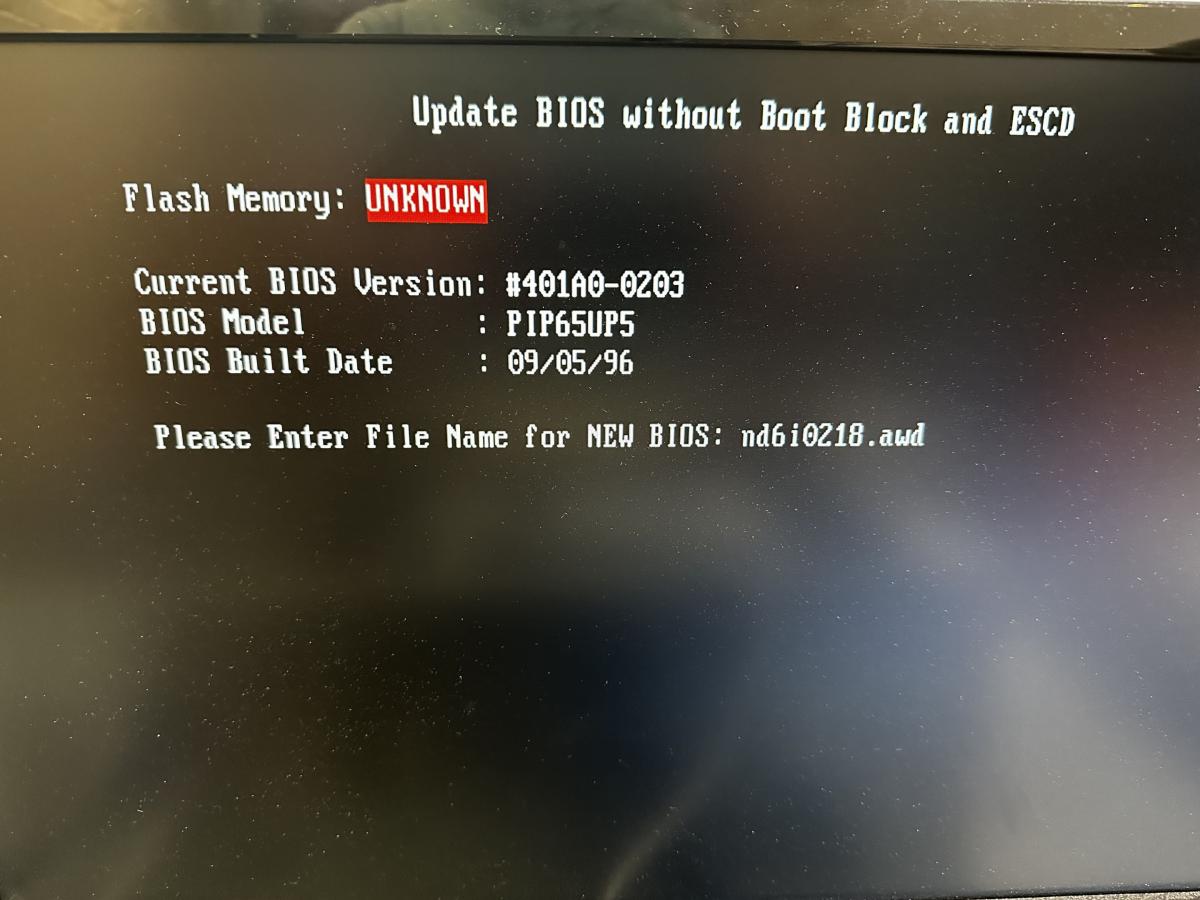
I decided to play around this morning and create a boot disk with AFLASH and the new BIOS file on it with this machine:

17807320660221CHXJkYo8a4_portrait.jpg

I was able to get into AFLASH on the Dual Pentium Pro:

1780732090224MJiF4bWIZ4_portrait.jpg

And I was able to download the current BIOS
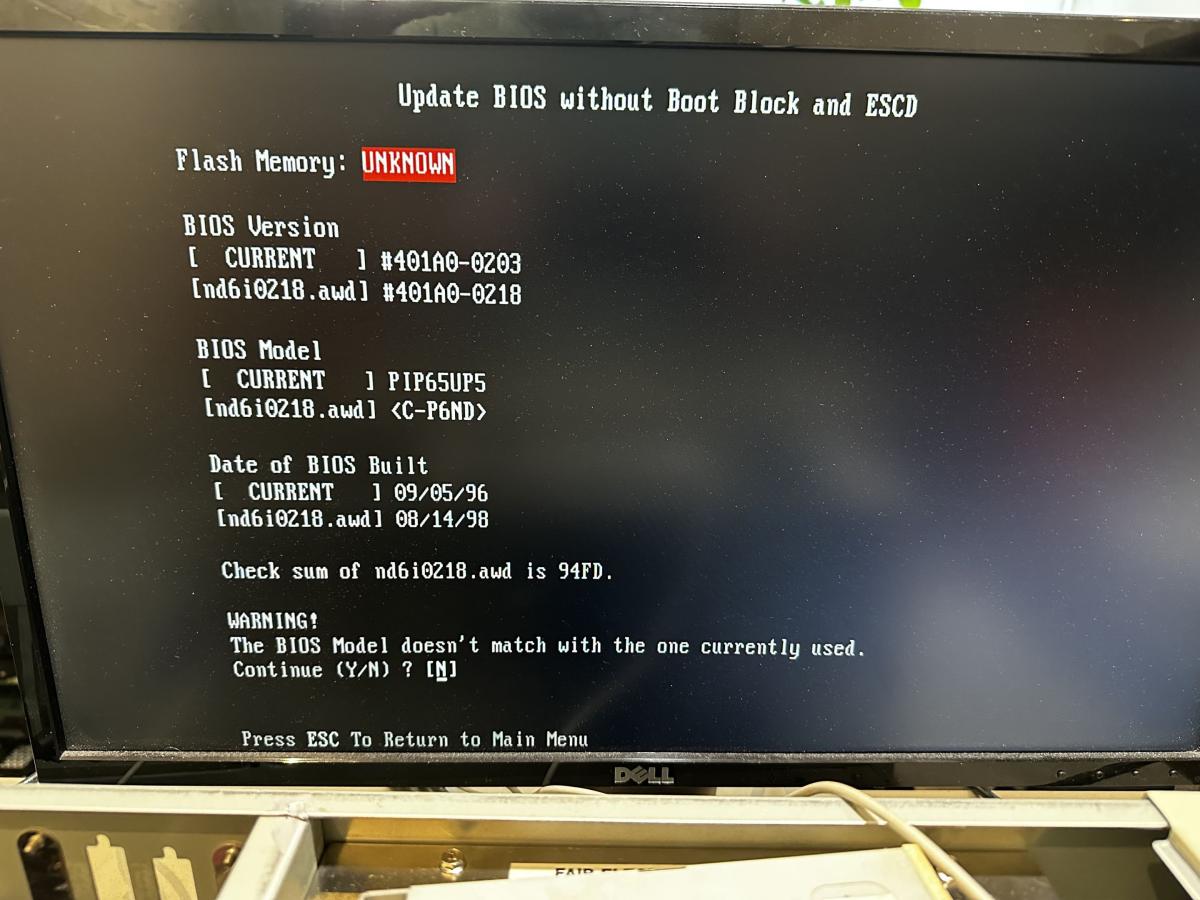
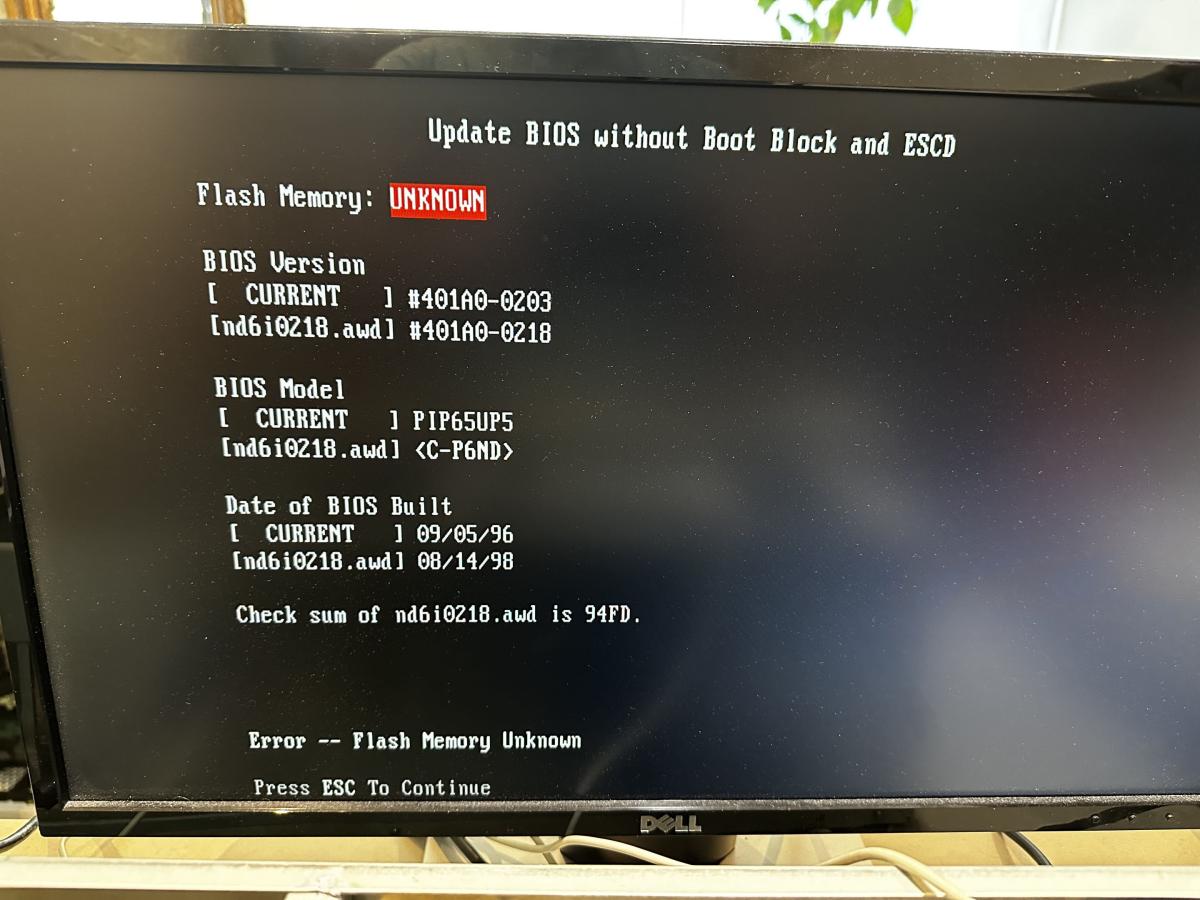
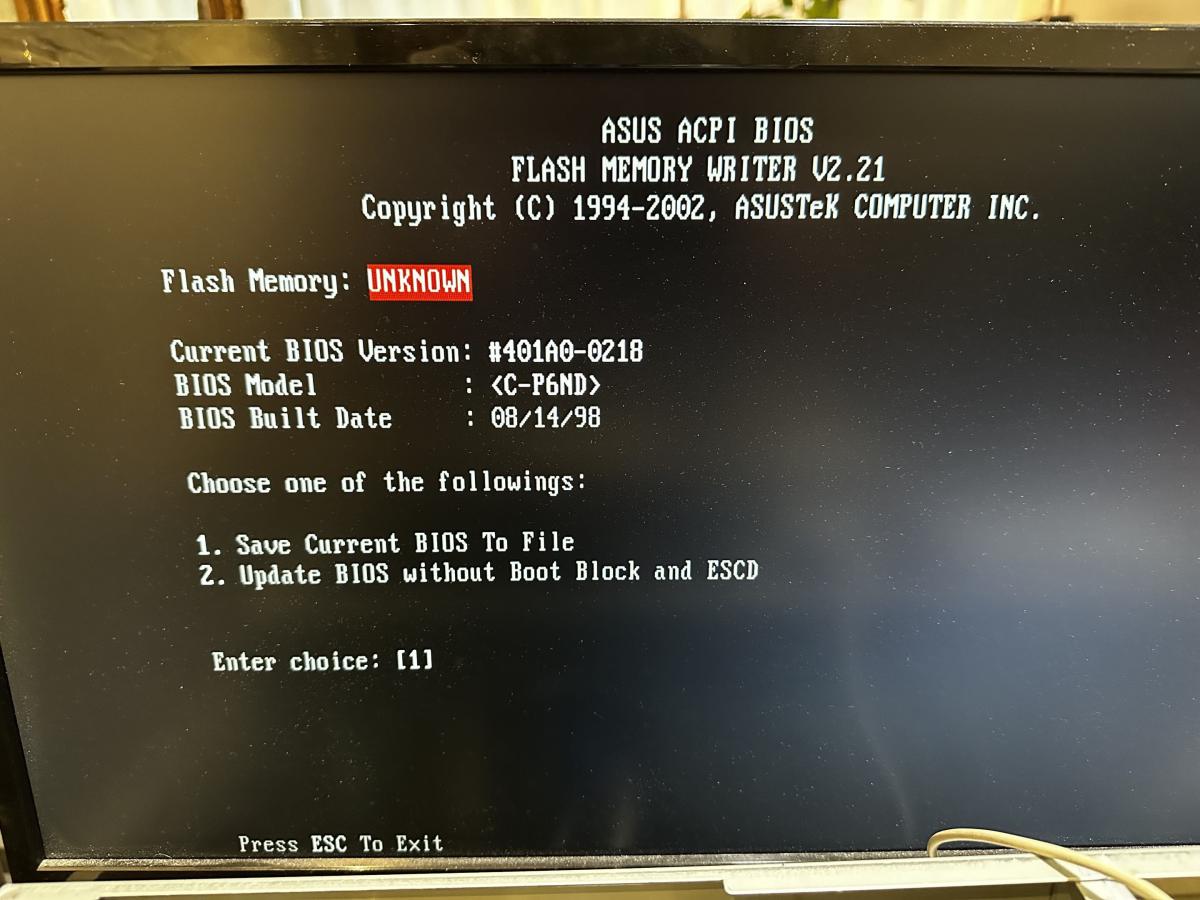
But I was unable to flash the BIOS because AFLASH couldn’t identify the Flash Memory!!!?

17807321077053KfxSjkhtC4_portrait.jpg

17807321303403OBmI19c8N4_portrait.jpg

Just for information: C-P6ND refers to the dual Pentium Pro card.
I wonder if there isn’t a problem with the BIOS chip itself? (To be clear , the programming jumper is set correctly and the BIOS update option is enabled in the BIOS.)

YouTube

Reply 212 of 221, by PC Hoarder Patrol

User metadata
Rank l33t
Rank
l33t
Irinikus wrote on 2026-06-06, 07:52:
I decided to play around this morning and create a boot disk with AFLASH and the new BIOS file on it with this machine: […]
Show full quote

I decided to play around this morning and create a boot disk with AFLASH and the new BIOS file on it with this machine:

17807320660221CHXJkYo8a4_portrait.jpg

I was able to get into AFLASH on the Dual Pentium Pro:

1780732090224MJiF4bWIZ4_portrait.jpg

And I was able to download the current BIOS
But I was unable to flash the BIOS because AFLASH couldn’t identify the Flash Memory!!!?

17807321077053KfxSjkhtC4_portrait.jpg

17807321303403OBmI19c8N4_portrait.jpg

Just for information: C-P6ND refers to the dual Pentium Pro card.
I wonder if there isn’t a problem with the BIOS chip itself? (To be clear , the programming jumper is set correctly and the BIOS update option is enabled in the BIOS.)

Seen AFLASH and this 'UNKNOWN' issue mentioned a few times online - perhaps you could try PFLASH instead (copy attached plus someones usage notes)

The attachment pflash_16.zip is no longer available
The attachment pflash.txt is no longer available

Reply 213 of 221, by Irinikus

User metadata
Rank Oldbie
Rank
Oldbie

I think I've found the problem!!!

17807418879923ios16KUXs4_portrait.png

This thing's the gift that just keeps on giving!!!!

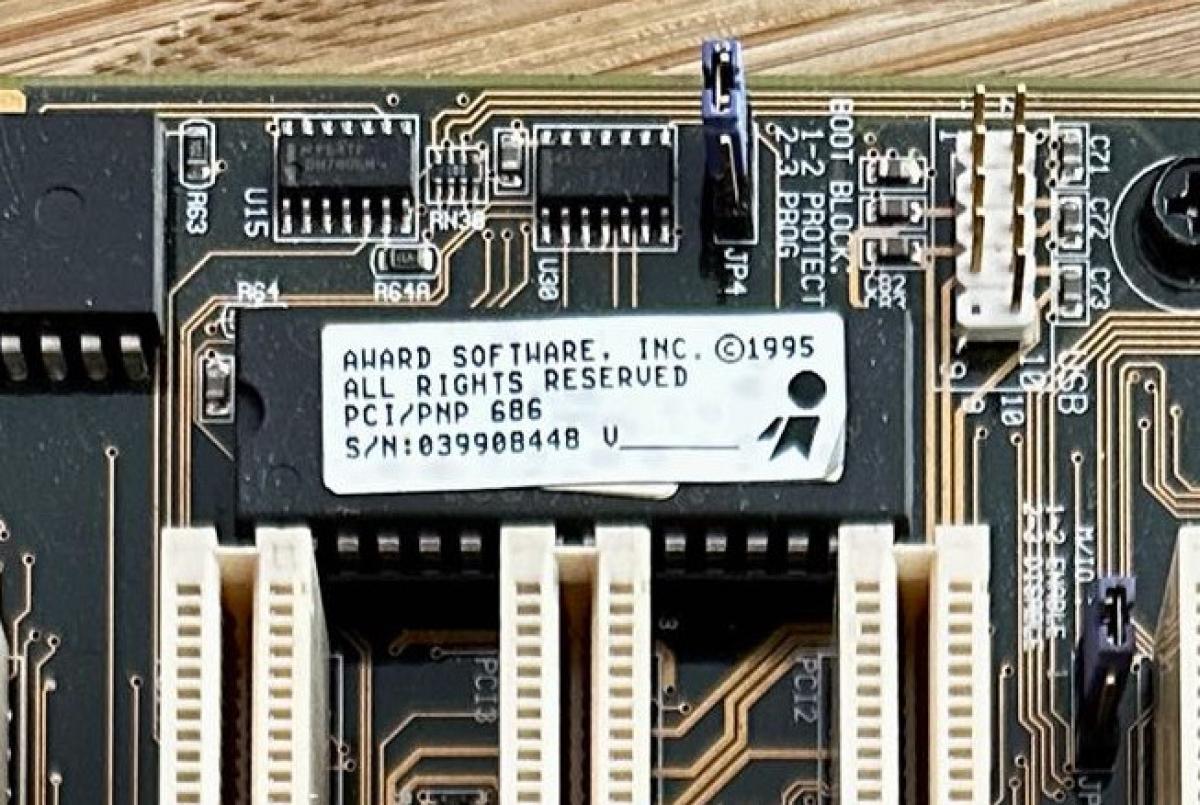
This kind of looks like a UV-erasable EPROM to me!!!

17807422634225LfWRe5l3h4_portrait.jpg

Last edited by Irinikus on 2026-06-06, 10:39. Edited 1 time in total.

YouTube

Reply 214 of 221, by Irinikus

User metadata
Rank Oldbie
Rank
Oldbie
PC Hoarder Patrol wrote on 2026-06-06, 10:25:
Seen AFLASH and this 'UNKNOWN' issue mentioned a few times online - perhaps you could try PFLASH instead (copy attached plus som […]
Show full quote
Irinikus wrote on 2026-06-06, 07:52:
I decided to play around this morning and create a boot disk with AFLASH and the new BIOS file on it with this machine: […]
Show full quote

I decided to play around this morning and create a boot disk with AFLASH and the new BIOS file on it with this machine:

17807320660221CHXJkYo8a4_portrait.jpg

I was able to get into AFLASH on the Dual Pentium Pro:

1780732090224MJiF4bWIZ4_portrait.jpg

And I was able to download the current BIOS
But I was unable to flash the BIOS because AFLASH couldn’t identify the Flash Memory!!!?

17807321077053KfxSjkhtC4_portrait.jpg

17807321303403OBmI19c8N4_portrait.jpg

Just for information: C-P6ND refers to the dual Pentium Pro card.
I wonder if there isn’t a problem with the BIOS chip itself? (To be clear , the programming jumper is set correctly and the BIOS update option is enabled in the BIOS.)

Seen AFLASH and this 'UNKNOWN' issue mentioned a few times online - perhaps you could try PFLASH instead (copy attached plus someones usage notes)

The attachment pflash_16.zip is no longer available
The attachment pflash.txt is no longer available

Thanks for the input! I appreciate it!

YouTube

Reply 215 of 221, by Irinikus

User metadata
Rank Oldbie
Rank
Oldbie

Does anyone here know what type of EEPROM chip would be compatible with this board?

YouTube

Reply 216 of 221, by Irinikus

User metadata
Rank Oldbie
Rank
Oldbie
PC Hoarder Patrol wrote on 2026-06-06, 10:25:
Seen AFLASH and this 'UNKNOWN' issue mentioned a few times online - perhaps you could try PFLASH instead (copy attached plus som […]
Show full quote
Irinikus wrote on 2026-06-06, 07:52:
I decided to play around this morning and create a boot disk with AFLASH and the new BIOS file on it with this machine: […]
Show full quote

I decided to play around this morning and create a boot disk with AFLASH and the new BIOS file on it with this machine:

17807320660221CHXJkYo8a4_portrait.jpg

I was able to get into AFLASH on the Dual Pentium Pro:

1780732090224MJiF4bWIZ4_portrait.jpg

And I was able to download the current BIOS
But I was unable to flash the BIOS because AFLASH couldn’t identify the Flash Memory!!!?

17807321077053KfxSjkhtC4_portrait.jpg

17807321303403OBmI19c8N4_portrait.jpg

Just for information: C-P6ND refers to the dual Pentium Pro card.
I wonder if there isn’t a problem with the BIOS chip itself? (To be clear , the programming jumper is set correctly and the BIOS update option is enabled in the BIOS.)

Seen AFLASH and this 'UNKNOWN' issue mentioned a few times online - perhaps you could try PFLASH instead (copy attached plus someones usage notes)

The attachment pflash_16.zip is no longer available
The attachment pflash.txt is no longer available

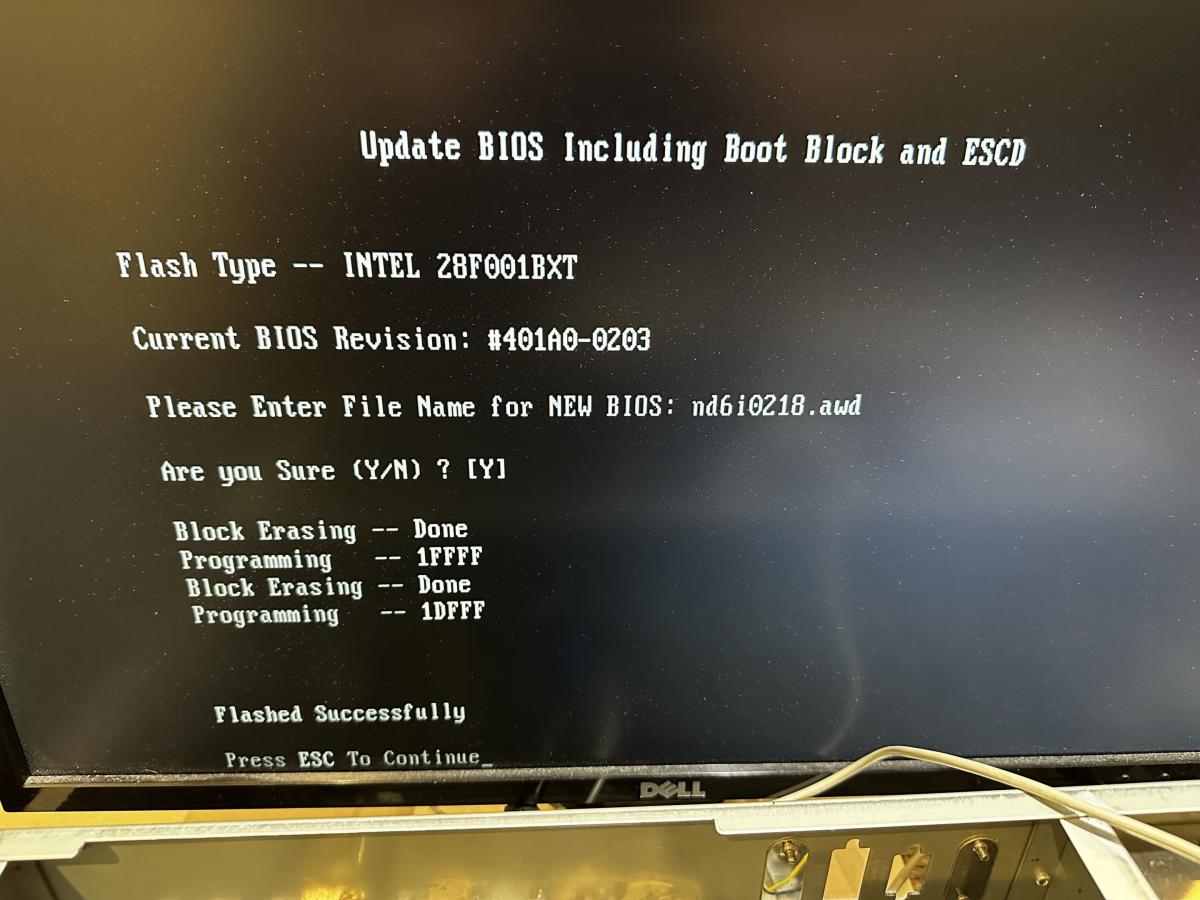
Thanks very much for the link to PFLASH, I tried it, and it worked!!! 😀

178075910882972b71S4Vmm4_portrait.jpg

I used AFLASH to confirm that I now have the latest BIOS installed, which I now do:

17807591261427AbJ7mpMLq4_portrait.jpg

So that's at least done!!!

A BIG THANK YOU TO TO YOU @PC Hoarder Patrol

YouTube

Reply 217 of 221, by PC Hoarder Patrol

User metadata
Rank l33t
Rank
l33t
Irinikus wrote on 2026-06-06, 15:24:
Thanks very much for the link to PFLASH, I tried it, and it worked!!! :) […]
Show full quote
PC Hoarder Patrol wrote on 2026-06-06, 10:25:
Seen AFLASH and this 'UNKNOWN' issue mentioned a few times online - perhaps you could try PFLASH instead (copy attached plus som […]
Show full quote
Irinikus wrote on 2026-06-06, 07:52:
I decided to play around this morning and create a boot disk with AFLASH and the new BIOS file on it with this machine: […]
Show full quote

I decided to play around this morning and create a boot disk with AFLASH and the new BIOS file on it with this machine:

17807320660221CHXJkYo8a4_portrait.jpg

I was able to get into AFLASH on the Dual Pentium Pro:

1780732090224MJiF4bWIZ4_portrait.jpg

And I was able to download the current BIOS
But I was unable to flash the BIOS because AFLASH couldn’t identify the Flash Memory!!!?

17807321077053KfxSjkhtC4_portrait.jpg

17807321303403OBmI19c8N4_portrait.jpg

Just for information: C-P6ND refers to the dual Pentium Pro card.
I wonder if there isn’t a problem with the BIOS chip itself? (To be clear , the programming jumper is set correctly and the BIOS update option is enabled in the BIOS.)

Seen AFLASH and this 'UNKNOWN' issue mentioned a few times online - perhaps you could try PFLASH instead (copy attached plus someones usage notes)

The attachment pflash_16.zip is no longer available
The attachment pflash.txt is no longer available

Thanks very much for the link to PFLASH, I tried it, and it worked!!! 😀

178075910882972b71S4Vmm4_portrait.jpg

I used AFLASH to confirm that I now have the latest BIOS installed, which I now do:

17807591261427AbJ7mpMLq4_portrait.jpg

So that's at least done!!!

A BIG THANK YOU TO TO YOU @PC Hoarder Patrol

Glad to help 😀 Seems Asus were aware of this general issue, based on this extract from a version of aflash.txt...

"8. If the current Aflash Utility reports

"UNKNOWN FLASHTYPE", make sure you are using the latest Aflash version,

----> "ftp://ftp.asuscom.de/pub/ASUSCOM/BIOS/BIOS_FLASH_UTILS/"

or (for older motherboards) test the following Flash utils in this order:

- AFLASH (ftp://ftp.asuscom.de/pub/ASUSCOM/BIOS/BIOS_FLASH_UTILS/ )

- PFLASH2 (v1.99)

- PFLASH (v1.6)

- FLASH (v5.3)

These Flash utils can be found at the following address:

"ftp://ftp.asuscom.de/pub/ASUSCOM/BIOS/BIOS_FLASH_UTILS/
"

System is building nicely , so what's next.

Reply 218 of 221, by Irinikus

User metadata
Rank Oldbie
Rank
Oldbie
PC Hoarder Patrol wrote on 2026-06-07, 17:11:

System is building nicely , so what's next.

The BIOS's updates at least done, but the machine is still having issues with the POST. (So I've at least eliminated the possibility of there being a corrupted BIOS)

The next move I'm going to have to make is to wait for my PCI/ISA Diagnostic card as well as some DeoxIT to arrive, so that I can clean all of the contacts as well as the CPU sockets and then check to see where it's hanging up during the POST.

I might also try dropping the CPU frequency for now to see if it has any effect. (Maybe helping to confirm that the VRM's need a re-cap)

I think that the Base Board as well as the CPU card are both going to need a re-cap. That will only be tackled next year when I get my JBC rework station, as that's going to cost me $6380 without shipping and taxes.

YouTube

Reply 219 of 221, by Grem Five

User metadata
Rank Oldbie
Rank
Oldbie

I dont remember this whole thread but how did the memory test out? Only 440FX board I have is a Dual PII 3oos but it was a bit quirky with a couple of sticks of EDO I had.