Dege wrote on 2026-10-09, 18:16:
Why? I can play it through DX12 along with forced max resolution. Though I had to enable option Glide\16BitDepthBuffer to get a glitch-free image.
Also, if you enable option General\EnumerateRefreshRates and select a display mode with a refresh rate you want, or even override the refresh rate manually (see the picture) to an arbitrary value, it should work. *
Glide\16BitDepthBuffer was necessary for DX12 indeed!
From what I've seen, Fullscreen + Fake for some reason loses VRR (G-sync), while Windowed will work, tho I'm forcing G-sync on Windowed apps, for testing I disabled it on Windowed apps and yeah it's gone too with Windowed + Fullscreen Size + Borderless, still doesn't explain why Fake wouldn't work with VRR if I'm forcing G-sync on Windowed apps. [see posts below for this issue, related to PresentMode]
There is Fullscreen with "Fake" and without "Fake", times "Centered, keep aspect ratio" and "Stretched, keep aspect ratio", times "Unforced" and "Max" and "1920x1080, 240" number of combinations.
Unless there is a golden combination to make DX/VGA version actually use increased resolution, whilst Glide seems to always uses higher resolution (which was common with glide) if you go above "Unforced", it boils down to these 4 scenarios:
DX/VGA will look like this with "Max" and below is with "1920x1080, 240", and always one of the "keep aspect ratio" non-CRT option:
The attachment DXVGA Max, 240 keep aspect ratio.png is no longer available
The attachment DXVGA 1920x1080, 240 keep aspect ratio.png is no longer available
3Dfx/Glide will look like this with "Max" and below is with "1920x1080, 240", and always one of the "keep aspect ratio" non-CRT option:
The attachment 3DfxGlide Max, 240 keep aspect ratio.png is no longer available
The attachment 3DfxGlide 1920x1080, 240 keep aspect ratio.png is no longer available
0. I just noticed that restarting first level doesn't always land you in the same exact spot for some reason, even at 60fps limit 😀
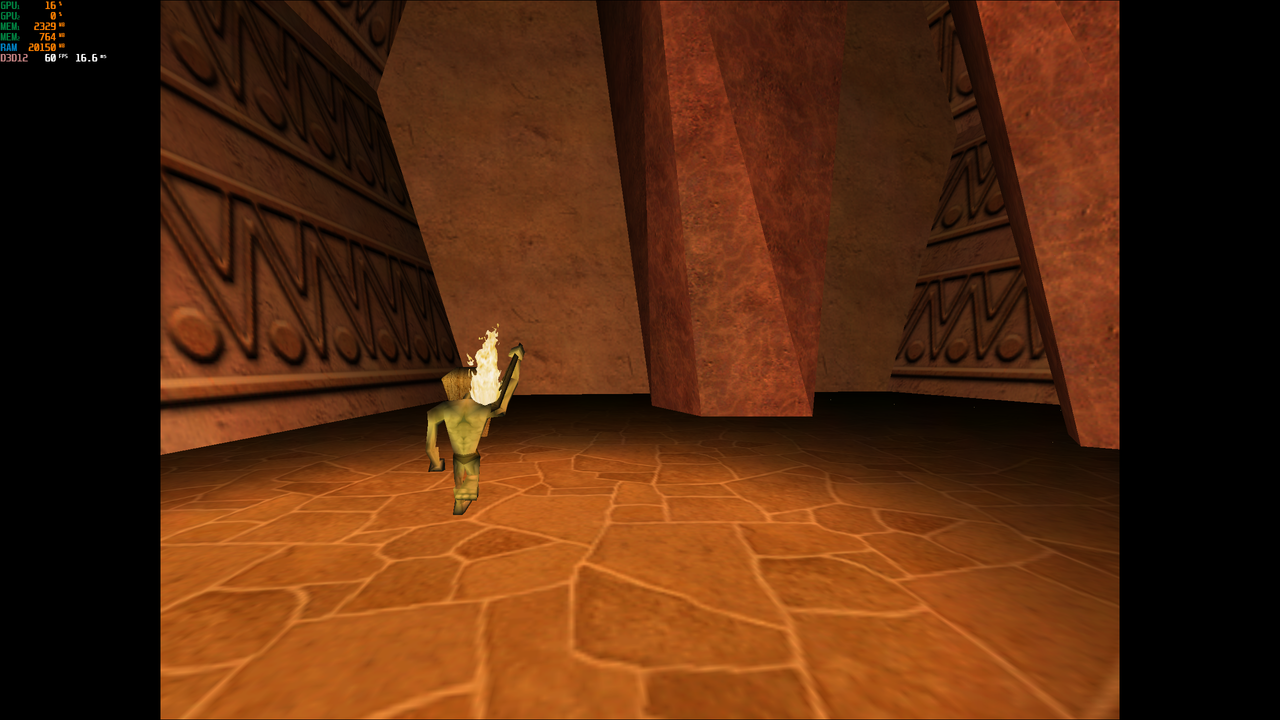
1. DX/VGA is obviously 800x600 by the look of the jaggies (look at the yellow crystal), 3Dfx/Glide is much less aliased.
2. As you can see, "Max" in my case is some unknown (probably 4:3) resolution which is I presume unrelated to me using "Centered/Stretched keep aspect ratio" - how can I know the render resolution?
2a. When "1920x1080, 240" the render resolution is probably that same "Max" (4:3) resolution, but it's stretched, which I can't make sense of, why isn't it rendering at 16:9 due to "1920x1080, 240" OR enforcing a 4:3 resolution with "Centered, keep aspect ratio"?
2b. You could maybe make a case that it's not stretched, but that FoV isn't adjusted, but yeah, 3D stuff looks stretched, and 2D stuff like menus definitely are stretched to 16:9, so I dunno if it's just FoV issue...
3. I noticed that "resolution, refreshrate" is NOT saving them at all anywhere - I even launched the dgVoodoo Control Panel with admin rights - which probably means why I can not force Glide version above 60Hz since it doesn't apply/save it, and note that I'm talking 60Hz refresh rate, if you disable Vsync with Glide and have no FPS limit the game will render mad fast, but the screen will be locked to 60Hz, and I mean 60hz mode, not "VRR is going down to 60Hz".
3a. Glide's (at stock settings) forced 60Hz is also unexpected behavior, because DX version doesn't change the monitor's refresh rate, yet Glide version will, why?
3b. "Enumerate refresh rates" actually works as expected, tho it reports 239 as max refresh rate - I did try 1920x1080, 120 in my testing related to 3 and 3a and it didn't work, so it's not just a "you put in an impossible refresh rate".
4. I tried "Max, 22" and "1920x1080, 38" and results are inconsistent - since I'm using G-sync, DX/VGA version seem to be LFC'd to 60 and 120Hz (which makes little sense since 22*3 or 22*4 isn't exact 60 nor 120hz, and I know this panel can handle 22fps LFC to 66Hz for example, yet here screen OSD shows 60/120hz changing, but maybe it's flipping so rapidly between these two and it doesn't show instantaneous VRR Hz changes and/or the VRR logic is a bit "less flexible" to wild FPS changes), Glide version OTOH switches the panel to 60hz and it doesn't change, probably due to fact that Glide version actually switches the screen into 60hz mode because of 3 and 3a problem.
Dege wrote on 2026-10-09, 18:16:
1) Fake fullscreen is just a screen-size borderless window; dgVoodoo still sets the physical display mode on the monitor if "unspecified", "stretched" or "centered" scaling mode is set but then it only makes the game rendering window borderless and stretches it all across the screen. From DX11/12 point of view the rendering is plain windowed. I don't know if G-sync detects this special case and treats the presentation as fullscreen.
2) Real fullscreen is real fullscreen from DX11/12 POV too and no any other window is allowed to overlap (even partially) the fullscreen rendering window. If such a case is detected then DX11/12 itself kicks out the rendering from fullscreen to plain (non-borderless) windowed. That's why it happens when you Alt-Tab from real fullscreen.
So what's the difference between Fullscreen + Fake and Windowed + Borderless + Fullscreen Size (+ Always on top optionally)?
Why is VRR disabled with Fake? [see posts below for this issue, related to PresentMode]
In fact, if "Fullscreen + Fake" with "Centered/Stretched, keep aspect ratio" is turned on, how can Glide version even change the refresh rate of the monitor if it's a window as you say it is?
Note that G-sync isn't just syncing VRR to 60Hz - I have to wait those ~3sec of black screen for monitor to change to 60Hz mode.
Here's something more to think about:
Windowed with NO other GeneralExt options, "Stretched, keep aspect ratio", Resolution "Unforced" - DX version will first appear in the top left corner, then in the middle only if you enable "Center App Window", and it will never have window border/title box for some reason, while Glide version will have them.
DX version will show the welcome screen (one before level select screen) and the music will start playing, and it's working very nice.
However Glide version first of all the window won't appear anywhere - and you need to press Space the moment the music starts or the game will crash if you wait a bit.
If you don't miss that timing (it's not that tight but yeah), a proper bordered with titlebox window will appear top left.
If you put "Center App Window" the level select window will instead appear in the middle of your screen, but it won't fix the invisible welcome screen.
If you enable Borderless and Fullscreen size (with Stretched, keep aspect ratio), you're good to go (except maybe putting 60-120FPS limit to slow the game down).
Now for some reason I can't replicate this behavior again (all of this was done on a fresh install) but one of the versions with Windowed + Fullscreen size + Boderless had an issue depending if you enabled/disabled "Center App Window" one of them looked proper, while other was rendered beyond the physical screen size, it was overblown extremely, basically you saw about ~1/4 of the top left and other 3/4 were outside the screen.
Dunno why this is gone now.
Some notes:
- this was a fresh reinstall of Montezuma, and I used a different install media, tho it's still 1.29w version
- this time when I was prompted for compatibility settings Windows popup, I said ok and I said that the program launched properly when I was told some settings were applied, I don't remember if I did this the first time around, but maybe some compat flags are now enabled that weren't before
- first install had a skip intro and Glide/Crash fixes, both available on PCGW, but this time I also put a NOCD patch (there's one floating around that covers 1.13, 1.26 and 1.29 versions in one zip)
- I also don't remember what sort of Resampling I used but it might've been Lanczos-3, this time it's Bilinear (stock)
If you want me to test all possible combinations, I will, but I'll need some time, even this post took way too much 😁
And I hope I gave you some info to work with.
EDIT: I forgot to do what was said here to see G-sync behavior:
dgVoodoo2 defaults to a legacy presentation model which (when windowed) is not natively compatible with G-Sync. To get a modern […]
Show full quote
why does Fake Fullscreen and Windowed mode disable G-Sync?
dgVoodoo2 defaults to a legacy presentation model which (when windowed) is not natively compatible with G-Sync. To get a modern one - go to GeneralExt and change "Presentation model" setting to either "Flip discard" or "Flip sequential".
- I have it enabled for windowed programs too
Nvidia's "Enabled for windowed" G-Sync mode is an old hack, it's not 100% reliable.