VOGONS


First post, by KiasuKing

User metadata
Rank Newbie
Rank
Newbie

I have had a heart breaking few weeks.

My 100Mhz IBM Aptiva started playing up. I put a post on Vogons about it (in the WRONG forum - I was brand new and didn't know how to move it but it's here IBM Aptiva Pentium 100 troubleshooting) Initially nothing on the riser card was being detected (Voodoo 1 and a Sound card) then intermittent start up. I thought it was the on off switch, then the riser card, then the Motherboard, then the PSU. I have no clue. I purchased several trouble shooting tools which I have minimal skill at using but they are totaling up to more than buying a claimed to be working Socket 7 off ebay and building a new system.

I found someone selling new old stock of na M571 Socket 7 in my city. It seems to be a surprisingly common and well documented Mother board with lots of files and the original manuals easily found online. I picked it up on 3 days ago, brought it home and set it up using a brand new old school Antec AT PSU which I did test of the PSU to ensure it was within spec. Despite very carefully setting all of the jumpers, using PCI S3 trio i know is working, and setting the RAM voltage correctly it would not start up. I could see the fan on the CPU starting but nothing on screen. Then yesterday I realised the RAM should have been in the other 2 banks and just before lunch it booted! i could see the 100MHZ Pentium was correctly identified on screen.

"O frabjous day! Callooh! Callay!” Time for lunch.

After lunch I changed the CR2032 battery as it had shown it was low in the initial boot prior. Then booted with the expectation of heading into CMOS and having a great day of running various tests before putting into a case. BUT there was no display again. Played a bit with the RAM again as it seemed the earlier issue was there. Still no joy.

Then ... a crackle!!!!!! Power off immediately and a smell near the RAM where there are 2 capacitors. There are no burn marks there on the MB or the capacitors but it was enough to freak me out. I am using 2 sticks HP1818-6838 which are rated as 5V and the board jumpers are set to that.

But it now appears to be dead.

I LOATHE throwing old hardware away but lack the knowledge on how to troubleshoot. Looking at the number of items I have purchased from Aliexpress and Amazon to troubleshoot - without factoring in the cost of a future electronics degree so I know how to use them I want to ask:

What do other people here do when something you love has a problem that no one can fix? Throwing away a complete IBM Aptiva, as well as a new old stock Socket 7 motherboard just makes me die inside. Its a bit like a funeral and I am in mourning 🙁 I threw away my original Ensoniq Soundscape 2000 many years ago when it stopped working and was able to replace it with another before prices went into the stratosphere, but I have never really forgiven myself for tossing a semi rare card which might have been repairable.

What would you do?

Throw away and buy another off ebay?
Reply 1 of 14, by KiasuKing

User metadata
Rank Newbie
Rank
Newbie

Minor update - Just as I was posting this I reassembled the system on my desk. Started it, No crackle, no smell.

The CPU fan is working again and the S3 trio is getting warm...but nothing on the display.

My display works no issue when I attach my Pentium 150, 166MMX or 486 systems to it using the same display cable.

Reply 2 of 14, by KiasuKing

User metadata
Rank Newbie
Rank
Newbie

I do have a multimeter and one of those Zoyi ZT-MD2 Capacitor testers after watching philscomoputer lab review one. I am wondering if I can poke around with these to try to figure out what went bad or where to start with repairing

Reply 3 of 14, by TheMLGladiator

User metadata
Rank Member
Rank
Member

Are you sure it wasn't the PSU that caused the pop/smell? I've had NOS PSUs fail so I wouldn't immediately rule that out. It might be worth testing the S3 trio on a different board to make sure that isn't the component that died as well.

Reply 4 of 14, by chinny22

User metadata
Rank l33t++
Rank
l33t++

None of the above.
I'll put it up on ebay making it very clear the item is broken, In the title, in the description and listing type.
And will list in the description as clear as possible what I know is wrong with it.

Starting price of just $1, as you say it's more about saving it from landfill then making profit.
However sometimes you actually do make a nice little sum of money from the sale.

Reply 5 of 14, by CharlieFoxtrot

User metadata
Rank Oldbie
Rank
Oldbie
TheMLGladiator wrote on 2025-11-25, 04:51:

Are you sure it wasn't the PSU that caused the pop/smell? I've had NOS PSUs fail so I wouldn't immediately rule that out. It might be worth testing the S3 trio on a different board to make sure that isn't the component that died as well.

This. If there is a sound and a smell, there are usually visible signs. Burn holes on tantalums can be relly small, though.

I’d check all the voltage rails to rule PSU out.

Reply 6 of 14, by KiasuKing

User metadata
Rank Newbie
Rank
Newbie

This evenings update.

I have now tried 3 different AT PSUs. Note that only one of my PSUs (the new old stock Antec) was connected using the original IBM PC PSU connectors. These are the ones that if you did not put the black connectors next to each other you blew the board to kingdom come.

My other 2 PSus are Enlight 300W and using the more modern 20 pin ATX main power connectors. You will also see a PC Power Supply Tester in the latest photo.

I tried various PCI graphics cards including a trident, S3 trio and Diamond Stealth. All no picture on the monitor. Then I moved to the onboard video chip, note the cable in the photo, and changed the jumper so it would be active. Still no picture.

I changed monitors and VGA cables. Still no joy.

I changed RAM chips many many times...and am wondering if this may be the issue.

The crackling sound never repeated, and the smell has disappeared. As mentioned no sign of any burns.

Please note there IS power running on the board. At the bottom of the board next to the yellow chipset you can see a on off switch cable. It works and turns the board on. The CPU fan connected to the board, comes on. There is no beep sound from the speaker but thats ok as i think it is faulty and have 2 on order so i hope to at least hear a beep or many beeps if there is an error. We will see.

Side note: in case you are wondering the oversized CPU fan is NOT socket 7. I think from a 775 cooler. The Pentium 100 CPU has a passive heat sink almost "glued" on and was like this in my IBM Aptiva. There is a chassis fan in the Aptiva a breeze over it.

Reply 7 of 14, by KiasuKing

User metadata
Rank Newbie
Rank
Newbie
chinny22 wrote on 2025-11-25, 04:54:
None of the above. I'll put it up on ebay making it very clear the item is broken, In the title, in the description and listing […]
Show full quote

None of the above.
I'll put it up on ebay making it very clear the item is broken, In the title, in the description and listing type.
And will list in the description as clear as possible what I know is wrong with it.

Starting price of just $1, as you say it's more about saving it from landfill then making profit.
However sometimes you actually do make a nice little sum of money from the sale.

I live in Malaysia (I am a Kiwi btw) so shipping from here will likely freak most people out - amusingly when I buy stuff off ebay from the UK, Germany or the USA all the time and as I expect a heft shipping price i don't even think of it anymore.

But yes this is a good idea if I really can't fix it.

Reply 8 of 14, by Living

User metadata
Rank Member
Rank
Member

Dont ever use old computers if you dont have the will to troubleshoot. Learn the basics and get a base with proper tools (the basics are cheap)

Reply 9 of 14, by Jasin Natael

User metadata
Rank Oldbie
Rank
Oldbie

I have a baby AT Tekram MVP3 board and a Soyo ATX board both waiting repair on some far distant day.

Reply 10 of 14, by KiasuKing

User metadata
Rank Newbie
Rank
Newbie

Some good but confusing developments. Thinking outside the box i was wondering if the issue might be the CPU. I had a Pentium 100 in it for testing and it had booted that one time with it.

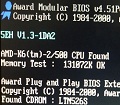
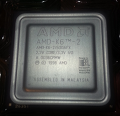
So i put in a AMD K6-2 450, changed the jumpers to get as close to the multiplier and voltage as i could and hey presto!! It booted!!! I suspect this CPU came a fair bit later after the MB as the MB does not have a 100Mhz FSB or a voltage that matches exactly

Next i swapped the AMD out and put a 166MMX into it, changed the jumpers for this CPU and ...fail!?!

Tried the 100Mhz Pentium, changed jumpers for multiplier, voltage and CPU type (P54C) and again fail.

Put the AMD back in and successful boot.

The reason has me stymied, as after making PCs for 40 years, and being well aware of what jumpers need to be configured, I have never seen this peculiar "feature" before.

I will try to find the latest BIOS, flash it, and hopefully whatever bug is causing this issue will be squashed. Including photos to show that yes it alive! Hopefully this concludes this escapade.

Reply 11 of 14, by KiasuKing

User metadata
Rank Newbie
Rank
Newbie

I will give what will likely be the final summary of this posting.

Firstly thank you for everyone who did assist in the troubleshooting. Meant a lot to me.

This evening I updated the BIOS to the last one that was released, then had a friend assist as we went over all of the settings and jumpers on the board to ensure I hadn't made any mistakes. They were all correct.

Despite the BIOS update, and the extra pair of eyes, I can say that this particular m571 board does not like or see either my 100MHZ Pentium, nor my 166MMX CPU. Both are working on my other Socket 7 boards. First time I have ever encountered this issue and searching online showed up nothing useful.

Thanks to the resources at http://m571.com/m571/index.htm I was able to set the board to use my AMD K6-2 450Mhz at its full 450Mhz speed.

So mission accomplished as far as it can be. Cheers!

Reply 12 of 14, by Shponglefan

User metadata
Rank l33t
Rank
l33t
KiasuKing wrote on 2025-11-27, 15:18:

Despite the BIOS update, and the extra pair of eyes, I can say that this particular m571 board does not like or see either my 100MHZ Pentium, nor my 166MMX CPU. Both are working on my other Socket 7 boards. First time I have ever encountered this issue and searching online showed up nothing useful.

It is unusual when a board will accept one type of processor, but not others, despite being purportedly supported.

For diagnosing this, I would look which jumpers are different for the K6-2 settings versus the Pentium or Pentium MMX. It's possible there is a bad contact or broken trace that could be impacting the settings for the Pentium processors.

Another thing to check is the CPU voltage with the different jumper settings for different voltages.

Pentium 4 Multi-OS Build
486 DX4-100 with 6 sound cards
486 DX-33 with 5 sound cards

Reply 13 of 14, by sunkindly

User metadata
Rank Member
Rank
Member

If I’m attached to it or it’s an uncommon component I try to convince myself that someday I’ll have the skill level to tackle it. And sometimes, as above, things just need a little time and effort chipping away at the troubleshooting.

SUN85: NEC PC-8801mkIIMR
SUN92: Northgate Elegance | 386DX-25 | Orchid Fahrenheit 1280 | SB 1.0
SUN97: QDI Titanium IE | Pentium MMX 200MHz | Tseng ET6000 | SB 16
SUN00: ABIT BF6 | Pentium III 1.1GHz | 3dfx Voodoo3 3000 | AU8830

Reply 14 of 14, by KiasuKing

User metadata
Rank Newbie
Rank
Newbie
Shponglefan wrote on 2025-11-27, 15:30:
KiasuKing wrote on 2025-11-27, 15:18:

Despite the BIOS update, and the extra pair of eyes, I can say that this particular m571 board does not like or see either my 100MHZ Pentium, nor my 166MMX CPU. Both are working on my other Socket 7 boards. First time I have ever encountered this issue and searching online showed up nothing useful.

It's possible there is a bad contact or broken trace that could be impacting the settings for the Pentium processors.

Yes indeed! Troubleshooting that is beyond my knowledge, and eyesight. I mentioned a small "crackle" sound when I first got the board and this would tend to support that. I have been very careful double checking the voltage (JP6 on this board) and CPU type ( JP8 ). I have never dabbled with overclocking so am a little wary of cooking my Intel CPUs by putting too many volts into them.

I even checked each pin on the Intel CPUs to see if there was something wrong with them

I fully concur with the oddness. Never in my many years of experience have I ever seen such a situation and is why I had a friend assist me last night to ensure I wasn't missing something.