VOGONS


Rust-DOS, a new DOS emulator

Topic actions

Reply 40 of 51, by Dividebysandwich

User metadata
Rank Newbie
Rank
Newbie

@The Solutor

Ah, you need to have DKRNL32.DLL and DADVAPI.DLL from the HX runtime in the mc directory. CWSDPMI.EXE from your zip isn't actually used.
I got Midnight Commander to run but there's a problem in Rust-DOS' bios buffer not getting the queued key presses. This is fixable but I'll need to run more extensive tests because this is a bit of an invasive change in int16h and I don't fully know the consequences yet. But this is a good issue to improve emulator correctness.

Oh and also note this won't work with DPMI on yet, i'll need to implement support for 0504h in the DMPI host.

Reply 41 of 51, by The Solutor

User metadata
Rank Member
Rank
Member

But this is a good issue to improve emulator correctness.

Is what I thought as well.

It may be a bit of corner case, but you know, the world is plenty of corner cases 😀

Tanks for your interest and explanations anyway

P.S. I assume we are talking about the package called MC.ZIP, the other has issues even under windows, but includes the localization files, which work on the other (SET LANG=IT for italian and so on)

Reply 42 of 51, by Dividebysandwich

User metadata
Rank Newbie
Rank
Newbie

v1.0.0 time! -> https://github.com/dividebysandwich/rust-dos/ … ases/tag/v1.0.0

New in this version:

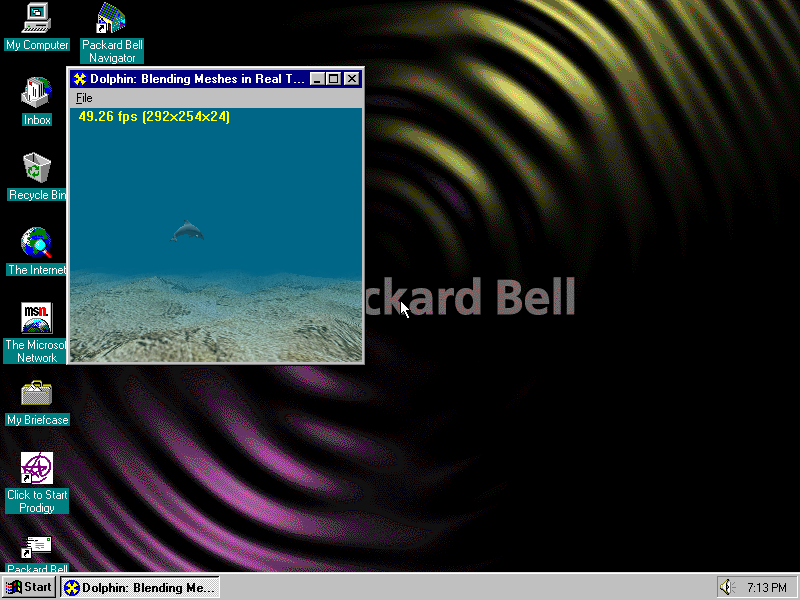
x) S3 Virge and Virge/VX emulation with Direct3D support in Windows 95

zfpmxz.png

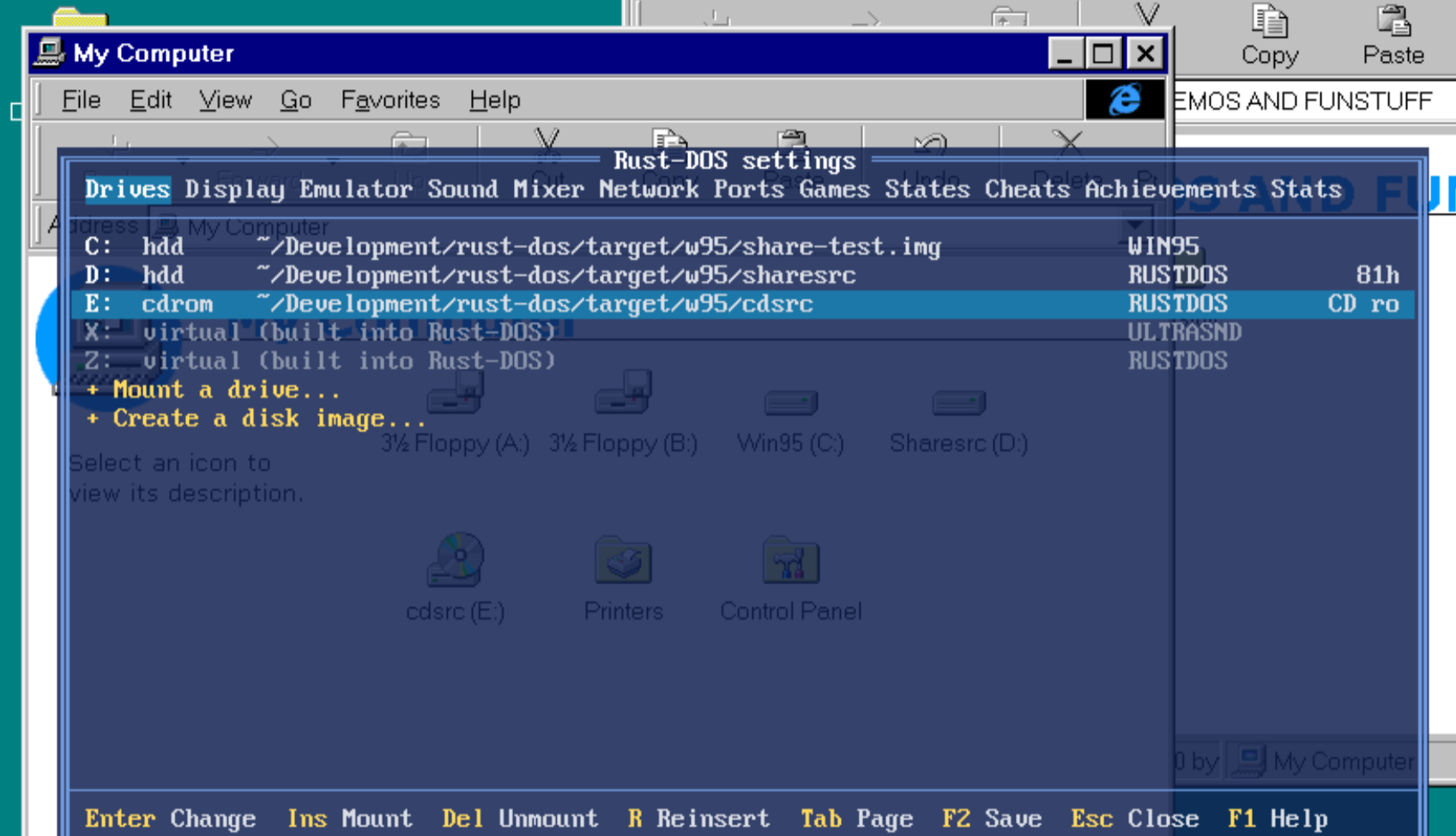
x) File exchange with Windows 95 via a virtual CD drive (readonly) and an in-memory disk (read+write) that has updates done by Win95 written to the actual filesystem on shutdown

0cyfqe.png

x) AWE 32 support
Note the ROM is not being distributed with Rust-DOS, but it will be automatically downloaded after user confirmation.

6jnx4i.png

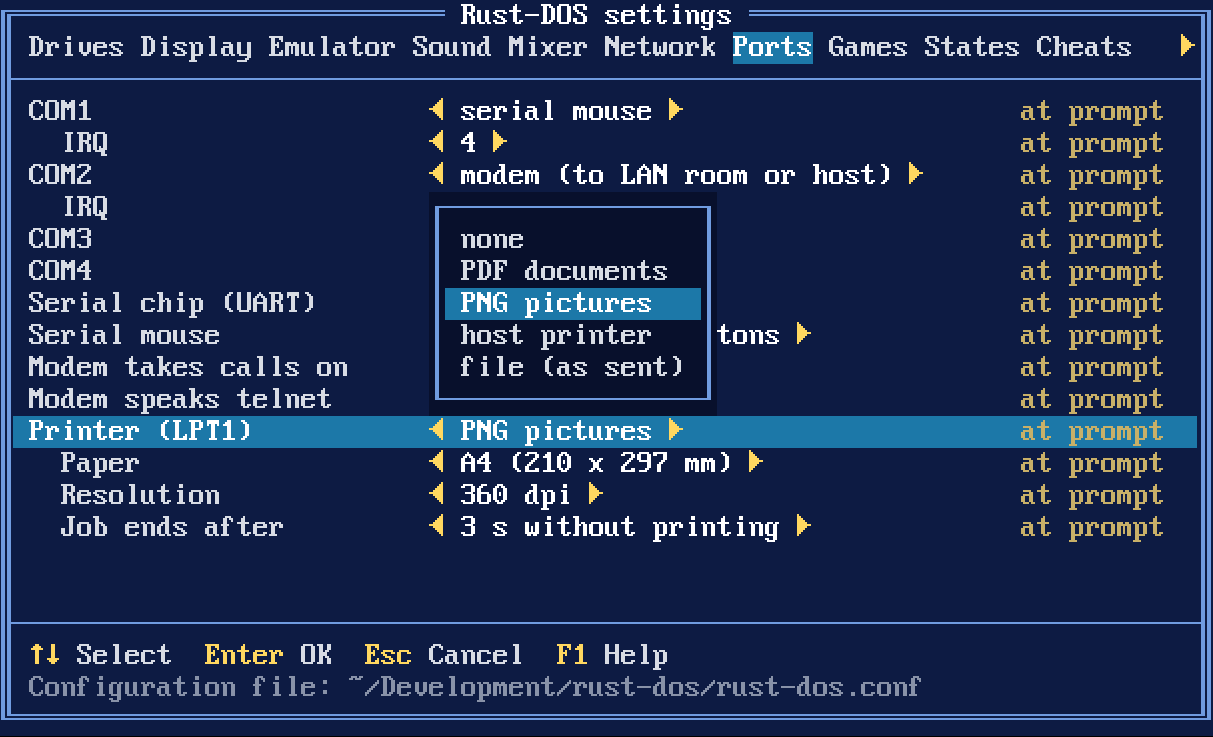
x) DOS Printing to file, PNG, PDF or a physical host printer

gltwey.png

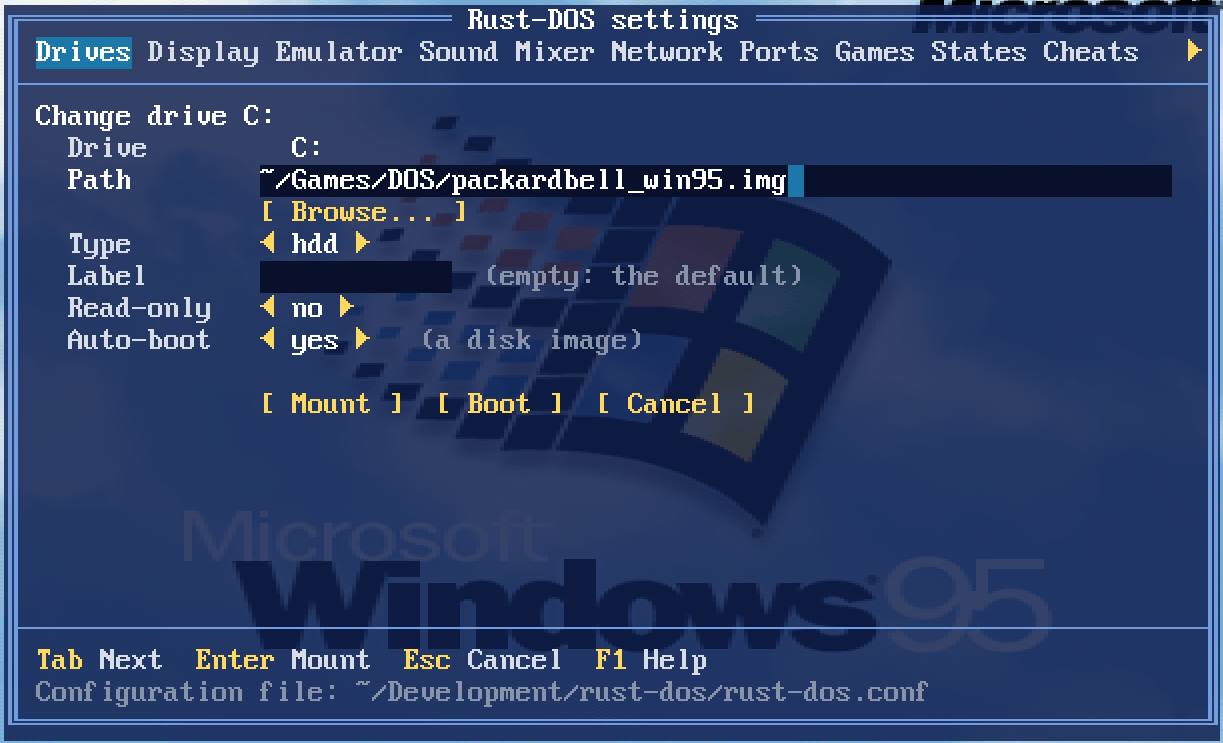
x) Booting mounted drives via the UI

olnhvm.png

x) A new "auto" cycle setting
This monitors the actual DOS render framerate and adjusts cycles to ensure maximum fps at minimum CPU load. It works a lot better than the usual dosbox approach of "grow to max in protected mode and use 3000 for everyone else". This actually enables playing a game like F117, and then playing Descent, both with good framerates and without touching settings at all. This is now the default.

x) Interpreter mode performance improvements
Rust-DOS should now be faster than Dosbox-X and Dosbox-Staging in realmode applications as well as protected mode applications.

z3rjjn.png

x) Larger memory configurations added - gated by processor type.

Last but not least:

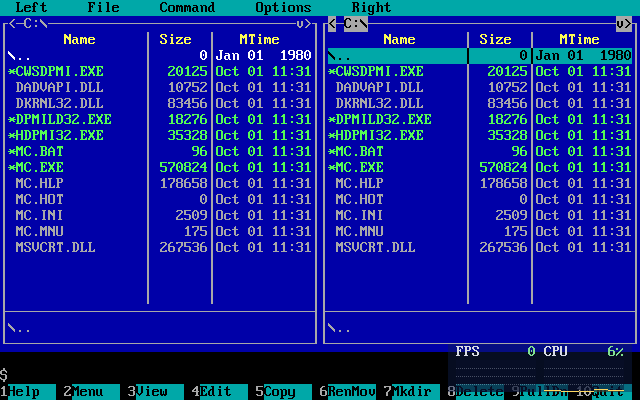
x) Midnight Commander works now, both with and without DPMI=on 😀

Reply 43 of 51, by Mov AX, 0xDEAD

User metadata
Rank Newbie
Rank
Newbie

DOS kernel takes 76Kb of low memory, how to move DOS kernel to HMA or UMB ?

The attachment lowmem.PNG is no longer available

Reply 44 of 51, by The Solutor

User metadata
Rank Member
Rank
Member

Hi

Few things in no special order

1) Likely I'm doing something stupid but still I can't get MC working. The damn thing still says it can't run in dos mode.

2) Forgot to mention earlier that 3dfx, in OpenGL mode, regressed for me in 0.9, and nothing changed in 1.o.
I see a black screen, not even the 3dfx logo, BUT if I bring the menu using CTRL+F12, then exit the menu, I see a static image of the logo/game in that moment, it works like the strobo lights in a discobar.
Rust-DOS mode works OK.

3) Hopefully, sooner or later, you will implement a auto capture/release of the mouse, you know like using the vmware tools.
I understand it may be not straightforward, so take your time, and don consider this as a high priority request.

BUT

In the meantime, I found CTRL+F10 really awkward.
First: because those keys are meant to be pushed with the same hand that holds the mouse.
Second: because, personally, I'm really used to CTRL+ALT after 2+ decades of VMware usage, so I use the same shortcut in VBox and in all other similar situation, if possible..
Would be really nice to have that shortcut working also here but, if too complicate/not possible, I suggest something different than CTRL+F10, something usable with the left hand.

Thanks in advance

Reply 45 of 51, by Dividebysandwich

User metadata
Rank Newbie
Rank
Newbie
Mov AX, 0xDEAD wrote on Today, 06:27:

DOS kernel takes 76Kb of low memory, how to move DOS kernel to HMA or UMB ?

Will be fixed in v1.1.0, there's actually no reason to take up all that lowmem space.

The Solutor wrote on Today, 06:57:

Hi
1) Likely I'm doing something stupid but still I can't get MC working. The damn thing still says it can't run in dos mode.

I am on a different PC atm and downloaded the DLLs from somewhere else and here it also doesn't run. So you really HAVE to use the DLLs from dosbox-x or it won't work!
Then just run "HDPMI32.EXE", and then run "DPMILD32.EXE MC.EXE"

ufwa1w.png

The Solutor wrote on Today, 06:57:

Hi
2) Forgot to mention earlier that 3dfx, in OpenGL mode, regressed for me in 0.9, and nothing changed in 1.o.
I see a black screen, not even the 3dfx logo, BUT if I bring the menu using CTRL+F12, then exit the menu, I see a static image of the logo/game in that moment, it works like the strobo lights in a discobar. Rust-DOS mode works OK.

Aye, my optimizations broke this. Will be fixed in v1.1.0.

The Solutor wrote on Today, 06:57:

Hi
3) Hopefully, sooner or later, you will implement a auto capture/release of the mouse, you know like using the vmware tools.
Would be really nice to have that shortcut working also here but, if too complicate/not possible, I suggest something different than CTRL+F10, something usable with the left hand.

Done! The auto capture/release should even work properly in programs that use different mouse movement scaling, but this will need some more testing. I got F117's menu to only release the mouse cursor if the in-game cursor reached the edge, but it could well be that other games will misbehave. This will be part of v1.1.0 too.

Reply 46 of 51, by The Solutor

User metadata
Rank Member
Rank
Member

Very well, Thanks.

Reply 47 of 51, by The Solutor

User metadata
Rank Member
Rank
Member
Dividebysandwich wrote on Today, 09:35:

I am on a different PC atm and downloaded the DLLs from somewhere else and here it also doesn't run. So you really HAVE to use the DLLs from dosbox-x or it won't work!
Then just run "HDPMI32.EXE", and then run "DPMILD32.EXE MC.EXE"

For the record I got MC running, both the versions, albeit the mc_95_nt-4.1.36 requires additionally msvcrt.dll (used one from NT4, but I guess the one from Win9x works as well)

I used the HX libraries I had which were OK, I just tried to use HXLDR32.EXE, which worked elsewhere, instead of DPMILD32.EXE, and HDPMI32.EXE isn't actually needed (frankly the whole matter is a bit of a mess)

The attachment mc.PNG is no longer available

I have no functional mouse anyway, not sure if I have to install ctmouse or similar driver, I'll experiment later on this detail.

Reply 48 of 51, by Dividebysandwich

User metadata
Rank Newbie
Rank
Newbie

v1.1.0 is here: https://github.com/dividebysandwich/rust-dos/ … ases/tag/v1.1.0

SC-55 emulation

iyqgjg.png

Rust-DOS now emulates the SoundCanvas with an implementation written in pure Rust. The ROMs are not shipped with the program, instead the user is prompted whether they want to download them from archive.org. This is the same mechanism as with the AWE32.

TsengLabs ET4000 support
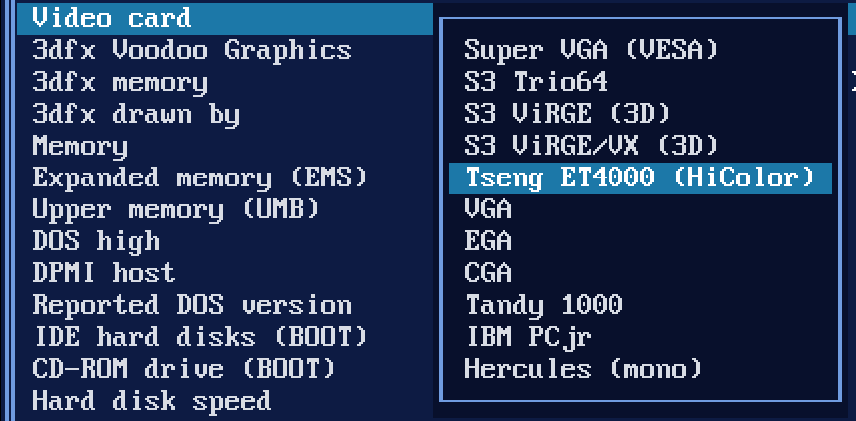
8cxfnr.png

`machine=svga_et4000` is now a real Tseng ET4000AX with 1 MB and a Sierra HiColor DAC

VRR Frame Pacing
With the new `vrr` setting on, each frame is shown when the emulated video card would draw it, so a VRR display runs at the game's own rate. On a 144 Hz test display that measured 70.09 Hz in VGA text mode and 59.94 Hz in 640×480.

Write overlay
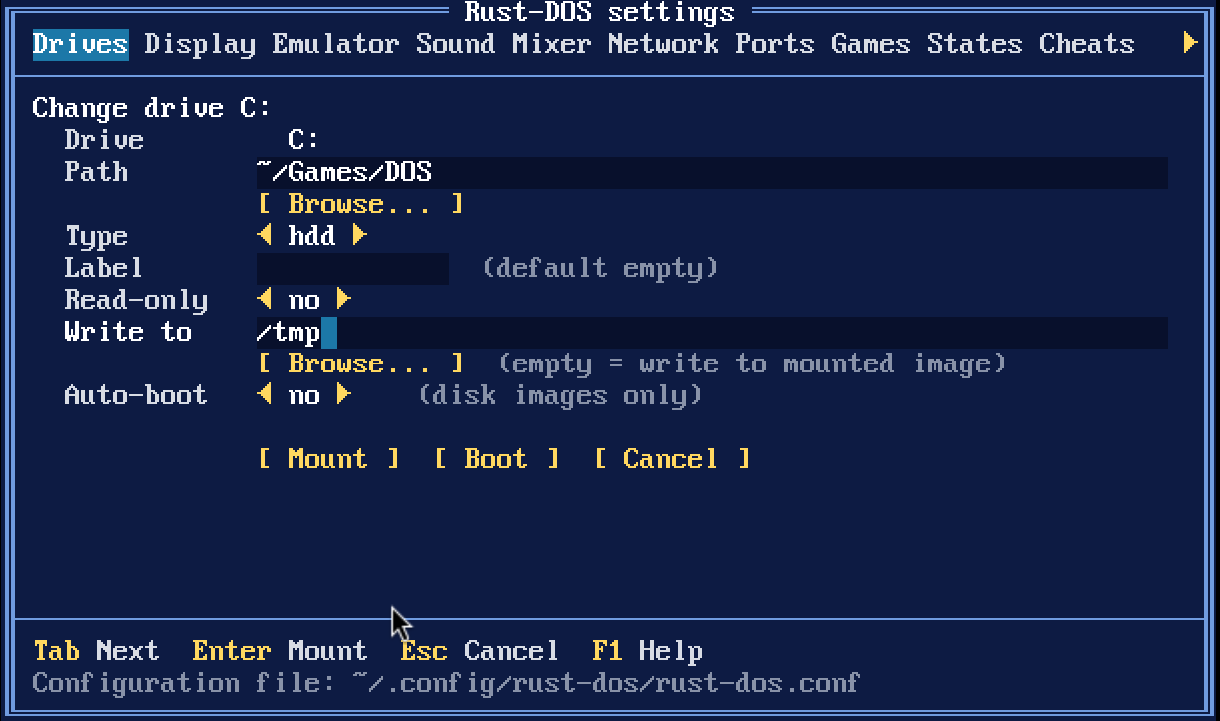
quoup1.png

* Any folder drive can take `-overlay DIR`, and DOSBox's `MOUNT C DIR -t overlay` works too. Imported DOSBox profiles keep their overlay folder.
* Files are copied into the overlay folder when first written. Deleted files are listed in `.rust-dos-deleted` inside it.
* Booted Windows 3.x/95 shared disks write their changes into the overlay as well.
* New and imported profiles get `overlay=true`, so changes go to `saves/<profile>/<drive letter>` next to the games folder. Existing profiles are unchanged until you add `overlay=true`.
* **R** on the Games page asks first, then deletes that folder, taking the game back to its install state.

ZIP/7z as drives
* ZIP, 7z and DOSBox Pure `.dosz` archives mount as drives. Stored zip files are read in place; compressed files are decompressed in memory on first open.
* An archive whose files are all in one folder uses that folder as the drive's root.
* An archive holding just a disk or CD image mounts the image.
* A `.dosz` stacks over the parent archive it names.
* Without an overlay an archive drive is read-only; game profiles always give their archives one.
* Dropping or loading an archive now creates a profile that plays it in place, instead of unpacking it. Games unpacked before keep their folders.
* The RetroAchievements hashing and the drives now share one zip reader. Hashing now reads through the libretro VFS too, so it also works for Android `saf://` content.

Manuals and extras viewer
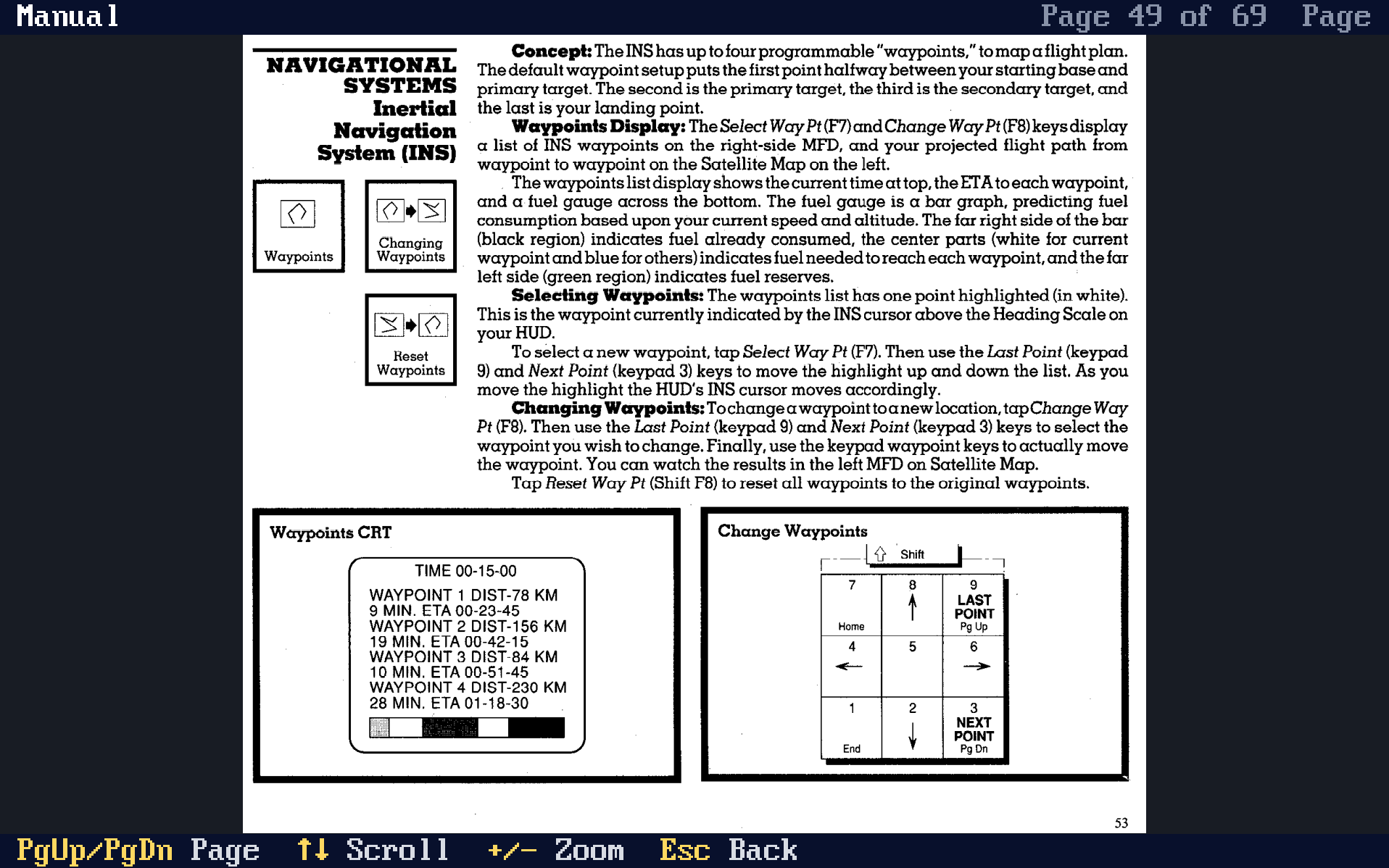
rxfjgv.png

* With a game's profile defined, it is possible to set `[game] manual=path|Title` to specify the manual. Any files in `games/<profile>.extras`, are also used as manual, for example PDFs or PNG/JPEG/GIF pictures.
* **Ctrl+Shift+M** opens the running game's manuals; **M** on the Games page opens any game's. The game pauses while one is open.
* Keys: PgUp/PgDn turn pages, the arrows scroll, `+`/`-` zoom (whole page, width, 150%, 200%), Esc goes back. **Ins** in the list adds a file to the profile.
* The position in the manual is remembered during play so you can get back to the same page immediately.
* On desktop the page is drawn at the window's own resolution, so small print stays readable. In the libretro core it is drawn into the game's picture, with the same aspect correction.
* The browser build has no manuals: it has no host files to read them from.
* GAME-PACKAGES.md contains instructions on how to include manuals with your game.

VFS support
* The libretro core can now run content from Android's file picker (saf:// and content:// paths) through RetroArch's VFS.

Mouse Capture
* Automatic mouse cursor capture support
* Also works with games with different movement scaling (F117, etc)
* Ctrl+Alt added as shortcut to release mouse, like in VMWare

Dosbox compatibility
* Rust-Dos now imports dosbox and dosbox-pure packages: Inside it expects either a dosbox.conf at the package's root, or GAME.conf next to GAME.zip

Miscellaneous
* DOS HIGH support (defaults to on, see Emulation settings tab)

Bugfixes
* Fixed black screen in 3dfx emulation in OpenGL mode

Reply 49 of 51, by The Solutor

User metadata
Rank Member
Rank
Member

Yesss, thanks

Really cool, really fast

In the meantime I have another (maybe dumb) question

Assume I'm here, top lever of the R: drive, and I need to choose something located on the T: drive, how I'm supposed to change the drive?

Norton Commander & clones have Alt + F1/F2.... here?

Reply 50 of 51, by Dividebysandwich

User metadata
Rank Newbie
Rank
Newbie

Heh... Well you can type T: and then press browse.
But yeah, drive buttons would be more convenient. Can you tell I don't use Windows? 😉

BTW I found a bug with Duke3d and the Gravis Ultrasound. If you hear weird midi notes on the left speaker, that bug will be fixed in the next version.

Reply 51 of 51, by The Solutor

User metadata
Rank Member
Rank
Member
Dividebysandwich wrote on 51 minutes ago:

Heh... Well you can type T: and then press browse.

I know, but still my QC senses start tickling when I find a UX inconsistence. 😉

But yeah, drive buttons would be more convenient.

Yes, another option could be to start from an imaginary root \ and show the drive letters as if they were subfolder of that not really existent root directory.

A bit "unixy", but if you think, "My PC" in windows was an attempt of MS to do the same thing in Win95, a single starting point to access any folder no matter the drive.

Can you tell I don't use Windows?

Yes, being used to use MC on Linux, I have always to think twice then I have to change drive on WinDOS, so I perfectly understand what you mean.

BTW I found a bug with Duke3d and the Gravis Ultrasound. If you hear weird midi notes on the left speaker, that bug will be fixed in the next version.

Good to know, but I wasn't a special lover of Duke at the time, and I'm not today (Doom, Quake, TombRaider 1/2/3, Unreal, Half Life.... were my things...), so that bug has not big impact on me 😀